
Arduino Mega 2560 Complete Guide — The Most Powerful Workhorse Board
เตรียมของให้พร้อม!
โปรเจคนี้ต้องใช้: Arduino Mega 2560 R3 Board
What is Arduino Mega 2560?
Arduino Mega 2560 is a microcontroller board in the Arduino family designed for large and complex projects. Unlike the standard Arduino Uno for beginners, Mega has up to 54 digital I/O pins and 16 analog inputs, allowing control of numerous devices simultaneously.
The board uses the ATmega2560 microcontroller chip with 256KB Flash Memory, 8KB SRAM, and 4KB EEPROM — ample space for large programs that handle significant data processing.
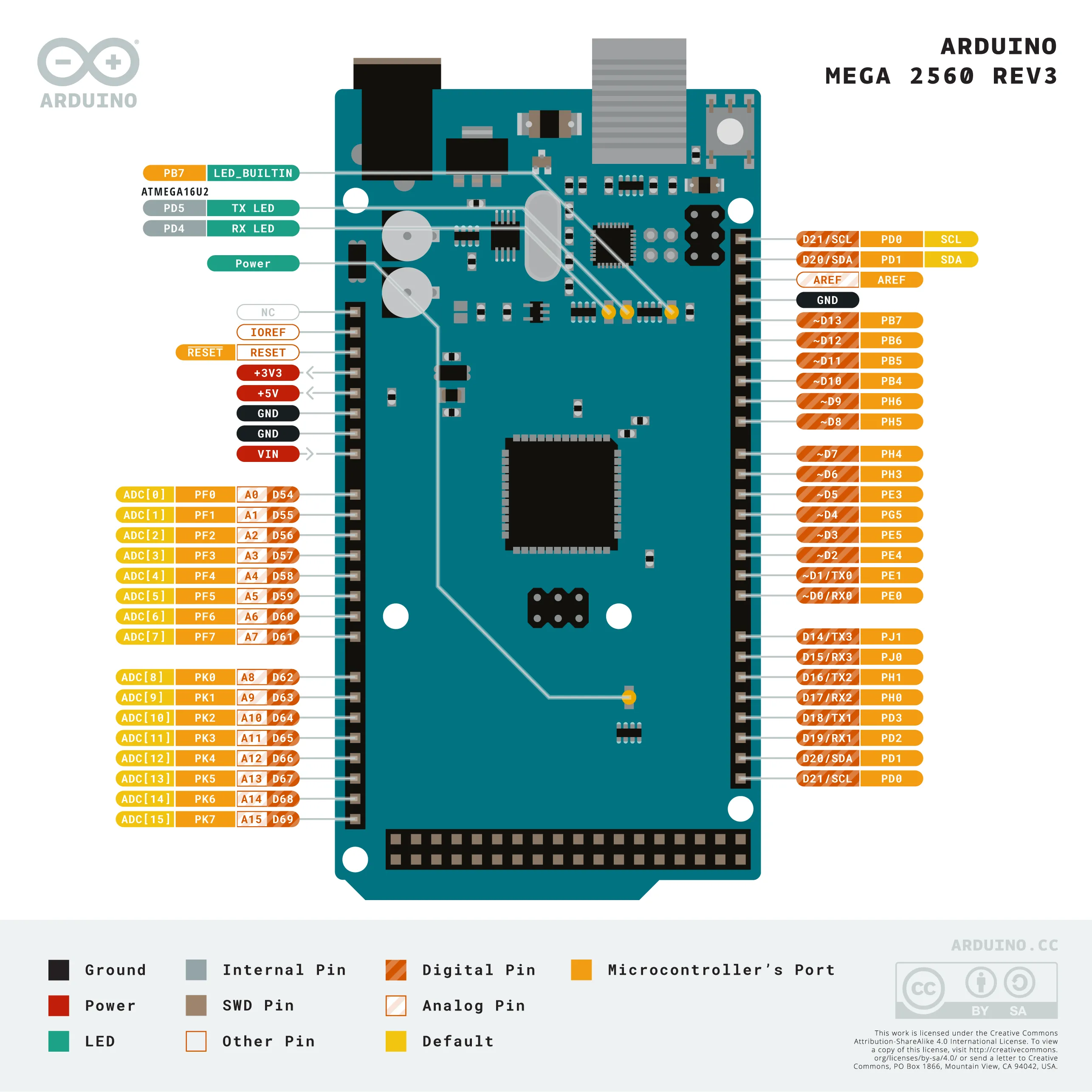
Arduino Mega 2560 vs Uno vs Nano Comparison
| Specification | Mega 2560 | Uno R3 | Nano |
|---|---|---|---|
| Digital I/O Pins | 54 pins | 14 pins | 22 pins |
| Analog Input Pins | 16 pins | 6 pins | 8 pins |
| UART/Serial Ports | 4 ports | 1 port | 2 ports |
| Flash Memory | 256 KB | 32 KB | 32 KB |
| SRAM | 8 KB | 2 KB | 2 KB |
| Board Size | 101.5 × 53.4 mm | 68.6 × 53.4 mm | 45 × 18 mm |
| Approx. Price | ~450-600 THB | ~150-250 THB | ~100-180 THB |
The most significant difference is the number of UART/Serial ports — Mega has 4 ports, enabling communication with multiple devices simultaneously without using SoftwareSerial libraries.
When to Choose Arduino Mega 2560
1. CNC and 3D Printer Projects
Arduino Mega is the heart of many CNC machines and 3D printers, including the Prusa i3, which uses Mega with a Ramps 1.4 Shield to control 4 stepper motors, heated bed, hotend heater, and various sensors.
2. Large LED Matrix Displays
Need to control thousands of LEDs? Mega can manage LED Matrix displays of 64×64 or larger using Shift Registers or LED Drivers, thanks to its abundant I/O ports for data timing.
3. Large-scale Monitoring Systems
IoT projects that need to collect data from dozens of sensors simultaneously — such as greenhouse climate monitoring systems or factory air quality measurement systems — require the many Analog Input pins that Mega provides.
4. Multi-Arm Robots
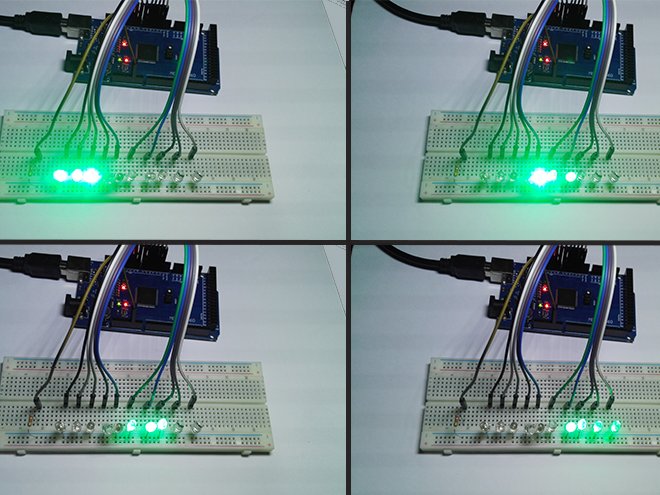
Robots with multiple Servos or Motors require numerous PWM channels. Mega has 15 PWM channels (Uno has only 6), enabling smoother multi-joint control.
Getting Started with Mega 2560
What You’ll Need
- Arduino Mega 2560 R3 board
- USB Type-B cable (for code upload)
- Arduino IDE (free download from arduino.cc)
- 7-12V power supply (when connecting multiple devices)
Installing the Board in Arduino IDE
1. Open Arduino IDE
2. Go to Tools > Board > Boards Manager...
3. Search for "Arduino Mega" in the search box
4. Select "Arduino Mega boards" and click Install
5. Go to Tools > Board > Select "Arduino Mega or Mega 2560"
6. Go to Tools > Processor > Select "ATmega2560 (Mega 2560)"
Testing Your First Board
// Mega LED Blink Test
// Upload this sketch and watch the onboard LED blink every 1 second

const int ledPin = 13; // Onboard LED on Mega

void setup() {
  pinMode(ledPin, OUTPUT);
  Serial.begin(9600); // Use Serial Monitor to view output
}

void loop() {
  digitalWrite(ledPin, HIGH);
  Serial.println("LED ON");
  delay(1000);
  digitalWrite(ledPin, LOW);
  Serial.println("LED OFF");
  delay(1000);
}
Open Tools > Serial Monitor at 9600 baud to see the output and confirm the board is working correctly.
Mega 2560 vs ESP32: Which One to Choose?
| Criteria | Mega 2560 | ESP32 |
|---|---|---|
| I/O Pins | 54 (more) | 34 |
| WiFi/Bluetooth | ❌ None | ✅ Built-in |
| Processing Speed | 16 MHz | 240 MHz (much faster) |
| RAM | 8 KB (limited) | 520 KB (abundant) |
| Price | ~450-600 THB | ~150-300 THB |
| Voltage Support | 5V only | Both 3.3V and 5V |
| Stability | Very high (mature) | Good but more complex |
Choose Mega 2560 when you need maximum stability, abundant I/O, and no WiFi requirement. Choose ESP32 when you need Internet connectivity, faster processing, and built-in Bluetooth.
10 Referenced Projects for Further Learning
- IoT Automation Dashboard
- IoT Dashboard Webserver with Gauges
- UNO R4 WiFi Weather Dashboard
- Loadmaster Online Dashboard and Data Logging
- Arduino MQTT to Grafana
- MKR Zero Weather Data Logger
- IoTerrific Data Logging
- Temperature/Humidity/Water Level Monitoring
- ESP32 Real-time AQI Tracking
- Connected Weather Station with ESP32
Recommended Equipment (from Me/merged_output.csv)
- Arduino Mega 2560 R3 — Main board
- SG90 Servo Motor — Ideal for robotics and mechanical projects
- HC-SR04 Ultrasonic Sensor — Distance measurement
- DHT22 Temperature Humidity Sensor — Temperature and humidity measurement
- Soil Moisture Sensor — Soil moisture measurement
- OLED 0.96 inch I2C Display — Compact display module
- TFT LCD Module — Color display for Dashboard projects
Continue Reading
- What is Arduino? — Overview of all Arduino boards
- What is ESP32? — Board with built-in WiFi and Bluetooth
- Custom Arduino/IoT Project Services — Need help building your project?
Summary
Arduino Mega 2560 is the board for anyone who needs to build large-scale projects that control many devices simultaneously. With abundant I/O ports, it’s perfect for CNC machines, 3D printers, large LED matrices, or extensive monitoring systems. If you want a simple start with a large community, Uno is a great entry point. But if you need WiFi and faster processing, ESP32 is also an excellent alternative.
อยากทำโปรเจคแบบนี้?
รับทำโปรเจค Arduino / IoT จบงานไว ส่งงานครบ พร้อมสอน
If you need Arduino project service or urgent IoT development, see full service details on the home page
จ้างทำโปรเจคเลย