TinyGo 0.41.0 — WiFi Support on ESP32 and Arduino UNO Q Now Available
เตรียมของให้พร้อม!
โปรเจคนี้ต้องใช้: ESP32 ESP-WROOM-32 Dev Module
TinyGo 0.41.0 is Here
The TinyGo team has announced TinyGo 0.41.0, described as the most feature-packed release ever, with over 150 commits to the main repository. The standout additions: WiFi support on ESP32 and support for the newly launched Arduino UNO Q board.
What is TinyGo?
TinyGo is a Go compiler designed specifically for embedded systems and resource-constrained devices. Unlike standard Go focused on server-side or cloud applications, TinyGo can compile Go code to run on small devices such as:
- Arduino Uno, Nano, Mega
- ESP32, ESP32-C3, ESP32-S3
- Raspberry Pi Pico / Pico W
- STM32 microcontrollers
- BBC micro:bit
What makes TinyGo compelling is that you can use goroutines, channels, and other Go concurrency features on embedded hardware — capabilities that would normally require C/C++ or FreeRTOS.
What’s New in 0.41.0?
1. WiFi Support on ESP32-C3 and ESP32-S3
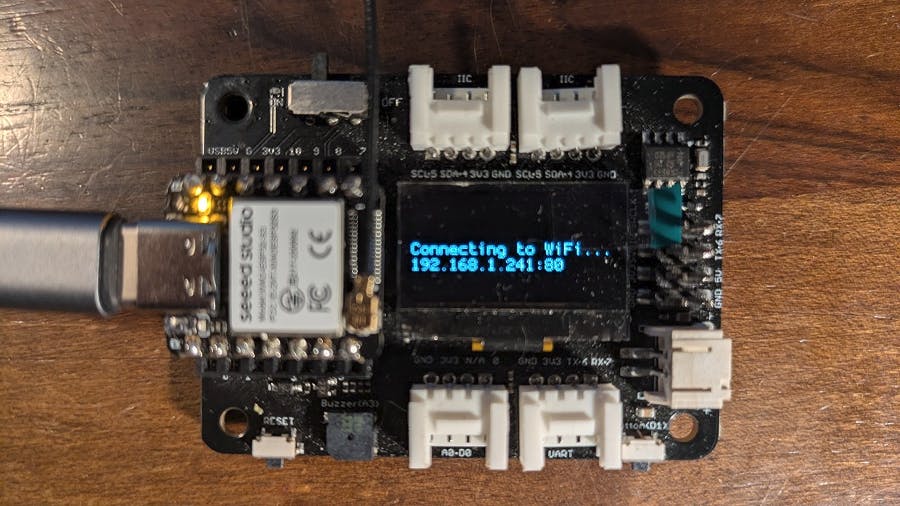
The long-awaited feature is here — TinyGo now supports WiFi on ESP32-C3 and ESP32-S3 chips, enabling:
// Example: Run a Web Server on ESP32 using Go
package main

import (
    "machine"
    "net/http"
    "net/netip"
    "tinygo.org/x/drivers/esp32wifi"
)

func main() {
    // Connect to WiFi
    eth := esp32wifi.New()
    eth.Connect("SSID", "password")

    // Run HTTP server
    http.ListenAndServe(":80", http.HandlerFunc(func(w http.ResponseWriter, r *http.Request) {
        w.Write([]byte("Hello from TinyGo on ESP32!"))
    }))
}
As Ron Evans from the TinyGo team explains: “You can run a web server or MQTT messaging client right on your ESP32 board using the same language that powers your cloud infrastructure.”
WiFi communication uses the new ‘espradio’ package developed by the TinyGo team. Currently supporting WiFi, with Bluetooth in progress.
2. Arduino UNO Q Support
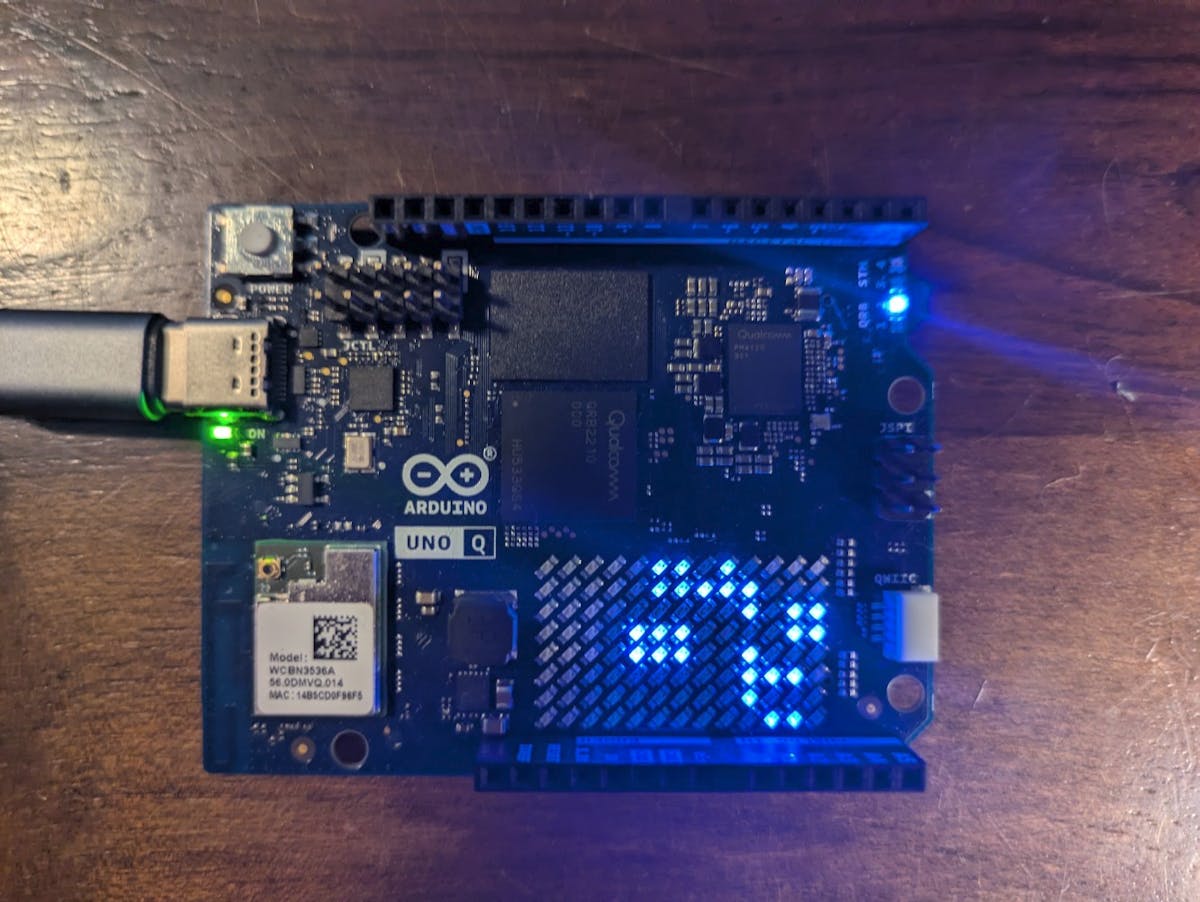
Arduino UNO Q was announced late last year alongside Arduino’s acquisition by Qualcomm, described as a “dual-brain” board:
- Microprocessor side running a full Linux distribution
- STMicroelectronics STM32U585 microcontroller as a coprocessor for real-time work
TinyGo 0.41.0 now makes it easy to flash Go code onto the UNO Q’s STM32U585 microcontroller coprocessor, with full access to:
- GPIO pins
- ADC (Analog to Digital Converter)
- PWM
- SPI and I2C buses
- Integrated LED matrix on the board
3. Go 1.26 Support
TinyGo 0.41.0 updates to support Go 1.26, bringing the latest Go features to embedded devices.
4. Direct Flash Without External Tools
The new ‘espflasher’ package enables direct flashing to ESP32 boards using tinygo flash without needing esptool or other external tools.
Comparison: TinyGo vs Arduino IDE (C++)
| Criteria | TinyGo (Go) | Arduino IDE (C++) |
|---|---|---|
| Write speed | Faster (built-in concurrency) | Moderate |
| Memory safety | ✅ Garbage collection | ❌ Manual management |
| Concurrency | ✅ Goroutines + Channels | ❌ Requires FreeRTOS |
| Library ecosystem | Uses Go libraries | Uses Arduino libraries |
| Hardware support | Expanding | More mature coverage |
| Learning curve | Requires Go knowledge | Easier for beginners |
Practical TinyGo Examples
MQTT Sensor Gateway
package main

import (
    "machine"
    "tinygo.org/x/drivers/esp32wifi"
    "tinygo.org/x/drivers/mqtt"
    "time"
)

func main() {
    wifi := esp32wifi.New()
    wifi.Connect("home-wifi", "password")

    client := mqtt.NewClient()
    client.Connect("tcp://mqtt.server:1883", "esp32-client")

    sensor := machine.ADC{Pin: machine.A0}

    for {
        value := sensor.Read()
        client.Publish("sensors/temp", []byte(string(value)))
        time.Sleep(5 * time.Second)
    }
}
LED Matrix Display on UNO Q
package main

import (
    "machine"
    "tinygo.org/x/drivers/ledmatrix"
)

func main() {
    matrix := ledmatrix.New()
    matrix.Configure()

    for {
        matrix.Clear()
        matrix.DrawText("TinyGo!", 0, 0)
        matrix.Show()
        time.Sleep(1 * time.Second)
    }
}
Getting Started
1. Install TinyGo
# macOS
brew tap tinygo-org/tinygo
brew install tinygo

# Linux (download binary)
wget https://github.com/tinygo-org/tinygo/releases/download/v0.41.0/tinygo_0.41.0_amd64.deb
sudo dpkg -i tinygo_0.41.0_amd64.deb

# Windows (using scoop)
scoop install tinygo
2. Install Go First (if not already)
# Download from golang.org3. Connect Board and Flash
# List available boards
tinygo targets

# Flash to ESP32
tinygo flash -target=esp32-c3-mini yourcode.go
10 Referenced Projects for Further Learning
- IoT Automation Dashboard
- IoT Dashboard Webserver with Gauges
- UNO R4 WiFi Weather Dashboard
- Loadmaster Online Dashboard and Data Logging
- Arduino MQTT to Grafana
- MKR Zero Weather Data Logger
- IoTerrific Data Logging
- Temperature/Humidity/Water Level Monitoring
- ESP32 Real-time AQI Tracking
- Connected Weather Station with ESP32
Recommended Equipment (from Me/merged_output.csv)
- ESP32 ESP-WROOM-32 Dev Module — Main board for TinyGo WiFi
- ESP32-C3 Dev Module — Supported in TinyGo 0.41.0
- Arduino UNO R3 — Entry board for TinyGo
- DHT22 Temperature Humidity Sensor — Temperature and humidity sensor
- OLED 0.96 inch I2C Display — Display module for projects
- HC-SR04 Ultrasonic Sensor — Distance measurement sensor
Continue Reading
- Arduino Mega 2560 Complete Guide — Board for large-scale projects
- What is ESP32? — Popular IoT board
- Custom Arduino/IoT Project Services — Need help building your project?
Summary
TinyGo 0.41.0 is a significant step for Go developers wanting to explore hardware programming — WiFi on ESP32 is now supported, and coverage extends to the Arduino UNO Q dual-brain board, enabling Go code to run directly on the microcontroller coprocessor. If you already use Go, TinyGo opens up a new world of running Go on edge devices with the same language and libraries you use in the cloud.
อยากทำโปรเจคแบบนี้?
รับทำโปรเจค Arduino / IoT จบงานไว ส่งงานครบ พร้อมสอน
If you need Arduino project service or urgent IoT development, see full service details on the home page
จ้างทำโปรเจคเลย