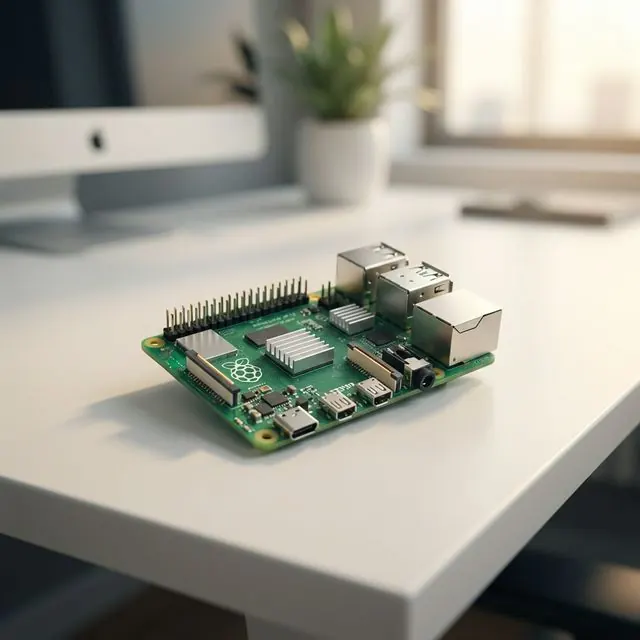
What is Raspberry Pi? The Tiny Computer That Does More Than You Think
เตรียมของให้พร้อม!
โปรเจคนี้ต้องใช้: Raspberry Pi 4/5 Board
If you’ve heard of Arduino, you’ve likely heard of Raspberry Pi too. It’s another favorite board among makers worldwide. But did you know? “It’s not just a microcontroller.” It is a full-fledged computer that’s extremely popular in the IoT world. Today, let’s get to know it better.
What is Raspberry Pi?
Raspberry Pi is a Single Board Computer (SBC) about the size of a credit card, developed by the Raspberry Pi Foundation in the UK.
What makes it cool is that it has everything a big computer has! CPU, RAM, GPU, USB ports, Ethernet, Wi-Fi, Bluetooth, and importantly, an HDMI port for connecting to a monitor. It runs Linux operating systems (like Raspberry Pi OS) just like a regular computer.
Amazing Specs (Example: Raspberry Pi 5)
- CPU: Quad-core Arm Cortex-A76 (Desktop-level performance)
- RAM: Available from 4GB to 8GB
- Video: Supports dual 4k displays!
- Connectivity: Gigabit Ethernet, Wi-Fi 5, Bluetooth 5.0
What Can You Do with Raspberry Pi?
Since it’s a computer, it can do almost anything a PC can, but with much lower power consumption and a compact size. It performs well in various projects, such as:
- Home Automation Hub: Control smart home devices via Home Assistant.
- Media Center: Turn a regular TV into a Smart TV for movies and music.
- Retro Gaming Console: Play classic games from the past.
- Desktop PC: Use for documents, web browsing, or learning Python/Scratch programming.
- AI & Image Processing: Connect a camera for face detection or object recognition using OpenCV.
Raspberry Pi vs. Arduino: What’s the Difference?
| Feature | Arduino | Raspberry Pi |
|---|---|---|
| Type | Microcontroller | Computer (SBC) |
| OS | None (Runs single loop code) | Yes (Linux, Windows IoT) |
| Power | Low (Good for hardware control) | High (Good for processing) |
| Energy | Very Low (batteries last long) | Higher (needs power adapter) |
| Strengths | Real-time, Robust, Simple | Multitasking, Connectivity, Display |
Simple Summary: If you need to “toggle lights/read sensors”, go with Arduino. If you need to “process images/run a server/display on a screen”, you need Raspberry Pi.
Getting Started Essentials
- Raspberry Pi Board
- Micro SD Card (for the OS)
- Power Adapter (Recommend 5V 3A or higher)
- HDMI Cable and Monitor
- Mouse and Keyboard
That’s it! You’re ready to step into the world of Linux and advanced IoT!
Recommended Product
[Raspberry Pi](https://s.shopee.co.th/4fdJ09mRjV) 4 Model B
 4 Model B](https://down-bs-th.img.susercontent.com/th-11134207-81ztq-mes16zzavshs78.webp)
Genuine Made in UK. Ready to ship in Thailand.
Buy on ShopeeIf you have an idea for a cool IoT project using Raspberry Pi but don’t know where to start or are stuck, feel free to chat with us! We are ready to consult and build projects tailored to your needs!
อยากทำโปรเจคแบบนี้?
รับทำโปรเจค Arduino / IoT จบงานไว ส่งงานครบ พร้อมสอน
If you need Arduino project service or urgent IoT development, see full service details on the home page
ทักไลน์ @oqk3359x