Intermediate
โปรเจกต์ Timer Alarm Clock 30 นาที
Timer Alarm Clock 30 นาที แบบง่ายที่ใช้ Arduino พร้อมเสียง gong ที่นุ่มนวล
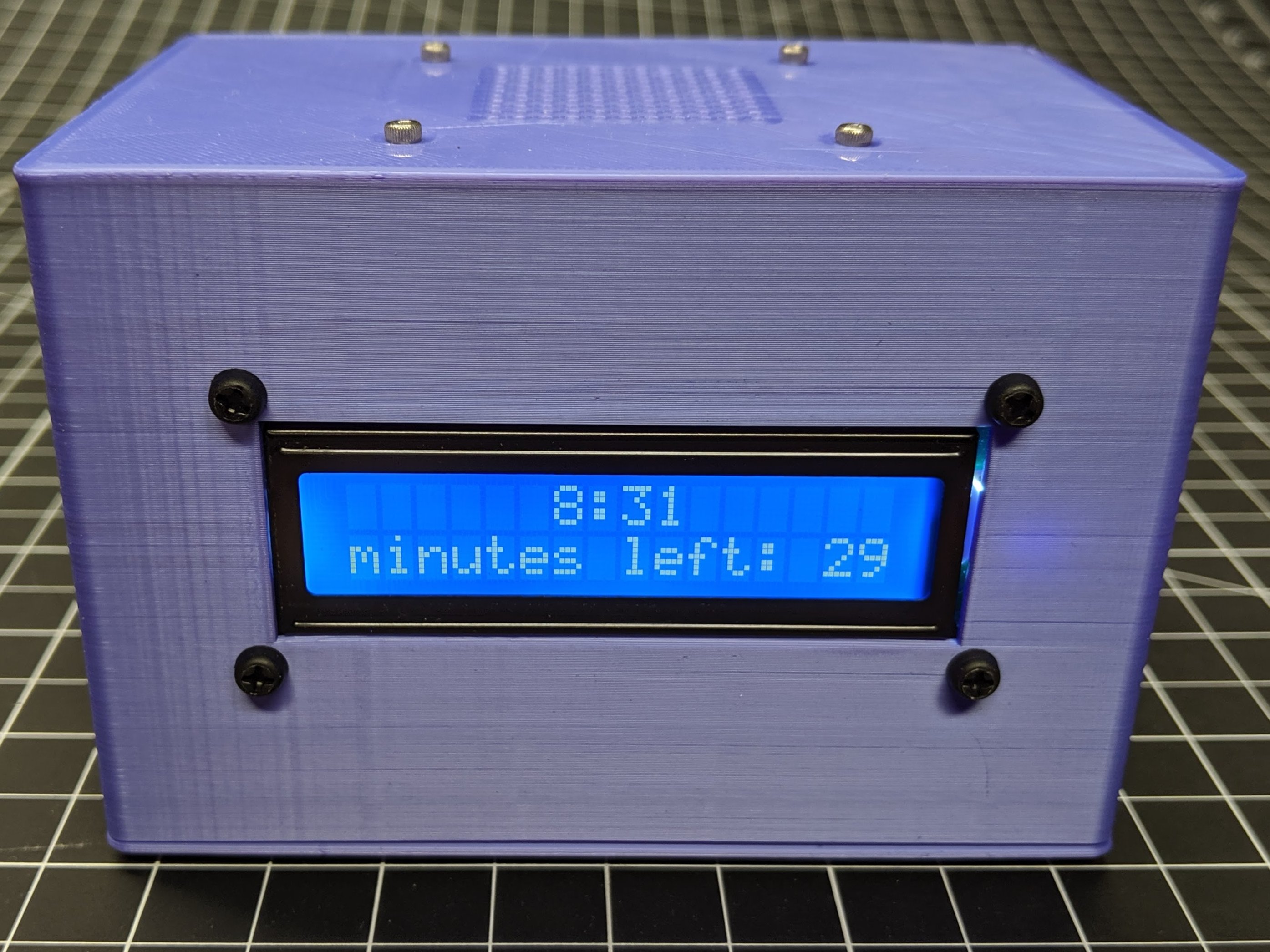
Timer Alarm Clock 30 นาที แบบง่ายที่ใช้ Arduino พร้อมเสียง gong ที่นุ่มนวล
นี่คือเครื่องตั้งเวลา 30 นาทีอย่างง่ายสำหรับการพักช่วงสั้นๆ หรือการต้มไข่ โดยใช้ Arduino Uno, Piezo Buzzer, Push Button และ LED
เมื่อคุณกด Button เครื่องตั้งเวลาจะเริ่มนับถอยหลัง LED จะสว่างขึ้นเพื่อแสดงว่าเครื่องกำลังทำงาน (Active) หลังจากผ่านไป 30 นาที Buzzer จะส่งเสียงเตือนเพื่อให้คุณรู้ว่าหมดเวลาแล้ว
การต่อวงจรนั้นเรียบง่ายมาก:

คุณสามารถคัดลอก Code นี้ไปใส่ใน Arduino IDE แล้วทำการ Upload ลงใน Arduino ของคุณได้เลย:
// กำหนด Pin สำหรับแต่ละ Component
const int buttonPin = 2;
const int buzzerPin = 8;
const int ledPin = 13;

// ตั้งค่าเวลา 30 นาที (30 นาที * 60 วินาที * 1000 มิลลิวินาที)
const unsigned long timerDuration = 30 * 60 * 1000;

void setup() {
  pinMode(buttonPin, INPUT);
  pinMode(buzzerPin, OUTPUT);
  pinMode(ledPin, OUTPUT);
}

void loop() {
  if (digitalRead(buttonPin) == HIGH) {
    digitalWrite(ledPin, HIGH); // เริ่มจับเวลา
    delay(timerDuration);

    // เสียงเตือนเมื่อครบเวลา
    for (int i = 0; i < 5; i++) {
      tone(buzzerPin, 1000);
      delay(500);
      noTone(buzzerPin);
      delay(500);
    }
    digitalWrite(ledPin, LOW);
  }
}
หลังจากทำการ Upload Code เรียบร้อยแล้ว ให้กด Push Button หนึ่งครั้งเพื่อเริ่มการนับเวลา LED จะติดสว่างตลอดช่วงเวลา 30 นาที และเมื่อครบกำหนด Buzzer จะส่งเสียงเตือน 5 ครั้งเพื่อให้คุณทราบ
สนับสนุนเพื่อรับ Source Code หรือแอปพลิเคชันสำหรับโปรเจกต์นี้