Easy
โปรเจกต์ Bluetooth Car พร้อมระบบ Auto Breaking และ Speed Controller
โปรเจกต์นี้ประกอบด้วยวิธีการออกแบบและพัฒนา Bluetooth Controlled Robot พร้อมระบบ Speed Control และ Auto Breaking System

โปรเจกต์นี้ประกอบด้วยวิธีการออกแบบและพัฒนา Bluetooth Controlled Robot พร้อมระบบ Speed Control และ Auto Breaking System
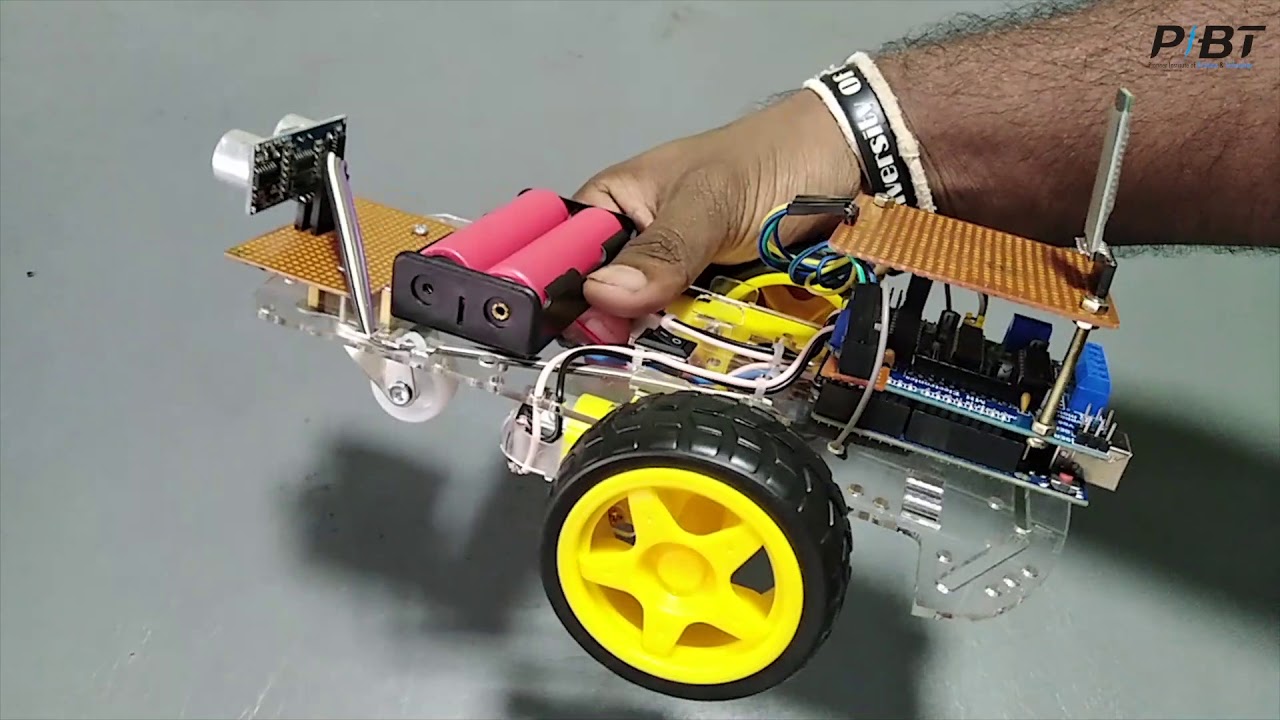
▶ กดเพื่อดูวิดีโอสาธิตโปรเจกต์
โปรเจกต์นี้ประกอบด้วยวิธีการออกแบบและพัฒนาหุ่นยนต์ควบคุมผ่าน Bluetooth พร้อมระบบควบคุมความเร็วและระบบเบรกอัตโนมัติ โดยใช้ L293D Motor Driver Shield
อุปกรณ์ที่จำเป็น
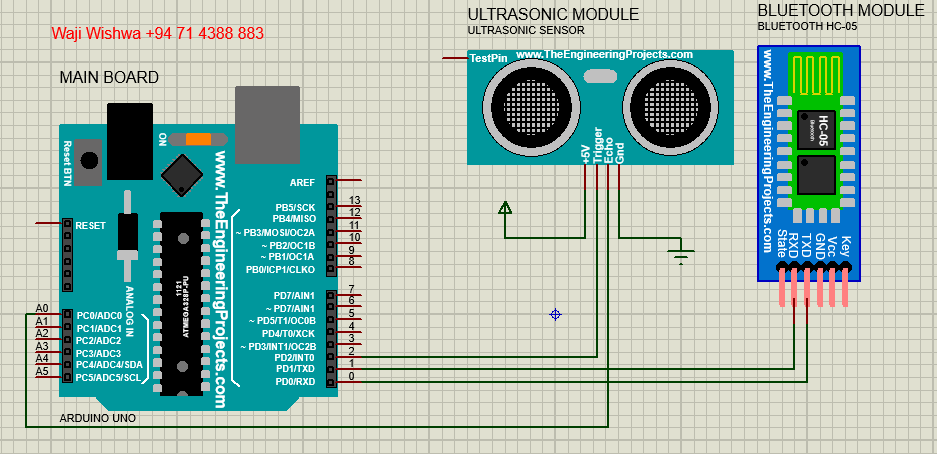
Figure 01: การเชื่อมต่อพื้นฐานกับ Board Arduino Uno, Ultrasonic Sensor และ HC-05 Bluetooth Module
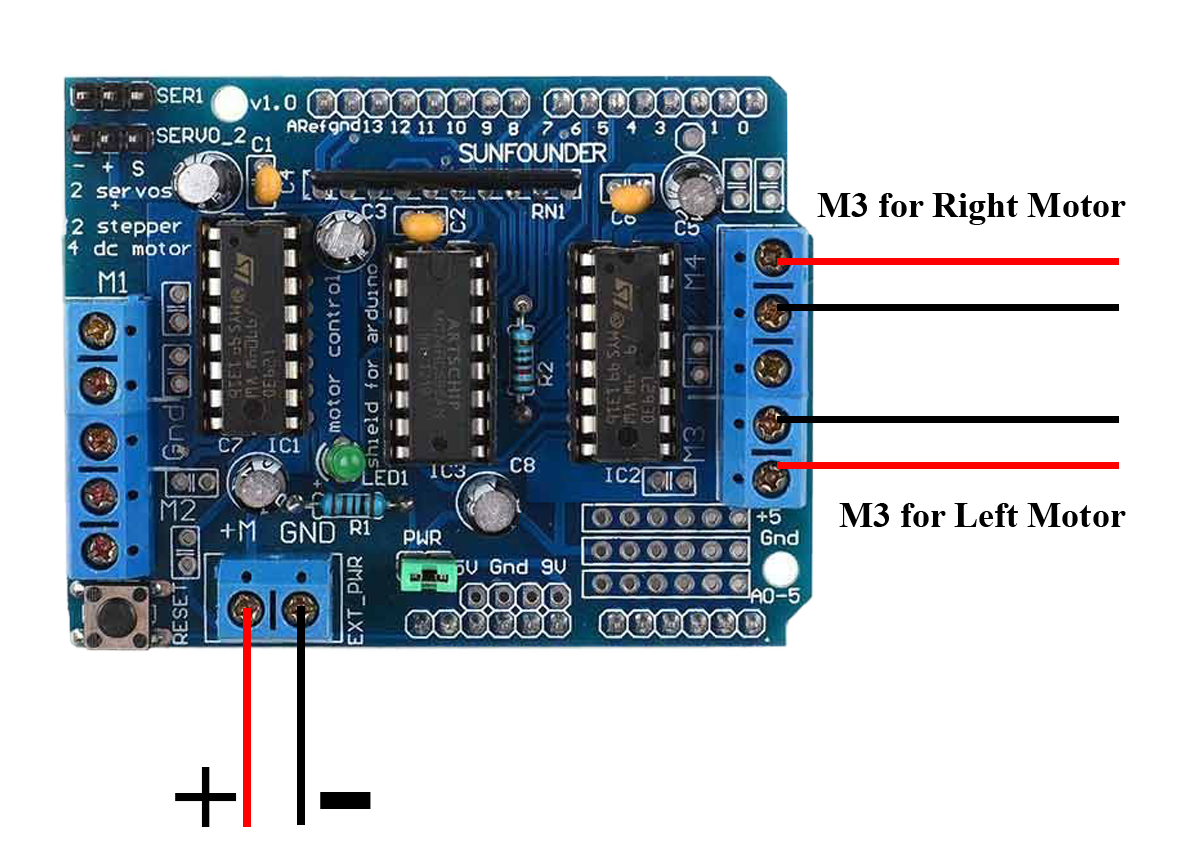
Figure 02: การต่อสายไฟเลี้ยงและ Motor ของ L293D Motor Driver Shield
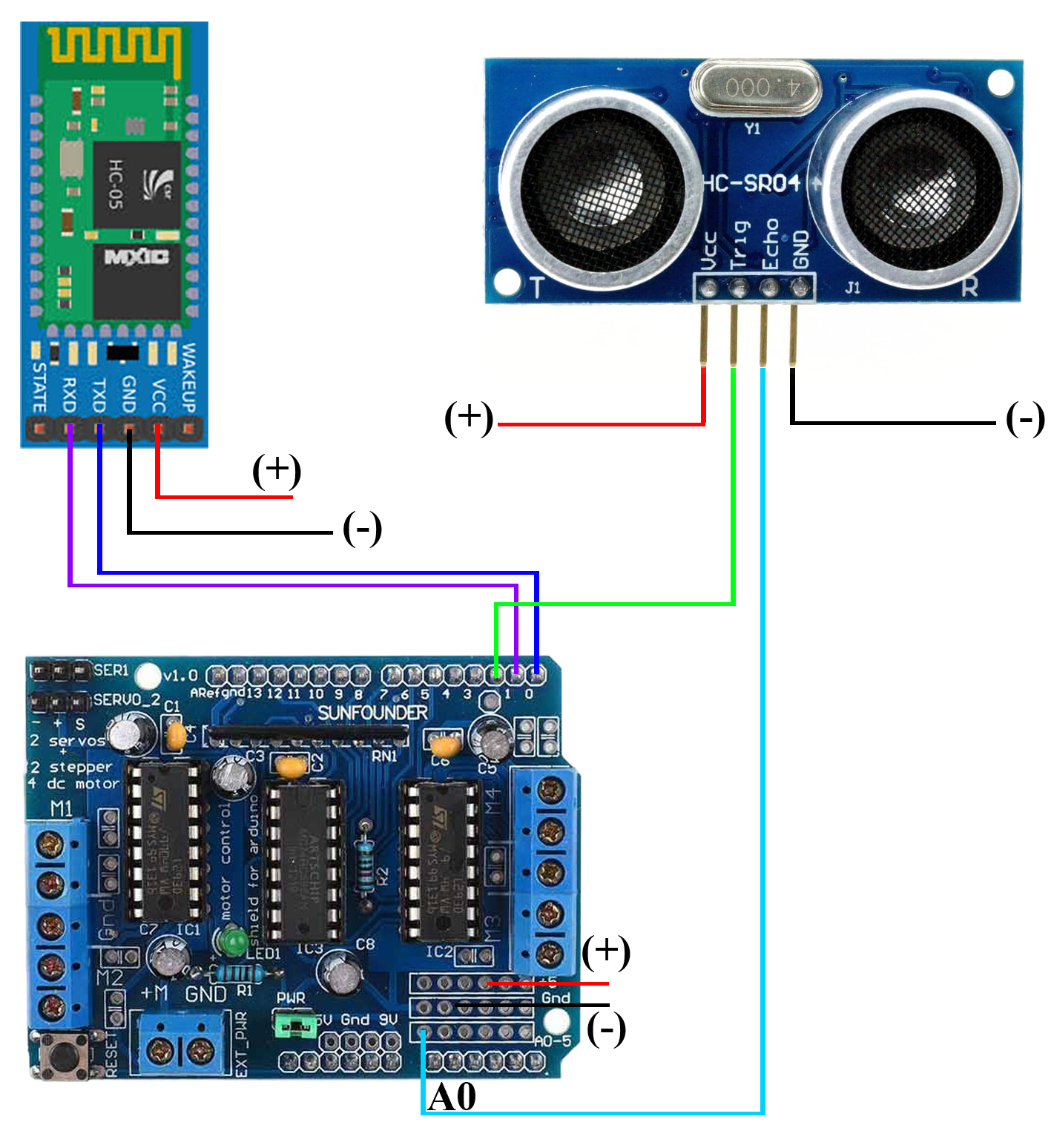
Figure 03: การต่อสาย Ultrasonic Sensor และ Bluetooth Module ของ L293D Motor Driver Shield
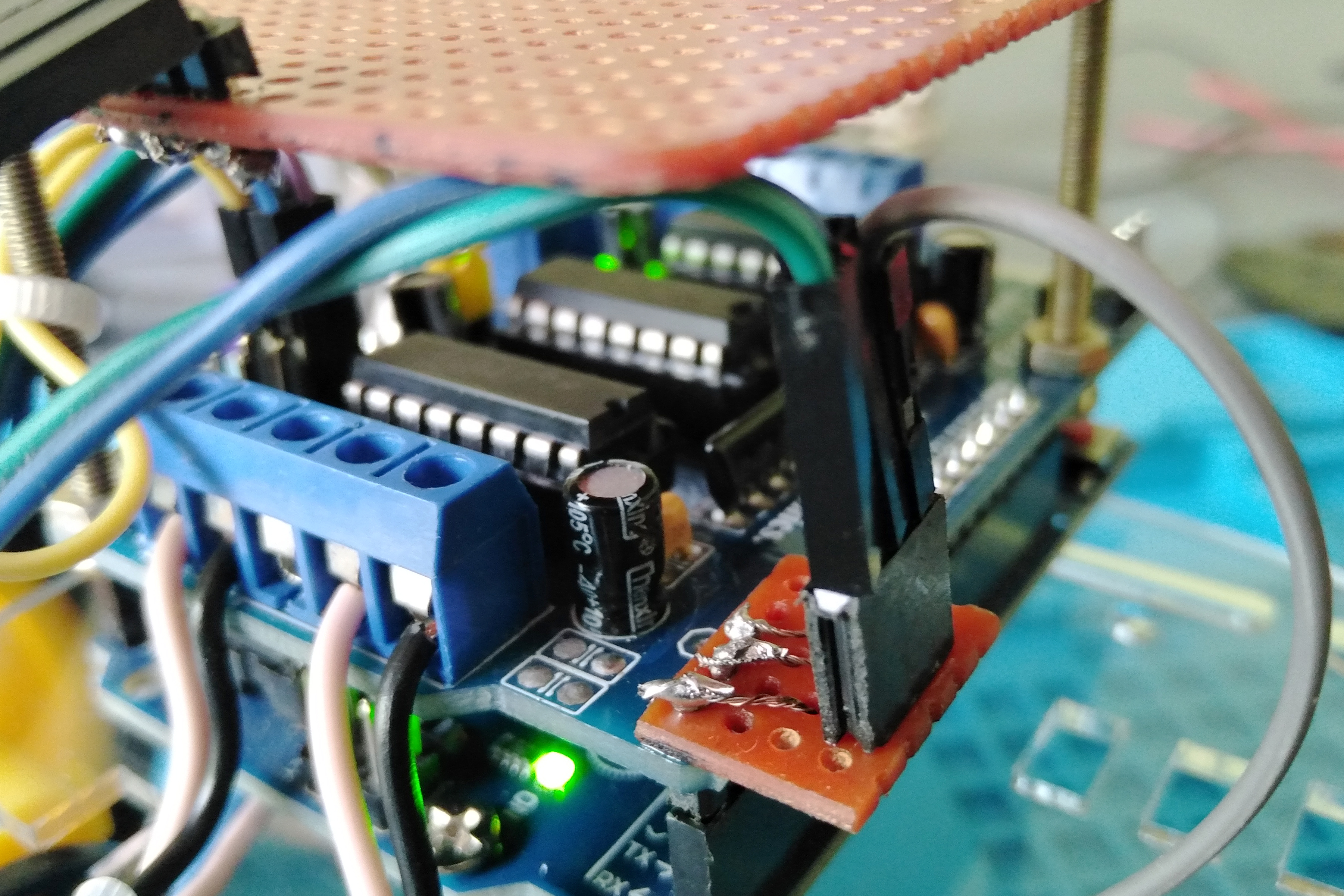
Figure 04: Pins D0, D1 และ D2 ถูกขยายเพิ่มโดยใช้ Vero Board และ Connectors
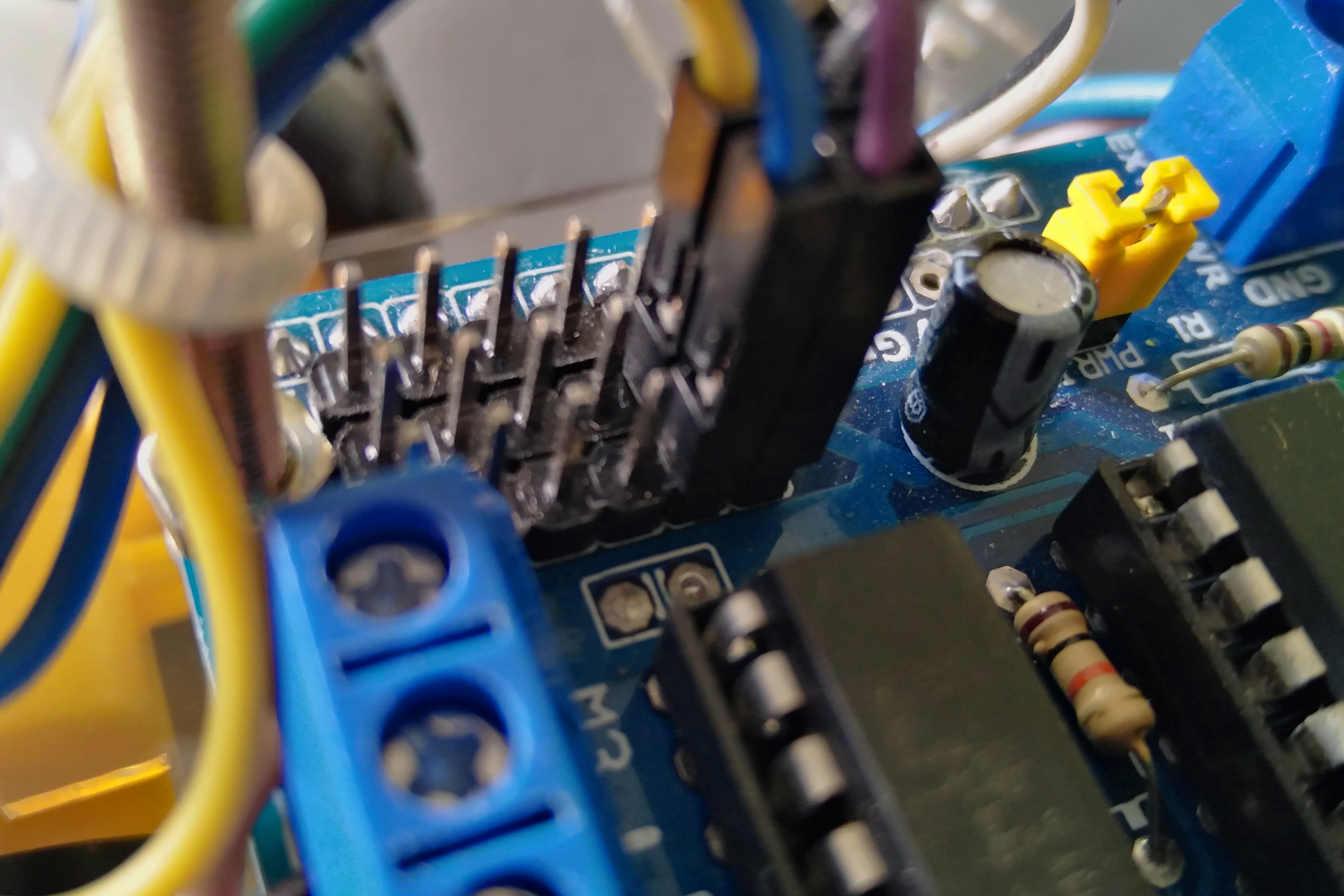
Figure 05: Pins +5V, GND และ Analog ถูกบัดกรีโดยใช้ Male Connectors
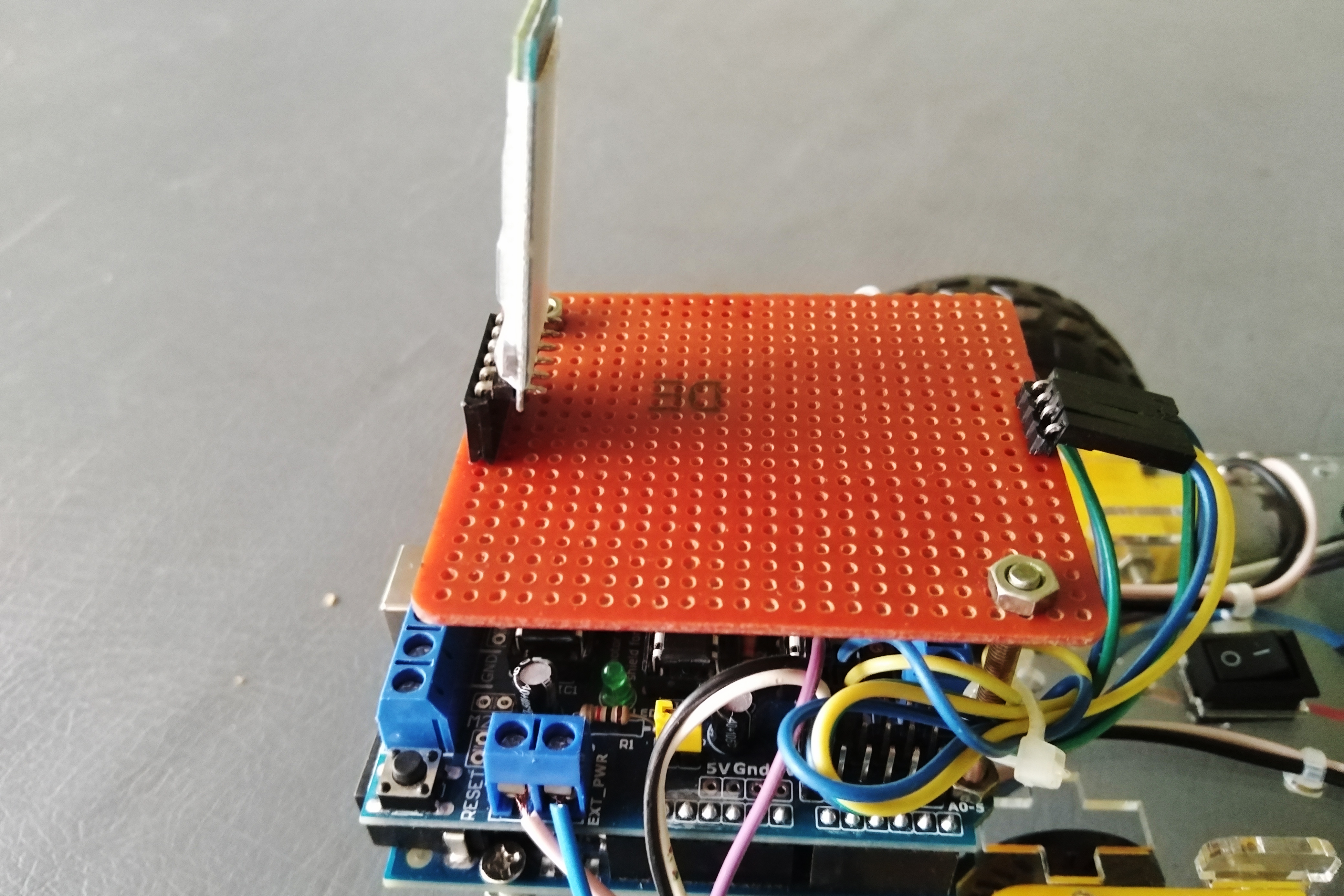
Figure 06:
Bluetooth shield โดยใช้ Bluetooth Module, Male & Female Connectors และ Vero Board
.
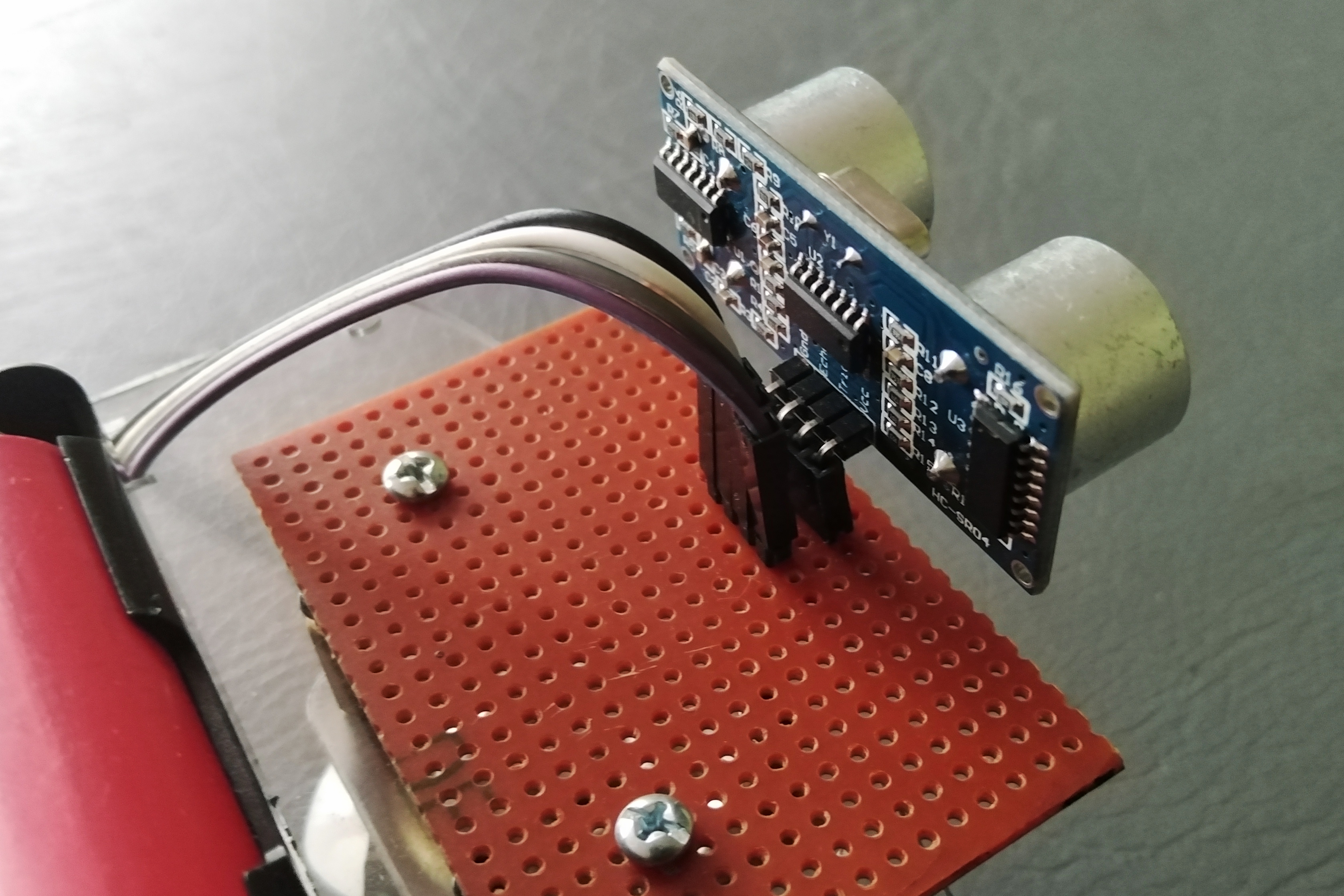
Figure 07:
Ultrasonic shield โดยใช้ Ultrasonic Sensor, Male & Female Connectors และ Vero Board
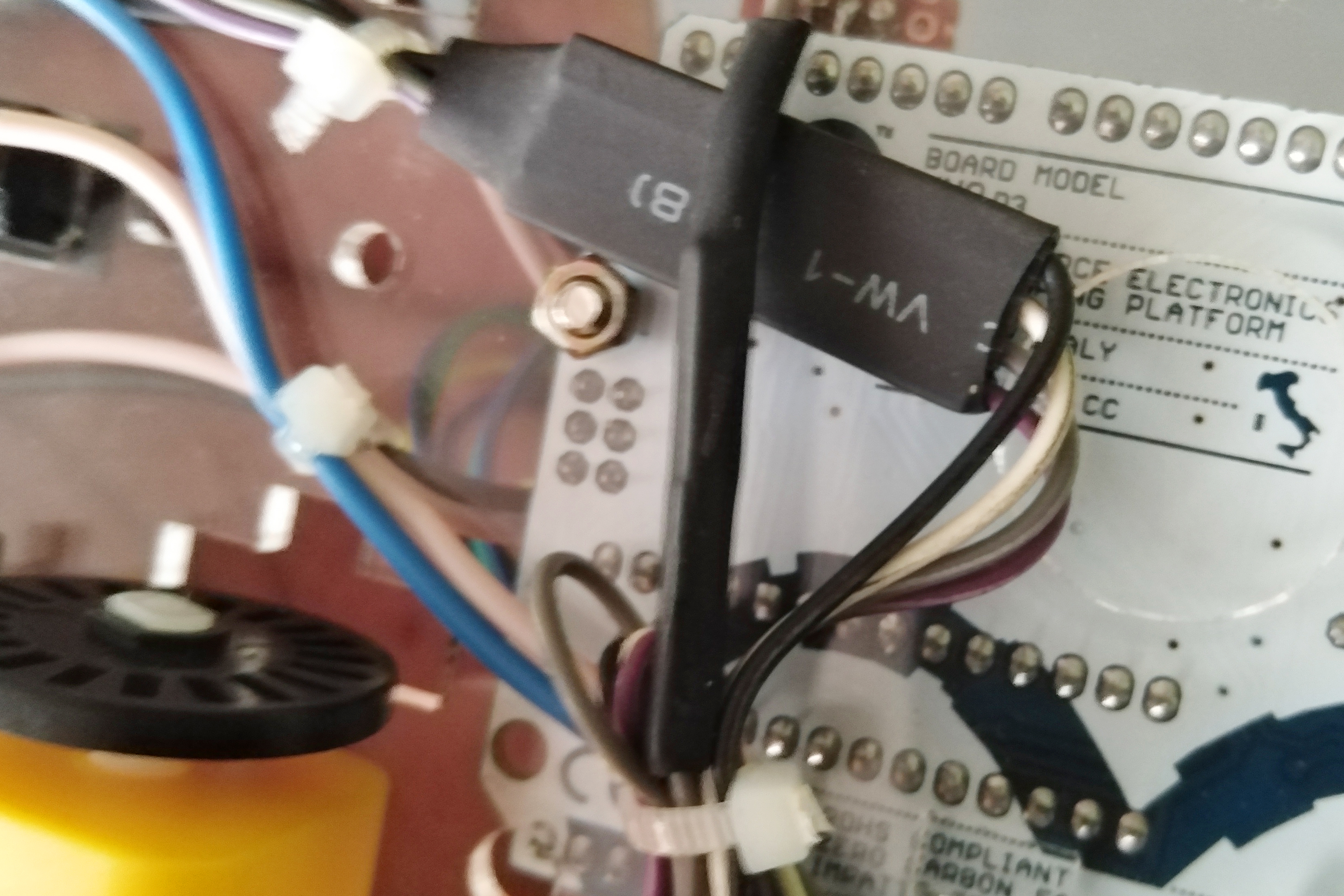
Figure 08: การจัดระเบียบสายไฟโดยใช้ Cable Ties และการป้องกันจุดต่อ Connector โดยใช้ Heat Sleeves
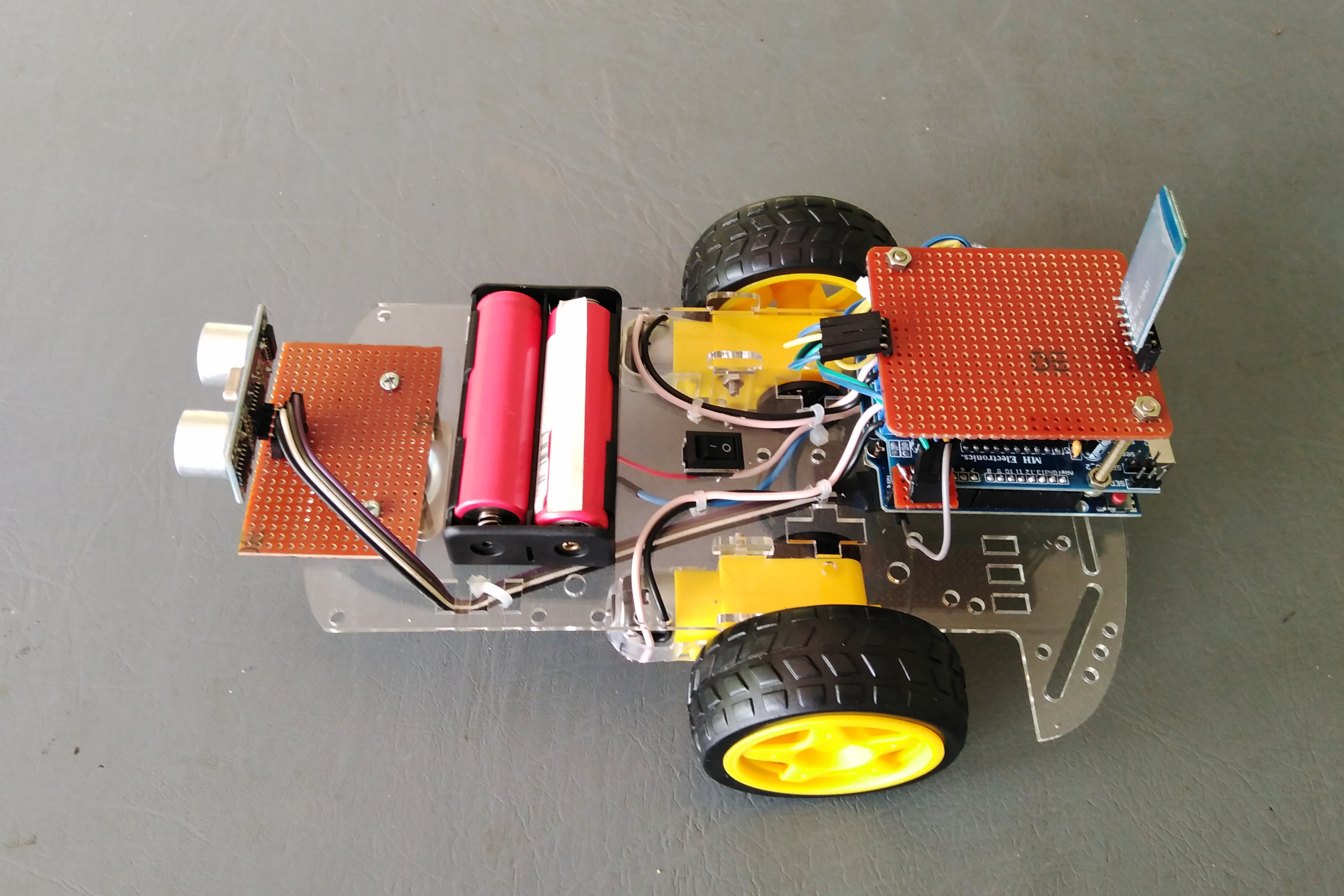
Figure 09: มุมมองด้านซ้ายของ Arduino Car Robot
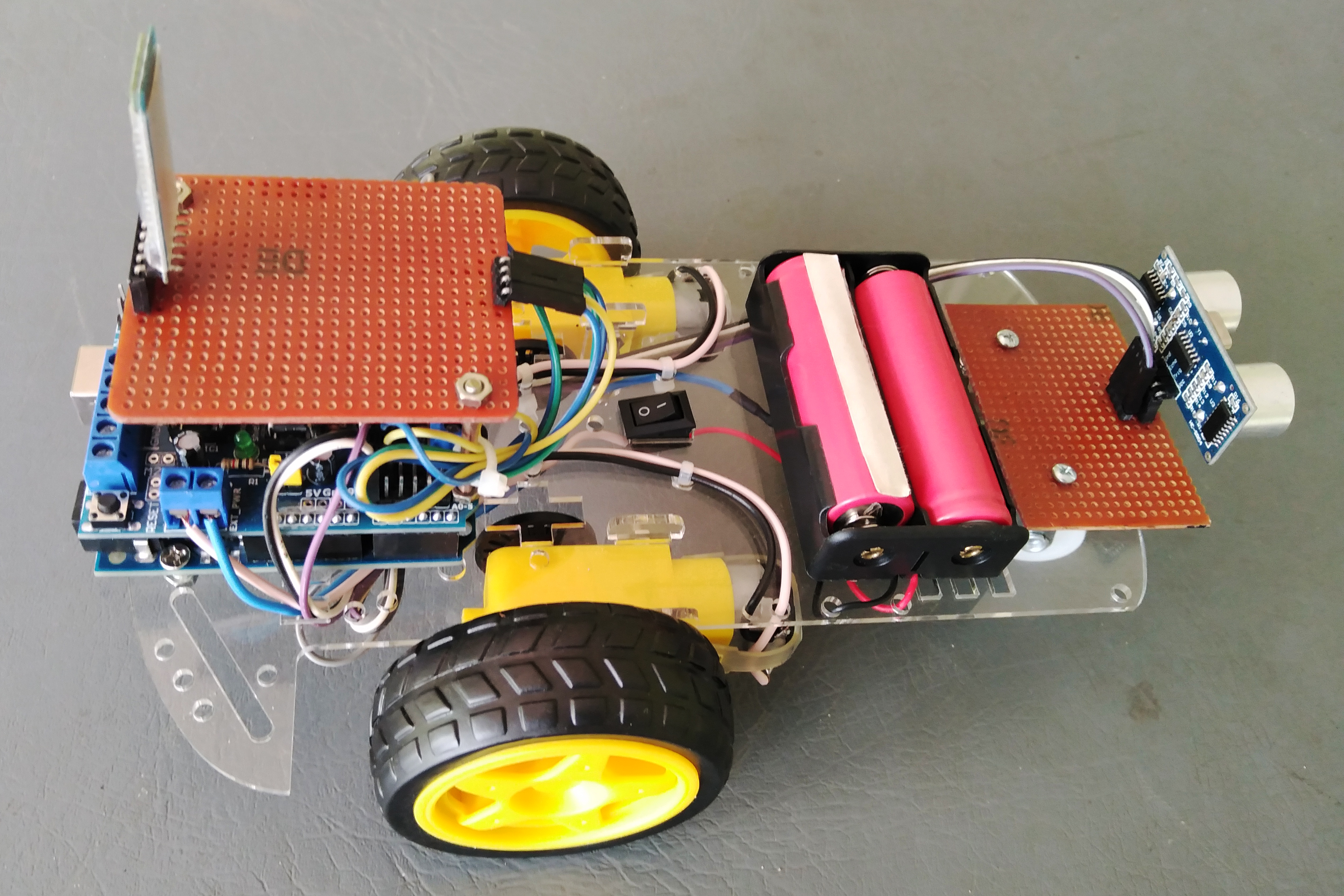
Figure 10: มุมมองด้านขวาของ Arduino Car Robot
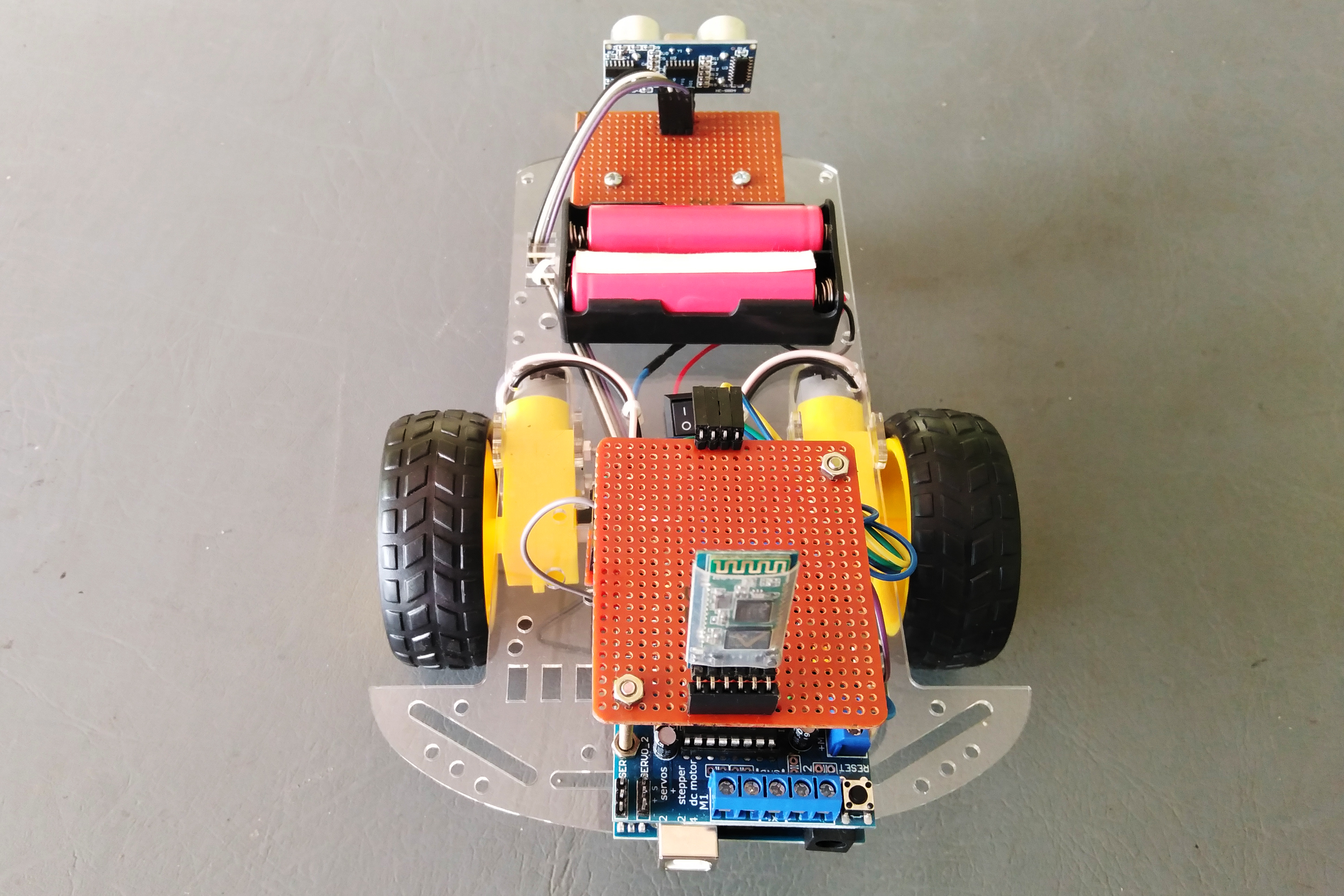
Figure 11: มุมมองด้านหลังของ Arduino Car Robot
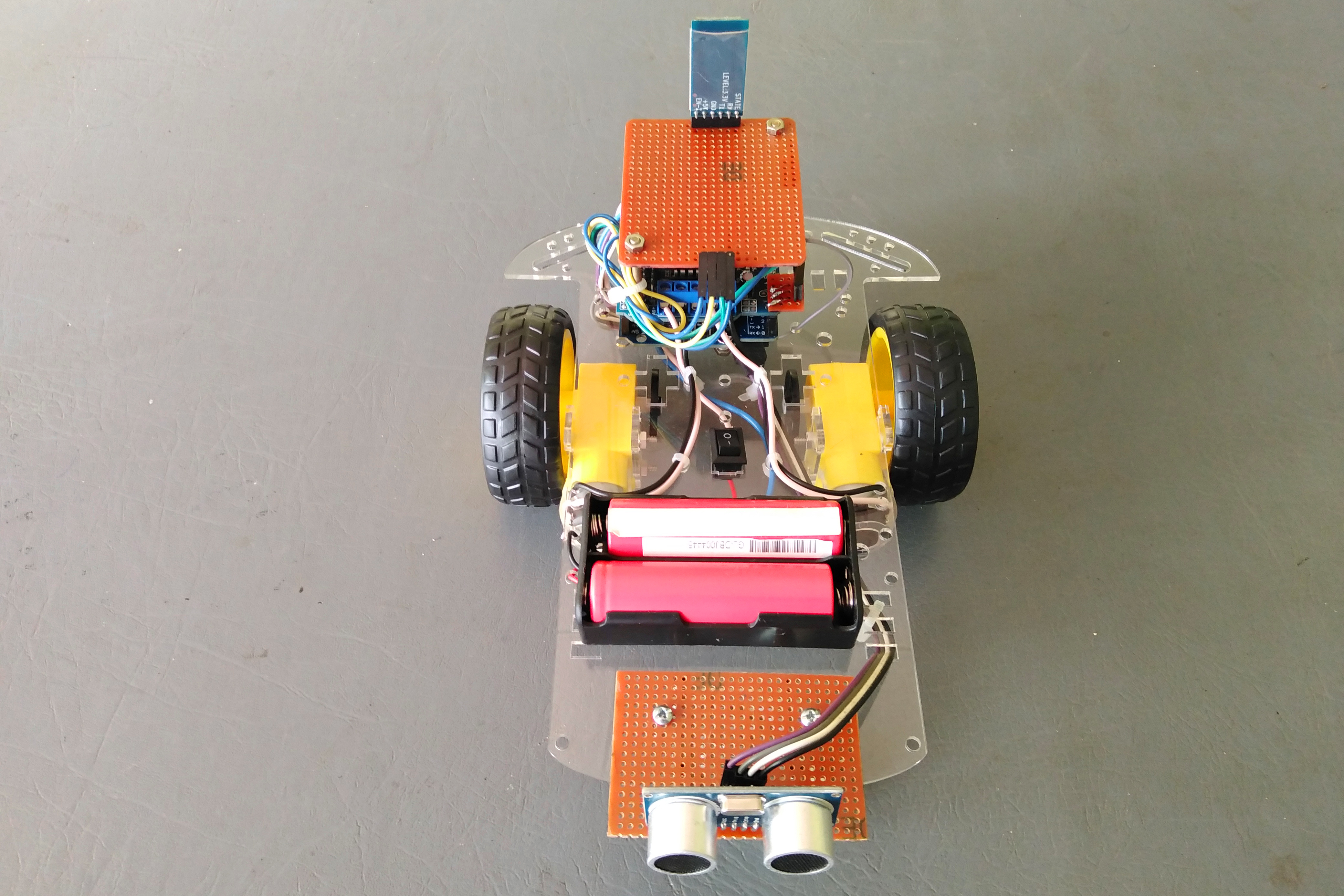
Figure 12: มุมมองด้านหน้าของ Arduino Car Robot
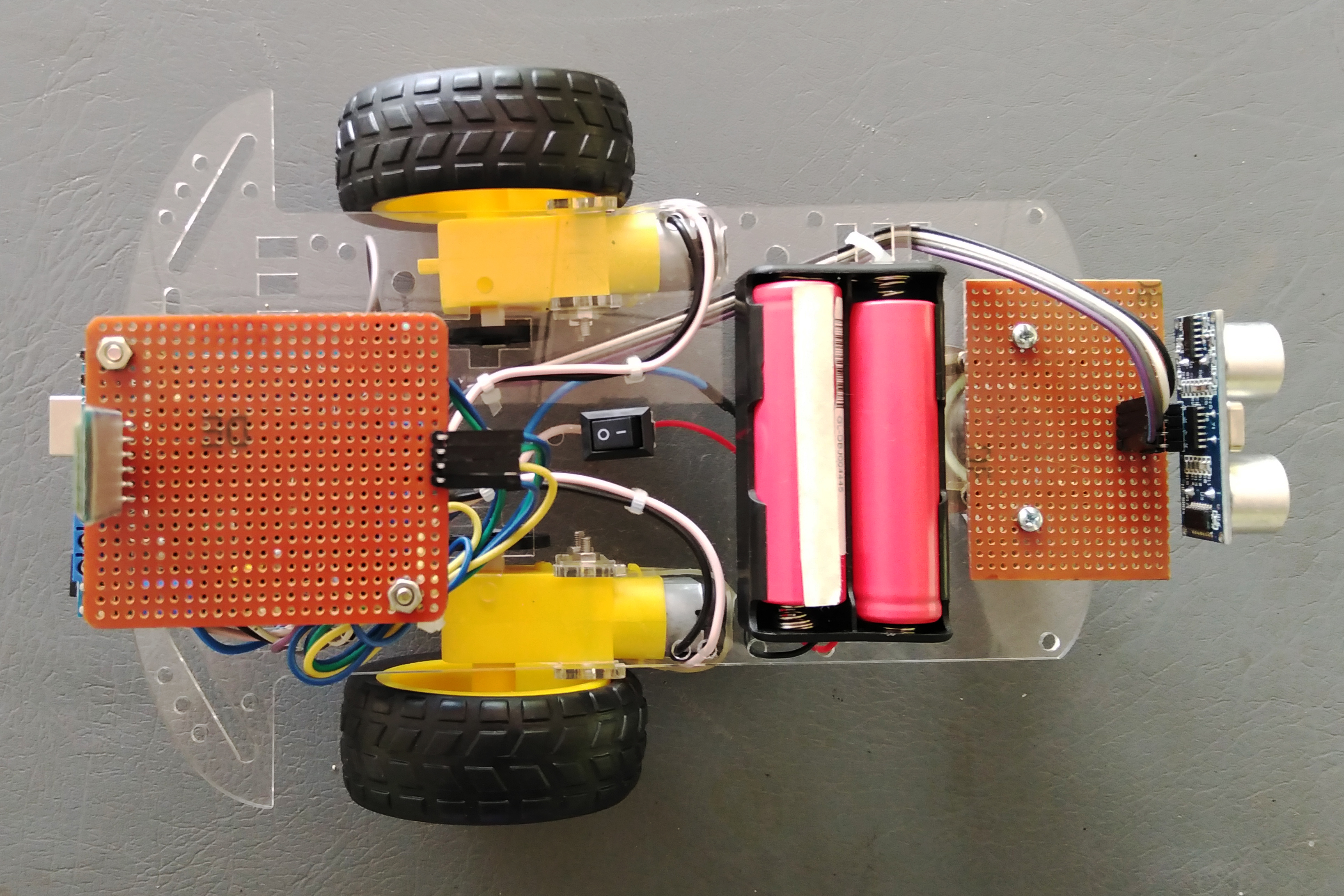
Figure 13: มุมมองด้านบนของ Arduino Car Robot
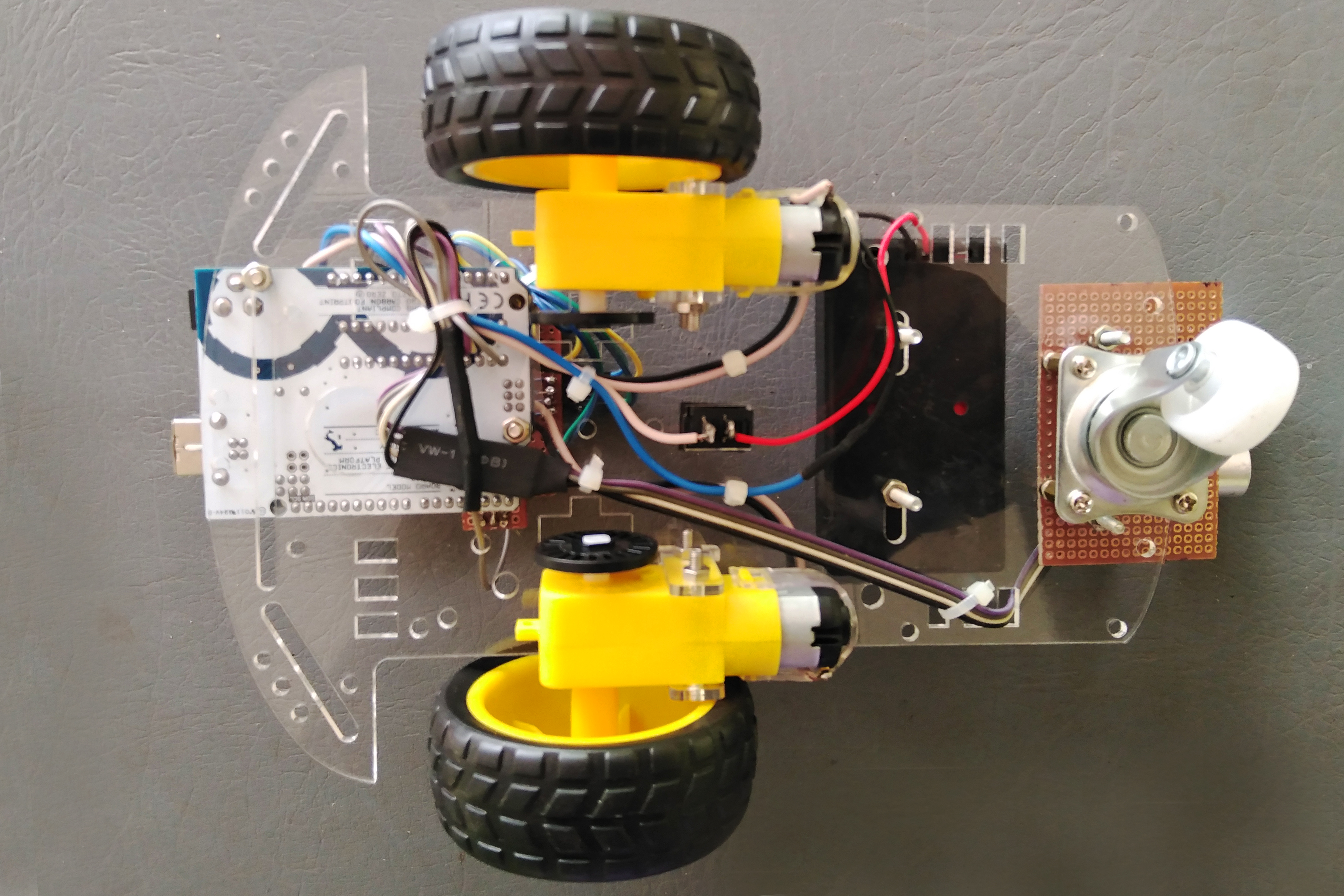
Figure 13: มุมมองด้านล่างของ Arduino Car Robot
1. ระบบเบรกอัตโนมัติ (Auto Breaking System)
ใช้ Ultrasonic Sensor ในการสร้างระบบเบรกอัตโนมัติ โดยต่อ Trigger pin เข้ากับ Pin D2 และ Echo pin เข้ากับ A0 ระบบเบรกอัตโนมัติจะทำงานเฉพาะตอนที่รถเคลื่อนที่ไปข้างหน้าเท่านั้น
#define trig 2
#define echo A0
digitalWrite(trig,LOW);
delayMicroseconds(2);
digitalWrite(trig,HIGH);
delayMicroseconds(2);
long t = pulseIn(echo,HIGH);
long cm = t / 29 / 2;
if(cm<20){
Stop();
   }
else{ forward(); }
2. ปรับความเร็วได้หลายระดับ
ใช้ “Speed” เป็นตัวแปร (Variable) สำหรับควบคุมความเร็ว
motor3.setSpeed(Speed);
motor4.setSpeed(Speed);
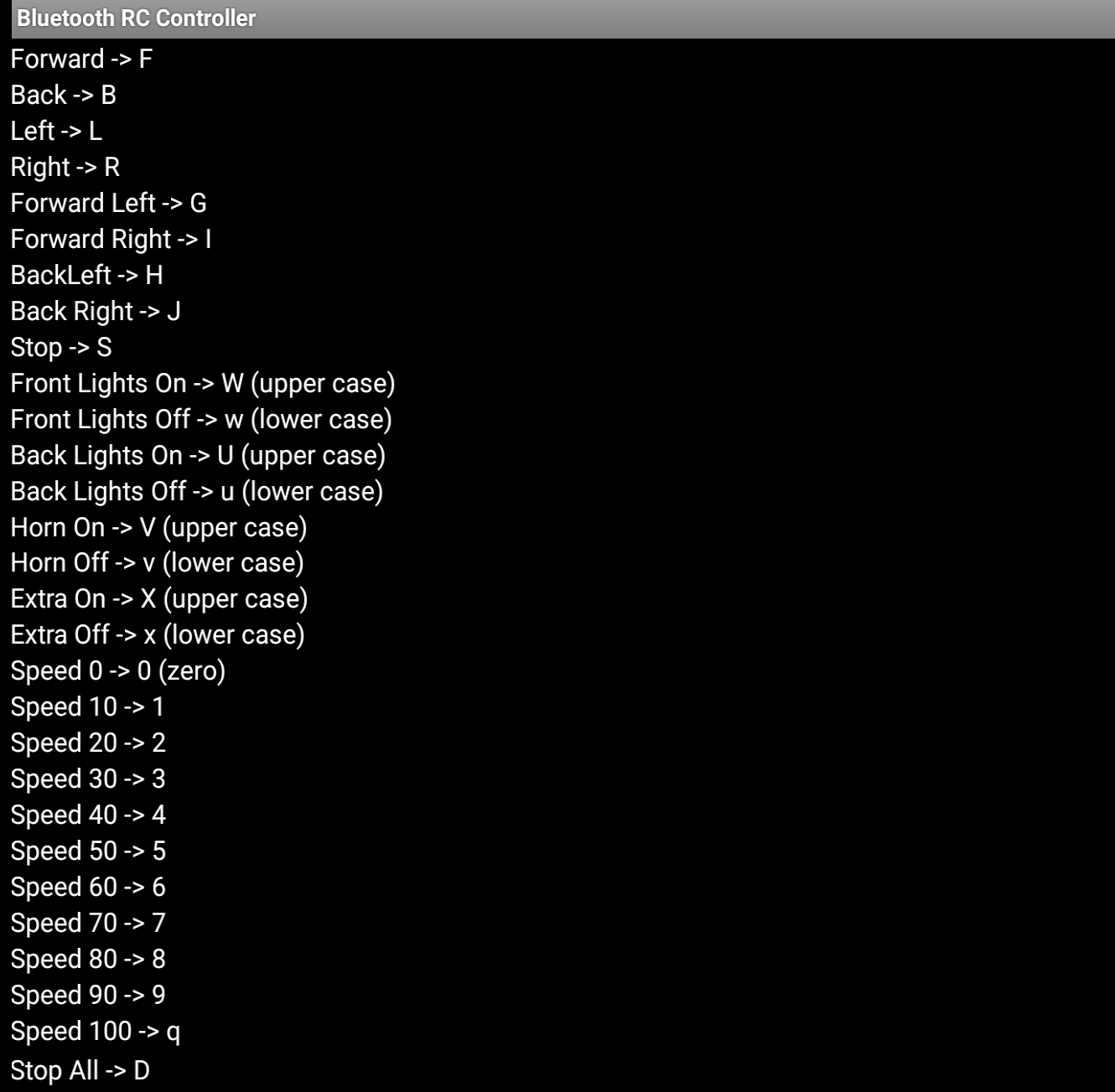
case '0': Speed = 100     ; break;
case '1': Speed = 140     ; break;
case '2': Speed = 153     ; break;
case '3': Speed = 165     ; break;
case '4': Speed = 178     ; break;
case '5': Speed = 191     ; break;
case '6': Speed = 204     ; break;
case '7': Speed = 216     ; break;
case '8': Speed = 229     ; break;
case '9': Speed = 242     ; break;
case 'q': Speed = 255     ; break;
3. ฟังก์ชันหลัก
เดินหน้า, ถอยหลัง, เลี้ยวซ้าย, เลี้ยวขวา และหยุด
ใช้เฉพาะ M3 และ M4 สำหรับล้อซ้ายและขวา ส่วน “Forward” และ “Backward” เป็นฟังก์ชันพื้นฐานที่มีมาให้
motor3.run(carfunction);
motor4.run(carfunction); carfunction = forward /backward
ฟังก์ชัน "Release" ใช้สำหรับหยุดการทำงานของ Motors
motor3.run(RELEASE);
motor4.run(RELEASE);
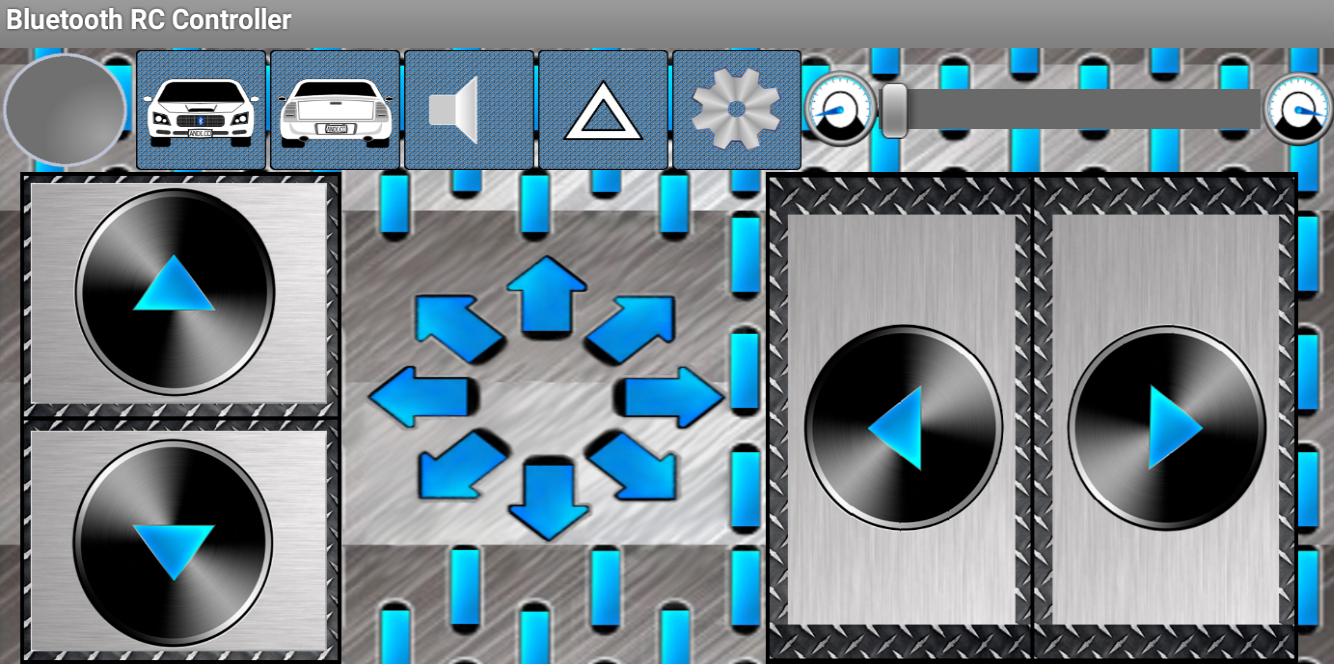
Android App สำหรับหุ่นยนต์รถควบคุมผ่าน Bluetooth
ลิงก์: https://play.google.com/store/apps/details?id=braulio.calle.bluetoothRCcontroller&hl=en&gl=US
สนับสนุนเพื่อรับ Source Code หรือแอปพลิเคชันสำหรับโปรเจกต์นี้