Analog Multiplexing: 10 Buttons on 1 Interrupt Pin
Introduction
Interrupts are handy. They, in addition to sometimes making code simpler, can be used for precise timing or for waking the Arduino up from sleep mode.
Let's say you've got a user interface, a remote controller, for example, that runs on batteries. You might want to put the Arduino (or stand-alone ATmega) to power-down mode to save power. When an Arduino enters power-down mode it can only be woken up by an external interrupt. The ATmega328P chip used in an Arduino Uno has only two external pin interrupts. (INT0 and INT1 on pins 2 and 3) Since a user interface is likely to have more than two buttons, that's a problem.
The standard way to solve this would be to connect all buttons normally, but to also connect them to an interrupt pin with a diode. This does, however, complicate the circuit significantly.
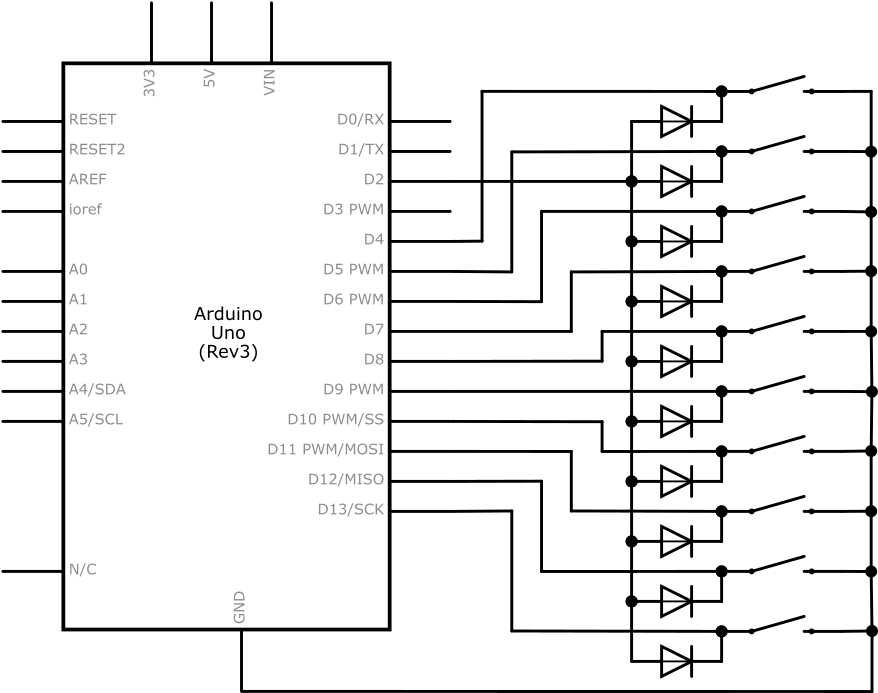
In addition to standard external interrupts, the ATmega328P also has pin change interrupts. There are libraries to deal with them and they are a good solution to this problem.
However, during a programming competition, I figured out how to do this using standard external interrupts with no extra electrical components.
The Circuit
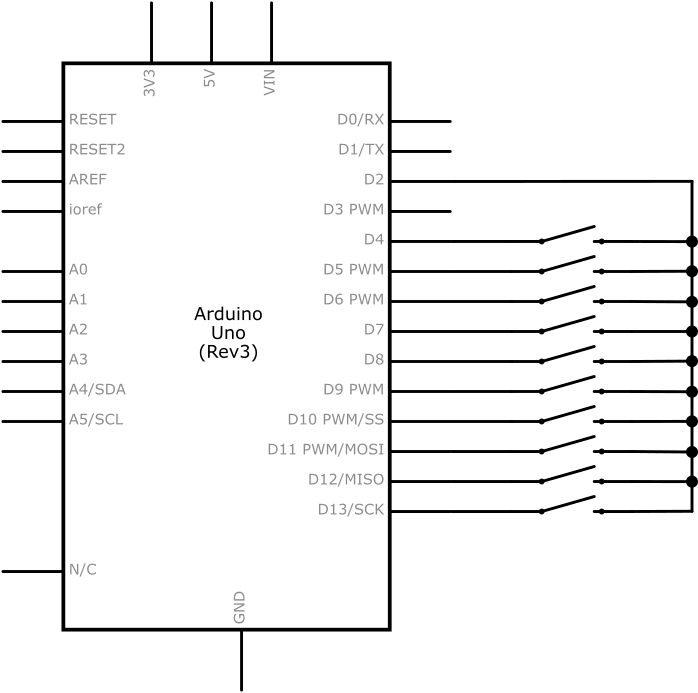
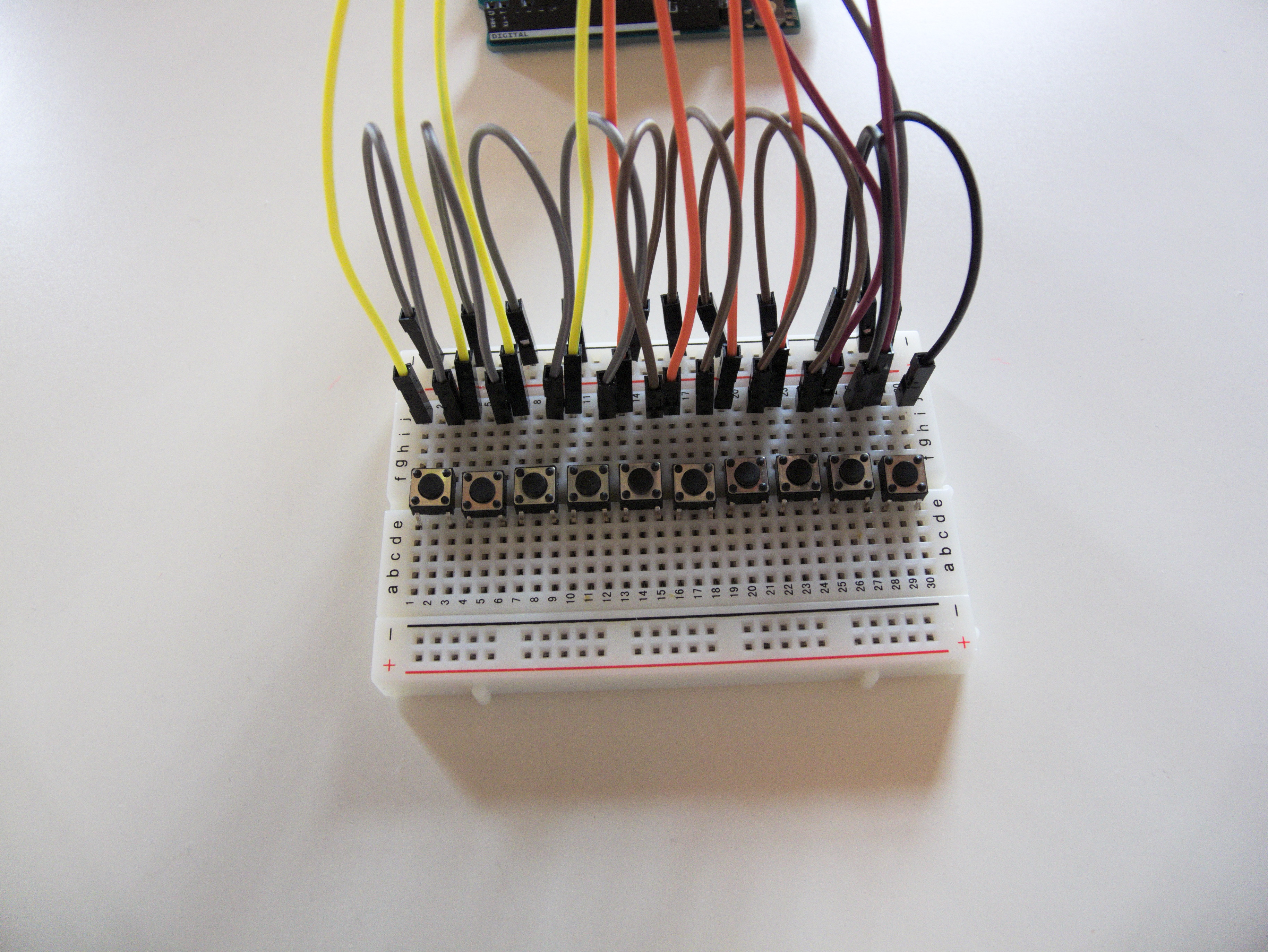
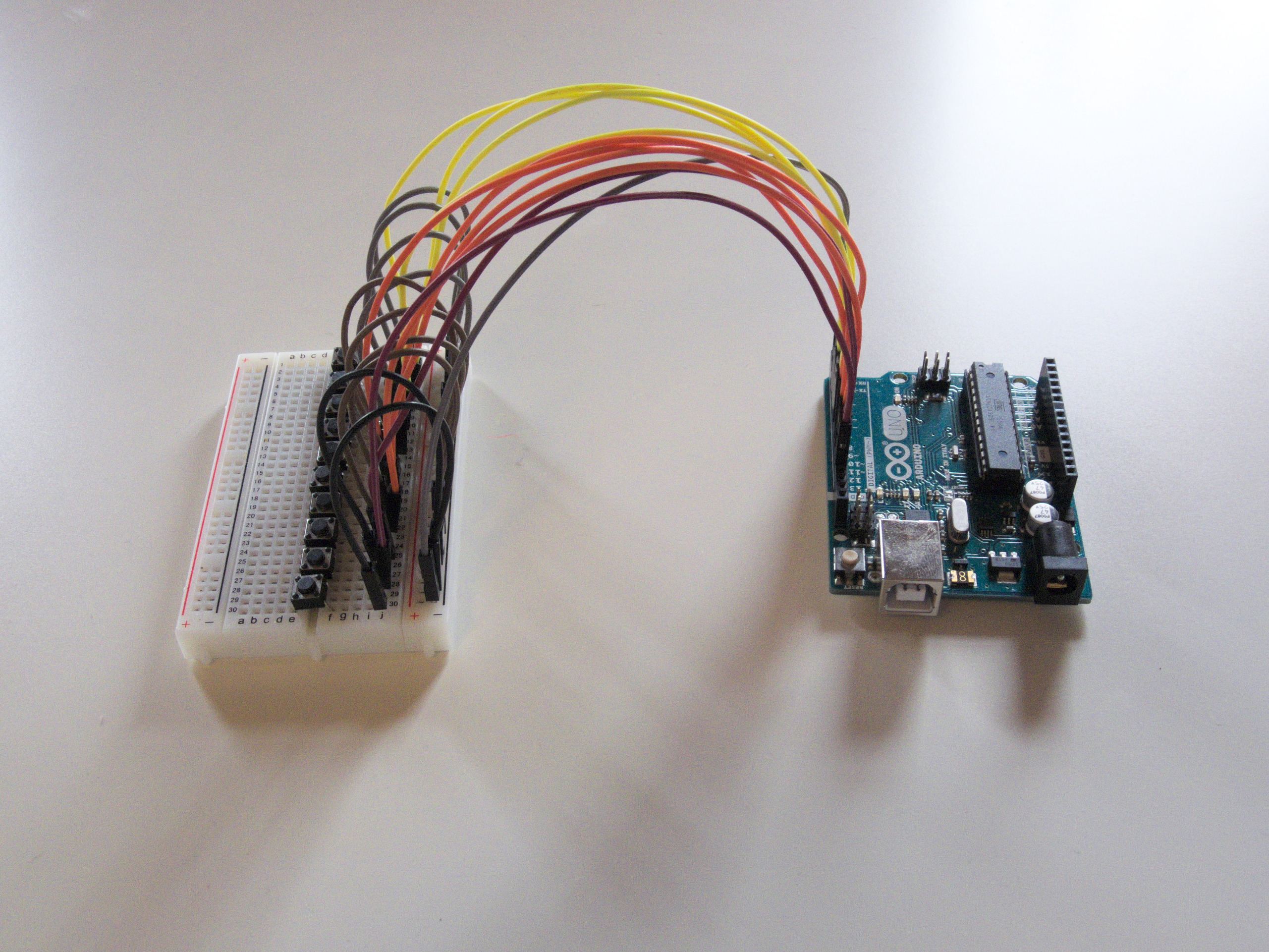
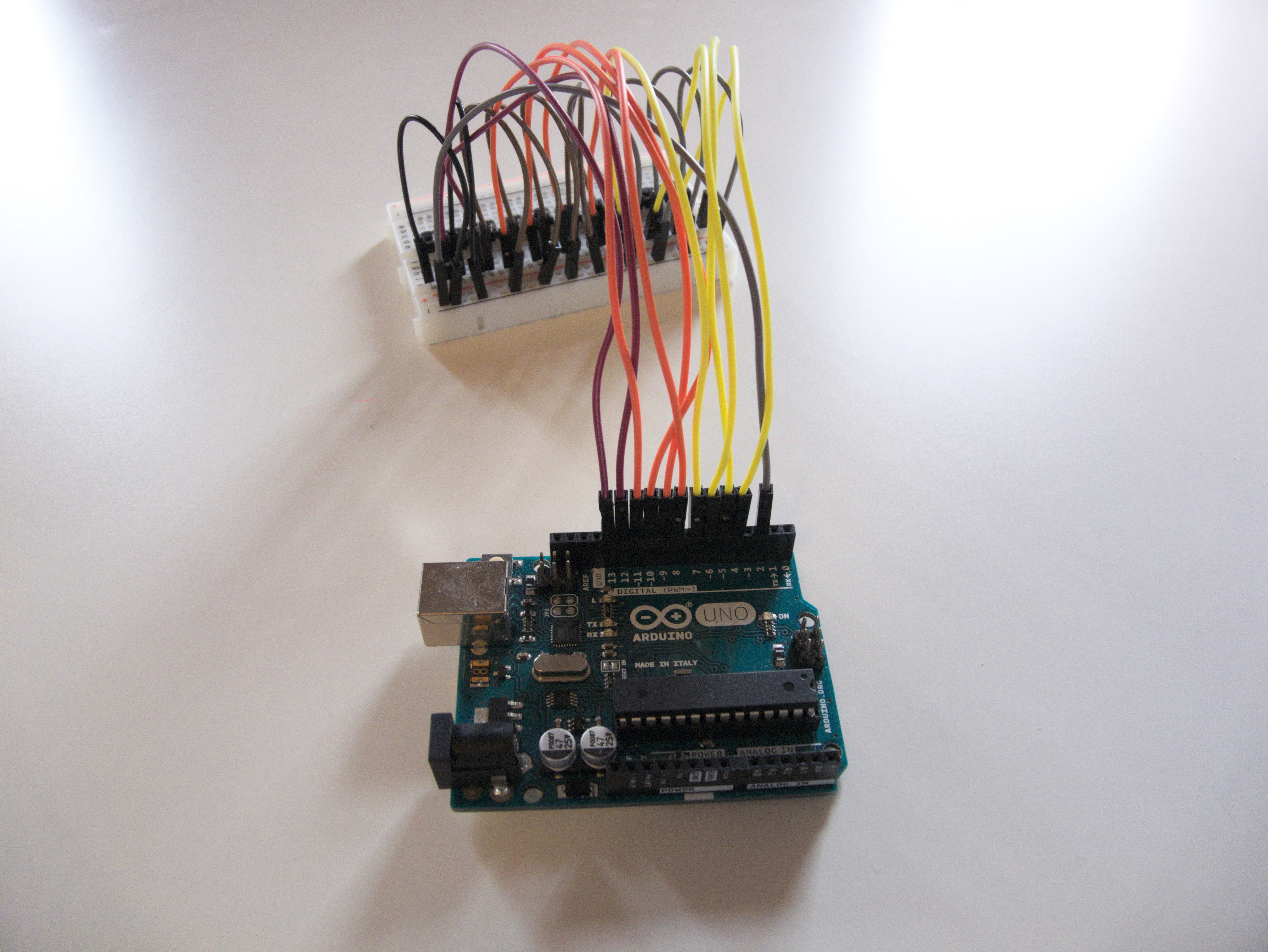
We have a few buttons. I used ten, which fit nicely on my breadboard. (I also don't have more.) You can have one button per pin, which means up to 20 on a Uno and up to 70 on a Mega! (If you actually need 70 buttons, I recommend using multiplexing, you don't need an entire Mega for that.)
Each button has one side connected to an arbitrary pin. (4-13 in my case) The other sides of all buttons are connected together to a single interrupt-capable pin. (2 in my case)
The Code
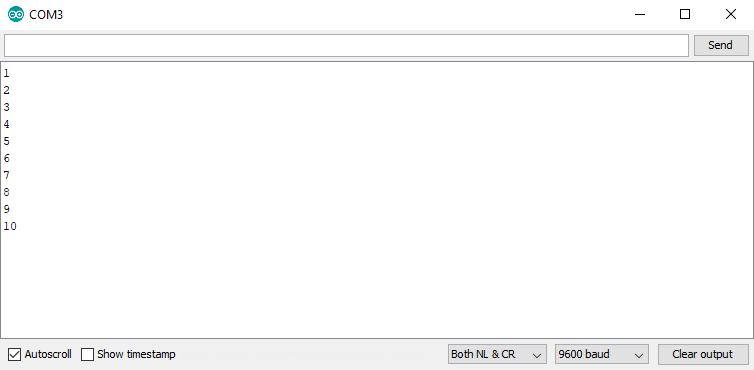
The code is attached below. To get this example to work, upload it to your board. Open your serial monitor. When you press a button, its number will appear. As you can see, the loop function is not used at all.
How does it work?
There is, obviously, an interrupt. In my case, it's attached to pin 2. It's configured as FALLING.
To avoid using diodes, the Arduino rewires the circuit on the fly. There are two possible configurations: Common mode and Distinct mode.
Common mode
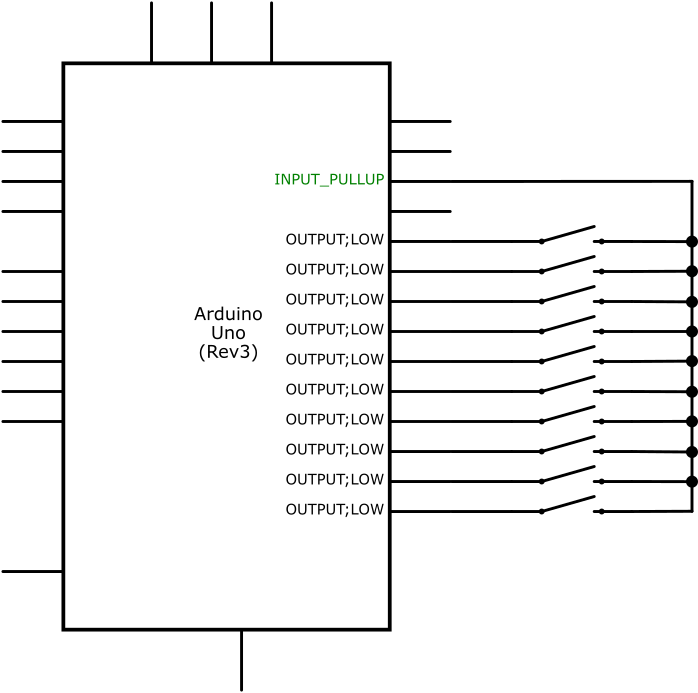
Most of the time, the circuit will be in common mode. The interrupt pin will be configured as INPUT_PULLUP and the rest will be OUTPUT and LOW.
void configureCommon() {
  pinMode(commonPin, INPUT_PULLUP);
  for (int i = 0; i < sizeof(buttonPins) / sizeof(int); i++) {
    pinMode(buttonPins[i], OUTPUT);
    digitalWrite(buttonPins[i], LOW);
  }
}
In common mode, pressing any button will pull our interrupt pin down and fire our interrupt. Once that happens, our interrupt service routine will reconfigure the pins for distinct mode.
Distinct mode
Once our interrupt triggers, we quickly switch to distinct mode.
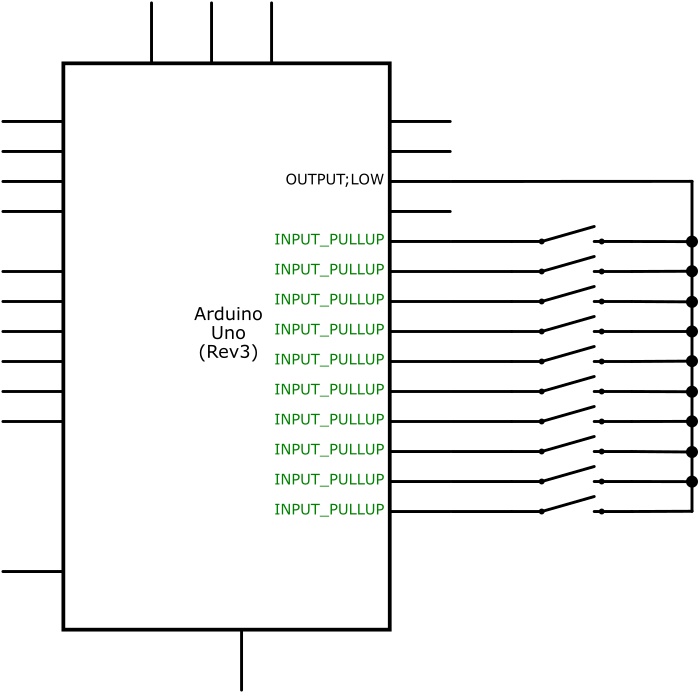
Distinct mode is the opposite of common mode. The interrupt pin will be OUTPUT and LOW and the rest will be INPUT_PULLUP.
void configureDistinct() {
  pinMode(commonPin, OUTPUT);
  digitalWrite(commonPin, LOW);
  for (int i = 0; i < sizeof(buttonPins) / sizeof(int); i++) {
    pinMode(buttonPins[i], INPUT_PULLUP);
  }
}
In distinct mode, only pins corresponding to buttons actually pressed will be pulled down. We can easily go over all pins to find out which one triggered the interrupt.
After that's done, the Arduino can switch back to common mode and wait for another interrupt. Or, depending on your application, it can stay in distinct mode and process user input as it would normally, switching back to common mode before the Arduino goes to sleep.
EXPANDED TECHNICAL DETAILS: Analog Multiplexing & Hardware Interrupt Trigger
An Arduino Uno has severely limited digital pins. If you wire a 10-key keypad using standard methodologies, you instantly exhaust 10 entire IO lines, leaving absolutely zero room for LCDs, SPI devices, or Relays! The 10 Buttons Using 1 Interrupt technique utilizes advanced "Resistor Ladder" analog multiplexing combined with a savage hardware gate. It forces all 10 buttons through a single Analog Input pin (A0) while simultaneously wiring a master trigger directly to Hardware Interrupt Pin 2, dropping pin consumption from ten lines down to precisely TWO!
The Resistor Ladder Matrix (analogRead())
Instead of each button hitting 5V, they are wired in series through varying resistors (e.g., 1K, 2K, 3K, 4K...).
- When Button 1 is pressed, the signal bypasses all resistors, blasting 5V
(Analog 1023)into Pin A0. - When Button 5 is pressed, the current fights through 4,000 Ohms, delivering exactly 2.5V
(Analog 512)to Pin A0. - The Arduino compares the incoming voltage value against a known mathematical array to deduce WHICH exact button was pushed using just one pin!
The Ultimate Hardware Interrupt Trigger
If the Arduino is just running analogRead(A0) in the loop(), it wastes massive clock cycles polling an unused button.
- A Diode OR Gate logic matrix is constructed!
- EVERY single button's output is also wired through a diode (preventing backfeed) directly to Digital Pin 2.
- When any button is pushed, current flows to the Analog Pin for measurement, but simultaneously triggers the Hardware Interrupt on Pin 2!
void setup() {
  // Wait entirely asleep until the hardware detects a voltage spike!
  attachInterrupt(digitalPinToInterrupt(2), buttonWakeISR, RISING);
}

void buttonWakeISR() {
  int rawAnalog = analogRead(A0); // Immediately grab the voltage!

  if (rawAnalog > 950) targetButton = 1;
  else if (rawAnalog > 800) targetButton = 2;
  // ... Massive voltage staircase deduction!

  actionRequired = true; // Signal the loop to do the actual heavy lifting!
}
Compressed Circuitry Hardware
- Arduino Uno / Nano / Pro Mini.
- 10x Tactile Push Buttons.
- A massive strip of extremely precise 1% Tolerance Resistors (E.g., 1K Ohm). Standard 5% tolerance resistors can wildly overlap voltages, creating impossible logic collisions where Button 6 looks identical to Button 7!
- 10x Switching Diodes (1N4148) (Absolutely critical to form the Master Trigger bus without short-circuiting the resistor ladder values together!).
A more complex example
Let's try something a bit more complex. We'll attach a servo and map each button to a different angle. (1=0°, 2=20°... 10=120°) We'll also power our Arduino with a few batteries.
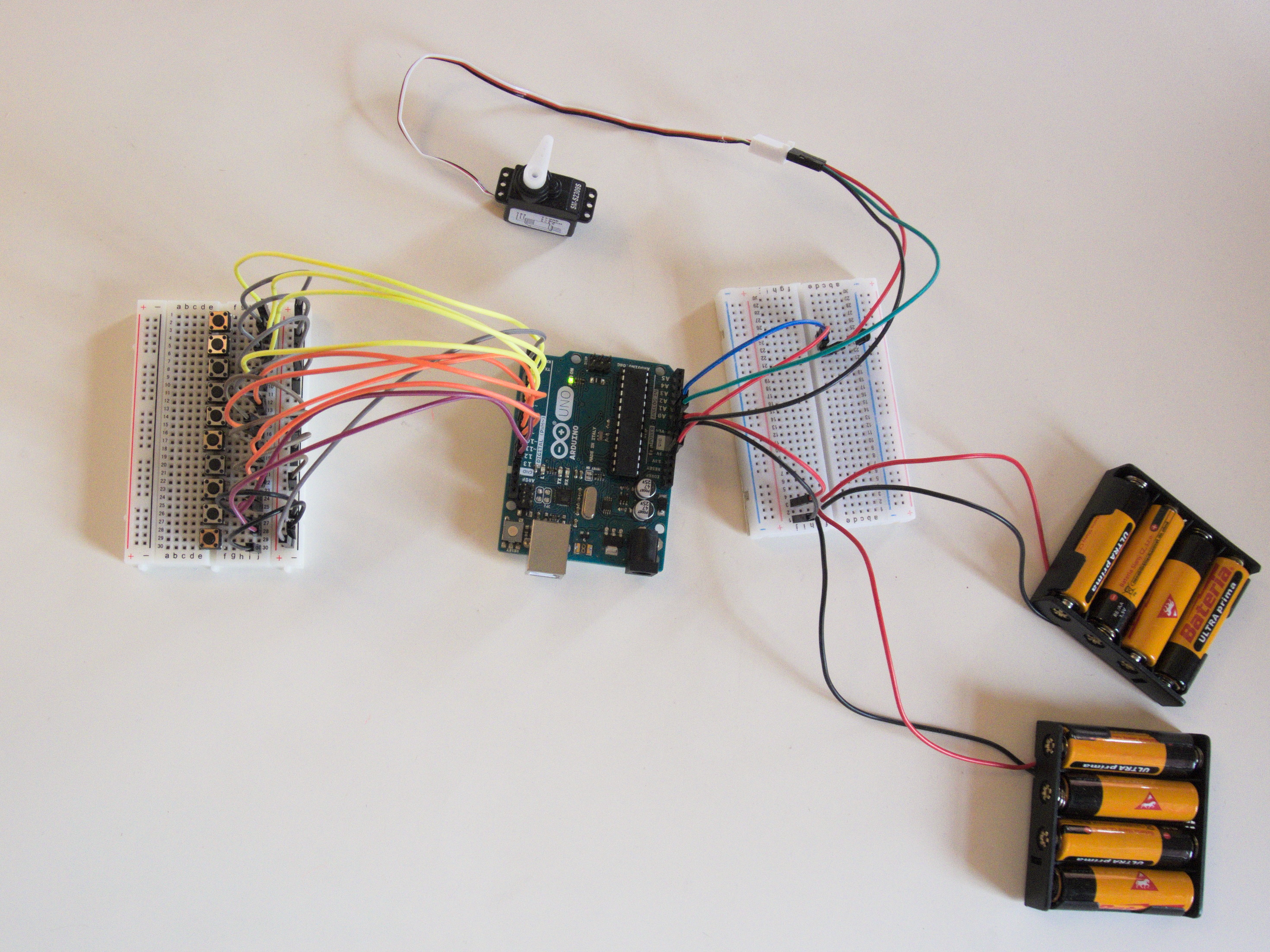
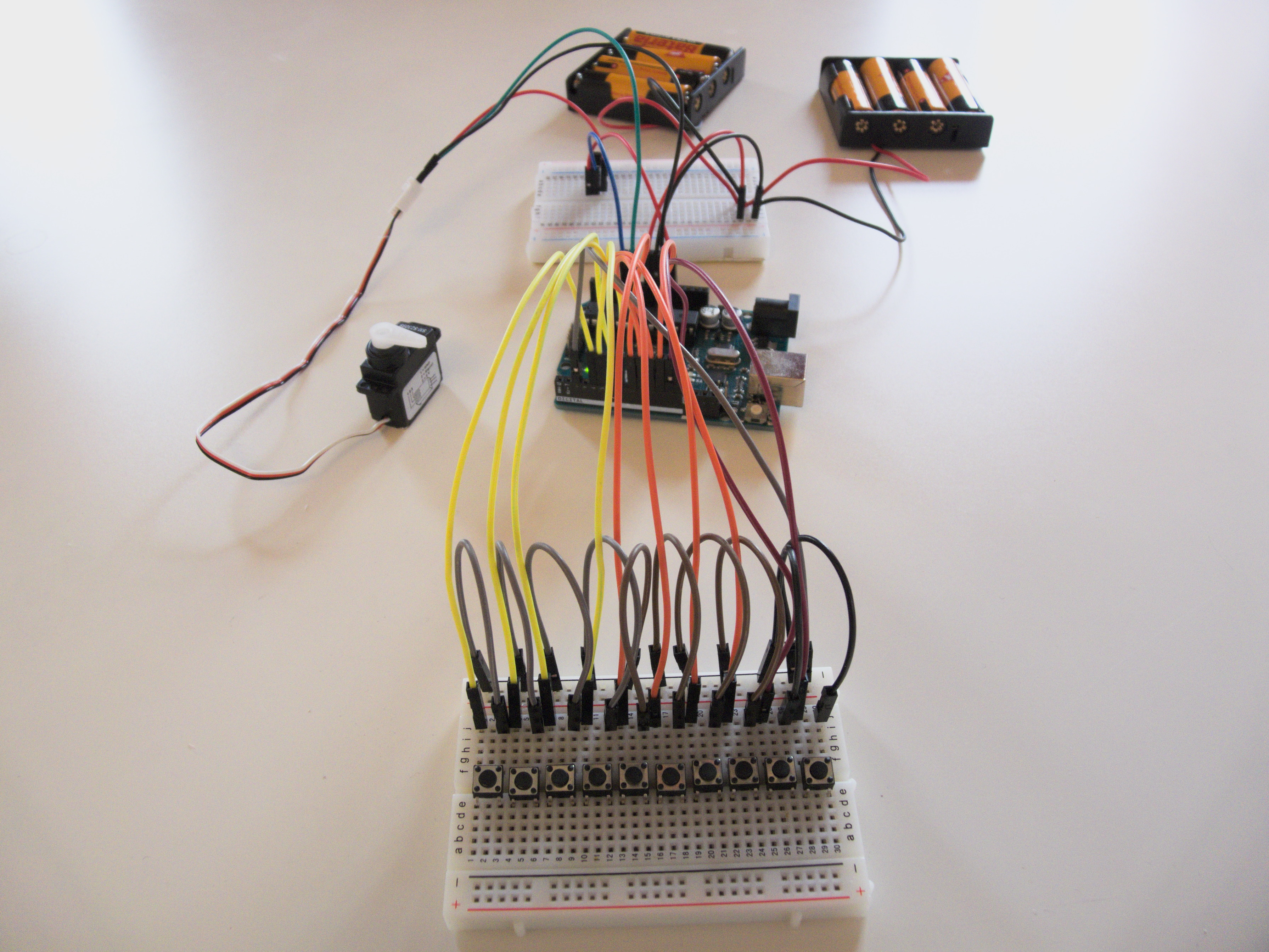
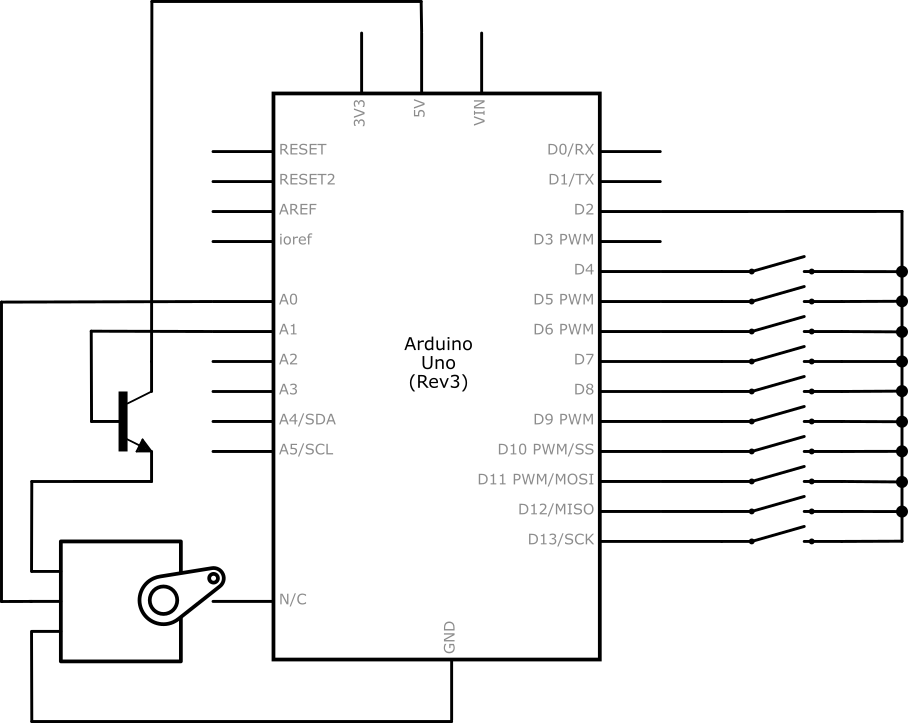
In this example, we put the Arduino to power-down mode after five seconds of inactivity to conserve power. You can find some tutorials on sleep mode online. In addition to that, we power the servo through a transistor to shut it down when it's not in use.
The code for this example is also attached below.