Wireless Driving: Bluetooth RC Car
The Bluetooth Joystick Car completely replaces the bulky, traditional Radio Control (RC) transmitter. By pairing an HC-05 module with your smartphone's Bluetooth, you can drive your DIY rover using an on-screen virtual joystick.
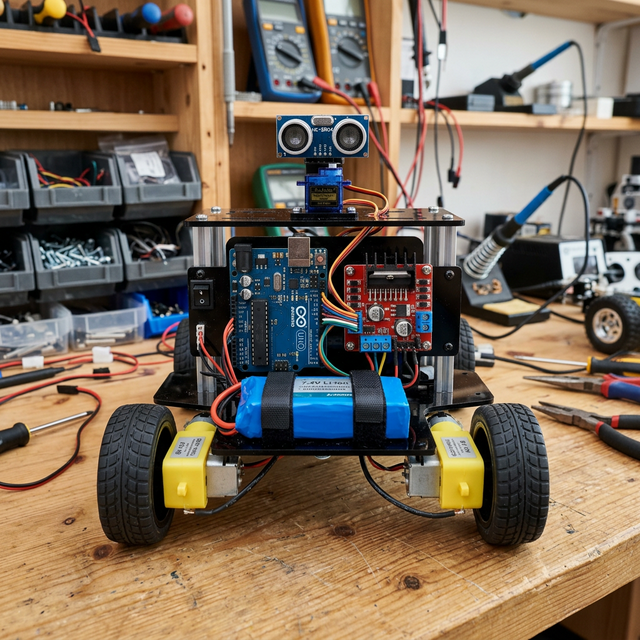
Translating X/Y to Tank Steering
Unlike a real car with a steering wheel, most robot kits use Skid Steering (like a tank). The Arduino must translate the joystick's X/Y coordinates into motor commands.
- Joystick Forward (Y > 0): Both Left and Right motors spin forward.
- Joystick Left (X < 0): The Left motor spins backward, the Right motor spins forward. The car spins in place to the left!
- The App: Apps like "Arduino Bluetooth Controller" handle the phone-side math. When you move the joystick to the top-left, the app sends a specific string (like
<FL>) which the Arduino parses usingSerial.read().
Required Parts
- Arduino Uno/Nano: The processor.
- L298N Motor Driver: Crucial for handling the high current of 4 DC motors.
- HC-05 or HC-06 Bluetooth Module: The receiver.
- 4WD Robot Chassis Kit: Includes the acrylic base, 4 yellow gear motors, and wheels.
- 18650 Li-ion Batteries (x2): Standard AA batteries die too quickly when powering four motors.
This project is the perfect gateway into mechatronics and mobile robotics!