Arduino CNC Mill Control Using ODrive Brushless DC Motors
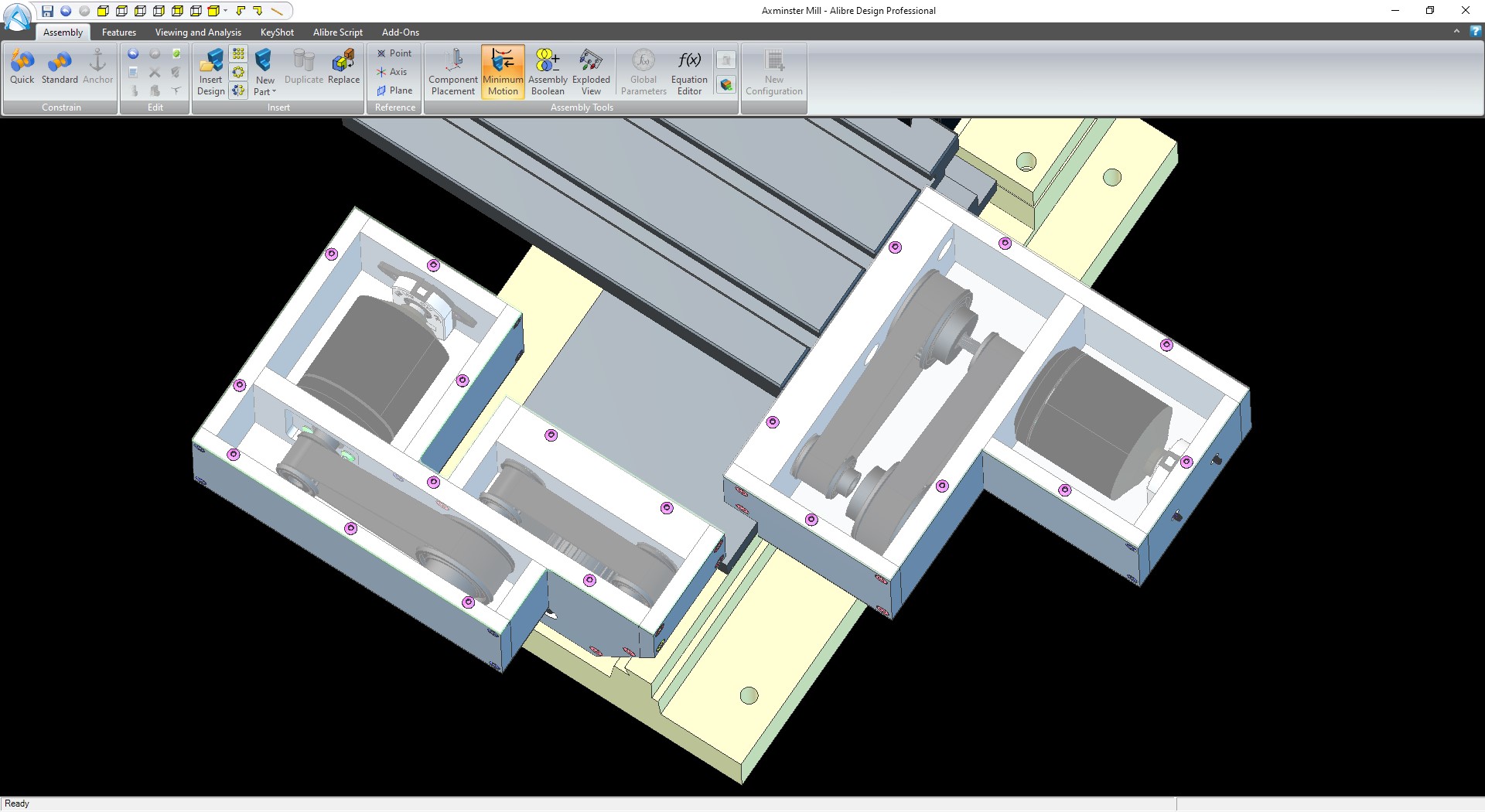
In developing the Power Unit project for my MG F car, there are many steps that require machining metal parts. Originally, I used manual machining with a small hobby milling machine at home during my free time after work. However, controlling the machine manually for several hours continuously resulted in fatigue in both my arms and legs. Therefore, I decided to upgrade this tool into a CNC (Computer Numerical Control) system to increase both precision and convenience in operation.
My inspiration for choosing this drive system came from James Bruton's OpenDog project, which introduced me to O-Drive, a high-performance Brushless DC Motor Controller board. Unlike typical CNC machines that often use Stepper Motors, O-Drive allows us to use BLDC motors that provide high torque, a wide speed range, and operate fully in a closed-loop system.
For design and manufacturing, I chose Alibre Design for CAD (Computer-Aided Design) to create 3D models of various parts, and used Fusion 360 for CAM (Computer-Aided Manufacturing) to generate G-Code for tool path definition.
Hardware Architecture
The core controller of this project is the Arduino Mega, which receives commands and processes them to send to the O-Drive via Serial communication. The main components I chose include:
- Brushless DC Motors: Provide superior power compared to Stepper motors of the same size, reducing step loss as they work with an Encoder.
- AMT 102 Rotary Encoder: This is a capacitive encoder highly resistant to dust and metal debris in industrial environments, providing precise resolution for spindle position.
- HTD Drive Belts & Pulleys: High Torque Drive (HTD) timing belts are used to transmit power from the motor to the machine's axes, ensuring smooth movement and reducing slippage.
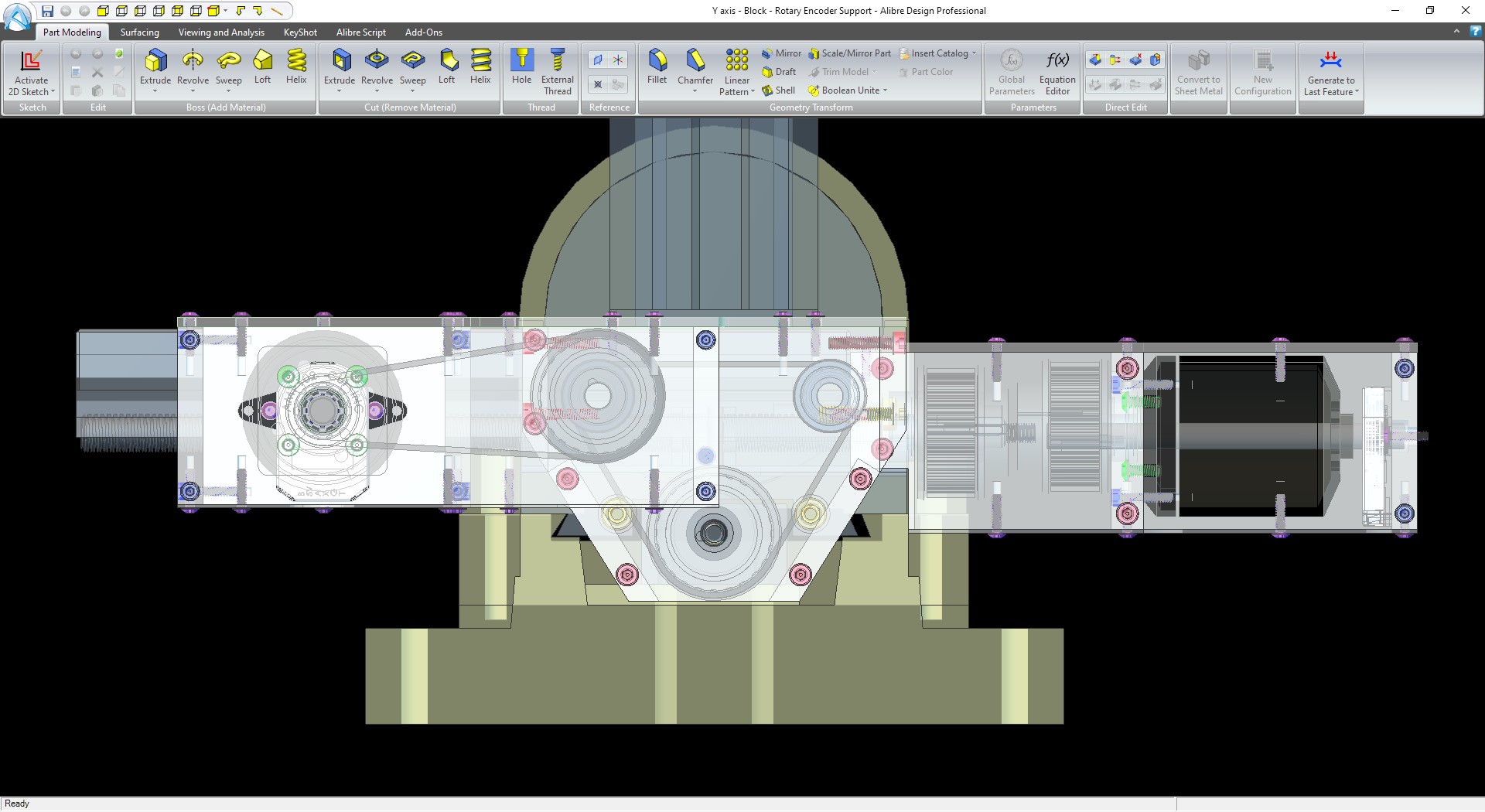
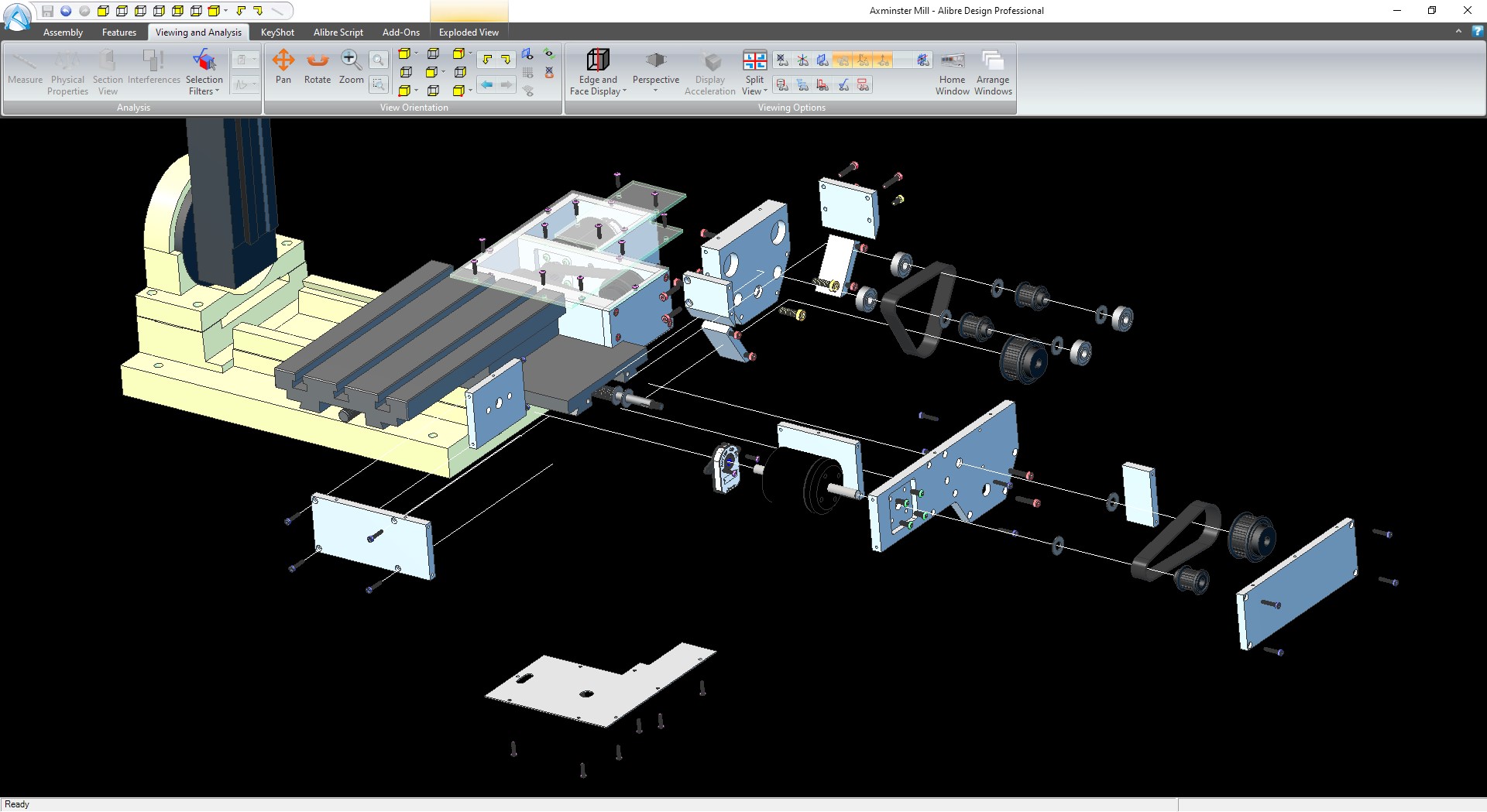
The image below shows an exploded view structure, revealing the arrangement of various components such as motor mounts, bearing blocks, and mechanical connections that I designed to be compatible with the original structure of the Axminster Sieg X1 machine, which I have been using for over 10 years.
System Testing and Joypad Control
At the beginning of testing, I first installed the system on the Y-axis to test the Sketch and verify system stability. I adapted a Joypad from an old RC helicopter to serve as a manual controller. This method allowed me to move the axes freely like using a joystick before switching to full computer control.
The results from testing the Y-axis with the Joypad were very impressive. I was able to successfully machine the first workpiece using this new drive system.

Software Logic & Backlash Compensation
The core of the control code is managing signals from the Joypad (Analog Input) to convert them into Velocity or Position commands for the O-Drive. In the demonstration video, I explained how to set up and read values from the Joypad via Arduino to achieve smooth and responsive control.
Furthermore, a major issue with affordable milling machines is Backlash, which results from the gap between the Lead screw threads and the Nut. When the motor changes direction, the axis will not move until that gap is taken up. Therefore, my code includes a Backlash Compensation function, where upon a change in direction, the system commands the motor to rotate an additional distance equal to the measured backlash value before starting to count the actual travel distance. This method ensures that the machined parts are as dimensionally accurate as possible.
Next Steps for the Project
In the near future, I plan to write a dedicated Sketch for G-Code processing to enable the machine to operate automatically from files exported from Fusion 360. I will share all CAD files, program code, and detailed installation steps on my personal website and GitHub so that interested individuals can further develop it.
You can follow further progress here:
I hope this project will inspire all engineers and makers. If you have any questions or suggestions regarding any part of the control system or mechanics, feel free to ask at any time!