Arduino Controlled LED Multi-Player Game on Arduino
title: "Ping-Pong LED Game Project: Transitioning from Raspberry Pi to an Arduino Shield System"
This project is inspired by the famous video from Jabrils on YouTube, where he created an arcade-style game using a Raspberry Pi and programmed it with Python. For this project, however, as an embedded systems engineer, I've adapted and redeveloped the concept into an Arduino Shield format, which is more stable and power-efficient. All control is implemented using C++.
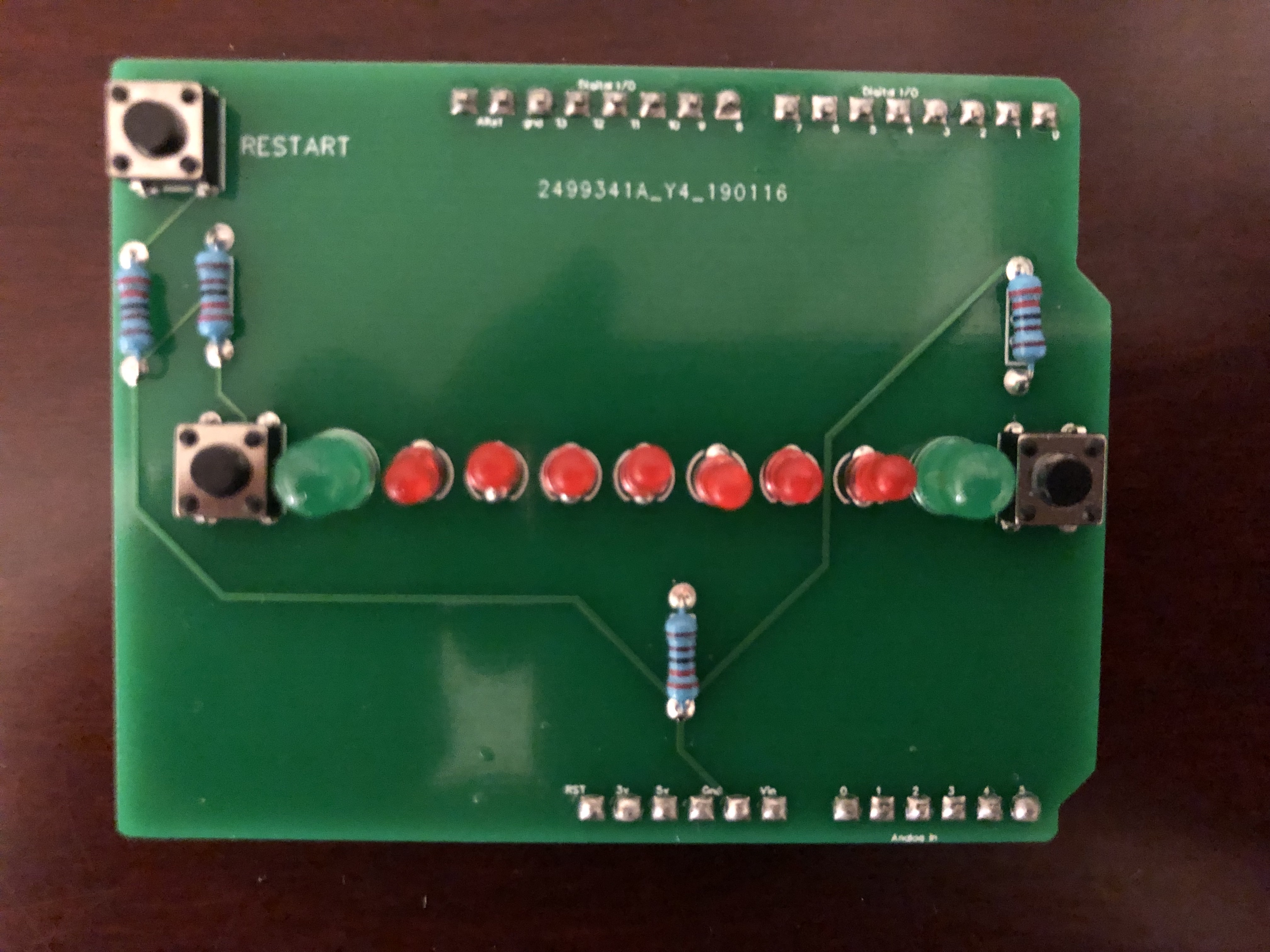
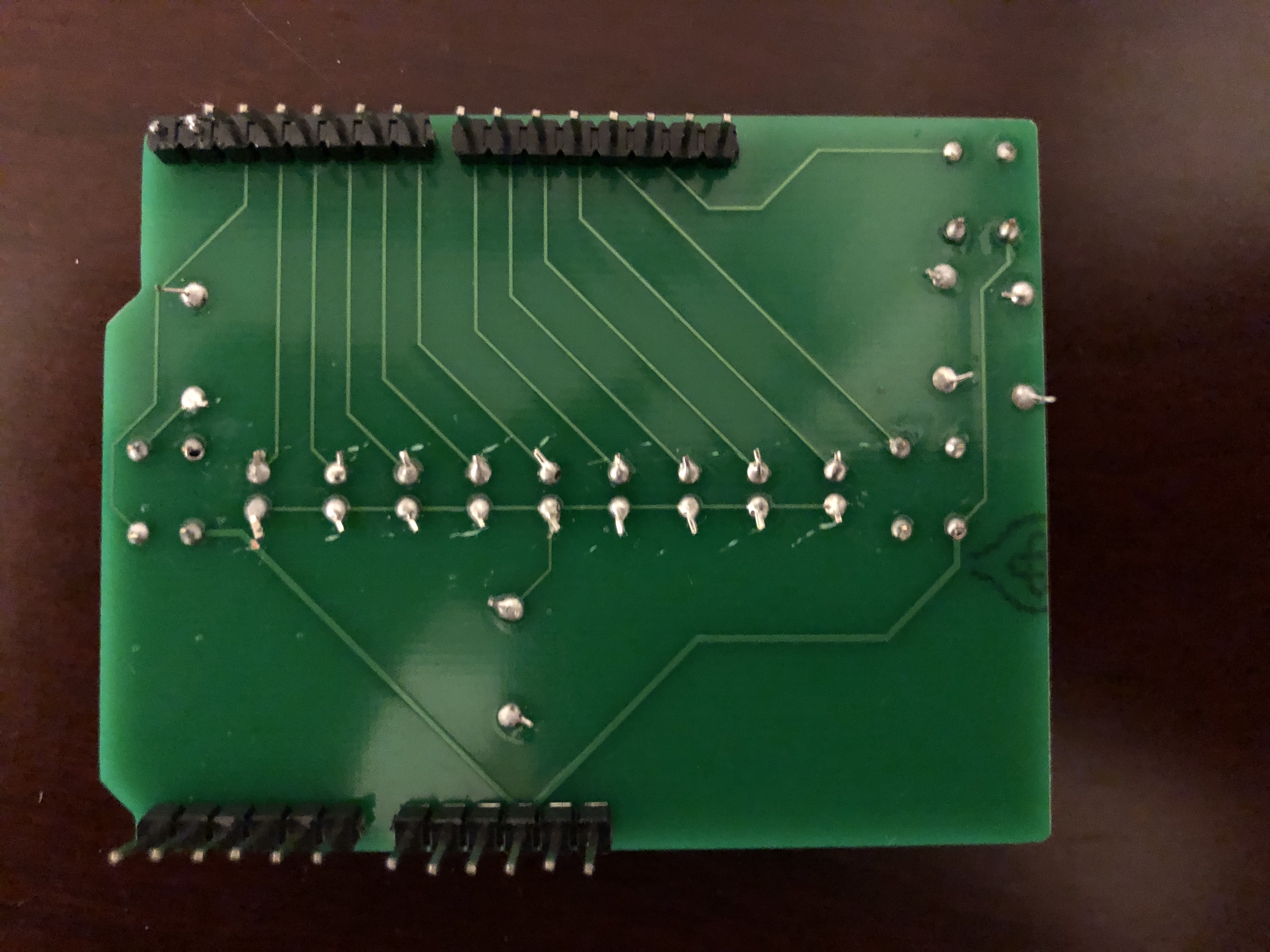
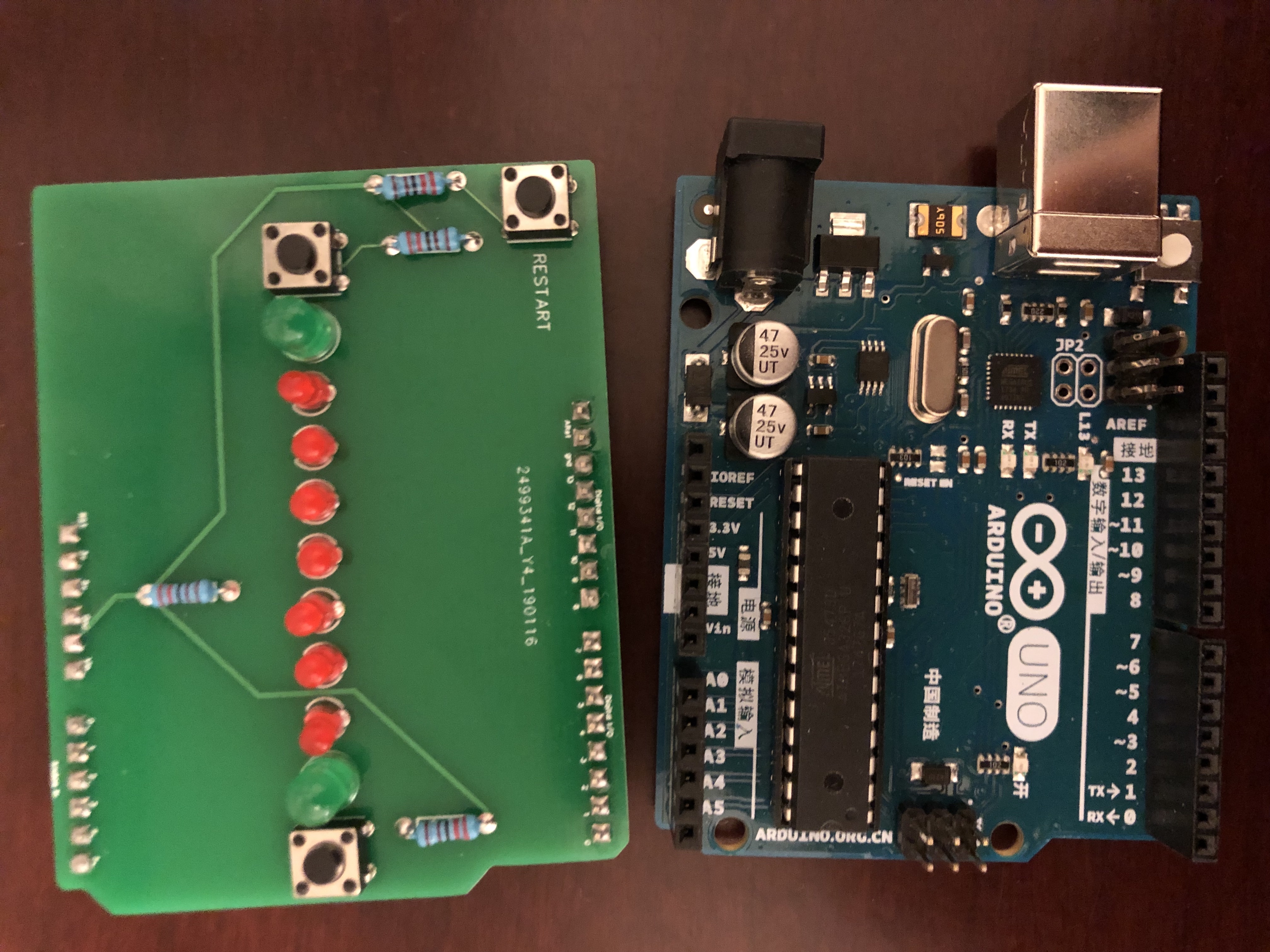
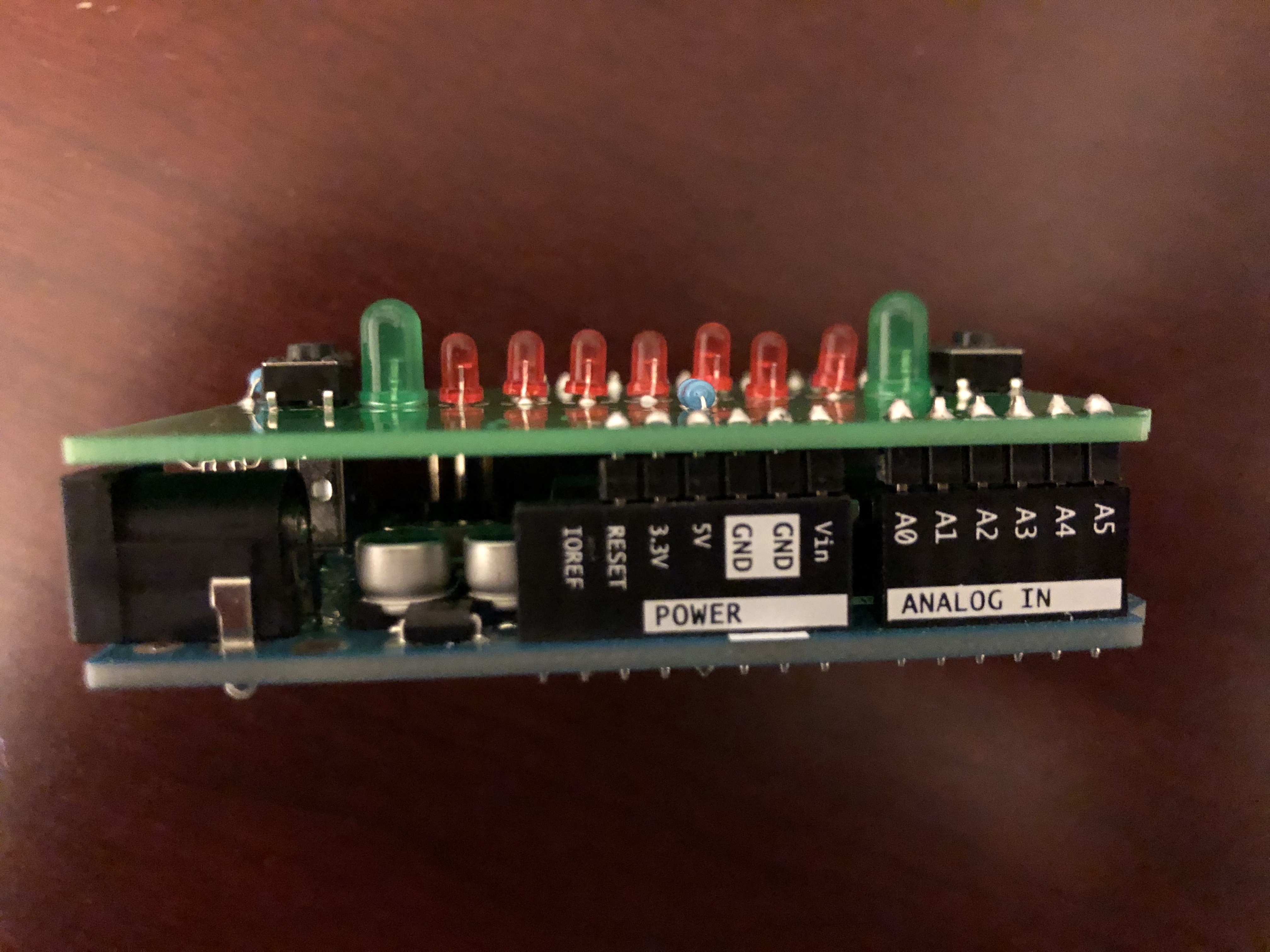
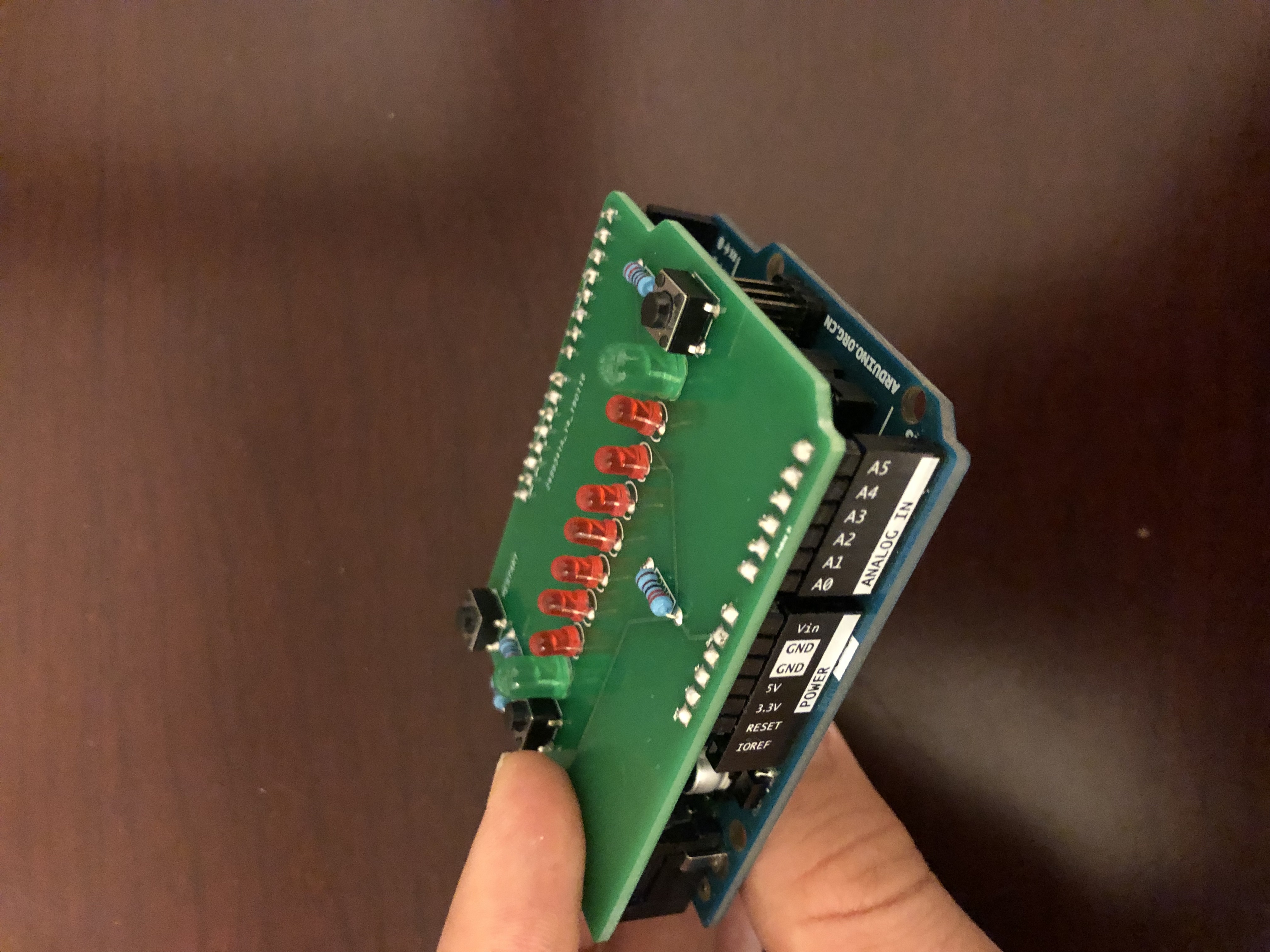
Below are images of the completed project, showcasing the custom-designed Printed Circuit Board (PCB).
Construction Steps (Hardware Engineering)
The core of this project is the Custom PCB Shield (green), designed with EasyEDA and manufactured by JLCPCB, ensuring precise connectivity with the Arduino Uno's pins. You can download the Gerber File from the link below to produce your own.
Electronic Component Analysis:
- Resistors: The circuit uses 10K Ohm resistors (3 units) to act as Pull-down resistors for the buttons, preventing floating signals. A 220 Ohm resistor (1 unit) is used to limit the current for the LED, preventing excessive current flow that could damage the LED.
- LED Forward Voltage: A technical note is that green LEDs might appear dimmer than red ones. This is because green LEDs typically have a higher Forward Voltage. When the same resistance value is used, the current flowing through them will be slightly lower.
Assembly Recommendations:
- The Push Button pins should be straightened and made parallel before inserting them into the PCB to prevent damage to the traces.
- This board is designed as a "Shield." You can plug it directly onto the Arduino after soldering is complete.
Software Logic (Code Logic Analysis)
The program is written using the principles of a Finite State Machine (FSM) to systematically manage the game's states:
- Main Menu State (Waiting to Start): Upon initial power-up, the LEDs will slowly flash back and forth to indicate that the system is ready.
- Initialization: To enter the game, hold down any button for 5 seconds (indicated by 5 flashes). The system will reset the score variables and enter a ready mode, flashing all LEDs 3 times.
- Gameplay Logic: The system will illuminate LEDs sequentially at a set speed.
- Players must press the button when the light reaches the "scoring point" (Green LED) on the opposite side.
- If a press is missed (light hasn't reached or has passed), the red LED at that position will light up for 500ms to indicate an error.
- The system prevents "Own Goals" by blocking commands if a button is pressed in the player's own zone.
- Scoring & Winning: When a player scores, the system will flash lights according to the current accumulated score (Score Tracking). When any player reaches 5 points first, they enter the Win State, where the winning side's lights will flash continuously until the Restart button is pressed.
How to Play and Control
This game is designed for 2-player competition:
- Buttons 1 and 2: Used to control stopping the light for each side.
- Button 3 (RESTART): Used to reset the game back to the main menu.
Power Supply Technique: You can run the program via a USB cable from a computer or switch to a DC Power Jack (2.1 mm). This is because the Arduino has Internal Flash Memory where the program is permanently stored.
Important Notes and Troubleshooting: In case the Restart button on the PCB doesn't work (which might happen due to hardware debounce inaccuracies), you can press the red Reset button directly on the Arduino board to instantly restore default settings. If the system freezes, try checking the power supply or changing the USB port to ensure a stable current.
Project File Downloads
- Source Code: Can be copied from the section below.
- Gerber File: [Link to download for PCB manufacturing]