INTRO
I'm a technical masochist obsessed with cloud-based tools, CAD, and simulation. So instead of installing the Arduino desktop directly to my MacBook Pro, and going straight to the breadboard with LED's and resistors, I'm going to CAD it on in TinkerCad, do m coding on the cloud-based IDE, all from Windows 10 VM running in Parlells. Which me luck!
CLOUD IDE
I tired installing the osx Arudino uno drivers to my 2014 MacBook Pro for Chrome and FireFox, no luck. Not to be deterred, I can run on a virtual Win10 VM in Parellels, thanks to their easy/awesome USB support. Fine with me, I like keeping my base hardware (Mac) as clean and plugin-free as possible anyway
CADDING IT UP
I'm just getting my feet wet with the Arduino cloud offerings. Thought Arduino Create would point me to a circuit editor/simulator withing their ecosystem, but came up dry. Found Autodesk Tinker CAD, and Trying to find something that will let me draw and simulate circuits. Turns out this is almost too easy. Tinkercad's second getting started lesson covers LED traffic lights exactly.
RUNNING ON A LEGIT BOARD
Maybe it's not as easy as I thought. Repeated attempts to download the code to my Adafruit Metro (Arduino Uno compatible), kept giving me the following error.
Avrdude Stk500_getsync(): Not in Sync Resp=0x30
Google turned up a lot of forum posts with, "Hey, I have the same problem" and "No, I haven't figured out how to fix it"... until I found a solution posted to an Instructables forum. Turns out I had to skip pin zero. A quick review of my class notes tells me my professor had advised me to start with pin 2. After changing 3 lines of code and three pins, I'm off and running.
MAKING IT MY OWN
So my first iteration is basically a straight-up copy of Tinkercad's traffic light example, with changes to just 3 little numbers. Also my as-built diverges from my design. Time to make it my own.
First off, Make my own TinkerCad file, using a bread board. I'll start by getting the as-designed to match the as-built.
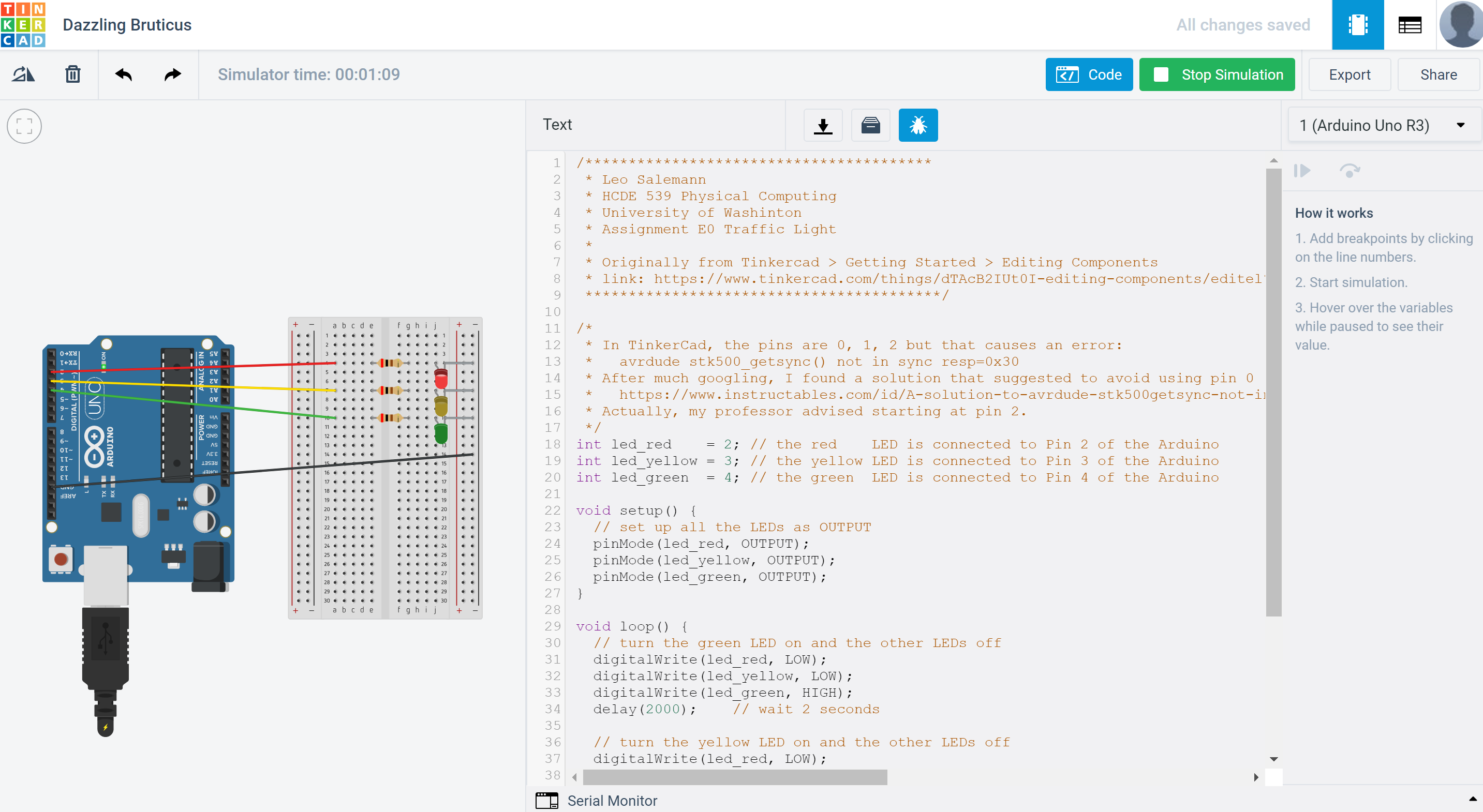
It works, but let's flip things around a bit so pins are more clear and readable.
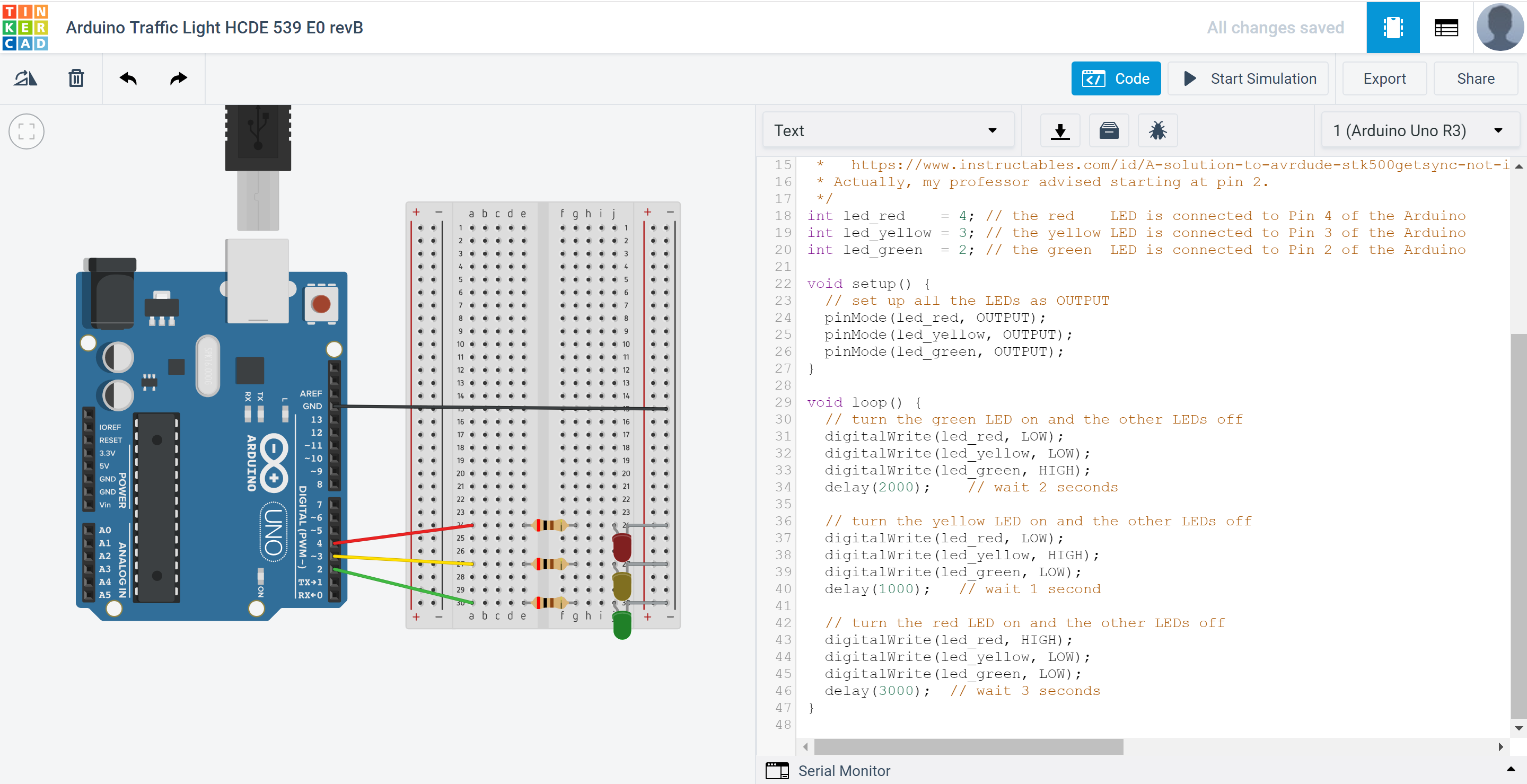
Much better. Now about that code. Let's make some functions. I'll try something simple, with separate stop(), caution() and go() functions, each will take a delay in seconds. A computer scientist might prefer a set_traffic_slight() function with a typdef struct that enumerated a bunch of states and a time in milliseconds, but I think my way will be appreciated by traffic engineers who've been forced to learn coding by their managers. To see what I ended up with, see the Code section.
EXPANDED TECHNICAL DETAILS
Foundational Logic Controller
This project replicates a standard urban traffic signaling system, focusing on high-brightness visual indicators and timing loops.
- Time-Division Sequencing: Uses a strictly defined state machine managed by
millis(). This ensures the Green-Yellow-Red transitions are frame-perfect and avoids the "Lockup" issues associated withdelay(). - TinkerCad Verified: The circuit was optimized in TinkerCad to calculate the exact resistor values needed for 10mm LEDs, ensuring long-term reliability and balanced brightness across all colors.
Scalability
- Emergency Override: Includes a "Priority Input" (e.g., for an ambulance sensor) that instantly forces the cycle into a predefined safety pattern.