With this game controller, you can steer every PC game that works with seven different keys on the keyboard, for example, Frogratto & Friends, Super Tux 2, Limbo, or Undertale. It is also very suitable for retro games like Pac-Man, Tetris, or Donkey Kong. This game controller simulates a keyboard. If you need to change the keys, adjust the code or remap the keys in the game menu.
3D-printing
First, 3D-print the parts melt in the thread inserts. You may have to adjust the height of the buttons with sandpaper, that they fit in the attachment with the pushbutton.
Soldering
I used the circuit board with three connected holes to supply the buttons with voltage and connect the wires from the buttons with the digital pins and the GND-pin.
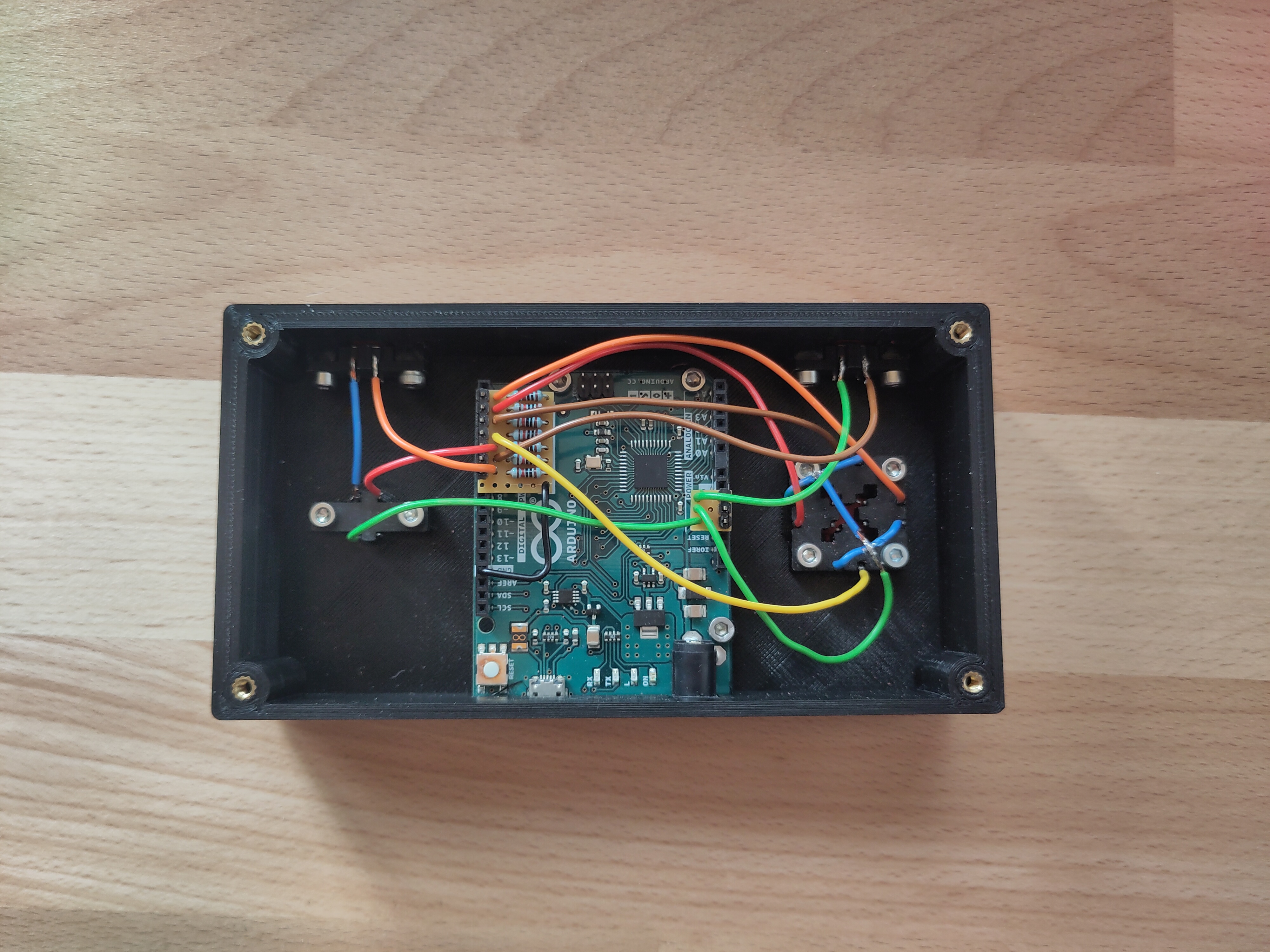
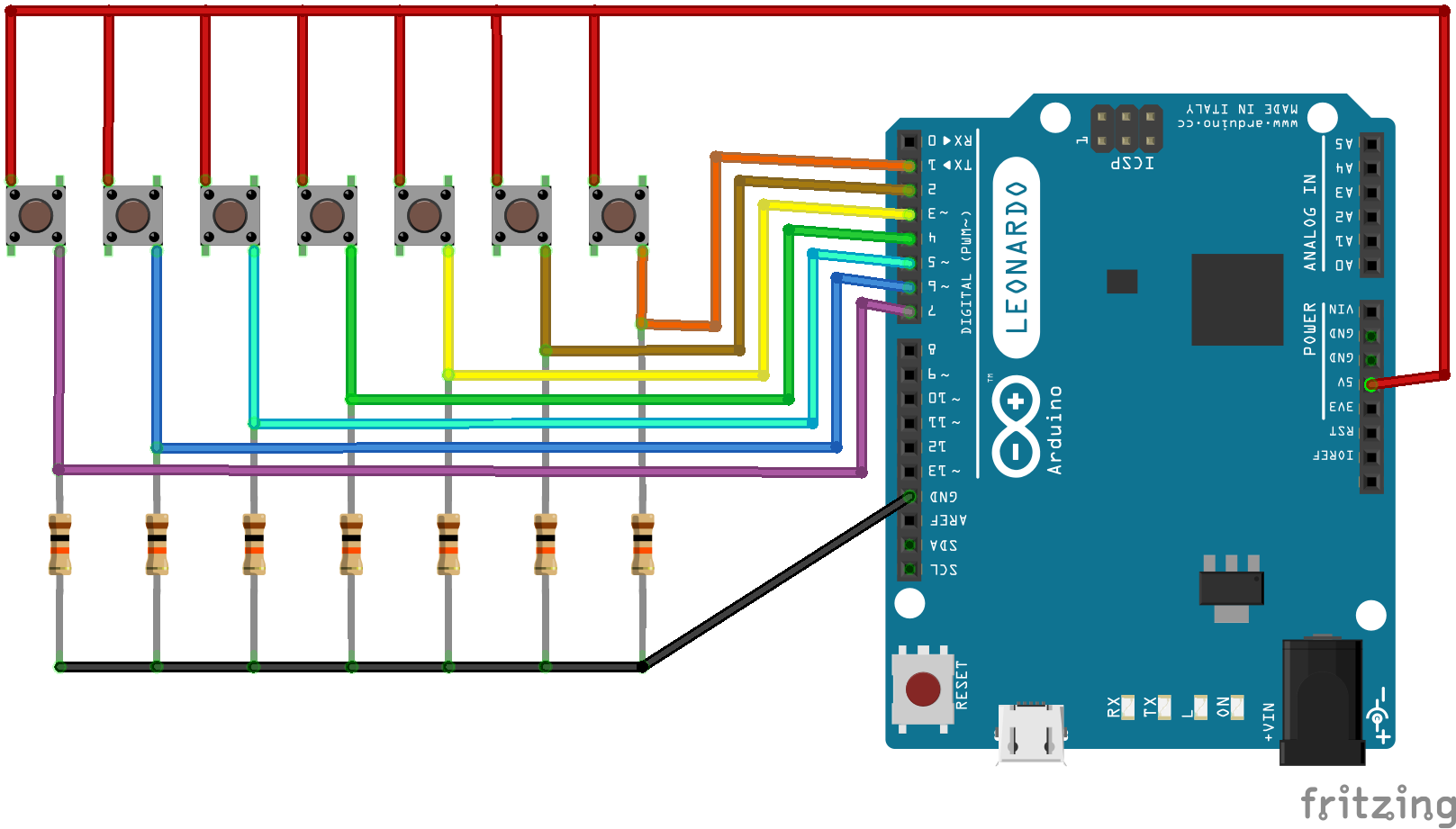
Set up
Once you have uploaded the code, the controller should work plug and play on ervery PC.
EXPANDED TECHNICAL DETAILS
The Arduino Game Controller can be evolved beyond a simple keyboard emulator. By using advanced software libraries, you can force your Arduino to act exactly like an official Xbox 360 or PlayStation Controller!
The "XInput" Standard
Modern PC games often require the "XInput" protocol and may ignore simple keyboard inputs. To achieve this:
- The Library: Use a powerful library like
ArduinoJoystickLibraryor a specificXInputbridge library designed for the Arduino Micro. - The Direct Mapping: The library allows you to send commands directly to Windows as a Gamepad. For example:
Joystick.setButton(0, digitalRead(buttonA));maps a physical button to the controller's 'A' button.Joystick.setXAxis(analogRead(joyX));maps an analog joystick to the Left Thumbstick's X-axis.
Required Parts for an Advanced Build
- Arduino Micro (ATmega32U4 chip): This board is mandatory for native USB HID enumeration, allowing it to be recognized as a gamepad.
- PS2 Style Twin Thumbsticks (x2) for dual analog control.
- Multiple Push Buttons for A/B/X/Y, Start, Select, Bumpers, and Triggers.
- A 3D printed housing or enclosure to house all components.
Taking it Further (Force Feedback)
The XInput protocol is two-way. This means the PC can send "Rumble" signals back to the controller via USB when an event (like taking damage) occurs in the game. You can connect an NPN transistor to a digital pin on the Arduino to drive an unbalanced vibration motor placed inside the controller grip, achieving true console-quality force feedback.