Custom Gamepad: Leonardo USB Joystick
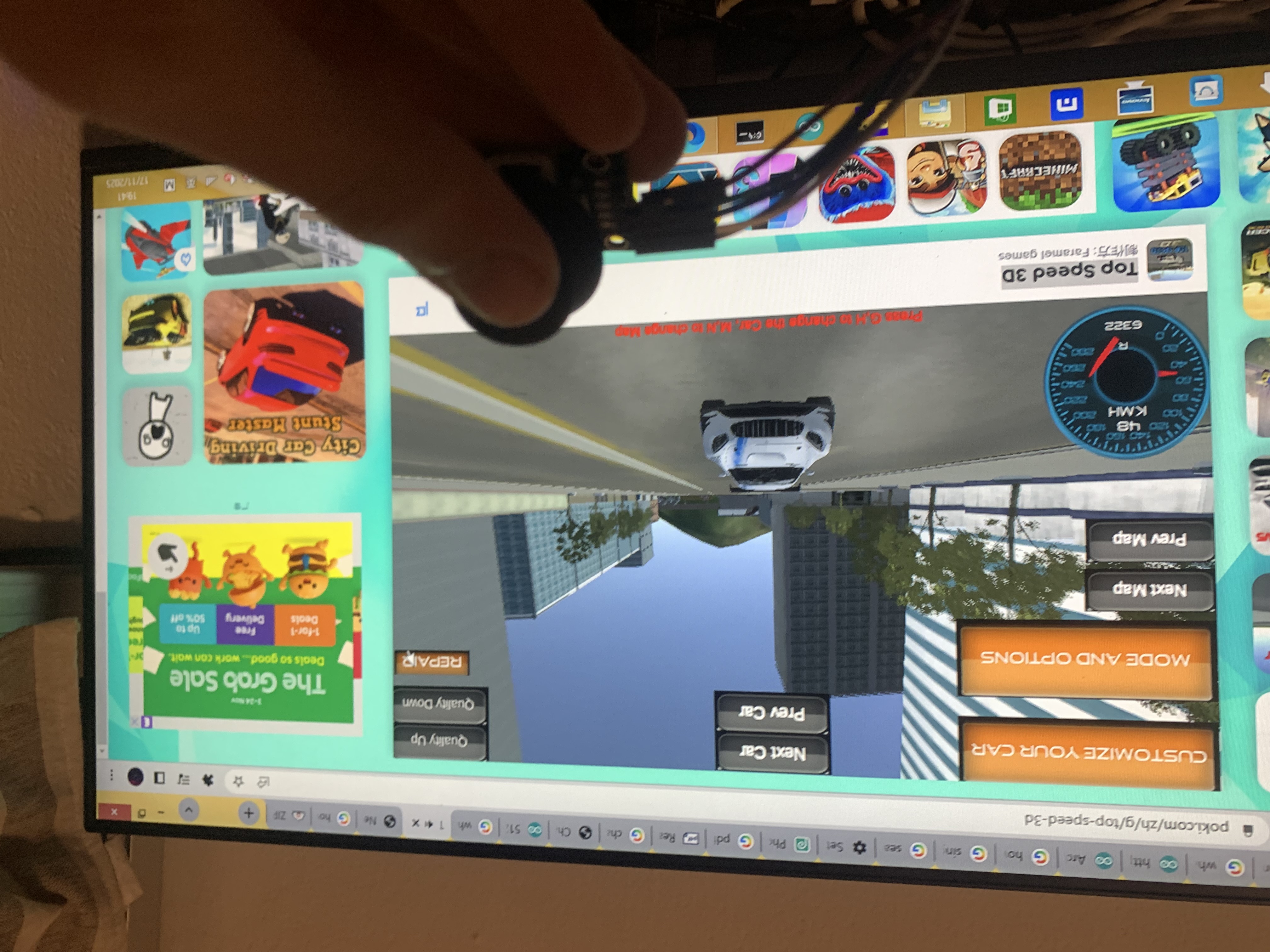
The Arduino Leonardo Joystick isn't about playing a game on the Arduino screen; it's about using the Arduino to play games on your computer. It converts electrical pushes into USB keyboard commands, essentially building a custom Fight Stick for games like Tekken or Street Fighter.
How the joystick works
The joystick contains two potentiometers, one button, and one cap (not in main list).
The potentiometers receive current from pin VCC, pass through the X/Y potentiometer, and flow out current from pin X /Y.
The button receives current from pin VCC and flows out through the button pin (mine is SW).
The Human Interface Device (HID) Library
You must use an Arduino Leonardo or Micro (ATmega32U4). By including the <Keyboard.h> library, the Arduino can tell your PC what keys are being pressed.
How my code works
The each end of x and y potentiometers type "w", "s", "a", "d", the button press "Esc".
The button code:
if (buttonPressed) {
   Keyboard.press(KEY_ESC);
  } else {
    Keyboard.release(KEY_ESC);
  }
You can also change KEY_ESC to space for minecraft.
EXPANDED TECHNICAL DETAILS
- The Wiring: You wire the joystick and buttons to the digital and analog pins. For buttons, connect one side to a digital pin and the other to Ground. Using
INPUT_PULLUPin your code activates the microcontroller's internal resistor, saving you from wiring external resistors! - The Mapping: The code maps analog joystick positions to keyboard presses. For example, when the joystick is pushed forward, the code might trigger
Keyboard.press('w');(Move Up). A separate button press could be mapped toKeyboard.press('SPACE');(Jump). - The Release: It is critical to program
Keyboard.release();for each key or useKeyboard.releaseAll();when the input stops. If you forget, your character will keep running forever as the computer thinks the key is held down!
Zero Lag, Zero Drivers
Because it enumerates as a literal basic Keyboard, you do not need to install any messy COM port drivers or translation software like "Joy2Key" on your PC. You just plug the USB cable in, open a web browser game, and smash the button to jump!
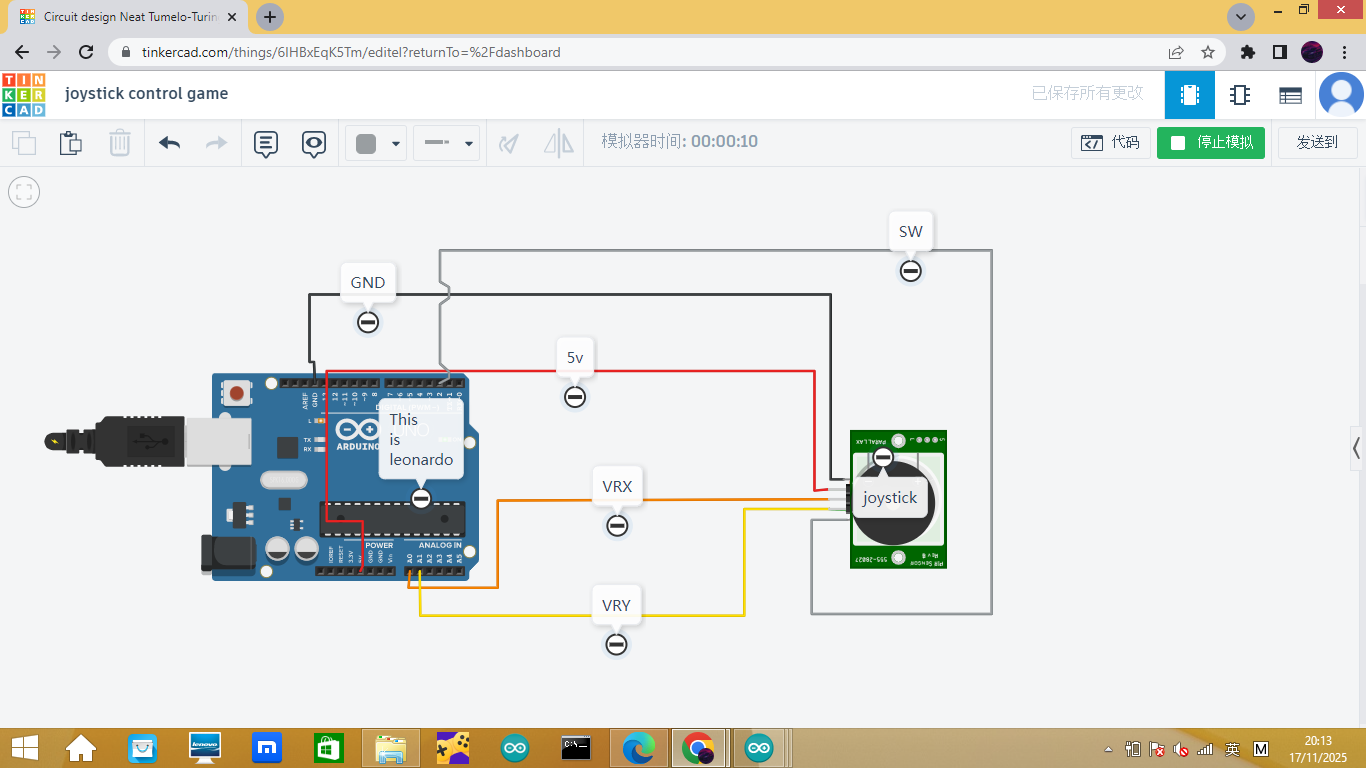
wiring
joystick leonardo GND GND +5v 5v VRX A0 VRY A1 SW D2
Component Checklist
- Arduino Leonardo or Arduino Micro (Cannot use Uno/Mega/Nano).
- Sanwa or generic Arcade Push Buttons.
- Analog Joystick Module.
- A sturdy cardboard box or MDF wood board to mount the heavy-duty buttons.