It is very easy to create a nice looking RFID reader with TFT output for wall mounting with an Arduino MKR of your choice and our ArduiTouch MKR kit.
You can use this reader for door access or intruder alarm terminals. It's easy to extend this simple design for more complex application and wireless data transmission.
Wiring
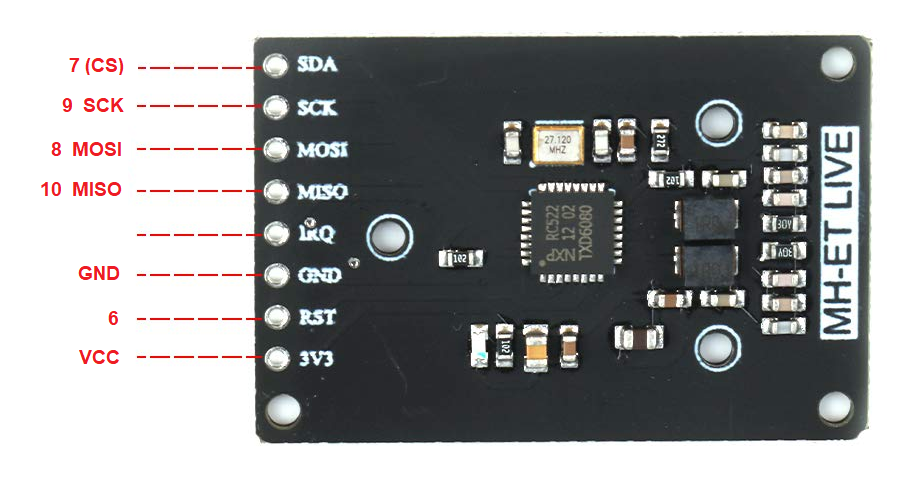
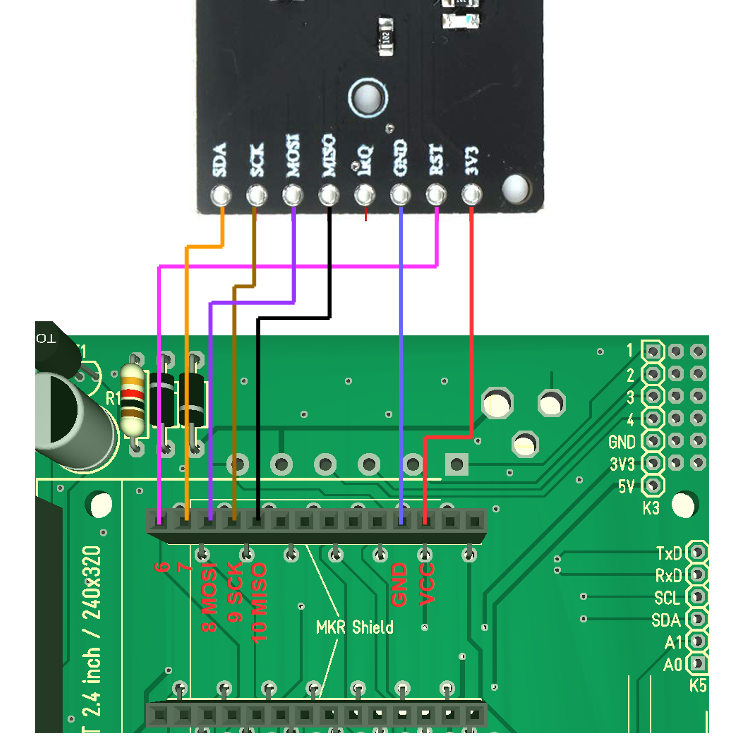
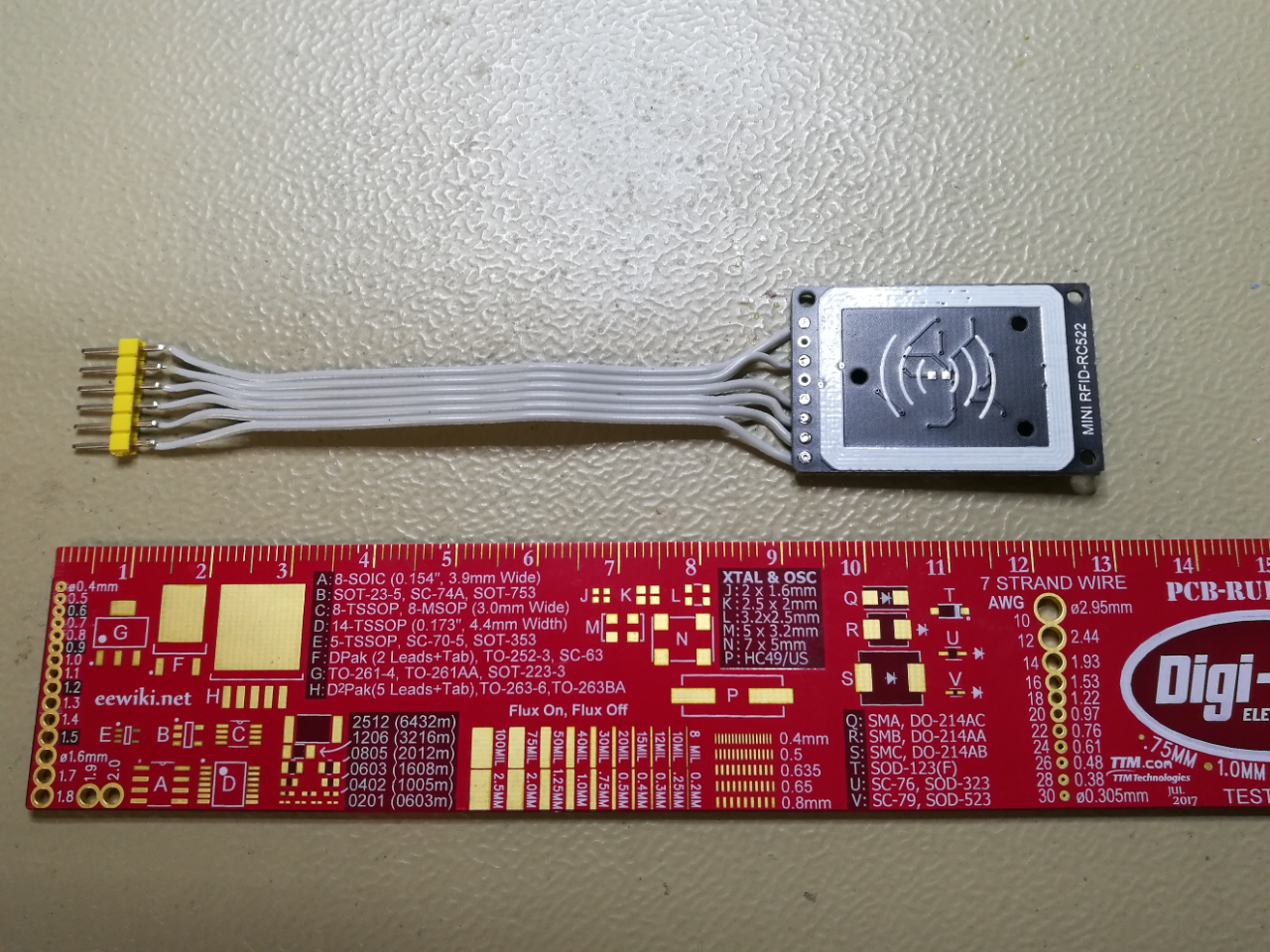
In the first step you have to connect the RFID reader pcb with the ArduiTouch pcb. In the pictures below you will find a wiring diagram and some pictures of my real solution. In any case it is recommend to use a connector between the RFID reader pcb and the ArduiTouch pcb.
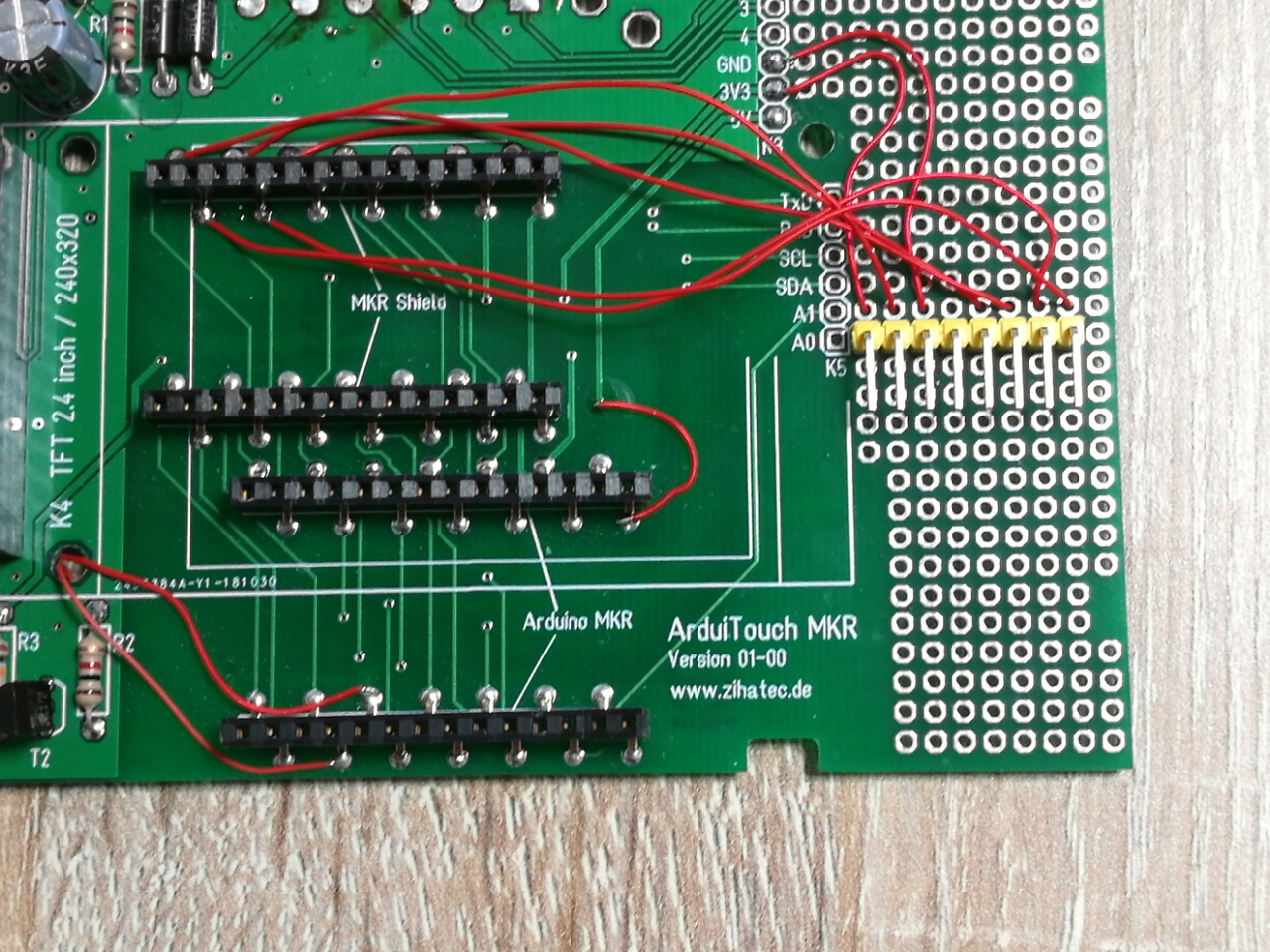
Mounting of RFID PCB
For the mounting of the RFID pcb you have to prepare the pcb with self adhesive tape and glue it to the top shell of the ArduiTouch enclosure
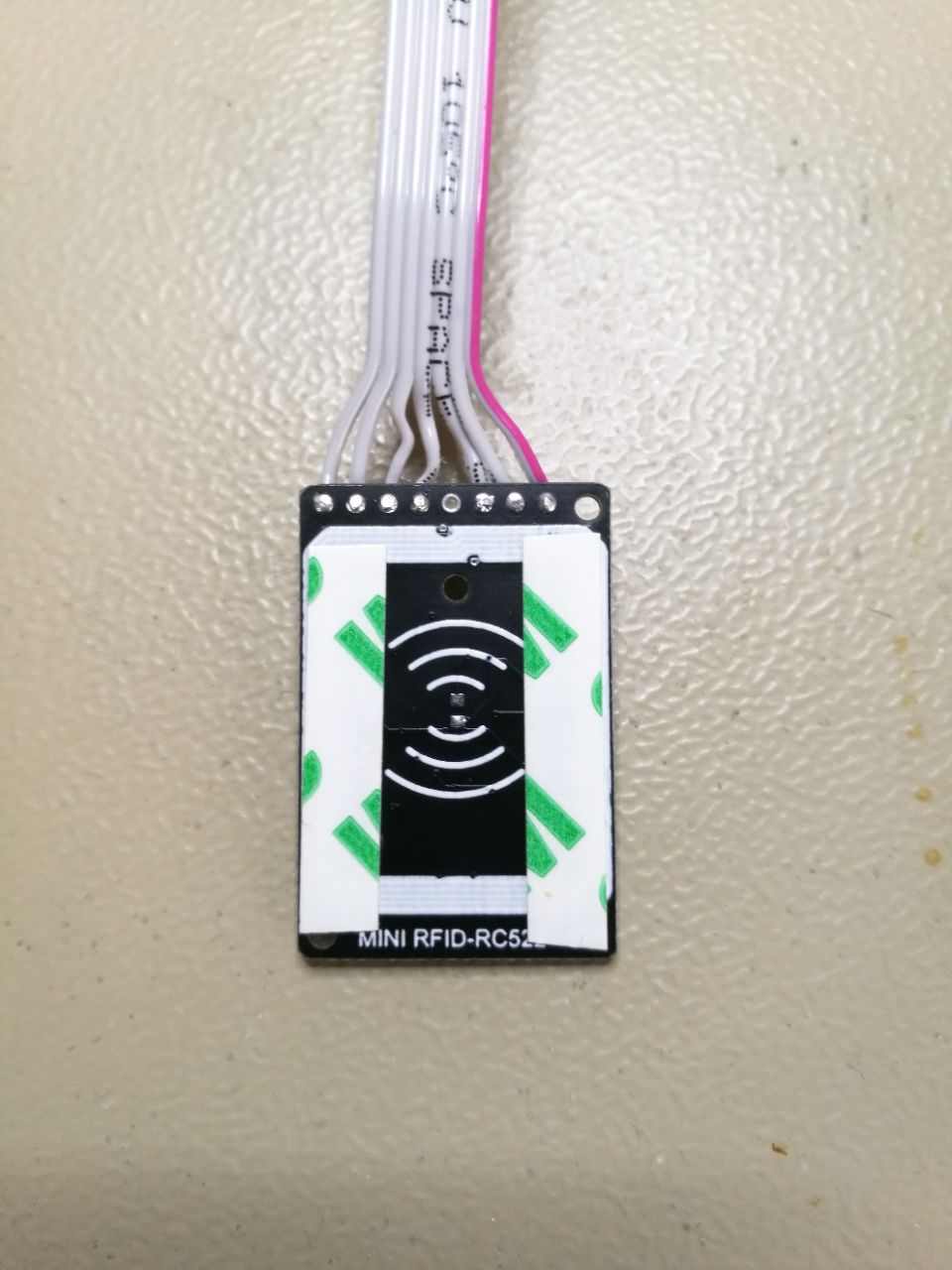
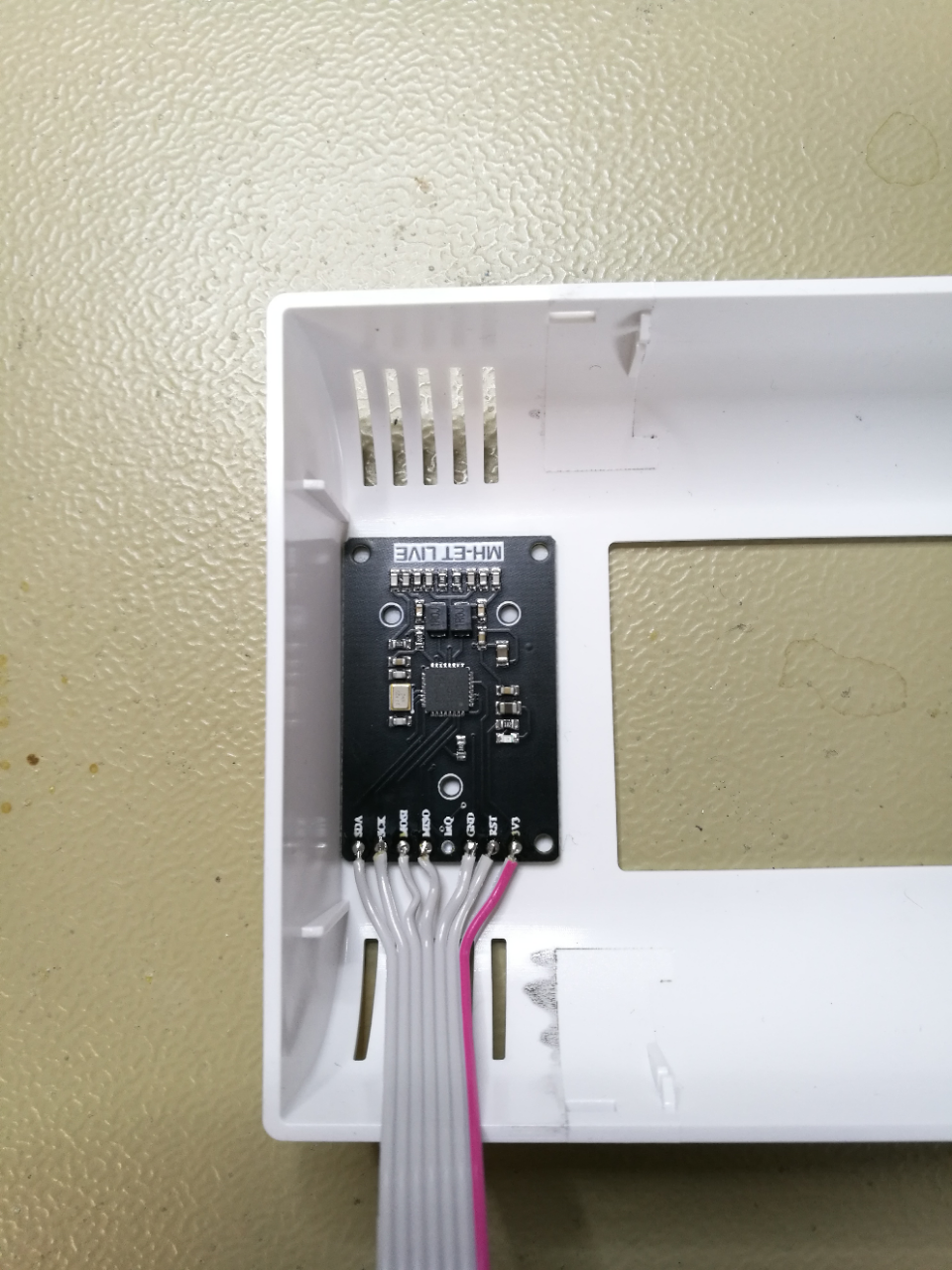
Mounting of ArduiTouch PCB
Now we can mount the TFT on the ArduiTouch pcb. connect the RFID pcb and mount the ArduiTouch pcb in the top shell too
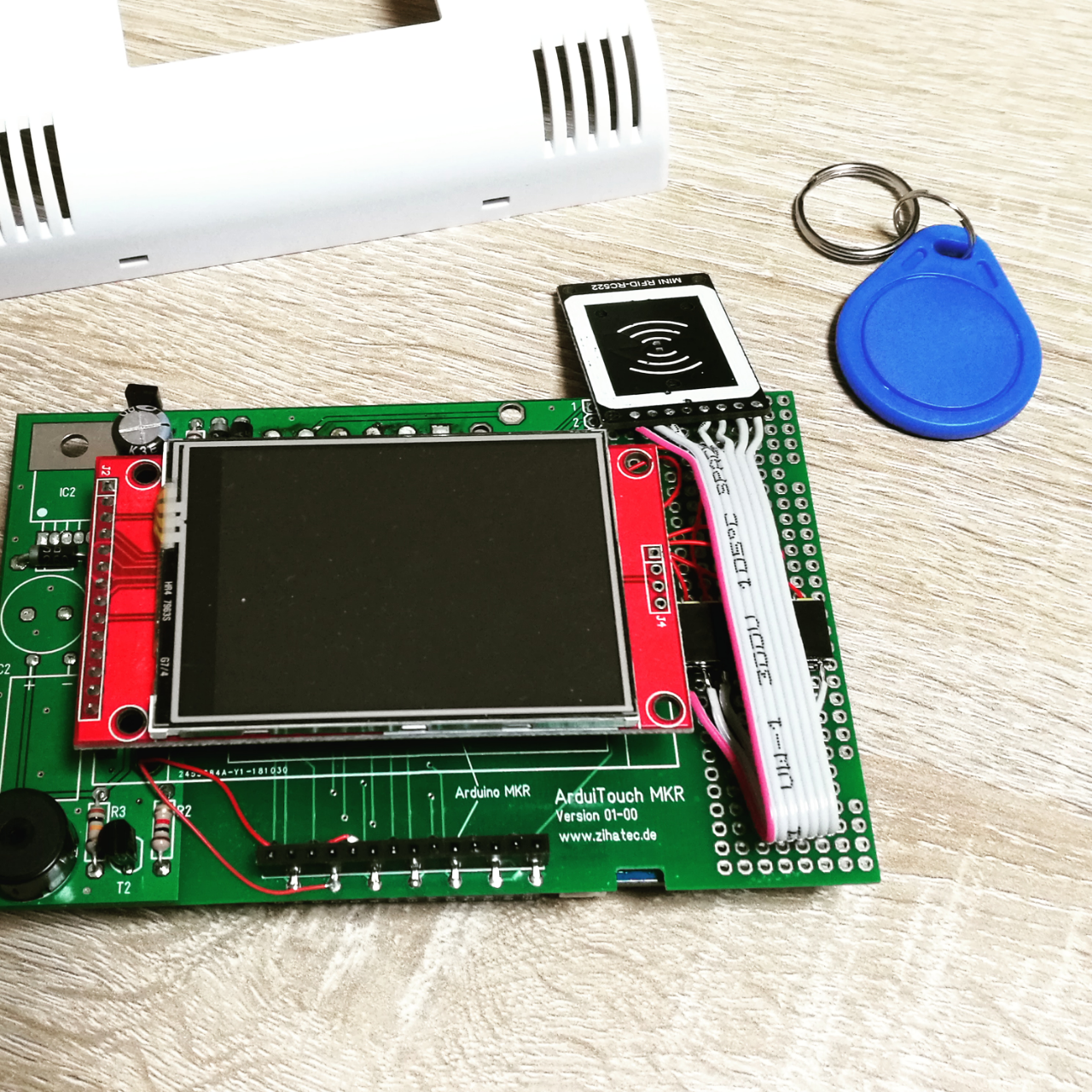
Installation of additional libraries:
Please install the following libraries through Arduino Library Manager.
You can download the library also directly as ZIP file and uncompress the folder under yourarduinosketchfolder/libraries/
After installing the Adafruit libraries, please restart the Arduino IDE.
Custom settings:
In the source code you can set the number of a known transponder :
byte blue_uid[] = {0x09, 0x8D, 0x9D, 0xA3};
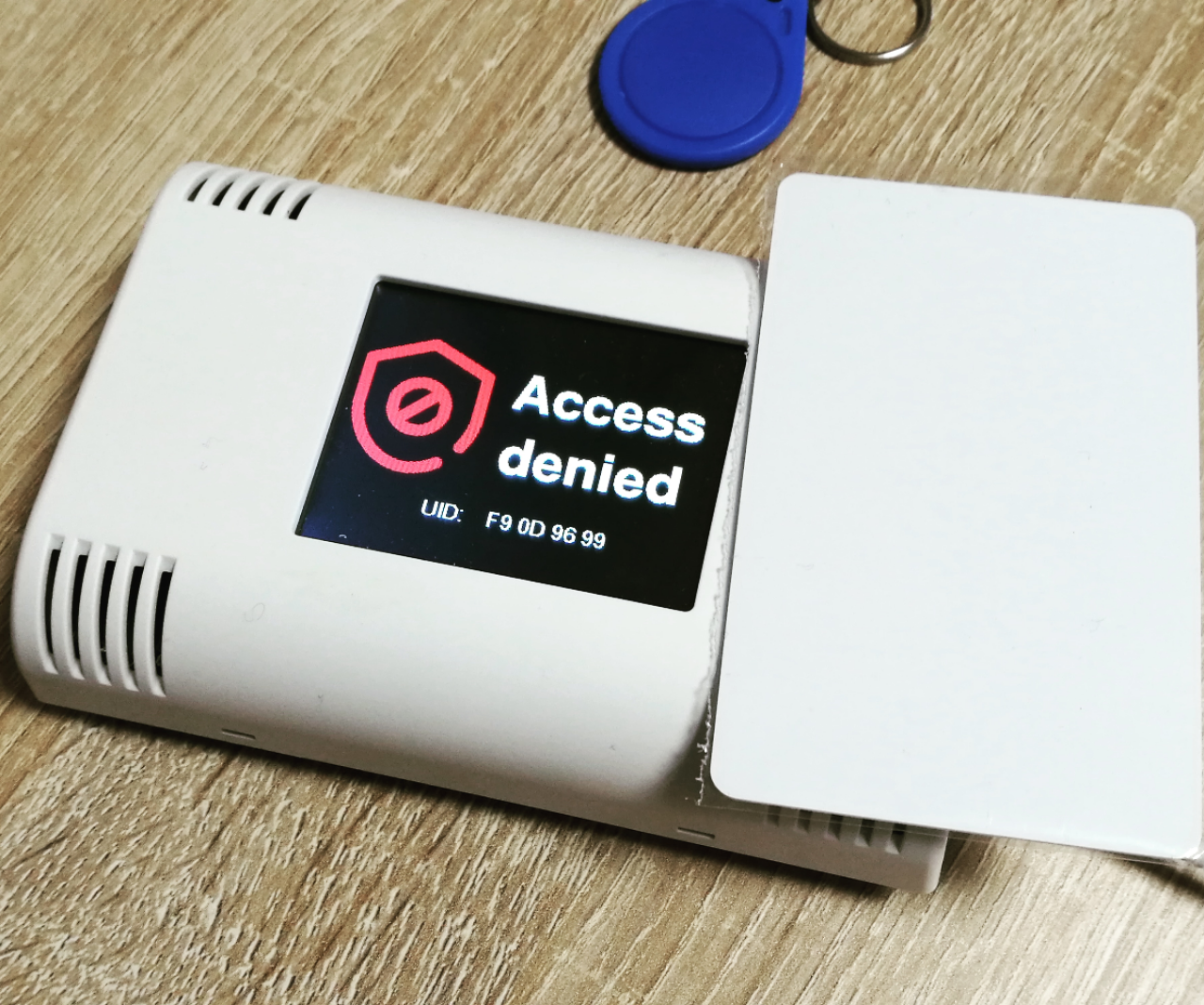
You should change this to the UID of one of your transponders. (The UID of your transponders will be visible in the "Access denied" screen)
Run the demo:
Please open this sample in the Arduino IDE. After compilation and upload you can put your transponders in the top of the ArduiTouch enclosure and you will see an "Access denied" screen for unknown transponders and "Access granted" for the known transponder.
EXPANDED TECHNICAL DETAILS
Visual Access Management Hub
This project combines secure RFID authentication with a high-resolution graphical status dashboard using the Arduino MKR ecosystem.
- MFRC522 SPI Bridge: The MKR board interfaces with the RFID reader via the SPI bus. The firmware compares the scanned 4-byte UID against a secure whitelist stored in the MKR's CryptoChip.
- TFT GUI Feedback: Renders a "Success" (Green) or "Access Denied" (Red) screen on a ST7735 TFT display. The firmware includes custom icons and user names for authorized personnel, improving the professional feel of the entry system.
Connectivity
- Cloud Logging Ready: Because it uses an MKR board, every successful entry can be timestamped and pushed to the Arduino IoT Cloud for remote monitoring of staff attendance.