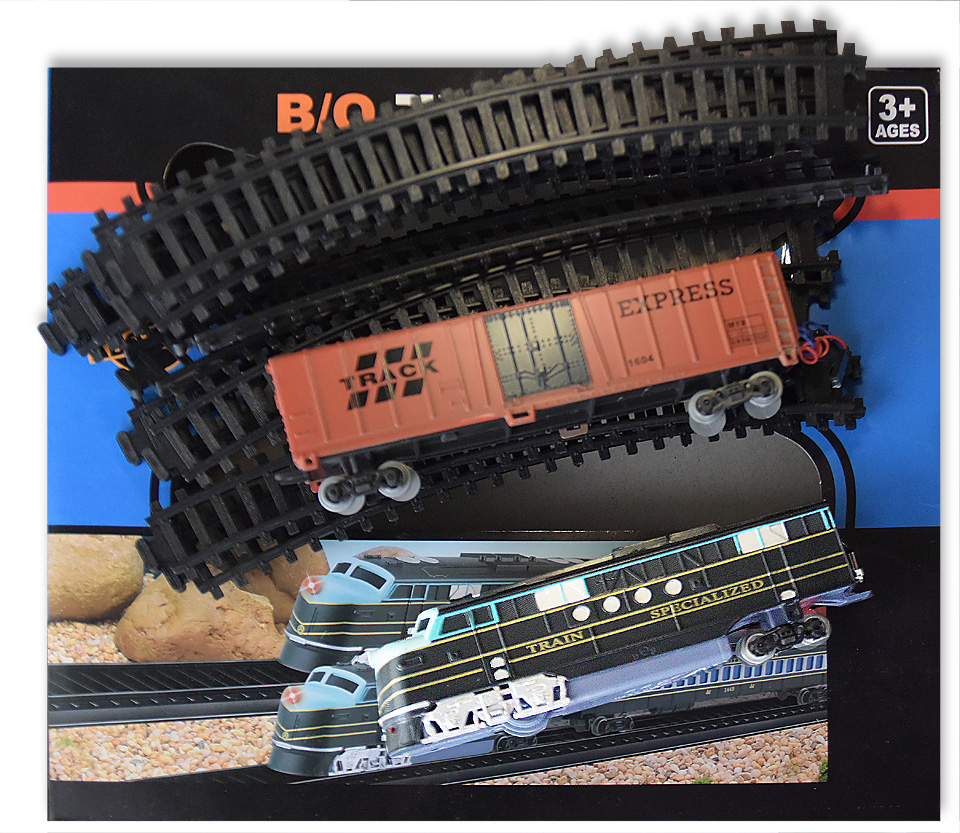
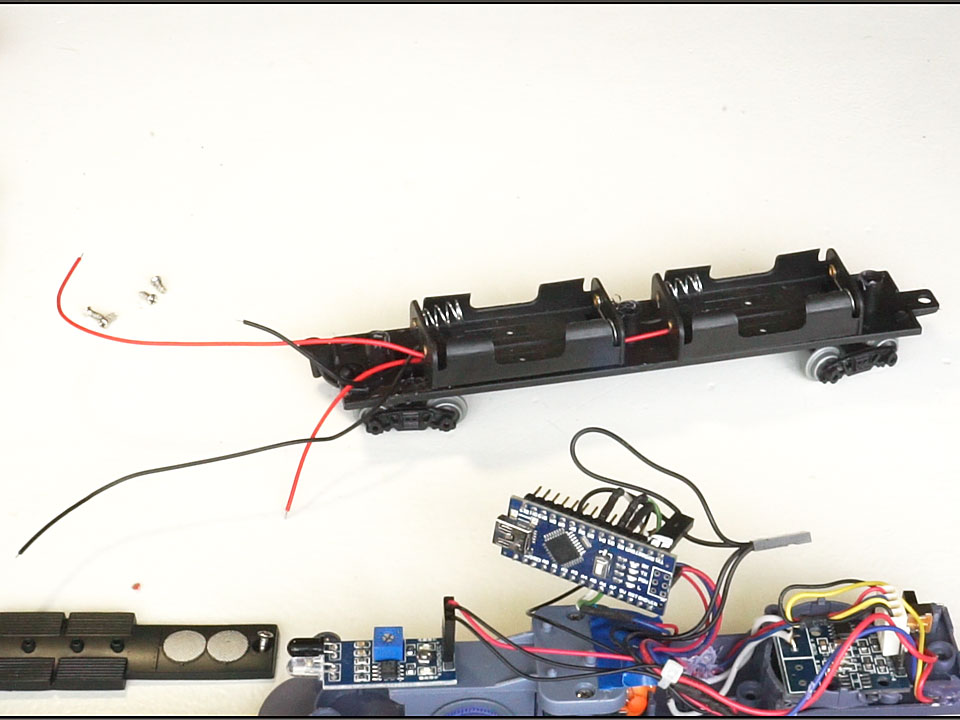
Own and managed the "adult" railway model is certainly good. But if you have children, their enthusiasm for your "toy" will cost you dearly! So I came up with an Application that unites you. It is enough to take any children's railway, the main thing is that the locomotive had a motor and a place for batteries. You can even buy a few simple sets with plastic rails, and manage several trains at the same times. Lego Trains, Big Thomas Coal Steam and so on is good example.
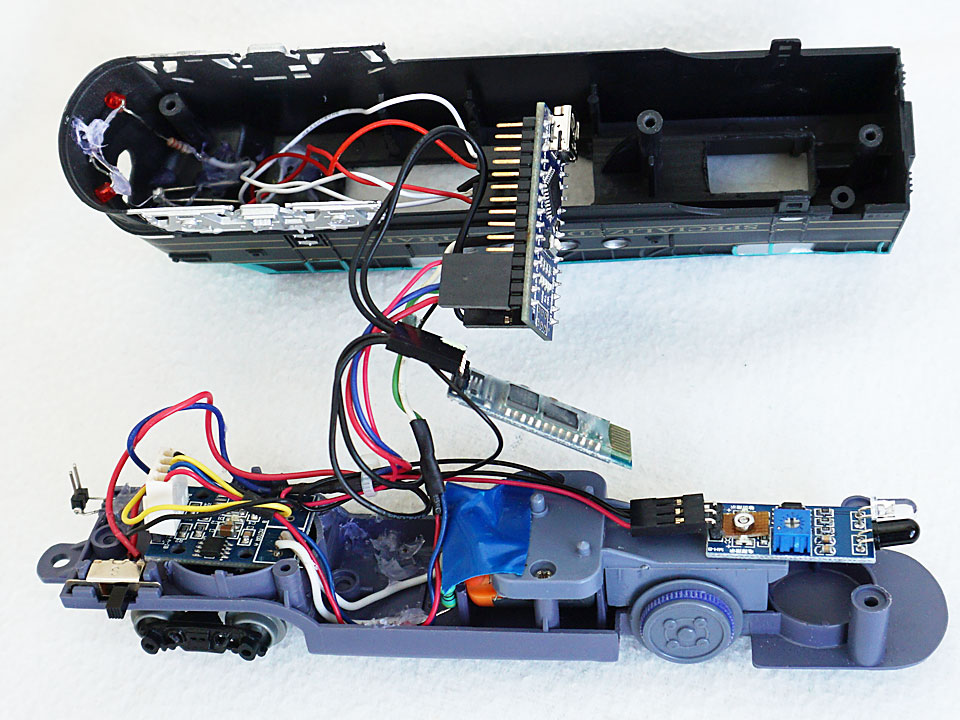
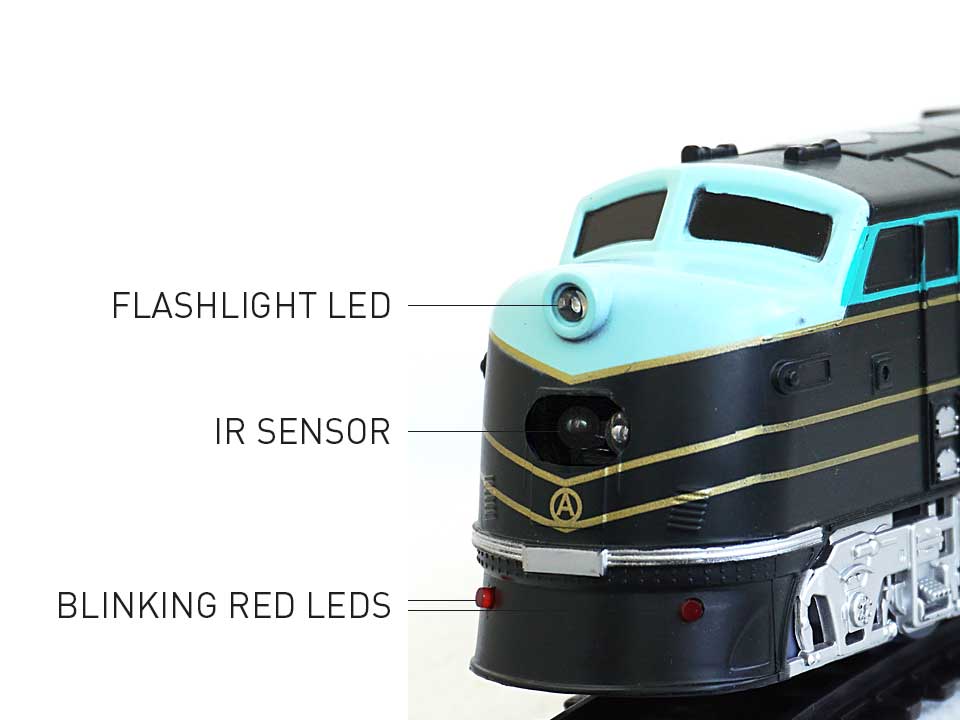
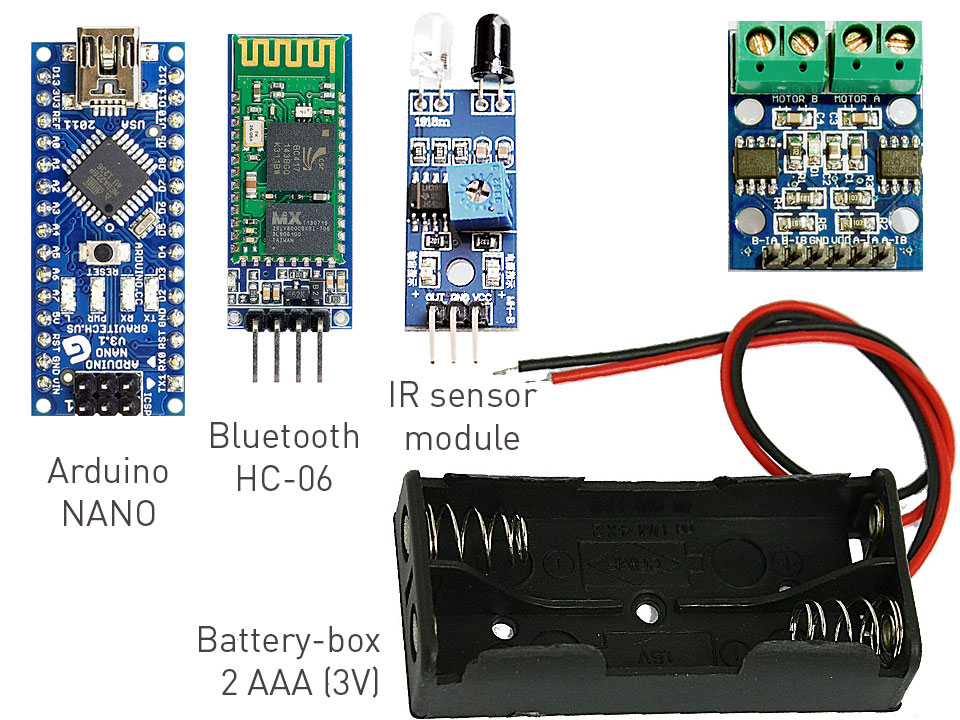
Despite the fact that the application interface is made for children, the application itself supports the version of Protocol 2 of the URB project. And this means that the same application can be controlled also the railway layout, though not all, but only trains under control driver A. Also the application supports the installation of Arduino sensors, which makes the train behave a bit like a robot.
Before running my application, pair your device and the Bluetooth module HC-06 or yours Bluetooth shield way through the Android settings. (see video).
Project Perspective
The Arduino Train for Kids 2 is a fun and interactive layout for children to learn about basic electronics and robotics. By combining various components, the train can move, detect obstacles, and even sound its horn, providing an engaging experience.
Technical Implementation
The motor is controlled by an L298N Motor Driver, which allows the Arduino to regulate the speed and direction of the train. An HC-SR04 Ultrasonic Sensor is used for obstacle detection, and a Piezo Buzzer acts as the train's horn.
Hardware Infrastructure
- Arduino Uno: The primary controller for the train's logic and sensors.
- DC Motor: Provides the movement for the train wheels.
- L298N Motor Driver: Translates the Arduino's digital signals into higher voltage/current for the motor.
- HC-SR04: Measures distance to detect any objects in the train's path.
- Piezo Buzzer: Generates the train's sound effects.
- 9V Battery: Powers the entire system.
Interactive Features
The train can be programmed to stop automatically when it detects an obstacle, reverse its direction, and even change its speed. The buzzer can be triggered to sound like a real locomotive horn, adding to the realism.
Software Logic
The Arduino code uses conditional statements to decide when to move the motor and when to sound the buzzer. The distance measured by the ultrasonic sensor is compared to a threshold to trigger the obstacle avoidance logic.
Future Expansion
- Remote Control: Add a Bluetooth or infrared module to control the train from a distance.
- Track Following: Use infrared sensors to follow a pre-defined track on the floor.
- Automatic Braking: Implement a more sophisticated braking system that slows the train down gradually when an obstacle is detected.
- Light Effects: Add LEDs to simulate the train's headlights and taillights.