Developing an Automated Control System for the Chrome Dino Game with Arduino: From Sensors to Real-time Interaction Mechanisms
Transforming a recreational activity like playing the Chrome Dino game into a mini-engineering project is an excellent way to learn the fundamentals of Embedded Systems. This project combines Physical Sensing and Mechanical Actuation to create a complete Automation system, with the Arduino board at its core.

Operating Principles and Technical Components
This system operates based on a simple yet effective "Feedback Loop" principle, dividing its key components into three main parts:
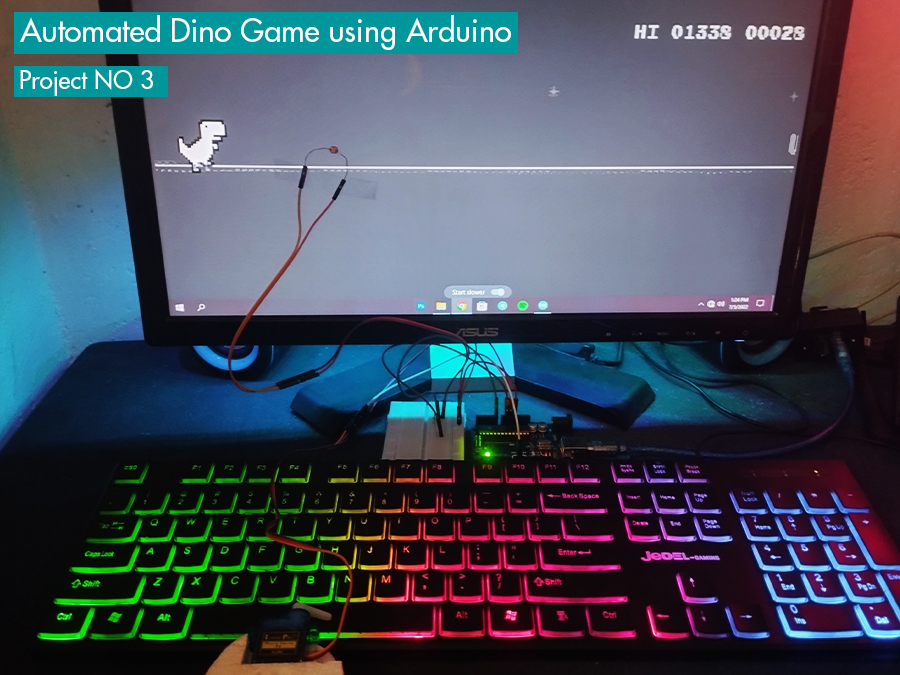
Light Dependent Resistor (LDR): The LDR acts as the system's "eye." It is installed on the computer screen at the position where obstacles (cacti) will pass. When the screen displays white (normal background), the LDR has low resistance. However, when a black obstacle moves over the sensor's position, the light intensity decreases, causing its resistance to increase immediately. This change is sent to the Arduino's Analog port as a varying voltage.
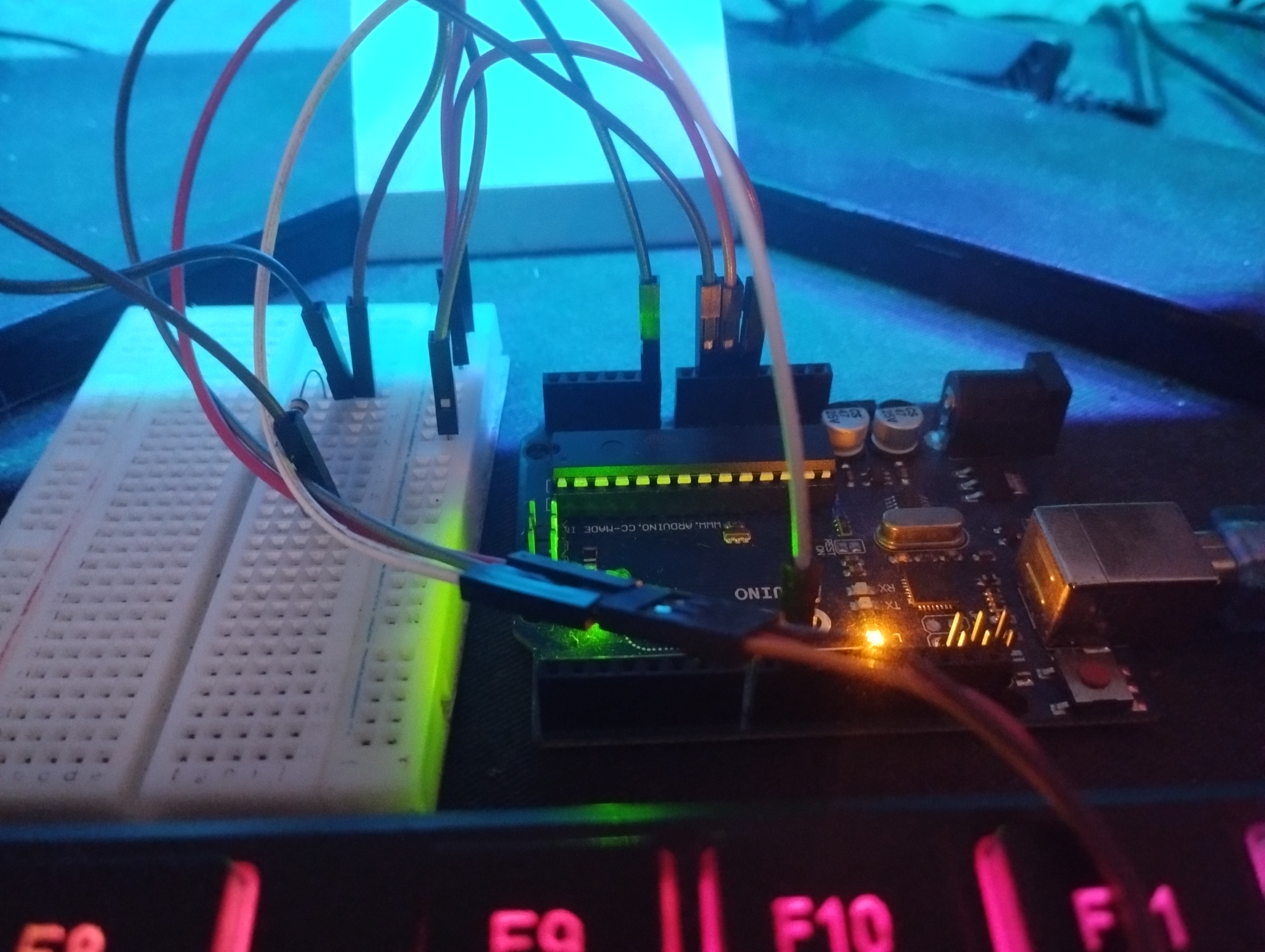
Processing Unit (Arduino Uno): The Arduino board receives the Analog signal from the LDR and converts it into a Digital value (0-1023) via an ADC (Analog-to-Digital Converter) circuit. The program then compares the read value with a pre-set Threshold. If the light value drops below the defined threshold, the system interprets this as "obstacle detected" and immediately sends a command to the Servo Motor.
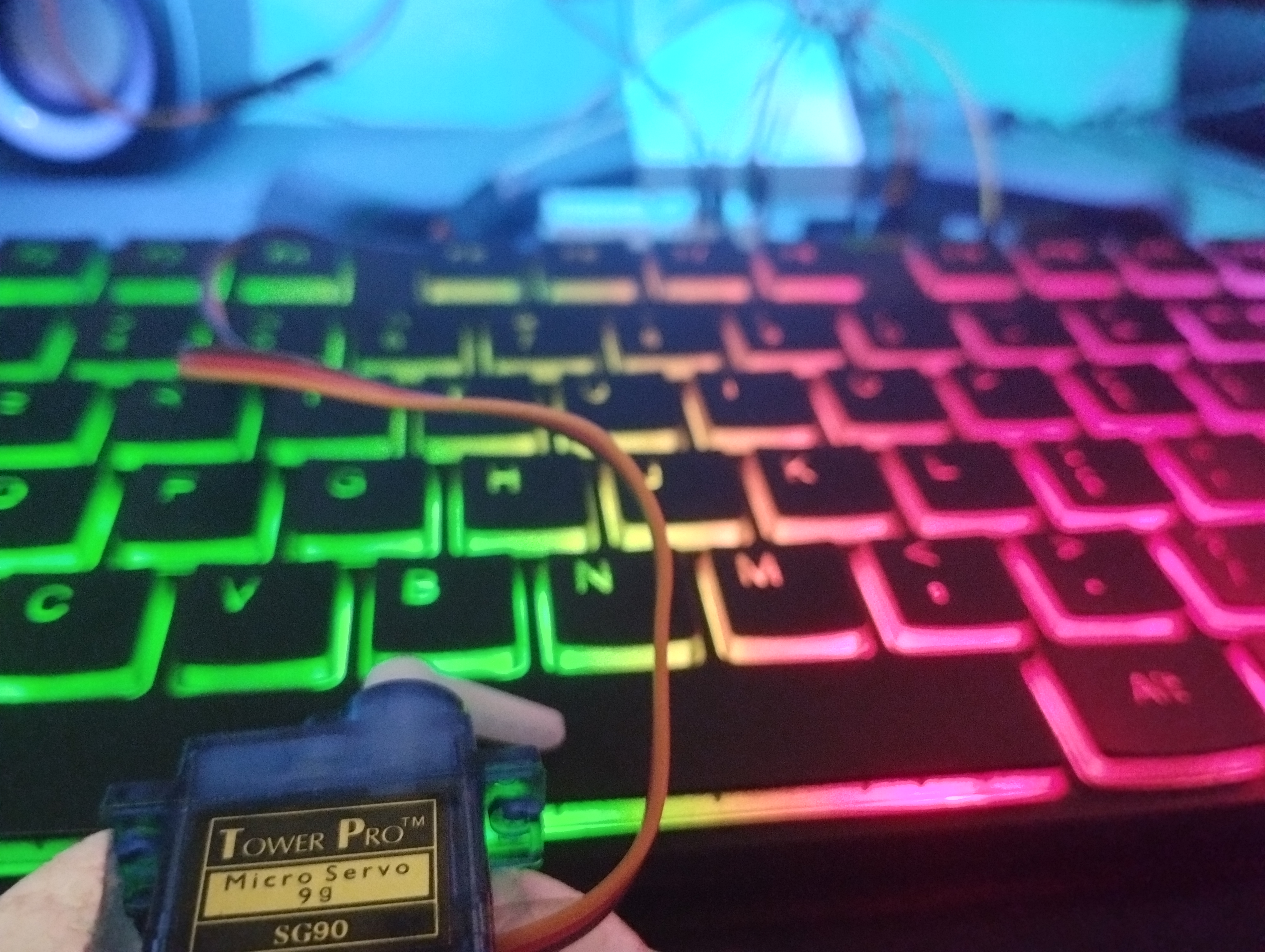
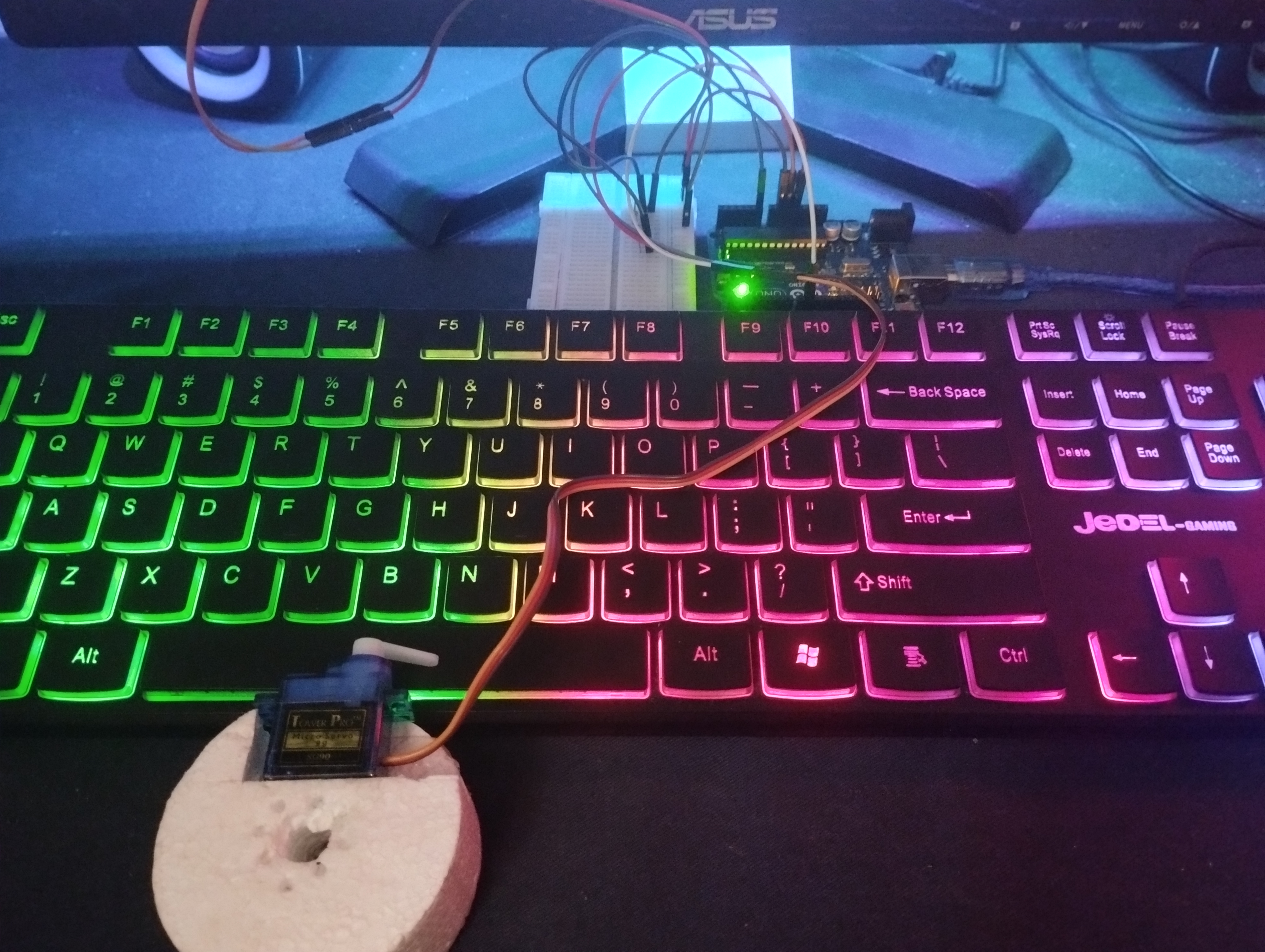
Servo Motor: This acts as the mechanical "finger." The Servo is programmed to rotate to a specific angle to press the Spacebar key on the keyboard. Once the command is complete, it rotates back to its original position, ready for the next jump.
Software Logic Analysis
The program code structure emphasizes Low Latency to keep up with the increasing speed of the game:
- Calibration Phase: At startup, the system reads the average screen brightness to establish a reference value.
- Detection Loop: Inside
void loop(), the program continuously monitors values fromanalogRead(LDR_PIN). If the read value deviates from the reference value by more than the set Sensitivity, the operational condition will be met. - Action Execution: When the condition is true, the
servo.write(targetAngle)command is called to perform the jump. A very shortdelay()function is used to allow the Servo time to move, but not so long that the system misses the next obstacle.
Circuit Diagram and Structure: You can study the detailed wiring connections and component placement here: Circuit diagram
Conclusion and Further Development
This Automated Dino game project demonstrates the power of Arduino in solving Real-world interaction problems. Although it's just a game, the same principles can be applied in industrial applications, such as product counting systems on conveyor belts or color anomaly detection systems in manufacturing processes.
Thank you for following my third project. If you are interested in Physical Computing, this project serves as an excellent starting point for practicing sensor tuning and motor control skills.
Hashan Sudeera