In these hard times, we need to avoid external physical contact as much as possible. We use sanitizers and hand washes regularly, but it still serves as a source of physical contact. So, I decided to make an automatic hand sanitizing machine.
Project Perspective
This Automatic no contact hand sanitiser is an intuitive and simple health automation layout for anyone just starting their journey with sensors and physical interaction. By using a specialized HC-SR04 Ultrasonic Sensor and a micro servo motor, you'll learn how to build a contactless and high-performance sanitizer dispenser for your home or office.
Technical Implementation: Sensors and Dispensing
The project focuses on creating a reliable and user-friendly automation:
- Detection layer: Using an Ultrasonic Distance Sensor (HC-SR04), the Arduino constantly emits "pings" and listens for an echo to detect when a hand is placed within 15cm of the nozzle.
- Actuation layer: A Micro Servo Motor (SG90) acts as the physical lever-puller. When a hand is detected, the servo rotates to a specific "PULL" angle to dispense the sanitizing liquid.
- Audio Feedback layer: A Piezo Buzzer gives a short, rhythmic audio alert each time the sanitizer is successfully dispensed.
- Timing Logic layer: The Arduino code waits for several seconds after each dispense to prevent multiple triggers from a single hand movement.
Hardware Infrastructure
- Arduino Uno: The "brain" of the project, managing the ultrasonic sensing and coordinating the servo activation and audio tasks.
- Ultrasonic Sensor (HC-SR04): Providing contactless and reliable hand detection for Each person's sanitization.
- Micro Servo Motor (SG90): Providing the physical movement and orientation forEach dispense by pulling the sanitizer lever.
- Sanitizer Bottle: Providing the physical supply of sanitizing liquid for Each user's health.
- Breadboard: A convenient way to prototype the automation and connect all components without soldering.
- 9V Battery: Essential for providing the power needed to keep the project portable and self-sufficient.
- Micro-USB Cable: Use to program the Arduino directly from your computer for power and code.
The circuit:
Arduino
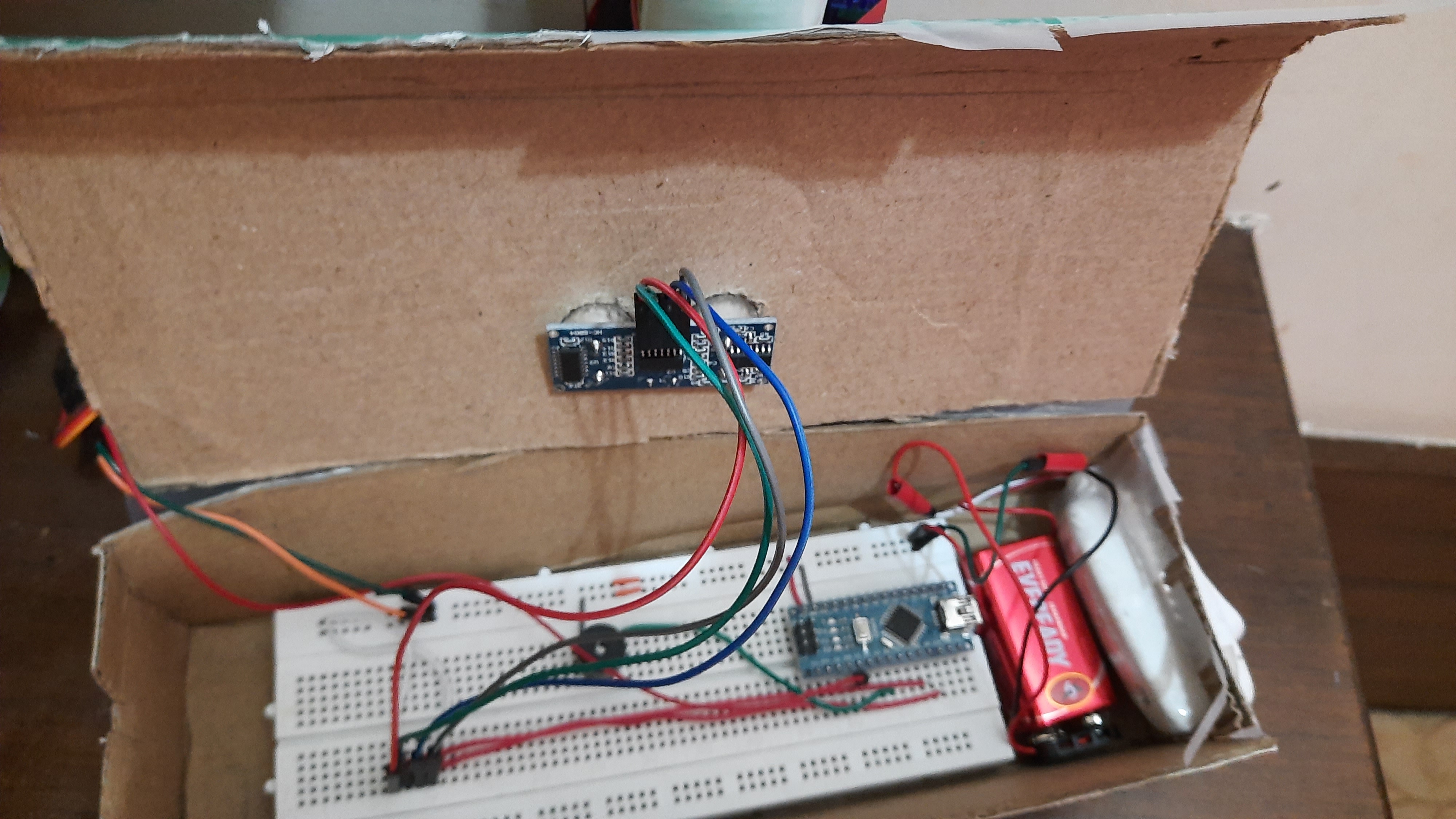
- Connect the 5V of the Arduino to the +ve power rail on the breadboard
- Connect the ground of the Arduino to the -ve rail of the breadboard
Note: You would later want to make your project portable. For this, you can connect the V IN pin of the Arduino to the +ve rail instead of the 5V pin. You can then connect a 9V battery to the power rails to power up your project.
HC-SR04 Ultrasonic distance sensor
- Connect the 5V pin of the ultrasonic distance sensor to the +ve rail of the breadboard
- Connect the ground pin of the sensor to the -ve power rail on the breadboard
- Connect the trigger pin of the sensor to pin 9 on the Arduino
- Connect the echo pin of the sensor to pin 10 on the Arduino
Note: You can alternatively use an IR proximity sensor for this project, or any other distance sensor.
Servo motor
- Connect the middle wire (5V) of the servo motor to the +ve rail on the breadboard
- Connect the ground wire of the servo motor to the -ve rail on the breadboard
- Connect the signal pin on the servo to pin 2 on the Arduino
That's it! the wiring is pretty simple.
Working
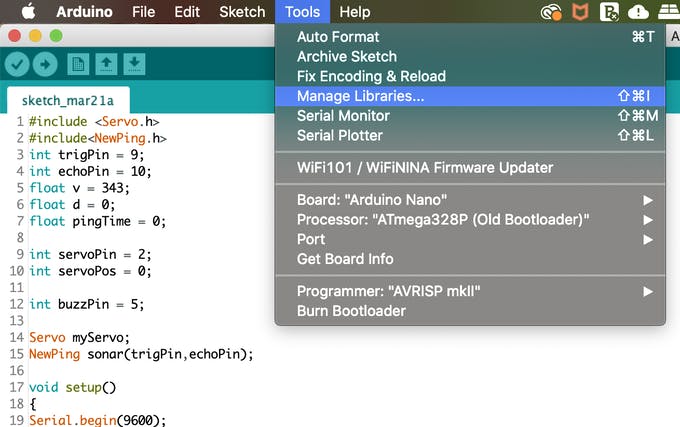
We start by including the New Ping and the Servo libraries.
#include <Servo.h>
#include<NewPing.h>
Next, we define all our variables.
int trigPin = 9;
int echoPin = 10;
float v = 343;
float d = 0;
float pingTime = 0;
int servoPin = 2;
int servoPos = 0;
int buzzPin = 5;
We create an object called myServo using the servo library, and another object called sonar using the New Ping library
Servo myServo;
NewPing sonar(trigPin,echoPin);
Then, we set up these objects, declare our pin modes and start our serial monitor in the void setup.
void setup(){
Serial.begin(9600);
pinMode(trigPin,OUTPUT);
pinMode(echoPin,INPUT);
myServo.attach(servoPin);
myServo.write(servoPos);
pinMode(buzzPin,OUTPUT);
}
In the void loop, we get the distance in centimeters and check whether the distance is greater or lesser than 15cm.
d = sonar.ping_cm();
We set the servo to move 120 degrees if the distance is lesser than 15cm using a simple if-else statement. Finally, we write the servo position to the motor.
 if(d < 15){
servoPos = 120;
digitalWrite(buzzPin,HIGH);
delay(100);
digitalWrite(buzzPin,LOW);
}
else{
servoPos = 0;
 }
digitalWrite(buzzPin,LOW);
myServo.write(servoPos);
Note: To measure the distance using the ultrasonic distance sensor, you don't necessarily have to use the New Ping library, you can create a pulse in the trigger and echo pins and calculate the distance to the target (in this case, our hand). You can use this piece of code to create a pulse in the trigger pin and listen to the ping in the echo pin.
digitalWrite(trigPin,HIGH);
delayMicroseconds(10);
digitalWrite(trigPin,LOW);
delayMicroseconds(10);
pingTime = pulseIn(echoPin,HIGH);
pingTime /= 10000;
d = pingTime*343/2;
The theory
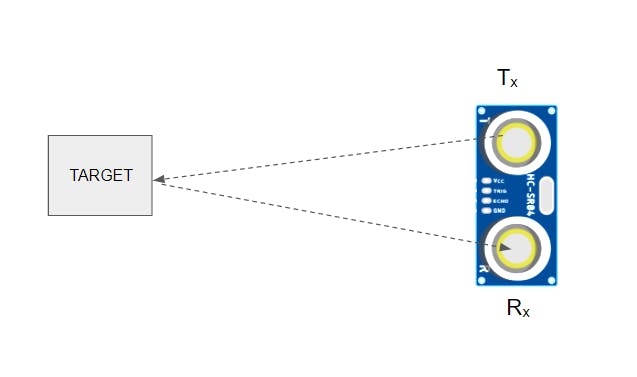
Ultrasonic distance sensor: The ultrasonic distance sensor sends out an ultrasonic pulse from the transmitter. This is called a "ping". The receiver "listens" to this ping and calculates the time it took to reach after transmission. We can calculate the distance by using this formula (assuming the speed of sound in air at 25⁰C = 343 m/s)
v = 2d/t
Where
- v - speed of sound in air
- d - distance from the sensor to object
- t - time taken for the ping to be detected by the receiver
on re-arrangement, we get
d = v*t/2
The distance we get is in meters [m]. So, we can multiply the distance by 100 to get the distance in centimeters [cm].
Servo motor: The servo motor is a special kind of motor that can turn to a specific angle on command. It is very simple to hook up and code. We will make use of the Servo.h library for this. In this project, we will use the servo motor to pull the lever of the hand sanitizer.
Fabrication and Interaction Step-by-Step
The hand sanitizer dispenser is designed to be very efficient:
- Initialize Hardware: Correctly seat the ultrasonic sensor and servo on your breadboard or custom 3D-printed enclosure.
- Setup High-Power Sync: Ensure the servo is attached to the sanitizer's lever using a sturdy wire or 3D-printed linkage.
- Execution Loop: The Arduino constantly requests the raw distance data and triggers the servo if a hand is closer than 15cm.
- Visual and Audio Feedback: Watch the status update in real-time as the servo automatically pulls the lever when your hand is near.
The casing
- Take a piece of cardboard and fold it to make a box-like structure with appropriate dimensions to house the breadboard.
- Cut a hole in the case to accommodate the switch.
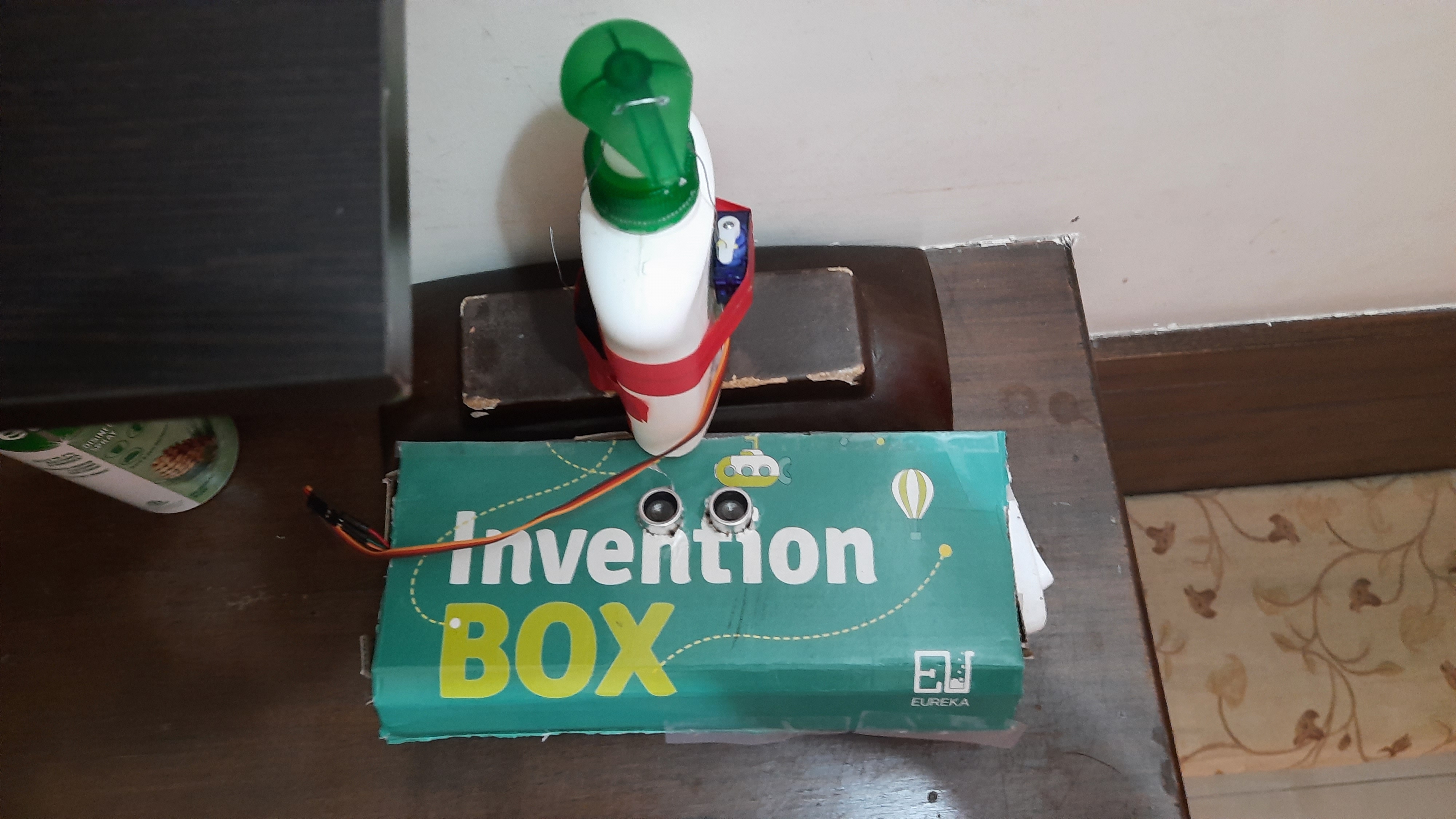
- Make 2 holes to accommodate the ultrasonic distance sensor, and attach it to the box. Remember to cut the cardboard with a larger breadth than the original box, so that it can be attached to the box with a flap.
Getting the servo to dispense the sanitizer
- Make 2 holes on the lever of the sanitizer
- Put a sturdy copper wire through these holes
- Attach one end of the wire to the holes in the horn of the servo, and firmly fix the other end to the opposite side of the sanitizer.
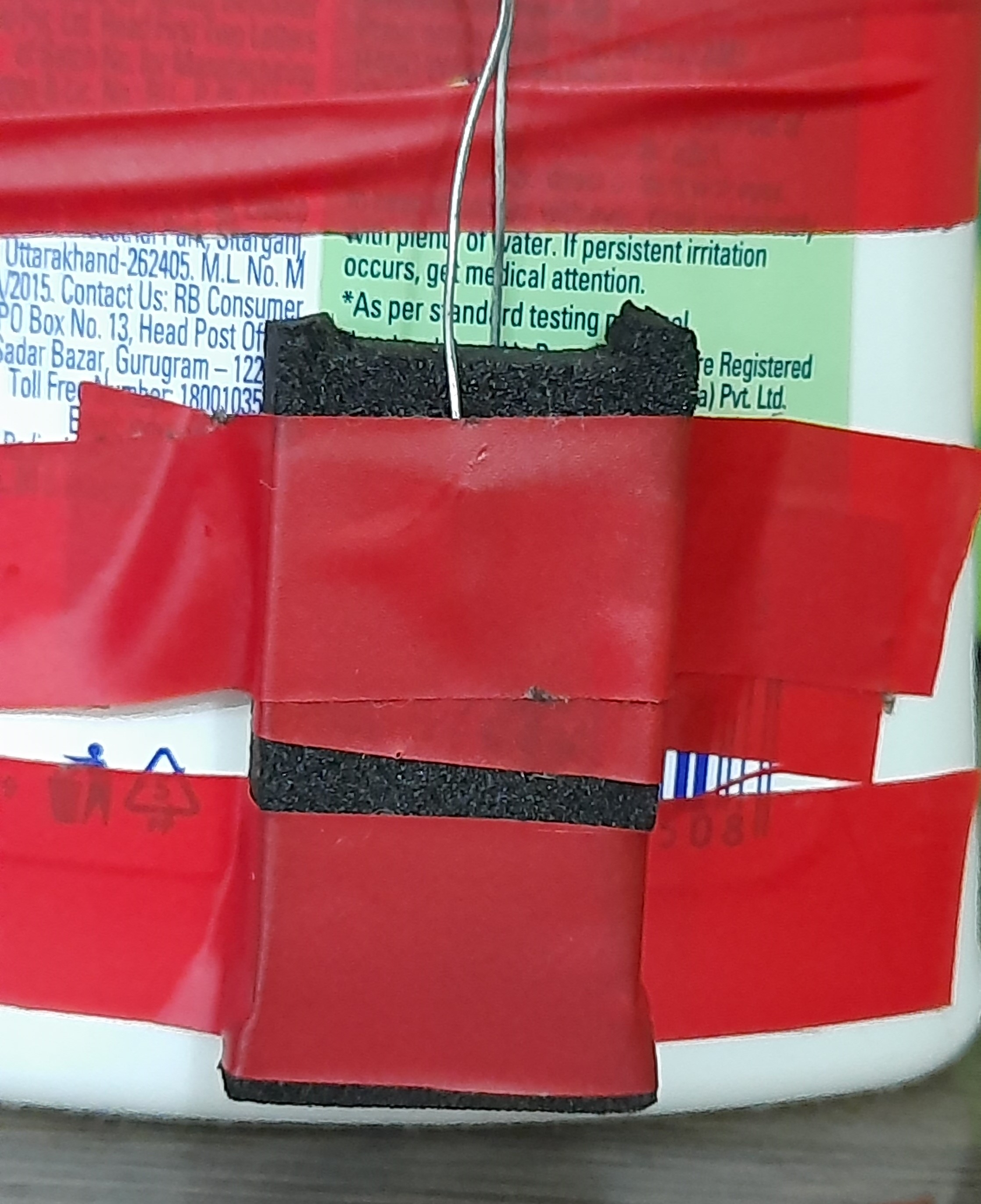
- Attach a piece of foam to the side of the sanitizer bottle, and pass the free end of the copper wire through it.
- Bend the wire so that it is parallel to the wire on the other side.
Note: make sure that you maintain the tension in the wire as you attach it to the servo and the sanitizer.
Future Expansion
- OLED Status Dashboard Integration: Add a small OLED display to show the current "Refill Level" (%) and the total number of sanitizations performed.
- Cloud Interface Registration Support: Add a WiFi module (ESP8266/ESP32) and link to a cloud dashboard to precisely track and log your sanitizing habits from your smartphone.
- Multi-sensor Bio-Security Integration Support: Connect several sensors (e.g., a temperature sensor) to create a more robust "Sanitize-and-Scan" health checkpoint.
- Advanced Velocity Profile Customization Support: Add a small slider or potentiometer to manually adjust the "Dispense Amount" from the bottle.
Automatic no contact hand sanitiser is a perfect project for any electronics enthusiast looking for a more interactive and engaging health tool!
Libraries:
You can either download the libraries from these sites, or you can install them from your Arduino IDE. Just go to tools -> manage libraries. A window will pop up, and you can search and download the library you want.