Automatic Room Light Control
I think we can all agree that forgetting to switch off the lights in a room is a pretty regular problem for many of us.
This severe wastage of electricity and me just constantly having to go back and switch off a light, got me thinking and helped me come up with an idea to build a device based on proximity sensors, which would automatically turn off the lights when it the device realizes that the room is empty.
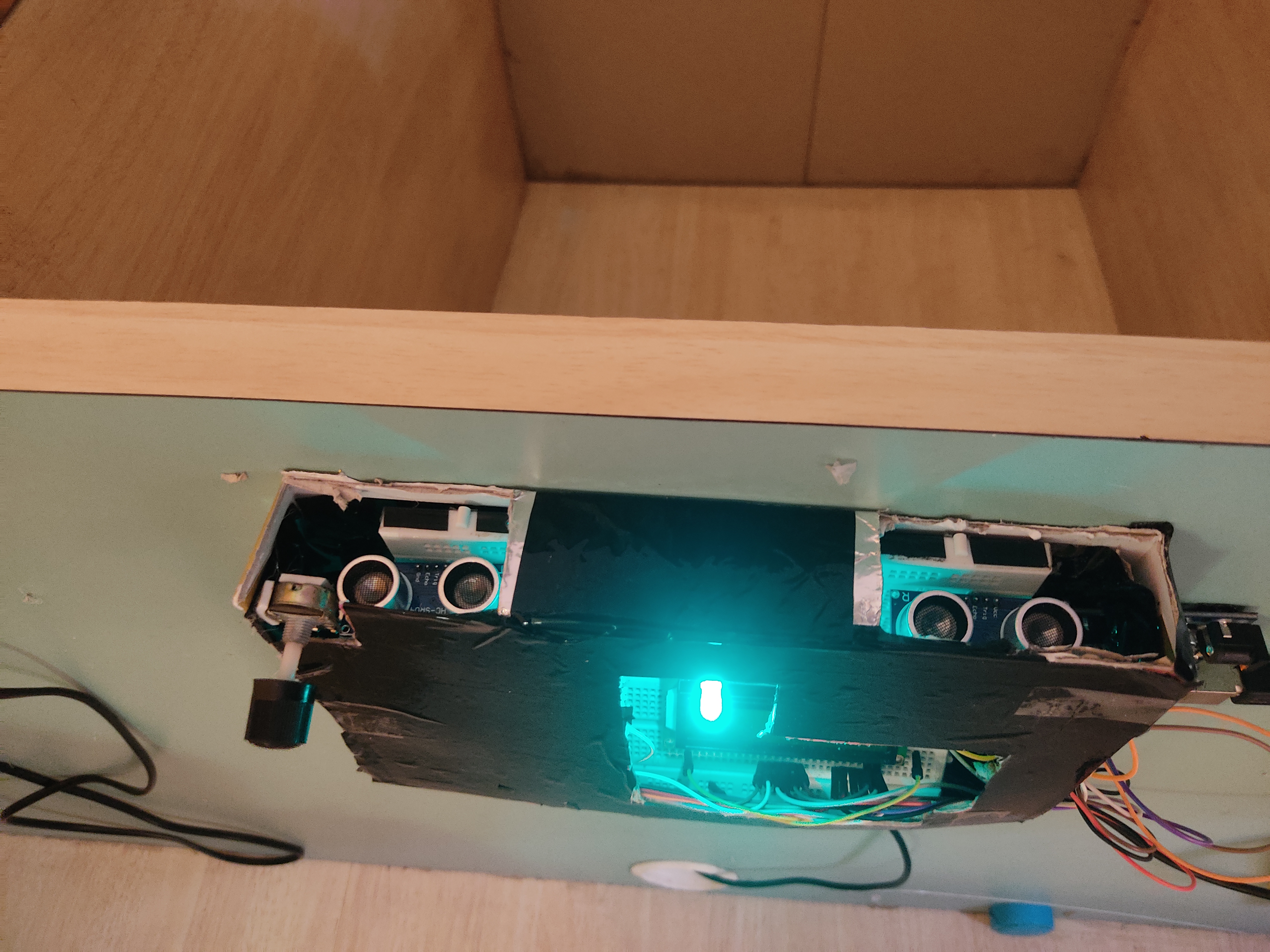
This device has two proximity sensors adjacent to each other which are then connected to an arduino uno, which helps the device keep track of the number of people in the room and switches off the lights accordingly.
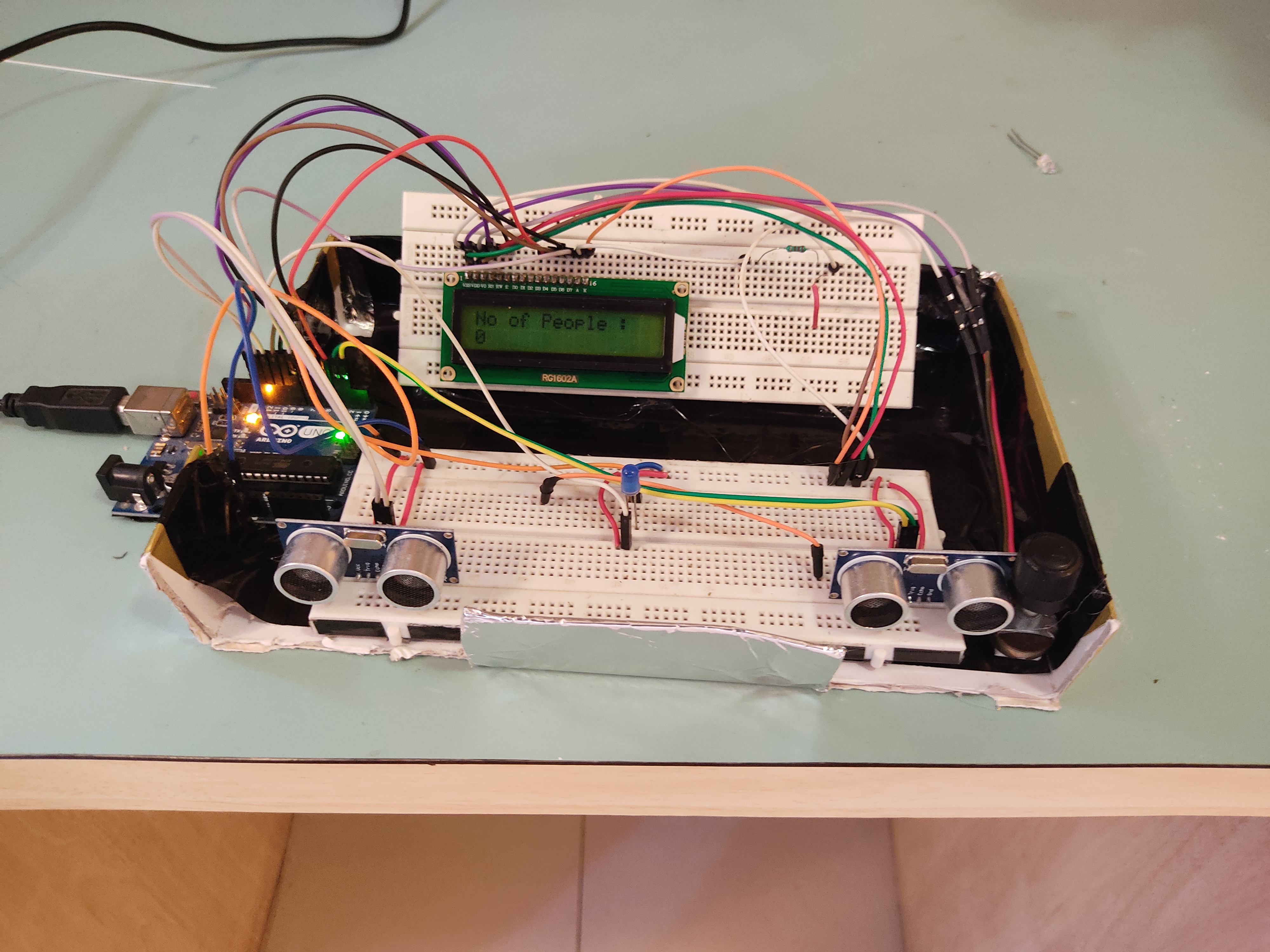
The two proximity sensors sense and store the distance from an object in front of it at very frequent intervals. Once it detects a reduce in this distance, it will mean that an object, or a person has come in front of it. The arduino then uses this data from both of the proximity sensors and tries to determine if a person has entered the room or exited it.
If the first sensor detects a person in front of it and then the second sensor detects the person, it will mean that a person is entering the room. Similarly, if the second sensor goes off before the first, it will mean that a person has left the room.
Using this data the arduino also helps display the number of people in the room at all times.

Once the number of people in the room reaches zero, the LED turns off. And similarly when the number of people is greater than 1, it switches on the LED.
I have just used an LED in this project to show the turning on and off of the light for basic proof of concept, but this device can also be connected to your switchboard at home using relays and can be used to automatically turn on/off those lights.
Understanding the PIR Sensor
The HC-SR501 PIR (Passive Infrared) sensor doesn't emit any light or sound. It has two microscopic windows that detect the ambient infrared heat of the room. When a warm human body walks in front of the lens, the heat difference between the two windows triggers the sensor to output a 3.3V HIGH signal.
The Timer Logic (Non-Blocking)
The biggest challenge is writing the code so the light doesn't instantly shut off the second you stop moving!
- Motion Detected: Arduino receives HIGH signal from PIR. It turns the Relay (Light) ON.
- The Countdown: It starts a software timer (using
millis()) for 5 minutes. - Resetting: If the PIR detects motion again before the 5 minutes is up, the timer is reset back to 5 minutes.
- Timeout: Only if the room is perfectly still for the full 5 minutes will the Arduino click the Relay OFF.
Hardware Components
- Arduino Uno/Nano: The processor.
- HC-SR501 PIR Sensor: The motion detector.
- 1-Channel Relay Module (5V): To safely switch the 110V/220V AC lightbulb.
Warning: Ensure all AC connections are safely insulated and mounted inside a plastic junction box to prevent electric shock!