In an era where IoT (Internet of Things) devices have become an integral part of our homes – whether smart light bulbs, air conditioners, or automatic plant watering systems – the subsequent problem is the proliferation of scattered applications and controllers. This project was conceived to create a powerful and flexible **"Universal IoT Controller"** based on the AZ-Touch kit.
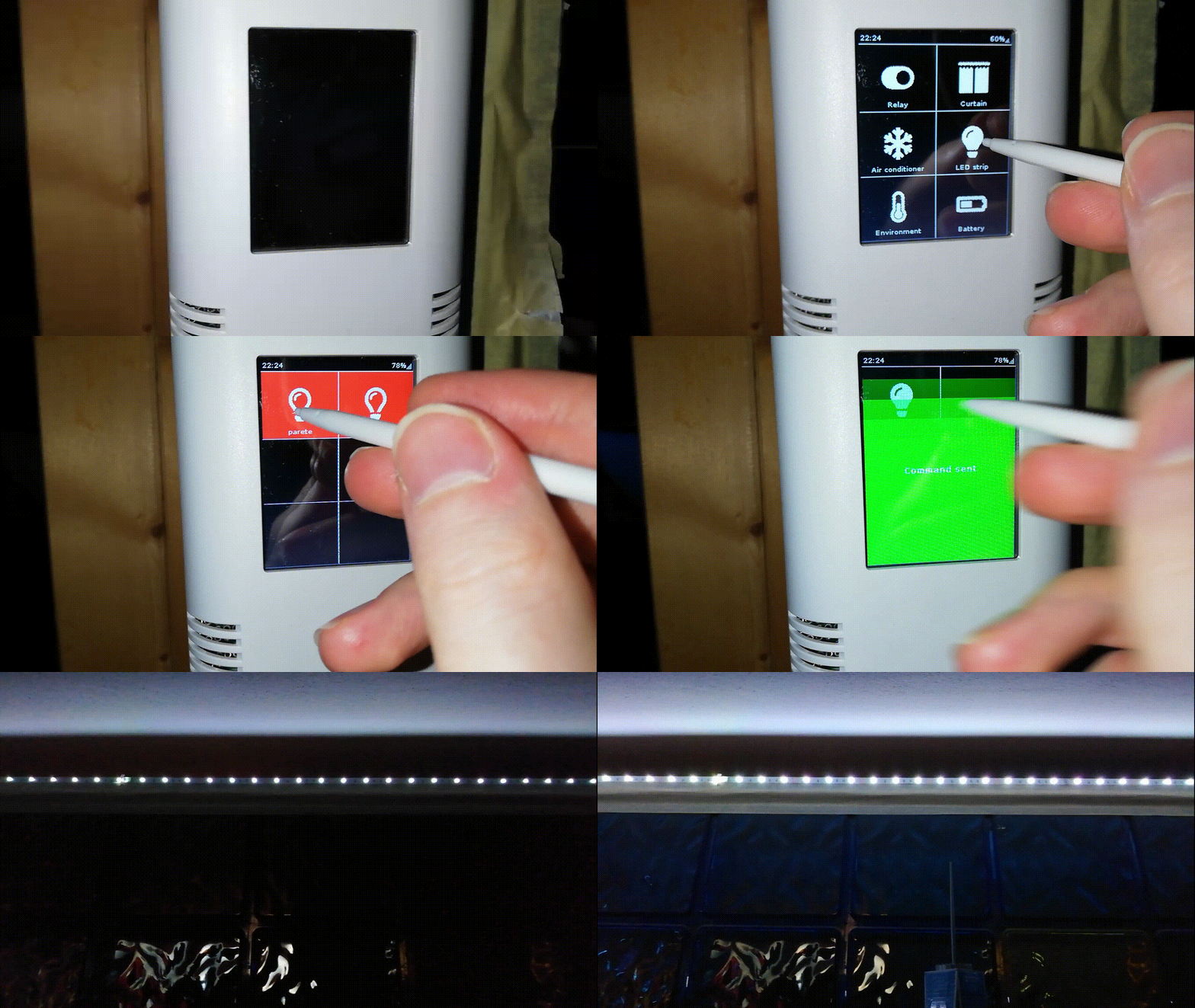
The core of this project is transforming a TFT touchscreen into a smart home control Dashboard using the **AZ-Touch kit from AZ-Delivery**. This kit offers a complete solution for engineers and makers, as it includes a well-designed PCB, a TFT display with an SD Card reader, and a professional-looking wall-mount enclosure.
Hardware Architecture and Selection
This project is designed to support two popular microcontroller families:
- ESP32 Dev Kit C: Highly recommended for this project due to its larger SRAM and faster processing, enabling smooth handling of large JSON Payloads and display rendering.
- Wemos D1 Mini (ESP8266): Can also be used, but may have limitations regarding full-color display capabilities compared to the ESP32, due to the constraints of its Hardware Interface and Libraries.
From an engineering perspective, the TFT display is connected via the **SPI (Serial Peripheral Interface)** protocol, which provides high enough data transfer speeds for responsive GUI (Graphical User Interface) implementation.
In-depth System Logic
The key feature that makes this project "smarter" than typical controllers is its use of a **Dynamic Menu System** via the **MQTT** protocol in conjunction with a Backend (e.g., Python Script and MySQL), instead of hard-coding device lists directly into the Arduino.
The operational steps are divided into a Three-Level Hierarchy:
- Level 1: Home Screen (Device Categories)
The main screen displays device categories (e.g., Relay, Curtains, Air Conditioners). When a user touches an icon, the system publishes a message to a predefined Topic, informing the Backend that it wants to view the list of devices in that category.
<li><strong>Level 2: Device List (Dynamic Fetching)</strong>
    <br>Upon receiving the message, the Backend (e.g., Python Script) queries data from the Database (MySQL) and sends the entire device list back to the screen as a **JSON Array**. The Controller then parses this JSON data and creates on-screen buttons in Real-time based on the received list.</li>

<li><strong>Level 3: Command List (Action Execution)</strong>
    <br>Once a specific device is selected, the system retrieves the commands that device can perform (e.g., a Smart Socket might only have "On" or "Off") and displays them. When a command button is pressed, the Controller sends the final command directly to that device's Topic to control its operation.</li>
Why Use Python and MySQL as Intermediaries?
Using a Python script (examples are in the doc folder in the Repository) as the Backend logic manager provides extremely high system flexibility:
- Scalability: You can add new devices to your home simply by adding a line to the MySQL Database, without needing to upload new Code to the Controller.
- Complex Logic: Complex conditions can be written more easily in Python than in Arduino's C++.
- Centralized Control: The status data of all devices is systematically stored.
Implementation and Further Development
For the complete Source Code, along with detailed installation instructions, please visit the project's GitHub Repository, where new features are always being updated.
This project is not merely a light remote control, but a foundation for building a **Smart Home Gateway** where you can customize the Interface appearance and command sequence as desired. It is ideal for those who wish to elevate their Home Automation system to a professional level and make it truly usable for everyone in the family.