Wireless Mobility: Bluetooth Controlled RC Car
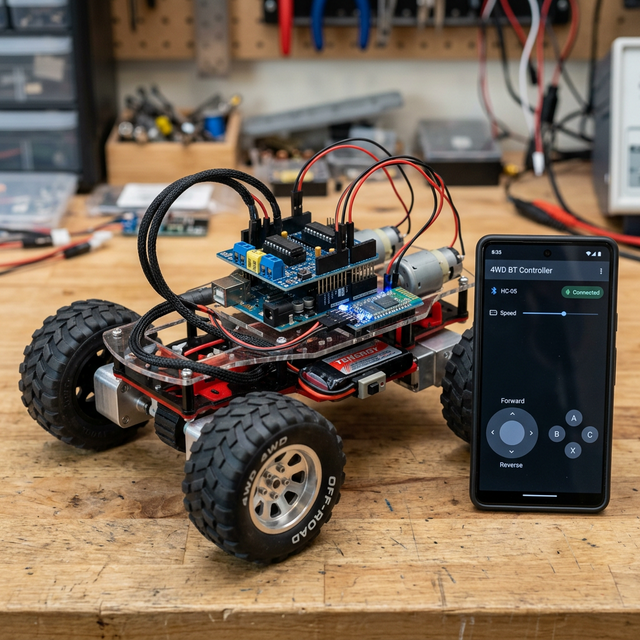
The Bluetooth Controlled Car is one of the most exciting projects for anyone moving beyond basic electronics. It combines motor driving, wireless communication, and smartphone integration to create a fun, interactive robotics project.
How It Works
This car uses the HC-05 Bluetooth module to create a serial bridge between your smartphone and the Arduino. You can use any standard Bluetooth RC controller app (available on Android and iOS).
- The Signal: When you press a direction on the app, it sends a specific character (like 'F' for forward, 'R' for right) via Bluetooth.
- Reception: The HC-05 receives the character and passes it to the Arduino's serial pins.
- Execution: The Arduino interprets the command and triggers the L293D or L298N motor driver to move the DC motors in the desired direction.
Hardware Components
- Arduino Uno: The brain that processes wireless commands.
- HC-05 Bluetooth Module: The wireless communication link.
- L293D or L298N Motor Driver: Interfaces the low-power Arduino with high-power motors.
- DC Motors and 4WD/2WD Chassis: The mechanical skeleton of the car.
- 7.4V or 9V Battery: Essential for providing enough current for the motors.
Troubleshooting Tips
If your car isn't moving:
- Power: Ensure your motors have a separate power source from the Arduino. A 9V battery often drains quickly; Li-ion batteries (18650) are recommended for better performance.
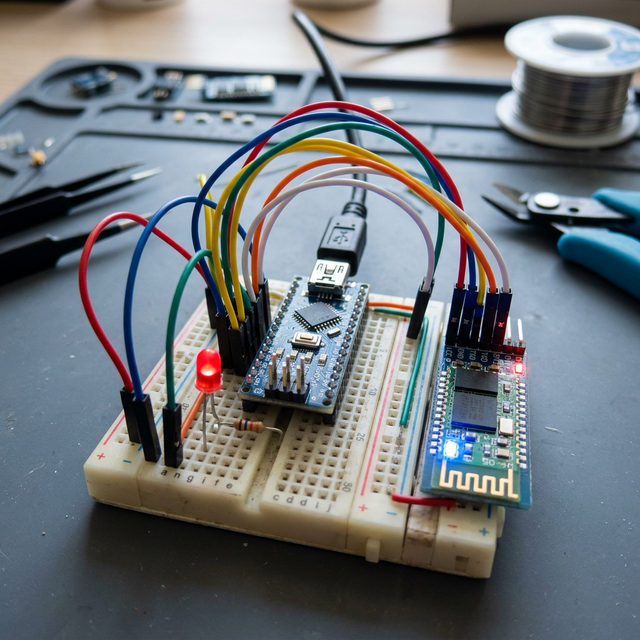
- Bluetooth State: Check the blinking pattern on the HC-05. A slow blink usually means it's ready to pair, while a steady glow means it's connected.
- RX/TX Crossing: Remember that the HC-05 TX pin connects to Arduino RX, and RX to TX.