🎧 This compact device features five buttons: play/pause, next, previous, volume up, and volume down, plus an OLED screen that brings your music to life. The display shows a playback icon and a retro cassette animation that responds to play/pause actions, along with detailed 🎶 track info: number, title, elapsed time, and volume level.
🛠️ Setup Instructions
- Download the
vs1053_avr_renesas_unolibrary and add it to your Arduino IDE. - Open the Examples section and select
portable_mp3_player_UNO_R4.ino - Upload the sketch to your Arduino UNO R4 WiFi or Minima board.
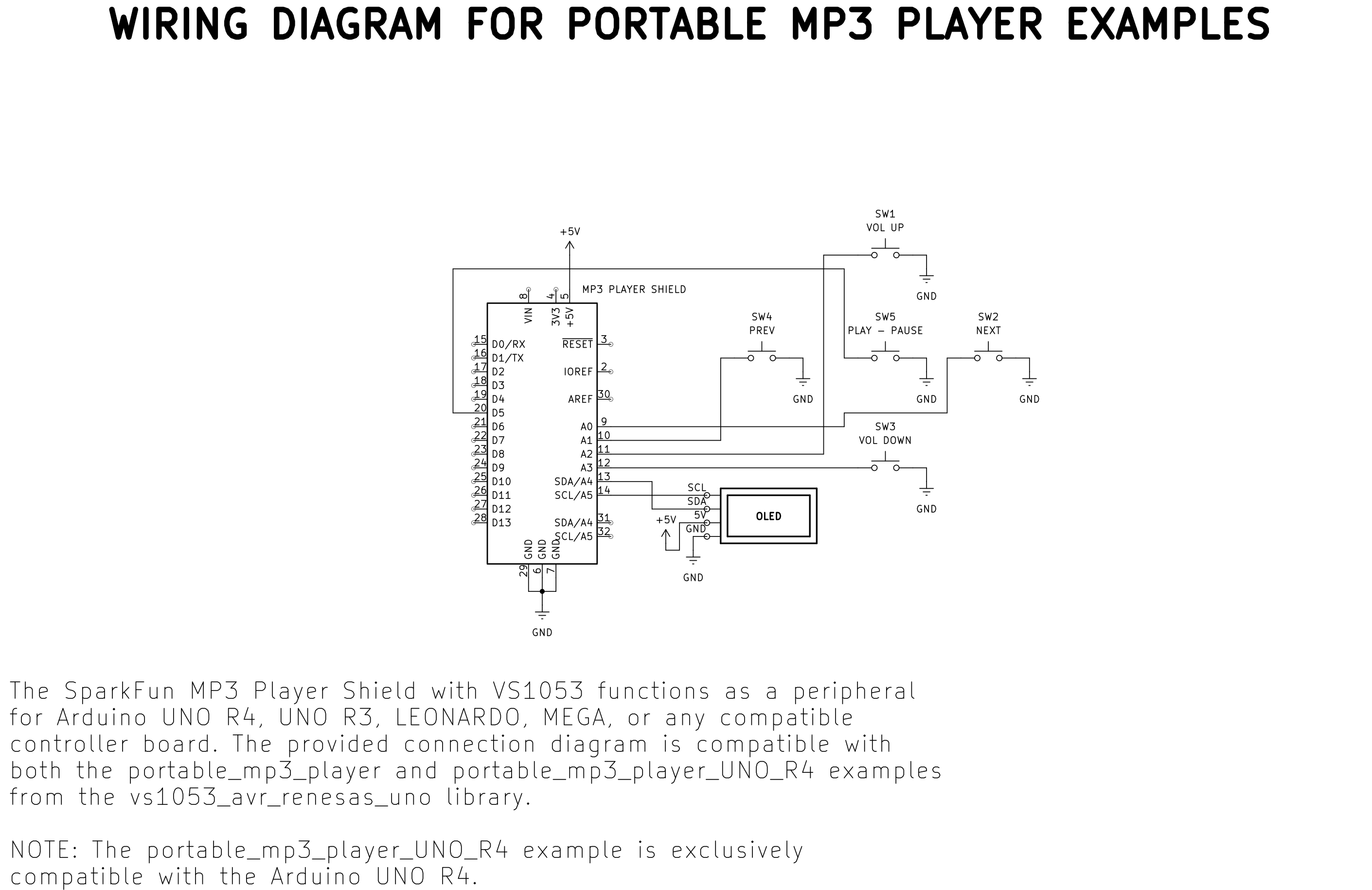
- Connect the SparkFun MP3 shield , OLED display, and buttons as shown in the diagram below.
⚠️ Preparing Your SD Card
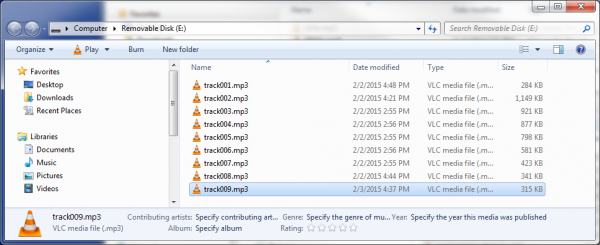
The SdFat library uses the classic 8.3 filename format: up to 8 characters, a dot, and a 3-character extension (e.g., track001.mp3 ). Avoid long names like MyMusicPlaylist.mp3 — they won’t work.
- Place your MP3 files directly in the root of the SD card (no folders).
- Format the card as FAT16 or FAT32 to ensure compatibility with the library and hardware.
⚠️ Compatibility Notes
This project is exclusive to the Arduino UNO R4, which features a powerful ARM architecture. It easily handles:
- Audio decoding and playback using the VS1053 chip, controlled via SPI
- SD card access through high-speed SPI communication
- OLED display control via the I2C interface
This enables smooth UI animations and responsive playback.
Other examples in the library support both the UNO R4 and classic AVR boards (UNO R3, MEGA R3, Leonardo). For instance, the portable_mp3_player.ino sketch uses the same wiring but features a simplified UI without animation — ideal for resource-constrained boards.
🛠️ Deep Dive / Technical Analysis
The core of this project is the VS1053 MP3 decoder chip on the SparkFun shield. This dedicated audio processor handles the complex task of decoding MP3 files, freeing the Arduino's main CPU to manage the user interface, file system, and animations. The Arduino communicates with the VS1053 via SPI (Serial Peripheral Interface), sending commands and the raw MP3 data stream. Simultaneously, the Arduino uses another SPI channel to read MP3 files from the SD card at high speed. The I2C (Inter-Integrated Circuit) protocol is used to drive the OLED display, sending graphics data for the retro cassette animation and track information. This multi-protocol operation is efficiently managed by the UNO R4's powerful 32-bit ARM Cortex-M4 processor, which is essential for maintaining smooth animations alongside uninterrupted audio playback.
📺 Watch on YouTube
Leave a comment, subscribe, and share it with fellow makers! And if you'd like to support future builds, consider buying me a Ko-fi ☕ — it helps me keep creating.
### https://ko-fi.com/kaledsouky