In this project I converted Decimals to Binary with the Help of leds. I used 4 leds so maximum number of decimals I could represent was 15 but you can increase the number of leds and thus increase the decimal numbers represented using leds.I represented the decimals with the help of blinking in leds somewhat similar to morse code. Here is the representation of decimal numbers in leds:
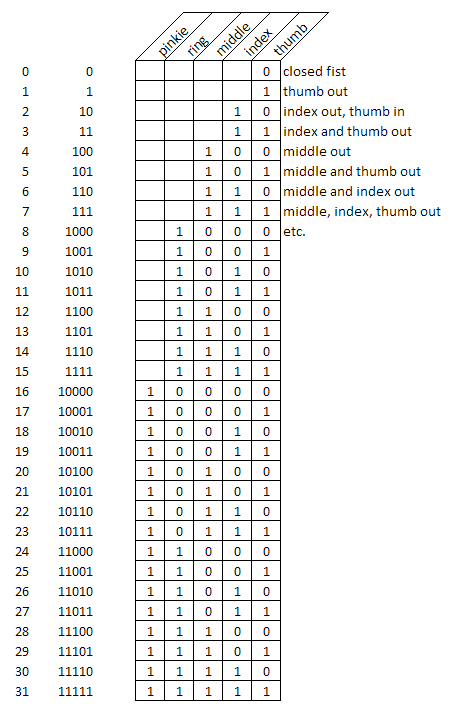
In my leds he left-most was taken as pinkie and right-most as thumb. SO if I wanted to represent a number for example 12 I would lit up the pinkie and ring leds and dim the other two.
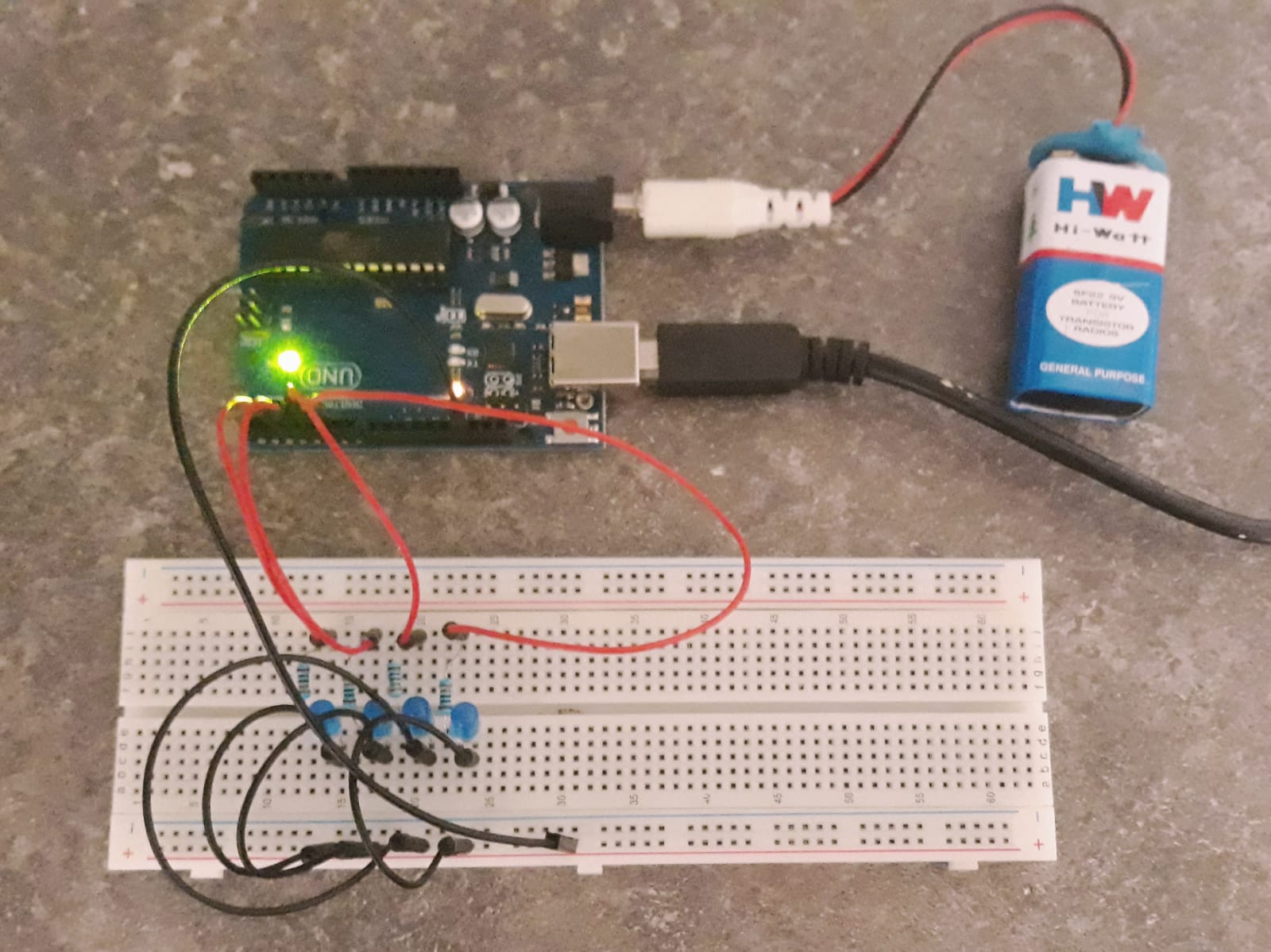
I made this projects as I was trying to experiment the representation of words and numbers with leds. I also do not plan on making any projects for next wo weeks as I am in mid of exams and they carry half of my grade. Thank you for spending time to read this and you can contact me via the following links:
Twitter - @ValNaut
Discord - ValNaut#0124
Gmail- Val9aut@gmail.com
Thank You!!
EXPANDED TECHNICAL DETAILS
Digital Fundamentals & Base-2 Logic
This classic project teaches the foundations of computer science by visualizing how binary numbers work.
- Binary Representation: Uses a series of 4 or 8 LEDs. Each LED represents a "bit" (Power of 2). For example, "1010" would have the 1st and 3rd LEDs ON, representing the decimal number 10.
- Bit Manipulation: The Arduino code uses the
bitRead()function or bitwise-shift operations (<<) to increment a decimal variable and display its binary equivalent on the LED array.
Circuit Optimization
- Current Limiting: Each LED is paired with a 220Ω resistor to prevent damage to the Arduino's digital pins.
- Frequency Control: A potentiometer can be added to the circuit to adjust the "Counting Speed," from slow educational pulses to high-speed digital cycling.