In this time with COVID-19 you see many people standing far too close to a desk, cash register or otherwise. People are not fully aware of the distance of 1.5 meters (6 feet), for example.
I came up with the idea to make a friendly battery powered robot that can easily stand on a table desk or otherwise.
This robot measures the distance between it and the approaching person and gives a notification. The robot indicates a programmable tone and its hat lights up red. If you come at a safe distance again, the hat will turn green again.
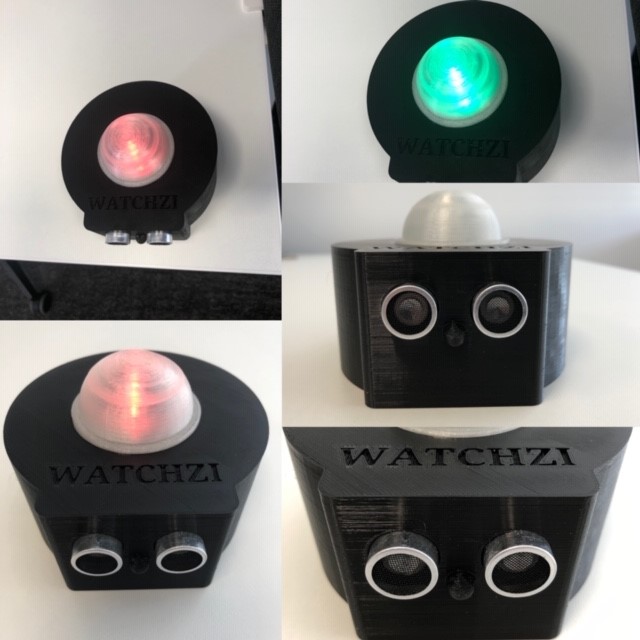
At number 1 you can see how the compleet Watchzi must look like and how its working with 1, 5 mtr distance, futher in this document there is a video.
Technical Implementation: Sensors and Interaction
The project reveals the hidden layers of simple distance-to-motion interaction:
- Identification layer: The Ultrasonic Sensor (HC-SR04) acts as our acoustic eye, measuring the distance to a nearby person by emitting ultrasonic pulses and listening for the echo.
- Conversion layer: The Arduino uses its digital pins to receive the echo duration and performs the math to find the distance (cm).
- Processing Logic layer: The Arduino code follows a specialized "sequential decoding" strategy: it requests and performs "Safe (Green LED)," "Caution," or "Warning (Buzzer & Red LED)" based on the target distance (e.g., 1.5 meters).
- Visual and Audio Interface layer: Colored LEDs and a Piezo Buzzer provide high-definition visual and audio feedback for distancing.
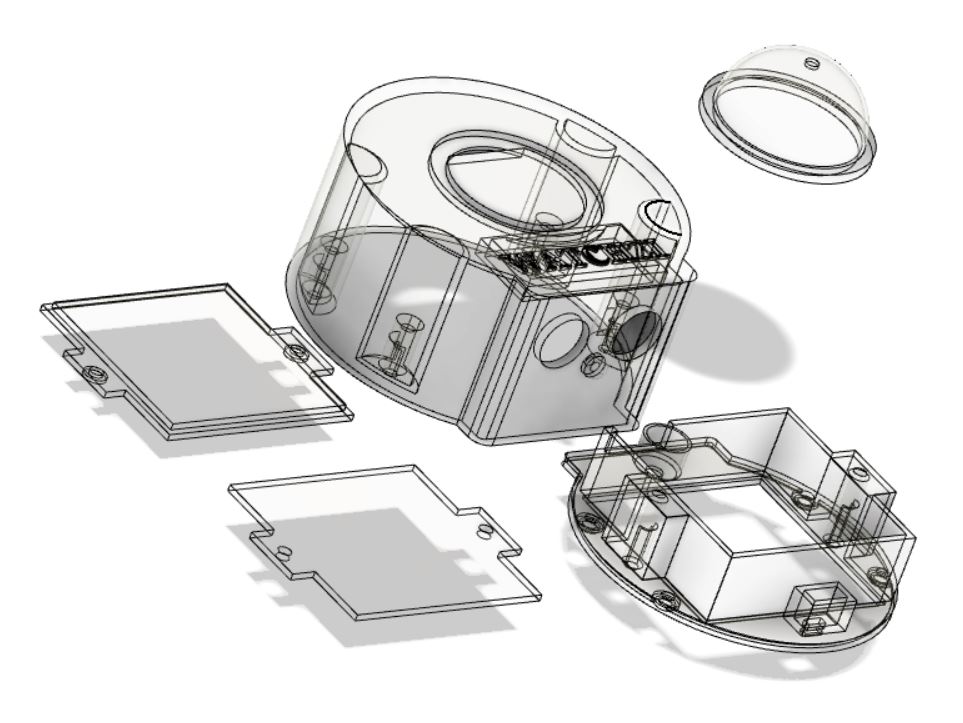
You can see the 3D printer drawing with his parts.
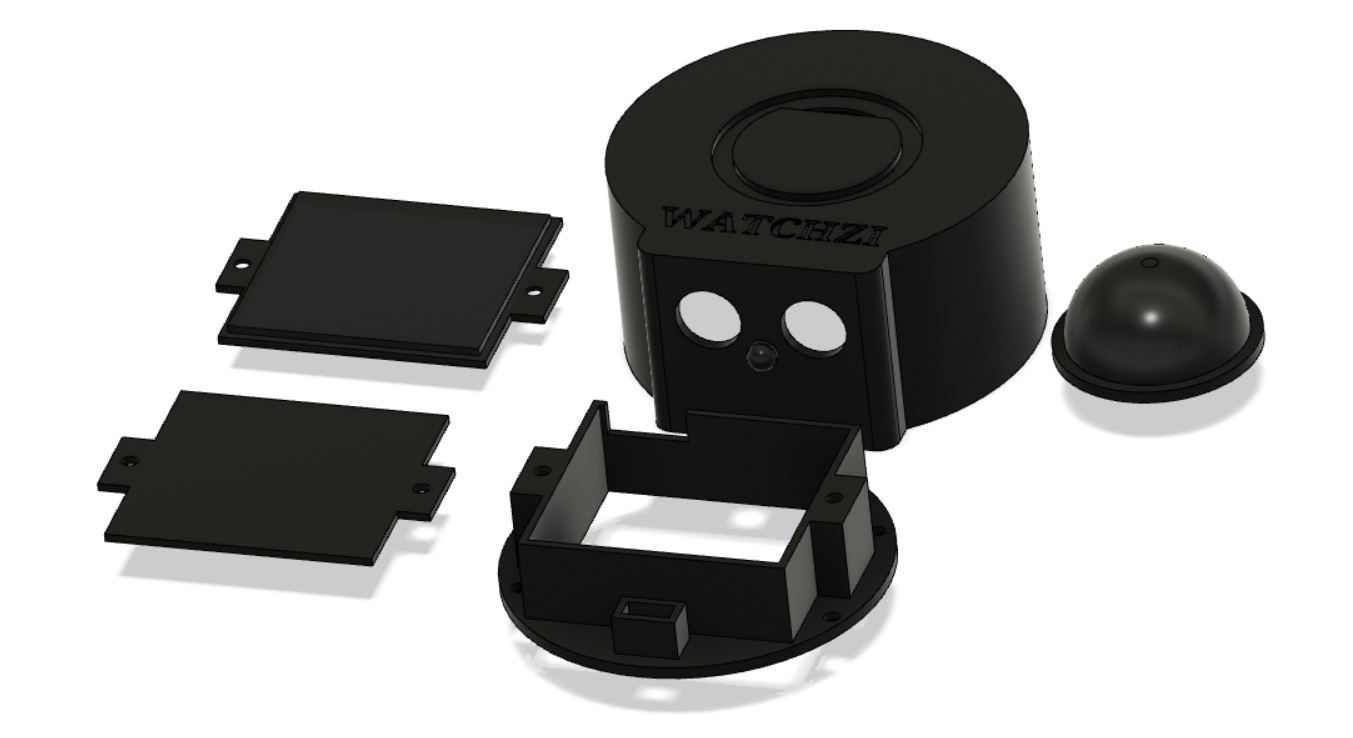
You can find the 3D STL files futher in this document, I choose for Black PLA and Natural (Had part) for the parts but you can make it in any color you like.
Hardware Infrastructure
- Arduino Nano: The "brain" of the project, managing the ultrasonic sampling and coordinating the LED and buzzer tasks.
- HC-SR04 Ultrasonic Sensor: Providing contactless and reliable distance monitoring.
- NeoPixel LED: Providing clear and playful visual feedback (red/green) for distancing status.
- Piezo Buzzer: Providing clear audio feedback when somebody is too close.
- 3D-Printed Enclosure: Acts as the high-performance mechanical platform for the distancing robot.
- Slide Switch & Battery Holder: For easy power control and portability.
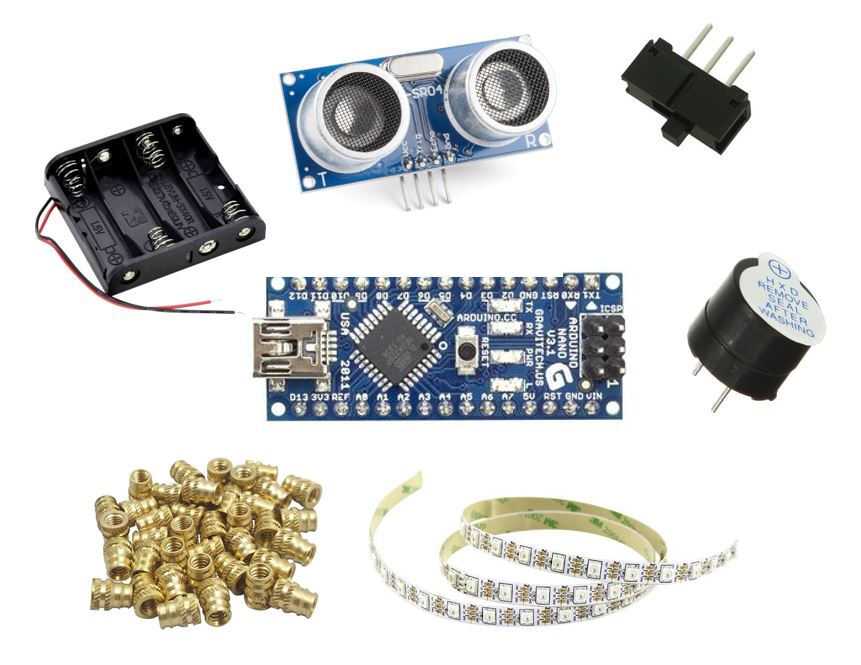
Components I used for Watchzi to compleet it. See list for how many you need
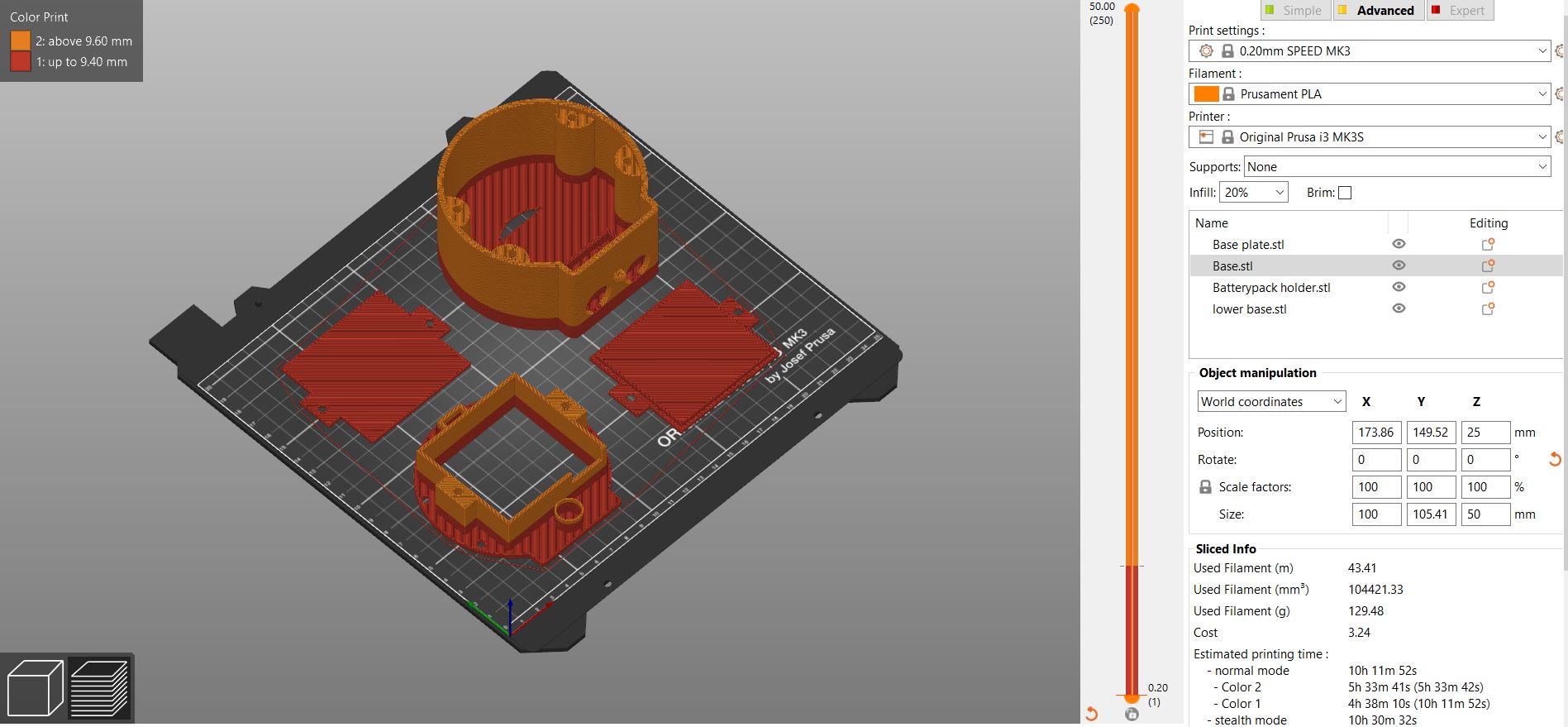
First print the 4 parts in the same color of whatever color you like, I used PLA. See settings in picture 5.
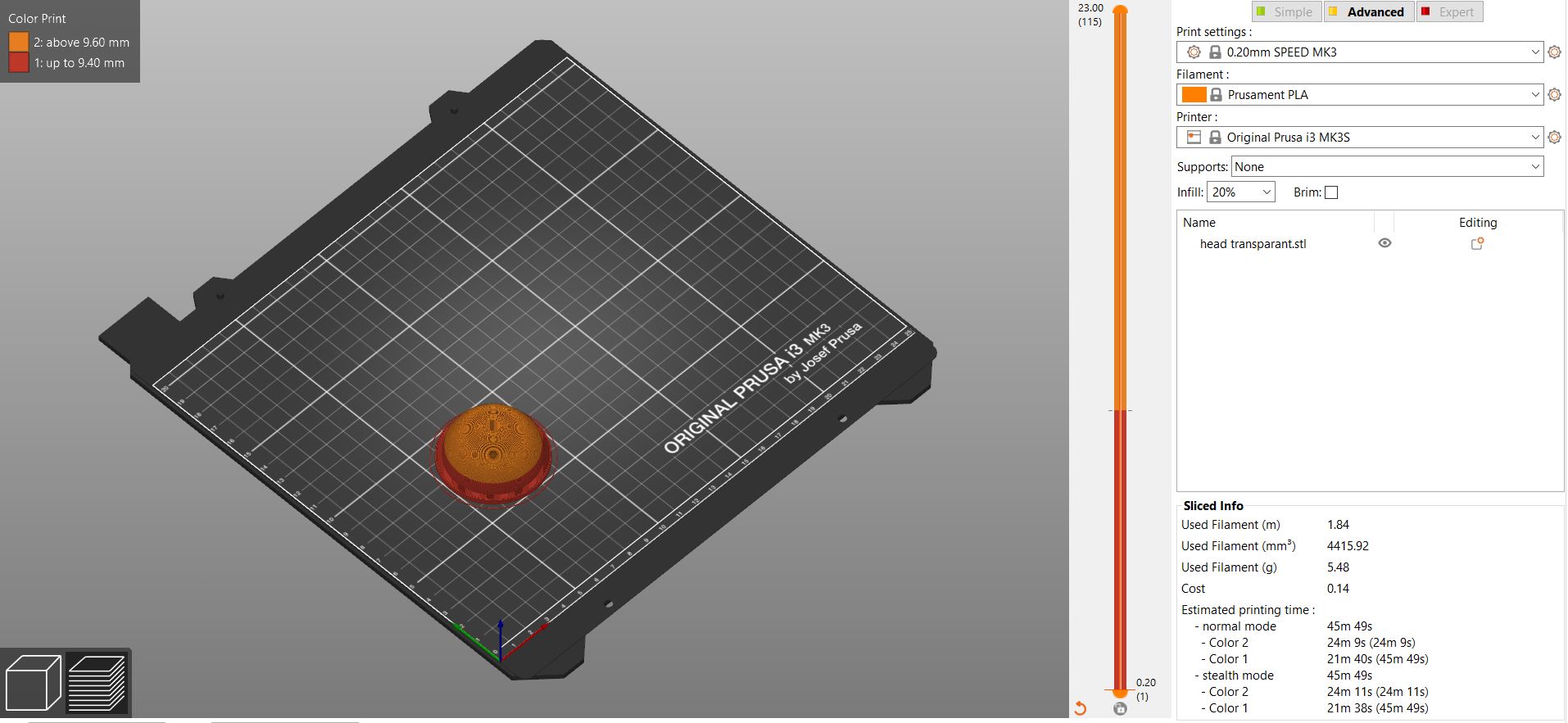
After print the first 4 parts, print the last had part in PLA transparant or natural. The NEOpixel has to shine through the had part because you want to see the red or green color.
Assembly after printing see pictures 7-11
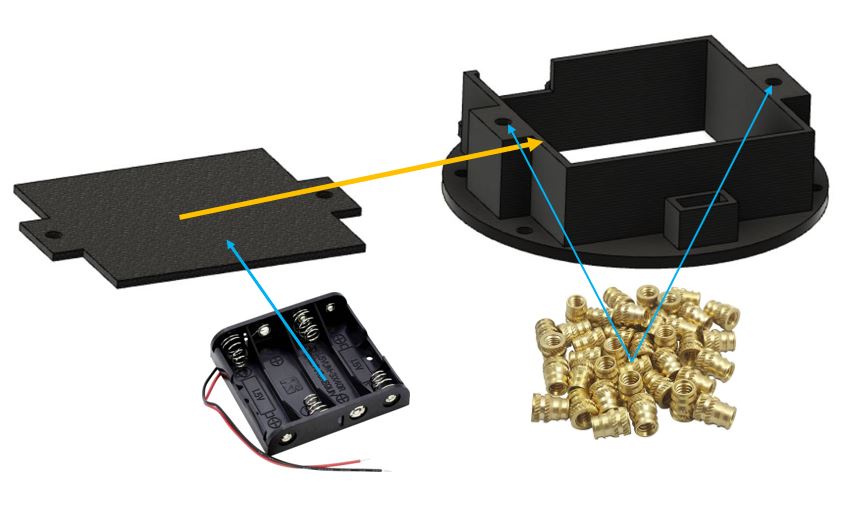
Put the Heat inserts nuts M3 gently in the holes with the Solderpoint and hold them right up. Glue the Batteryholder with 3M tape or glue to the plate and turn it. The hole is for the black and red wire.
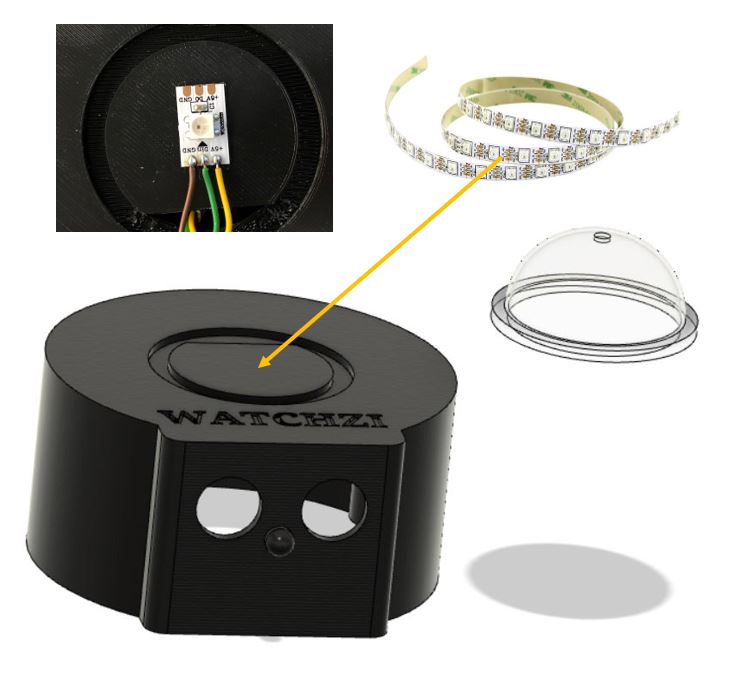
Cut 1 NEOPixel (see cutting lines) and stick it to the base, look for the right position of the Din en Dout. Dont glue the had before testing !!
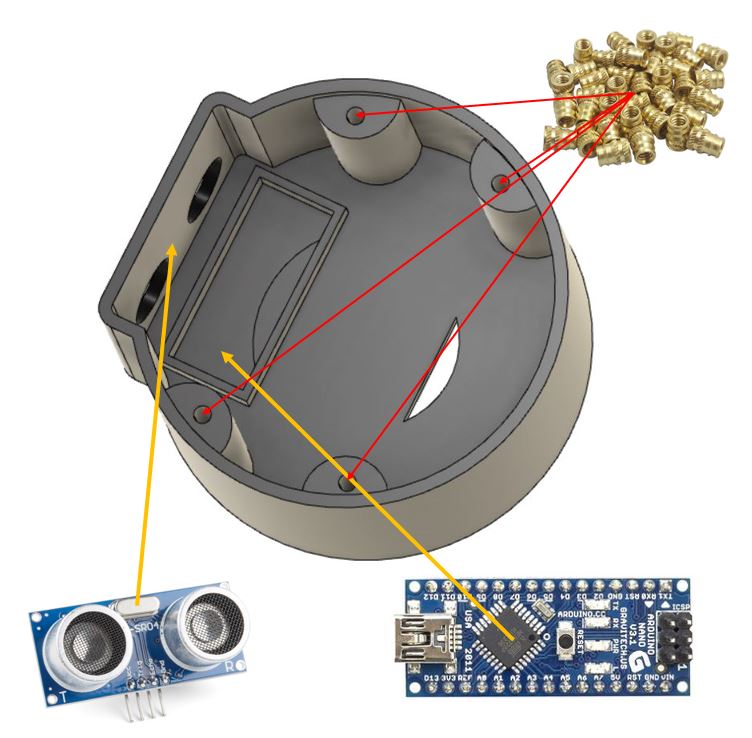
Put the SR04 sensor into the holes and use a bit hot glue to stay in place. After that put the Arduino nano into the place, it will stuck with his headers. Insert the Heat nuts M3 gentle right up with a solder point in there holes.
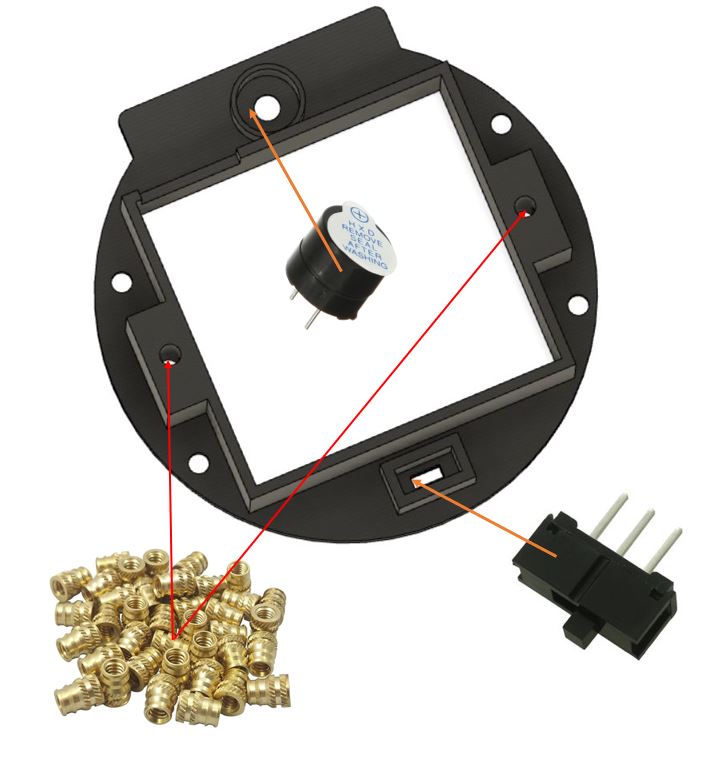
Put the Active buzzer into the hole after remove the seal !!. The hole into the enclosure makes it to hear the sound. Insert the slide switch and hot glue into the right position. Insert 2x heat M3 on the buttom of the part, the other two you insert it before (7).
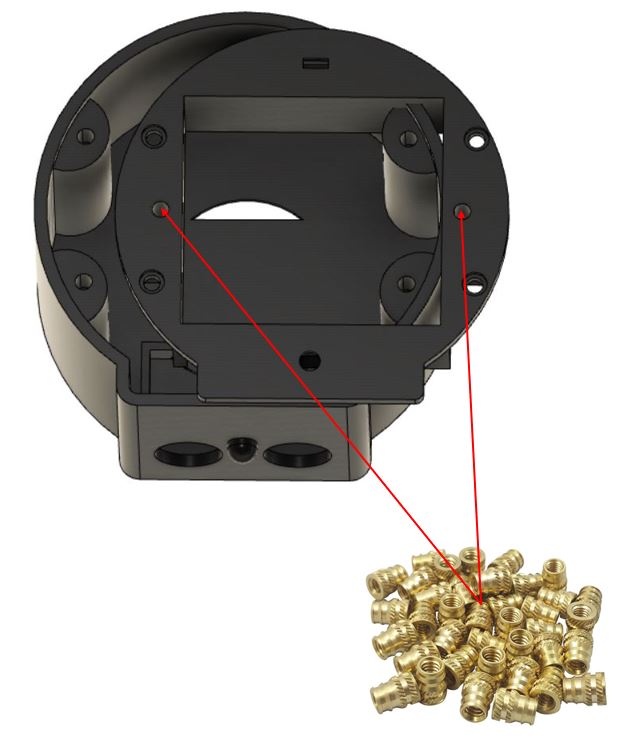
When you're finished putting the components on the right places you can wire them, dont use to long wires because you will not able to assembly watchzi at the end because the wires will stuck.
Distancing and Interaction Step-by-Step
The social distance robot process is designed to be very efficient:
- Initialize Hardware: Correctly seat the sensors and components in the 3D-printed chassis.
- Setup Output Sync: In the
setup()function, define the trigger/echo pins and initialize the NeoPixel and buzzer. - Execution Loop: The Arduino constantly performs high-performance distance checks and updates the robot's feedback in real-time.
- Visual and Audio Feedback Integration: Watch your custom robot automatically provides rhythmic visual and audio signals, following your distancing settings.
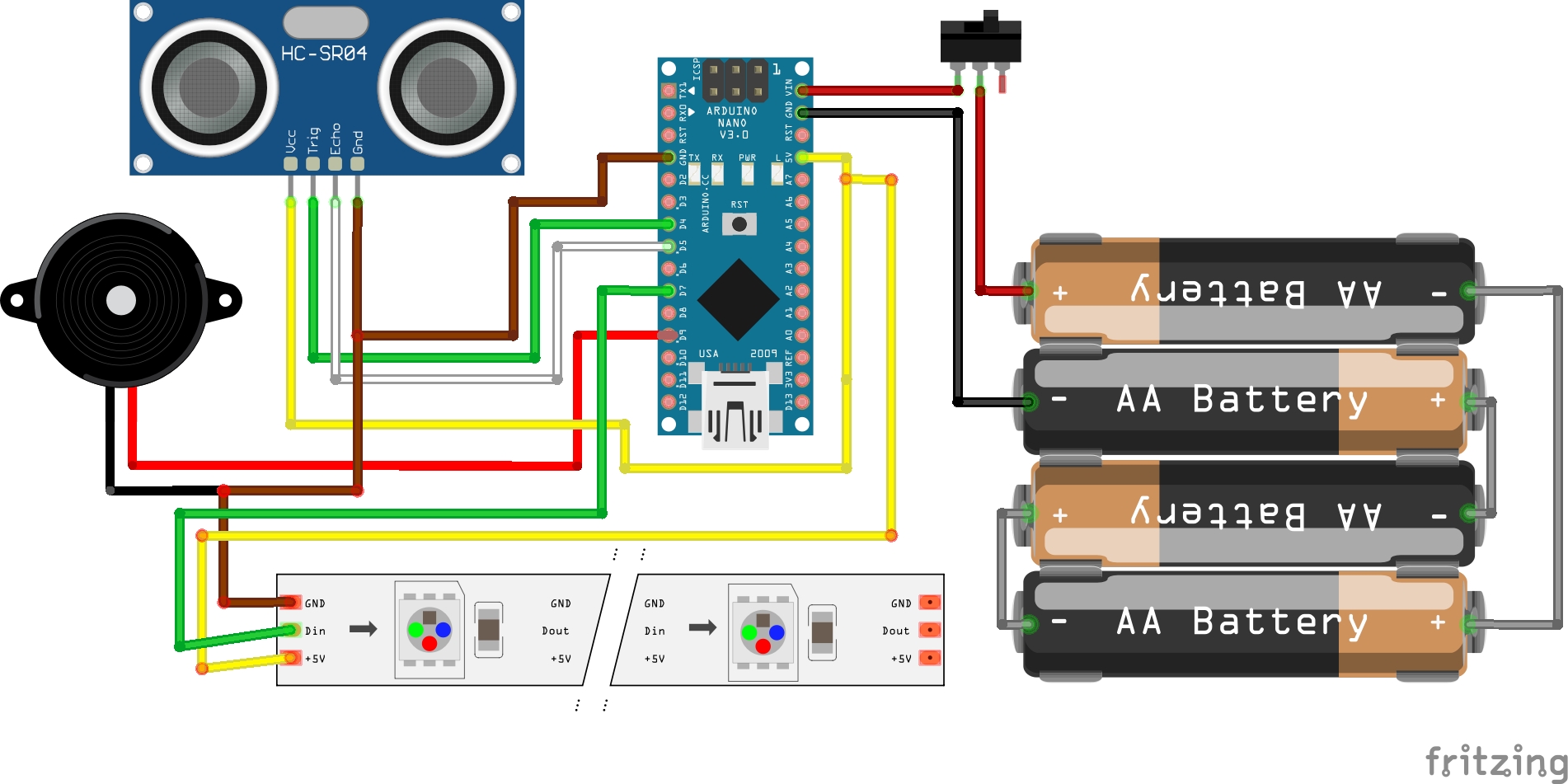
When your finished wiring you program the file into the Arduino nano and test if the watchzi is working well. You can adjust the settings ( look the comments in the INO file). After testing you use 8 Screws M3x8 to assembly the parts. At last you may glue the had on the right place and you have a nice own made friendly social distance robot watchzi.
You can play with the sound or color, even you can use ever color you like and sound, be creative
Enjoy this project and leave any comment or question
Future Expansion
- OLED Identity Dashboard Integration: Add a small OLED display to show the "Distance from Person" in real-time.
- Multi-sensor Sync: Connect an ESP32-CAM to take a photo and send an alert if somebody stays too close for a long time.
- Cloud Interface Support: Add a WiFi module (ESP8266/ESP32) and link to a cloud dashboard to precisely track and log distancing habits from a smartphone.
- Advanced Voice Customization: Add a specialized Voice Module to have your robot "Say" a "Please Keep your distance" message.
COVID-19 Simple Friendly Social Distance Robot Watchzi is a perfect project for any electronics enthusiast looking for a more interactive and engaging health-tracking tool!
*Operational and tested At Firecom BV .NL*