In this project I will show you how to keep your P.C. cool in a fun, easy, and good looking manner. This project can be built with minimal experience in Arduino and still have fun while building it. I personally had a blast making this project, messing with code, rewiring components, and finalizing it to make a finished and useable project. If you have any additional questions you can add a comment and I will get back to you as soon as I can.
At the bottom, you will find a Tinker CAD file with the schematic of the build
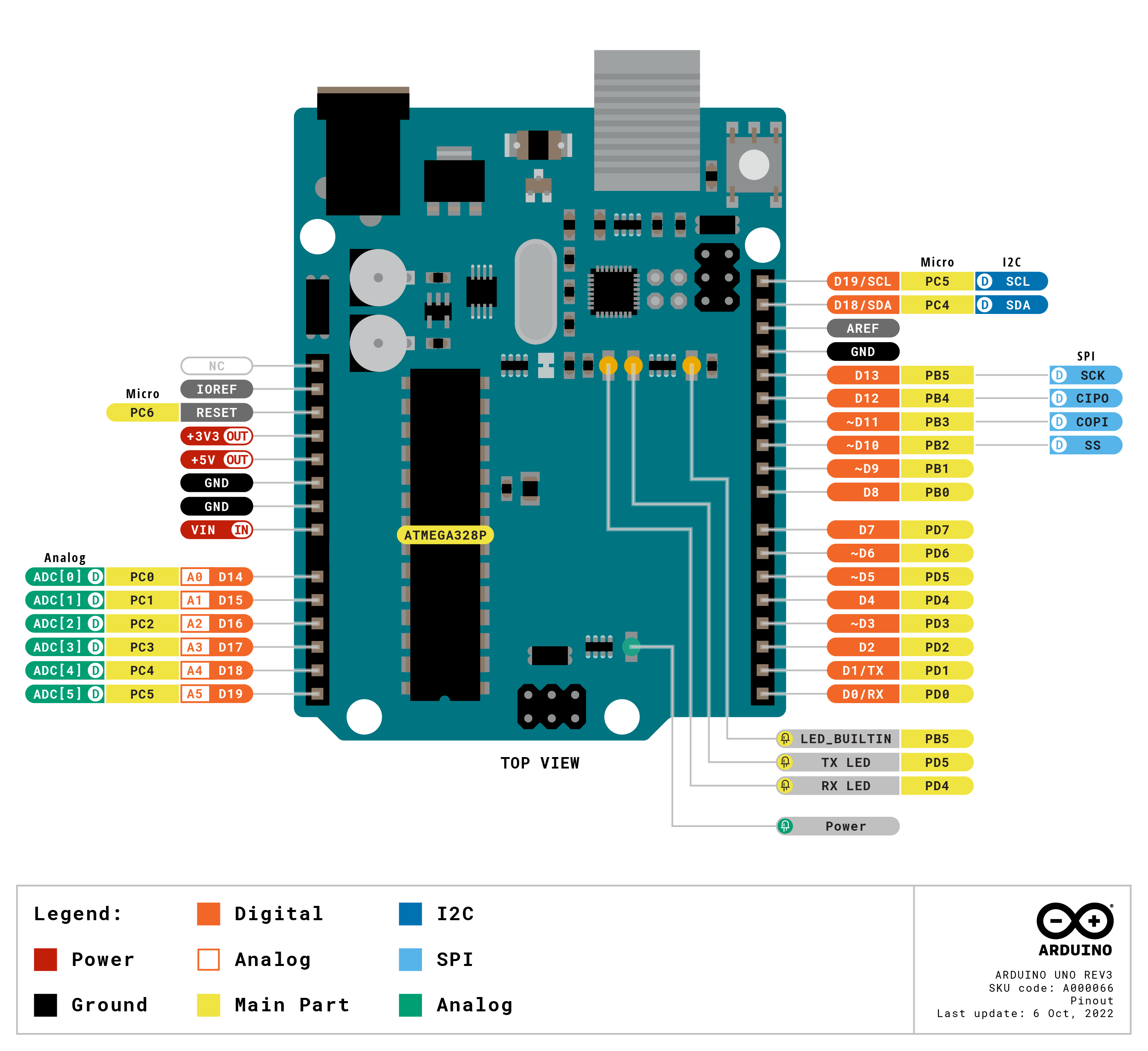
If anything doesn't work or don't know which pins to connect certain parts to make sure that the temp sensor is wired to analog pin 0 the fan plugs into pin ~9 on the Arduino. On the 4-wired fan, you plug in the VCC(power/+) and GND(ground/-) then you plug in the P.W.M. wire into The COLOR. Don't get SDA and SCL backwards or else the LCD screen won't turn on. Here is a diagram that shows where all the pins are. This is for Arduino uno only.
If you get the error code "Adafruit_LiquidCrystal.h: No such file or directory". Don't worry it's an easy fix all you have to do is go into your library on the right-hand side of the Arduino IDE and search "Liquid Crystal i2c" From there you will see a lot of different libraries. You have to download the one that specifically says LiquidCrystal I2c. Most likely it will appear on the sixth suggestion on the search. Download the most recently updated file and try to upload your code again.
EXPANDED TECHNICAL DETAILS
PWM Thermal Management
This project takes over the control of standard 4-pin computer fans to provide custom cooling profiles for servers or workstations.
- 25kHz PWM Signal: Standard PC fans require a specific 21kHz-28kHz PWM frequency for speed control. The Arduino uses its internal timers to generate a consistent 25kHz signal, allowing for silent and vibration-free motor operation unlike lower-frequency software PWM.
- Tachometer Monitoring: The Arduino reads the "Tach" output from the fan (two pulses per revolution) to accurately calculate the RPM (Revolutions Per Minute).
Autonomous Logic
- Safety Interlock: If the RPM drops below a critical threshold (indicating a stalled fan), the Arduino triggers an audible buzzer and a "Emergency Stop" signal to the PC motherboard to prevent hardware damage.