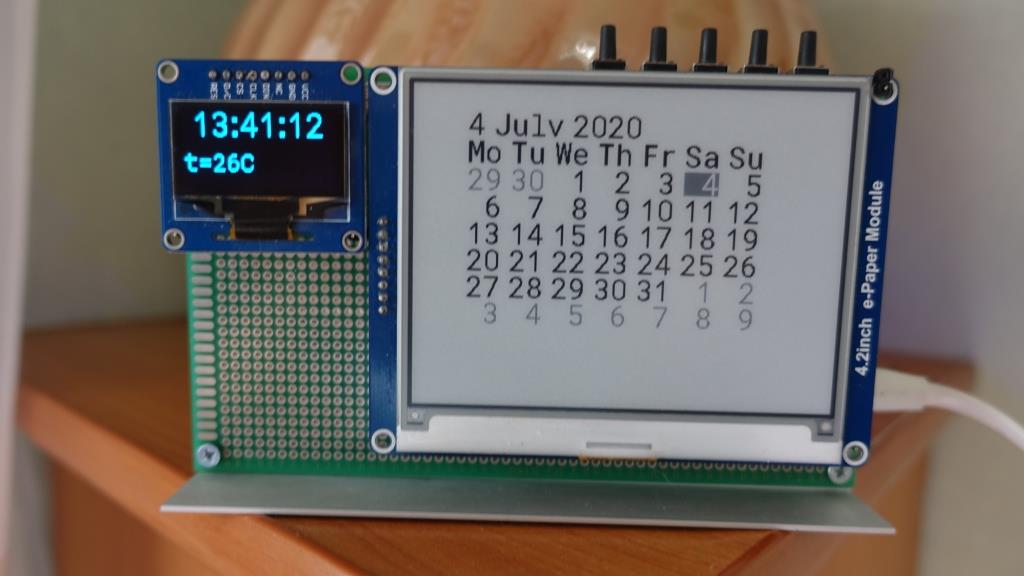
The watch is powered by charging for the phone. In order for the time and date to be saved in the event of a power outage, a 3V battery must be installed in them. The time and date are set using the buttons. After completing the installation, the time is displayed on the OLED display with a resolution of 128x64 pixels. Time display modes can be changed using the 5th button. Also, the temperature from the sensor, which is built into the DS3231MZ + clock chip, is displayed on the OLED display. The calendar is displayed on the e-Paper display with a resolution of 400x300 pixels and two shades of gray. Another name for such displays is electronic paper - the last image displayed on it is saved even when the power is turned off. The disadvantage of such displays in the long update time of the picture, specifically for this display it is 4 seconds, the main plus - after updating the picture, power for the display is not required.
Advanced Desktop Clock with Dual Display Technology
This project elevates the traditional desk clock into a sophisticated information hub by utilizing two distinct display technologies: high-contrast OLED and ultra-low-power E-Ink. Designed around the versatile Arduino eco-system, this clock calendar is both a aesthetic and functional masterpiece.
Innovative High-Quality Hardware
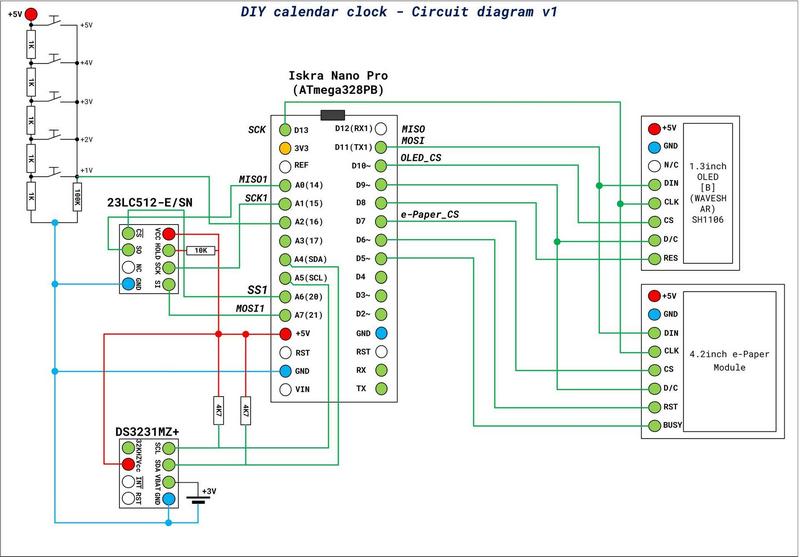
- DS3231MZ+ RTC Chip: This Real-Time Clock is significantly more accurate than standard modules, featuring a temperature-compensated crystal oscillator. It also provides temperature data that is displayed on the OLED.
- Iska Nano Pro (ATMega328PB): An enhanced version of the Arduino Nano, featuring more peripheral interfaces, providing the necessary "brains" to handle two complex displays simultaneously.
- Waveshare 1.3" OLED (B): This display provides sharp, readable text for real-time data like seconds and current temperature. Its self-emissive nature ensures perfect visibility from various angles.
- Waveshare 4.2" E-Ink Display: Used for the calendar view, this display mimics real paper. It consumes zero power when static, meaning your calendar remains visible even if the main device is unplugged.
- External 64kb Memory: Serving as an image buffer, this component is essential for processing the large amount of data required for the high-resolution E-Paper display.
Custom Graphics Core and Logic
One of the standout features of this project is the lack of off-the-shelf libraries for gray-scale E-Paper rendering. All the graphical rendering functions were written in C++ from scratch, allowing for deep optimization and custom visual styles. The logic integrates button-based time setting and dynamic UI switching, allowing the user to oscillate between different data views on the OLED while maintaining a constant Gregorian calendar on the E-Ink panel.
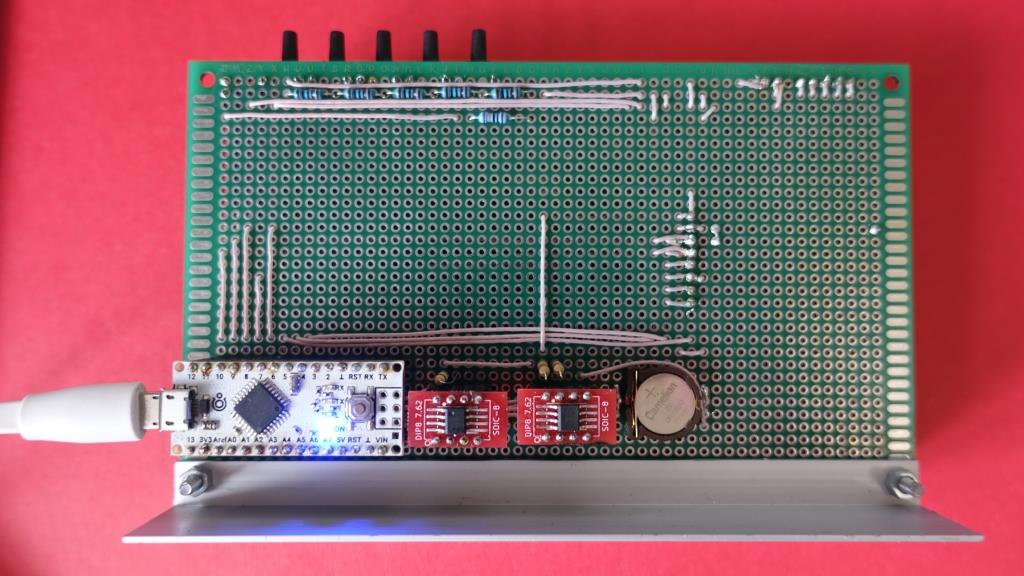
Watches are assembled on a breadboard for soldering. To connect the components used MGTF wire. As brains, the Iskra Nano Pro board from Amperka is used on the ATMega328PB microcontroller. Like the original Arduino Nano board, programming is done in the Arduino IDE. To buffer images of electronic paper, additional external memory of 64kb is used. I did not find any ready-made libraries for displaying images in shades of gray - therefore, in this project, the graphic core for working with displays is written in the C ++ language from scratch.
Circuit diagram: