A hourglass, also known as an sand clock, is a device used to measure the passage of time. It consists of two glass bulbs connected by a narrow neck, through which sand flows from the upper bulb to the lower one.
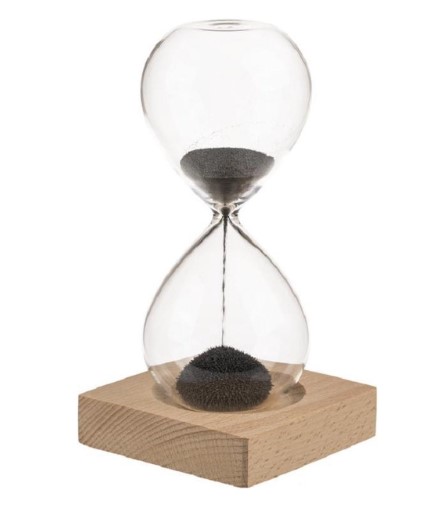
The flow of sand is controlled so that it takes a set amount of time to completely empty the upper bulb. Hourglasses are often used as time management tools and decorative items. This time I will present you a very simple way to make a digital version of such a clock. This is another example in my collection of DIY unusual clocks which you can check out on my playlist. At first I tried to make the project with an Arduino Nano microcontroller, but it soon became clear to me that stronger performance was needed, so I used an ESP32 which is quite sufficient, even for a more complex project.
Honestly, my initial idea was to make a total simulation with the movement of sand according to the law of fluid motion using an IMU sensor, but at least so far I have not managed to completely realize that idea.
The device presented in this project is extremely simple to make and consists of only 3 components.
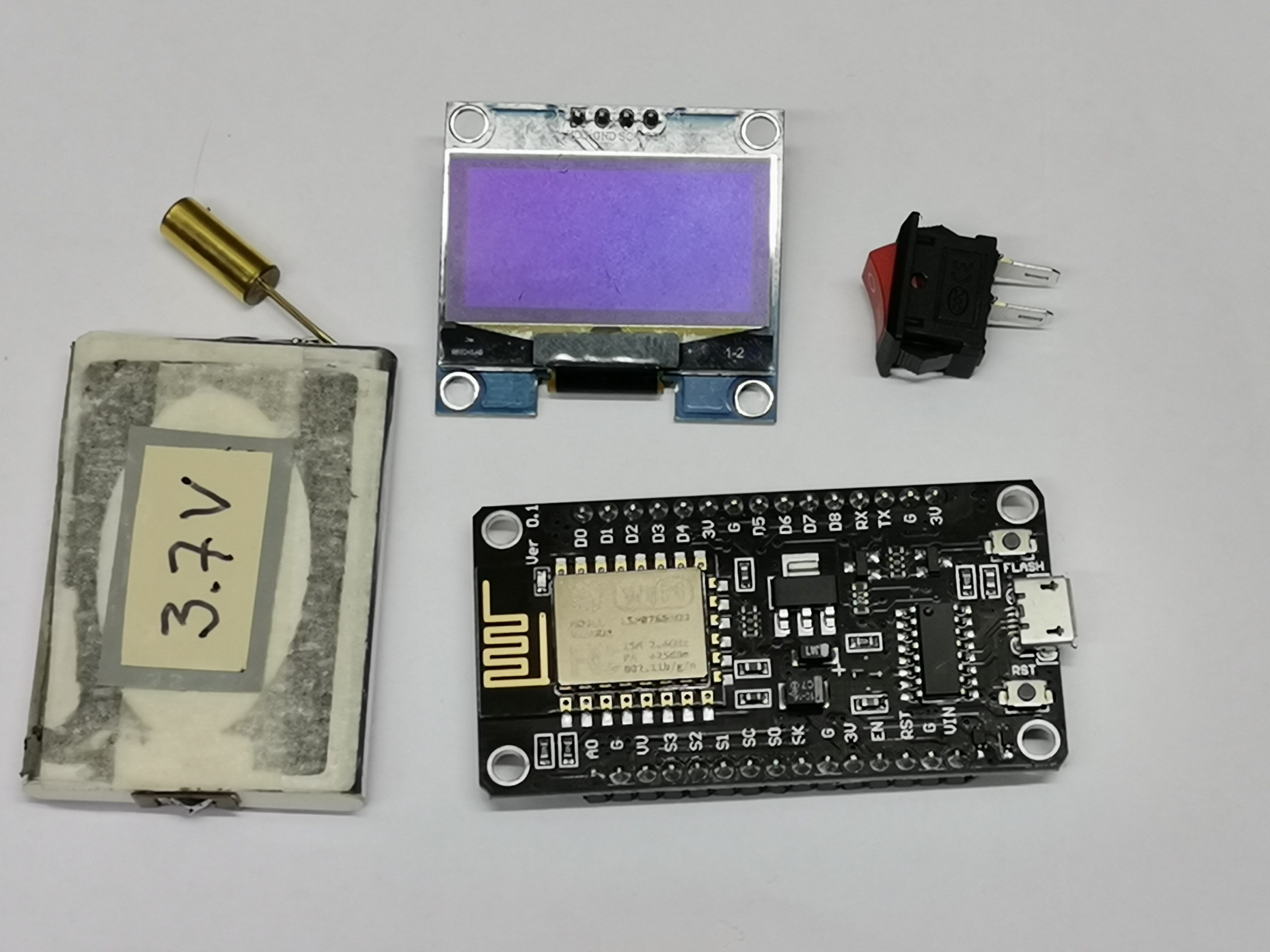
- ESP8266 microcontroller board
- SH1106 Oled display with resolution of 128x64 dots,
- and Tilt sensor
A single lithium cell is used to power the device.
This project is a masterclass in Digital-Analog Hybridization. The Animated Hourglass is not just a clock; it is a Physics Simulator. By combining the high refresh rate of the SH1106 OLED with the gravitational awareness of a Tilt Sensor, you can replicate the organic "Feel" of an ancient sand-clock within a modern 32-bit microcontroller environment.
Pixel Simulation and Gravity Architecture Overview
The Animated Hourglass functions through a specialized State-Switch Visualization lifecycle. Operating on the ESP8266, the device continuously monitors the orientation of the chassis. If the user flips the device 180 degrees, the SW-520D Tilt Switch toggles the microcontroller into a "Refill" state, where virtual grains of sand—represented as individual 1x1 pixels—fall from the upper geometric container to the lower one at a software-controlled rate of exactly one minute per full transition.
Hardware Infrastructure & The Visualization Tier
- NodeMCU ESP8266: The "Simulation Engine." While originally planned for the Arduino Nano, the project emphasizes the move to the 32-bit ESP8266 to handle the complex screen updates and random-particle calculations without frame-rate "Jitter."
- SH1106 OLED (128x64): The "Visual Canvas." This I2C display provides deep blacks and brilliant white pixels, making it the perfect medium for a high-contrast sand simulation. Unlike standard ILI displays, the SH1106 allows for fast "Direct Buffer Writing," enabling smooth particle flow.
- SW-520D Tilt Sensor: The "Orientation Eye." This simple mechanical switch contains a small metal ball that rolls over contacts based on gravity. It provides the system's external-to-internal synchronization without needing a complex IMU (Inertial Measurement Unit).
- Li-ion Power Node: By utilizing a single 3.7V lithium cell, the project ensures the hourglass is truly portable, mimicking the handheld nature of its antique glass counterparts.
This project is sponsored by PCBWay. They has all the services you need to create your project at the best price, whether is a scool project, or complex professional project. On PCBWay you can share your experiences, or get inspiration for your next project. They also provide completed Surface mount SMT PCB assemblY service at a best price, and ISO9001 quality control. Visit pcbway.com for more services.

The tilt sensor is essentially a switch that is in the open state when the legs are facing up, and in the closed state when it is rotated 180 degrees.
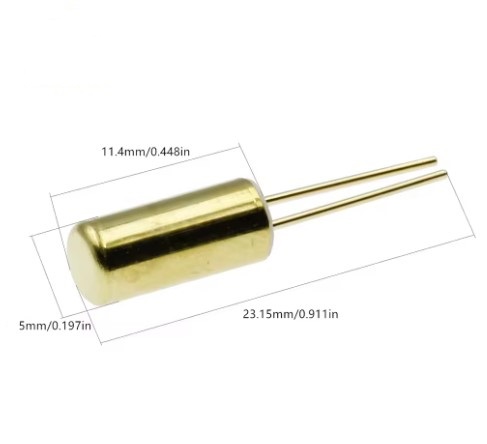
This component offers the simplest way to display both states of an hourglass while avoiding the use of additional sensors and libraries.
Technological Logic and Animation Algorithms
The system reaches its realistic visual fidelity through Pixel-Mapped Animation:
- The Gravitational Toggle: The code reads the tilt sensor state. If the state matches the "Flipped" orientation, a global reset is called, and the
countDownStartTimeis initialized. - Particle Flow Randomization: To avoid a robotic, perfectly linear flow, a
random()seed is used to vary the X-coordinate of falling sand grains, creating the chaotic "Piling" effect seen in real sand. - The Percentage Dashboard: Simultaneously, a mathematically derived timer prints the percentage of elapsed time (0-100%) at the top of the display, serving both as a functional clock and a visual progress bar.
- Buffer Refresh Protocol: The OLED is cleared and redrawn every 100ms. By only updating the "Falling Region," the project minimizes the I2C bus traffic, keeping the simulation fluid.
Now let's see how the device behaves in real conditions. Immediately after turning on the screen, the hourglass appears in the starting position and grains of sand randomly flow from the upper to the lower container. The time for which all the sand flows from the upper to the lower container is set in the code, and in this case it is set to exactly 1 minute. In the upper part above the hourglass, the percentage of time elapsed from the beginning of the flow to the moment of reading is displayed.
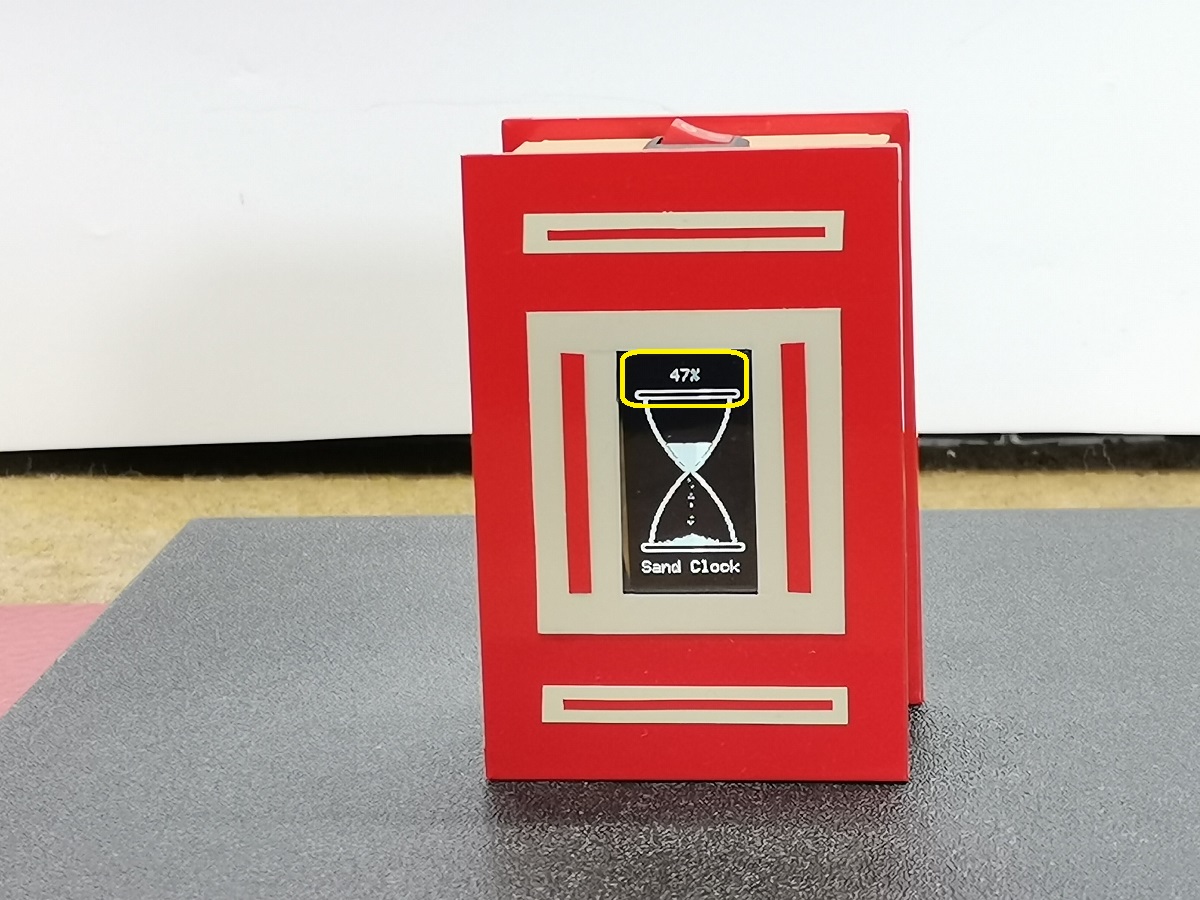
In this case, a certain animation can be observed in the upper and lower background as well as when the grains of sand flow in order for the hourglass to be as realistic as possible. When the sand runs out completely (that is in 60 seconds) we can turn the clock 180 degrees, and the countdown starts again. If we rotate the hourglass at any given moment, it starts counting down the time from the beginning.
Now a few words about the code. Namely, you can immediately see that it is not completely optimized, it is divided into several parts, but all in order to be easier to customize.
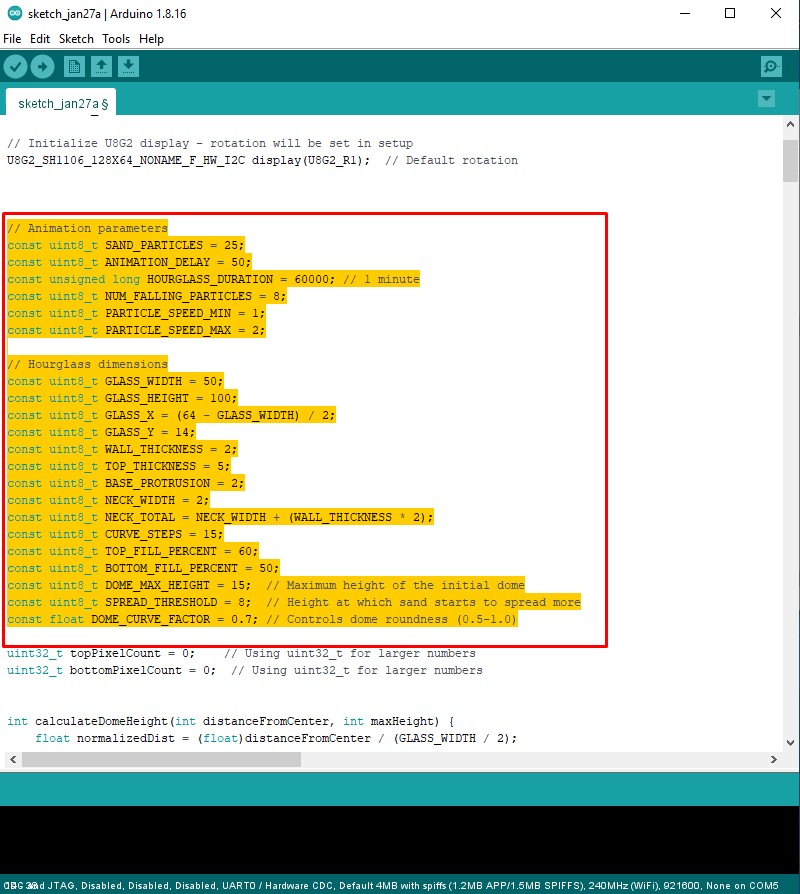
Very simply at the beginning of the code by changing the constants, you can change every parameter, starting from the size and shape of the glass container, the amount of sand, the duration and speed of the sand leakage, dome parameters, up to the intensity of the animation and the number of falling particles.
Why This Project is Important
Mastering Pixel-Level Drawing and Sensor-to-Display Sync is an essential skill for UI/UX Design and Embedded Game Development. It teaches you how to create "Embodied Interaction"—where the physical movement of the device results in an immediate digital response. Beyond unusual clocks, these same principles are used in Handheld Diagnostic Tools, Industrial Angle-Measurement Systems, and Interactive Digital Displays. Building this project proves you can use simple hardware to implement sophisticated, visually pleasing behavioral logic.
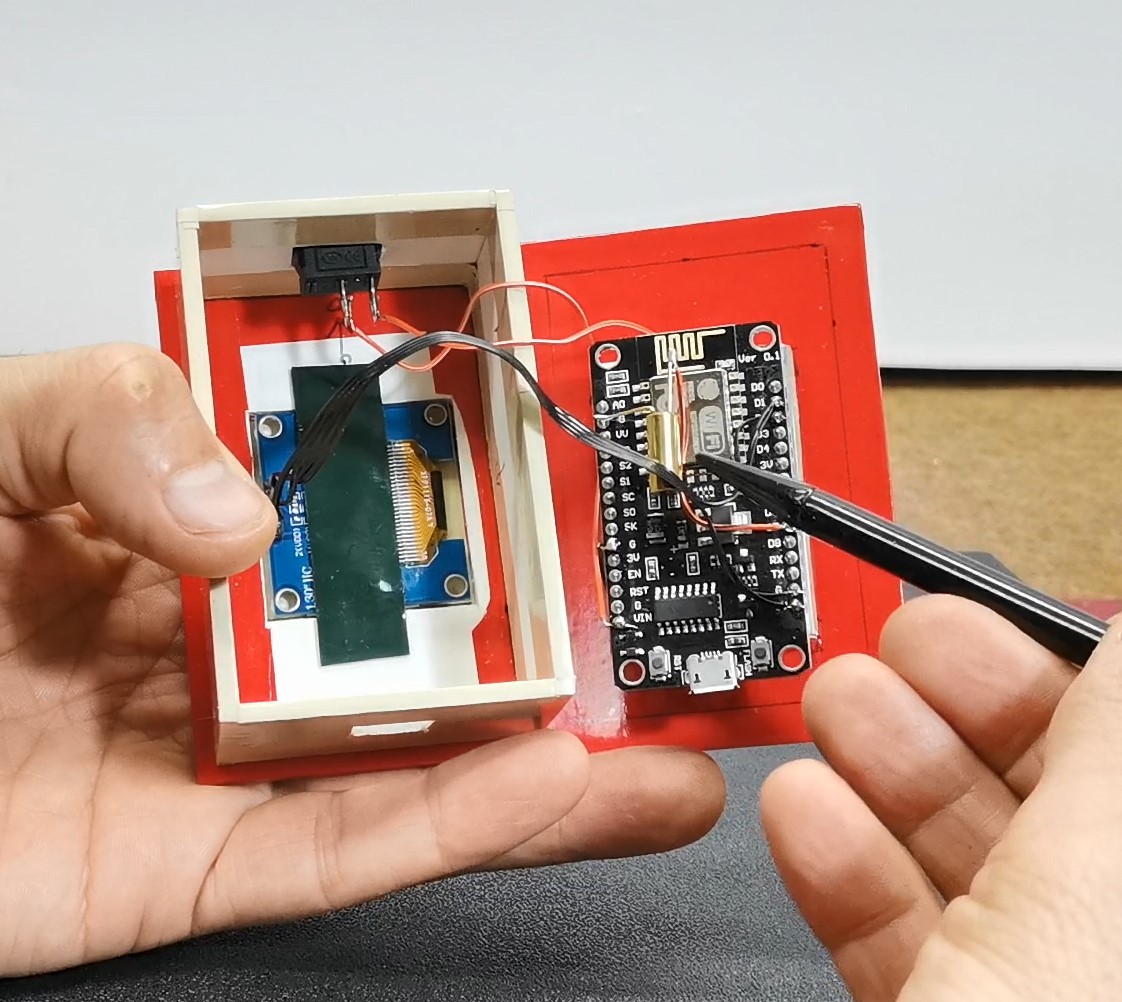
And finally, a short conclusion. A visually and functionally effective beginner project that only required three components to build, but at the same time highly customizable, so that we can almost unlimitedly change all phisical parameters according to our own idea of the way such a device should function. The assembly is mounted in a suitable box made of PVC board with a thickness of 3mm and covered with colored self-adhesive wallpaper.