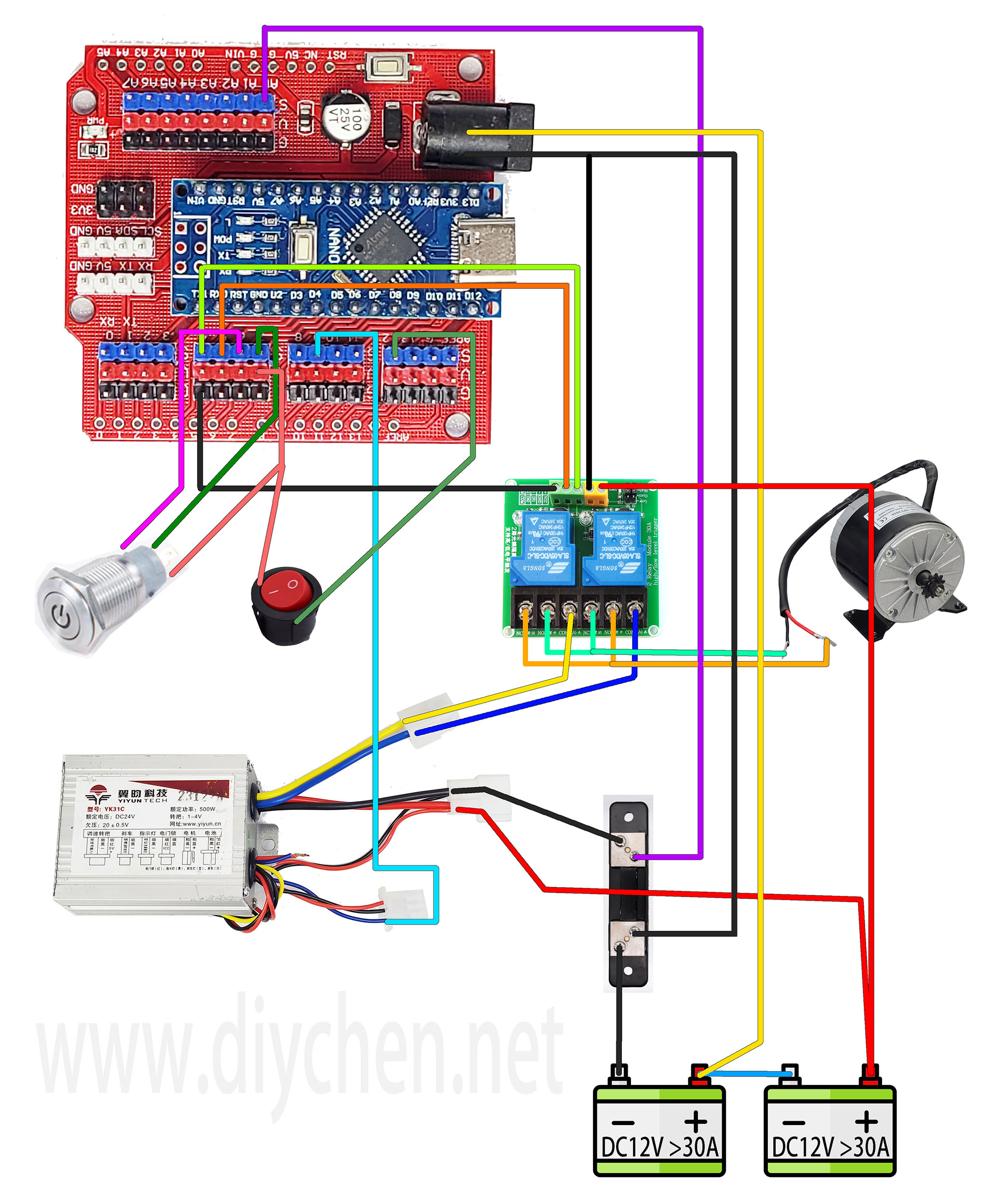
This mini shredder is used to shred plastic, you can buy it at www.diychen.net
If you want to modify the current parameters when the trigger generator reverses, please follow the steps below.
1.Download and install Arduino IDE. https://www.arduino.cc/en/software
2.Connect the USB cable of the control module to the computer.
3.Set up Arduino IDE as shown below
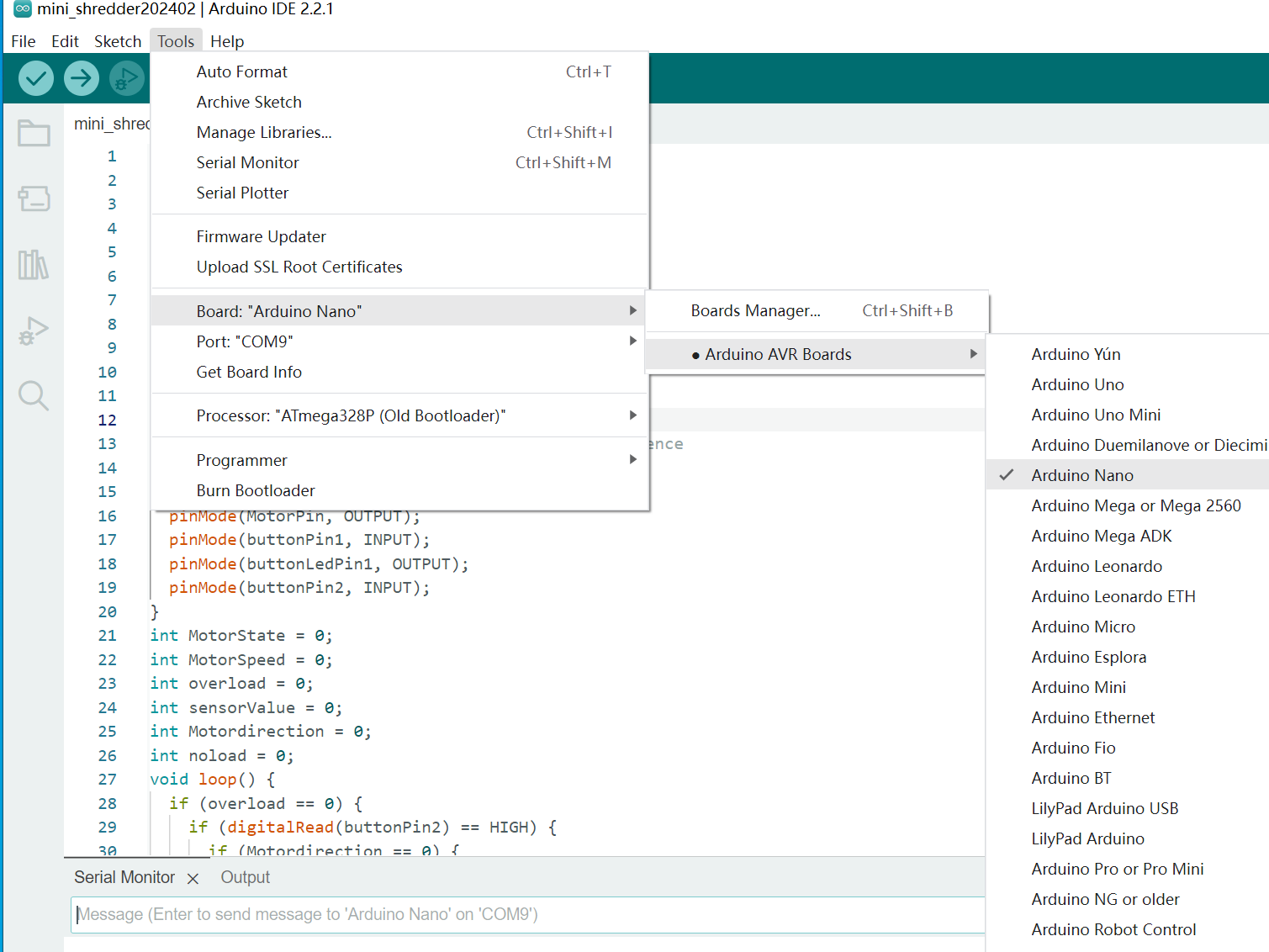
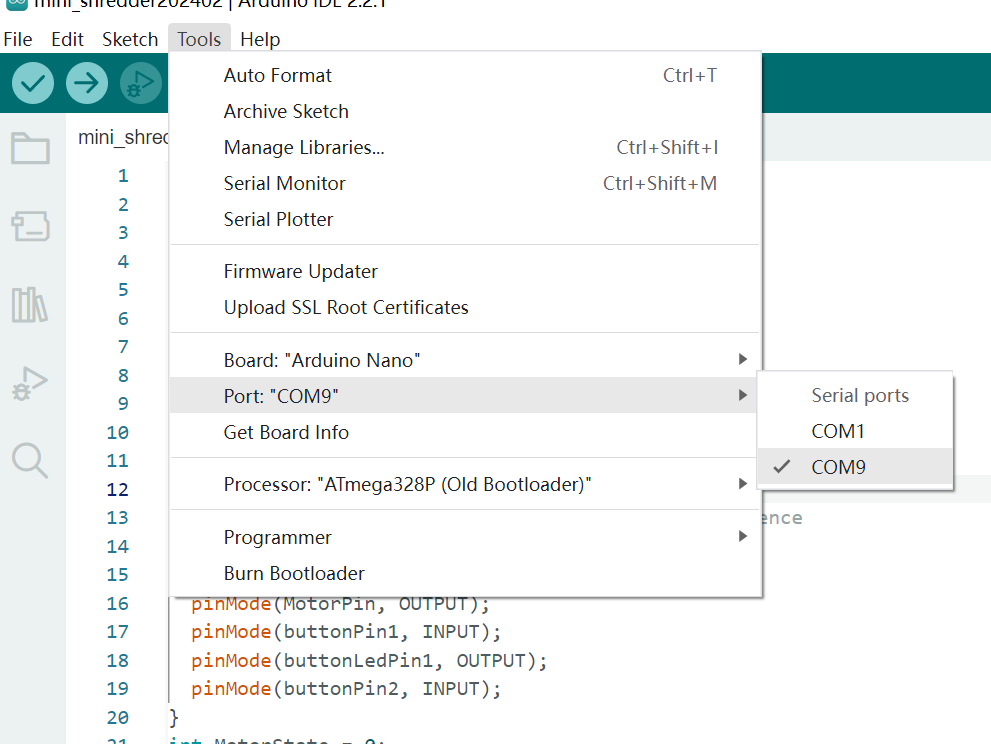
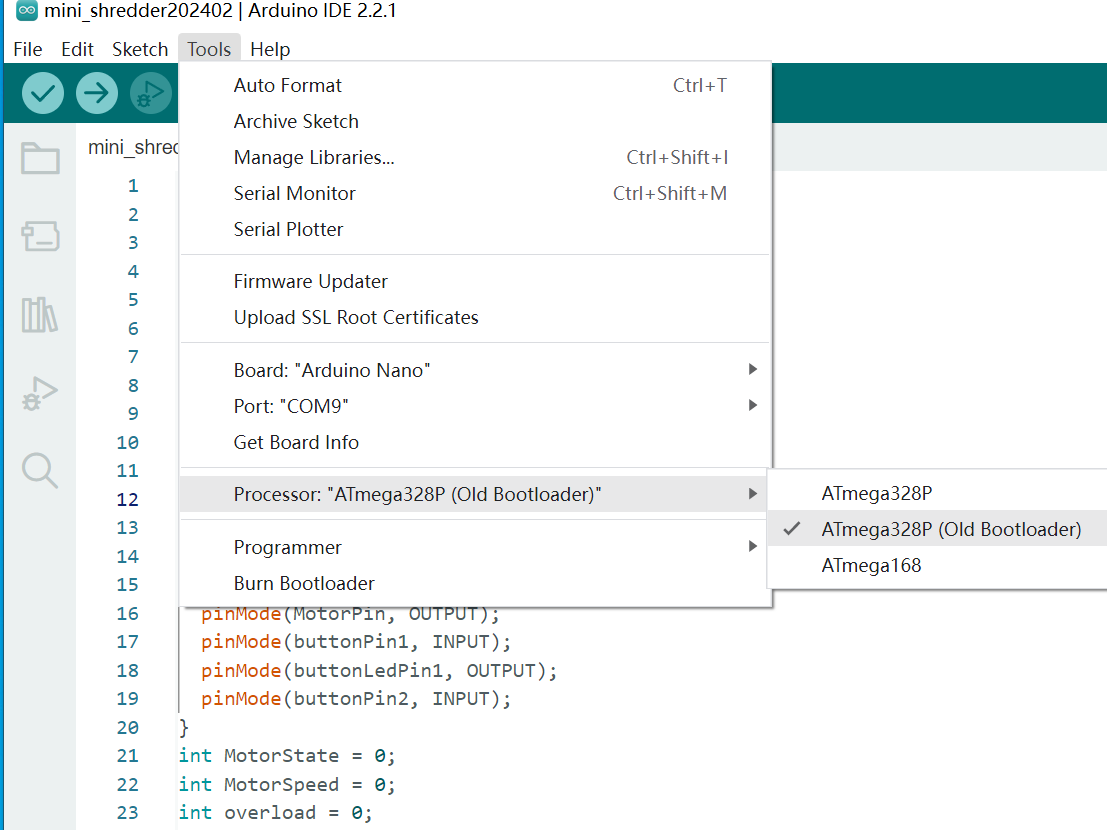
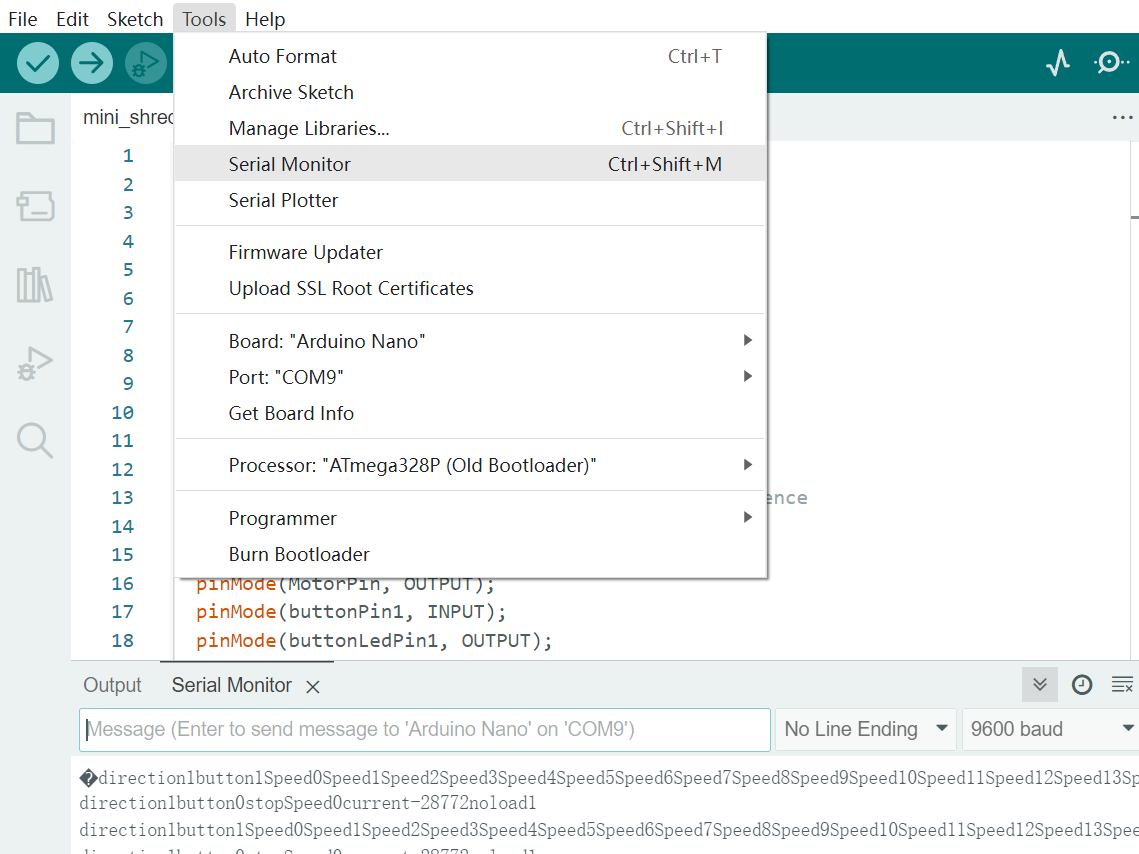
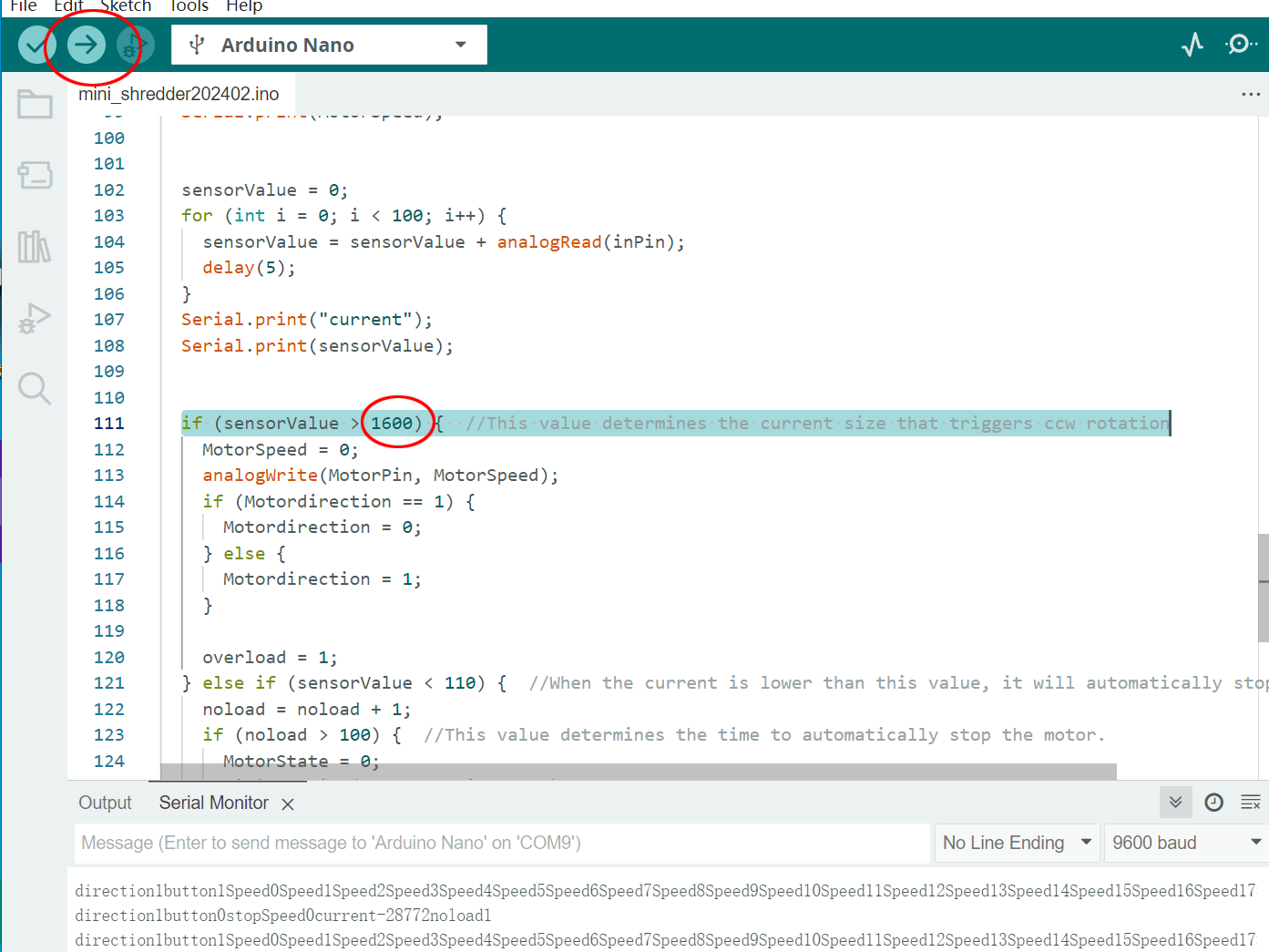
If you need the motor to release more torque and reduce the number of triggering reversals, you can change the value to a larger value, such as 1700 or higher. Modify it in units of 100. Then upload it.
If the motor is blocked and will not reverse, it means that the value set is too large.
If you want to better protect the machine, please change the number to a smaller value.
Technical Details
This project provides an automated control logic for a high-torque mechanical shredder, simulating industrial-grade safety and control features.
Industrial Control Simulation
- Safety Interlock: The system uses a sensor (like an IR Beam Break or Limit Switch) to detect when material is inserted. The Arduino only engages the motor when it's safe and material is present.
- Auto-Reverse Protocol: A key feature is the automatic jam detection. An ACS712 current sensor continuously monitors the motor's power draw. If the current spikes beyond a pre-set threshold (the value you modify in the code), it indicates a jam. The Arduino then automatically reverses the motor for a short duration (e.g., 2 seconds) to clear the blades before attempting to shred again.
Power Stage
- High-Current Relay: Since shredder motors draw significant power, the Arduino does not drive the motor directly. Instead, it triggers a high-grade Relay or MOSFET. This acts as a power switch, isolating the sensitive microcontroller from the motor's high voltage and back-EMF, ensuring the control board's safety and longevity.