Integration of emrine.com QR code-based access control solution on Arduino using an ST7735 1.44" TFT screen and a 4x4 membrane keypad.
emrine.com is a QR code-based access control solution. You can use it to control access to a lock or any electronic devices equipped with a screen and that can receive user input.
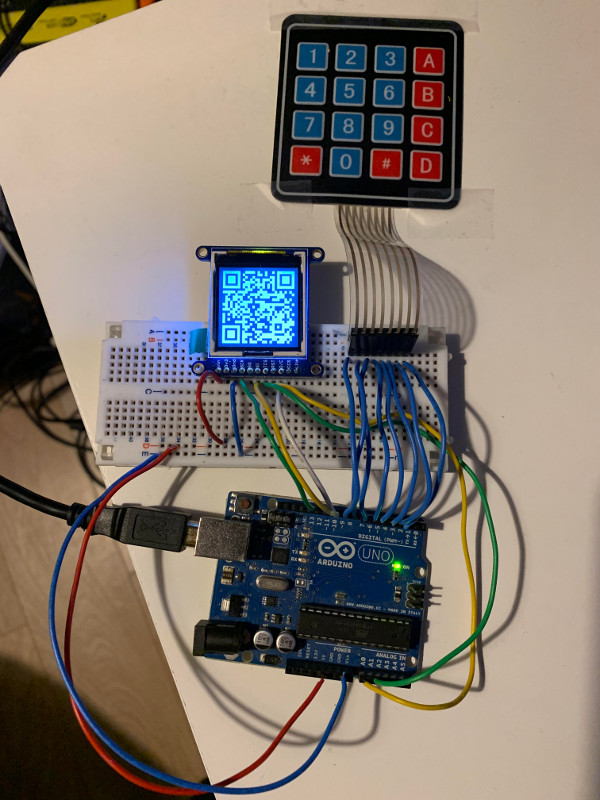
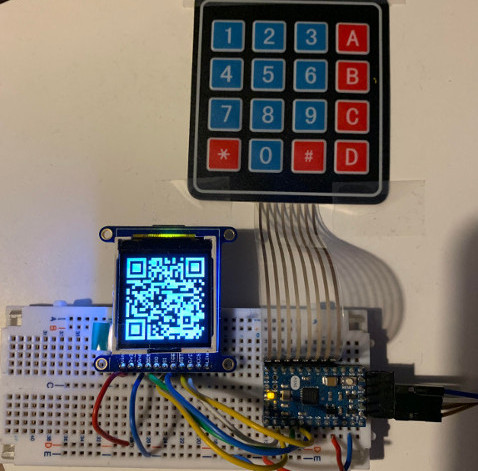
User flow
The flow is the following :
- Access is denied, user press "#"
- QR code is shown on the screen
- User scans the QR code and is redirected to emrine.com where a code is displayed
- User enters the code using the keypad and press "#"
- Code is checked on the device. Access is granted if the code is verified
Code
Download the sketch from this GitHub repository
Hardware
For this demo project, the following harware is required :
- Adafruit 1.44" Color TFT LCD Display ST7735 (link) or any ST7735 lcd breakout compatible with Adafruit-ST7735-Library
- 4x4 or 3x4 membrane keypad (link)
- Arduino UNO or Arduino mini
If you are using the 1.8" breakout, you need to update the lcd initializing part to tft.initR(INITR_BLACKTAB);, check the st7735 library examples if using different LCD screens
If you are using a 3x4 keypad, update COLUMN_NUM,keys and pin_column accordingly.
Run the sketch
Open sketch.ino in Arduino IDE
Install the dependencies :
- in "Library Manager", type "keypad" in search and install "Keypad by Mark Stanley, Alexander Brevig"
- in "Library Manager", type "st7735" in search and install "Adafruit ST7735 and ST7789 library"
- in "Library Manager", type "QRCode" in search and install "QRCode by Richard Moore"
Update Device ID and keys
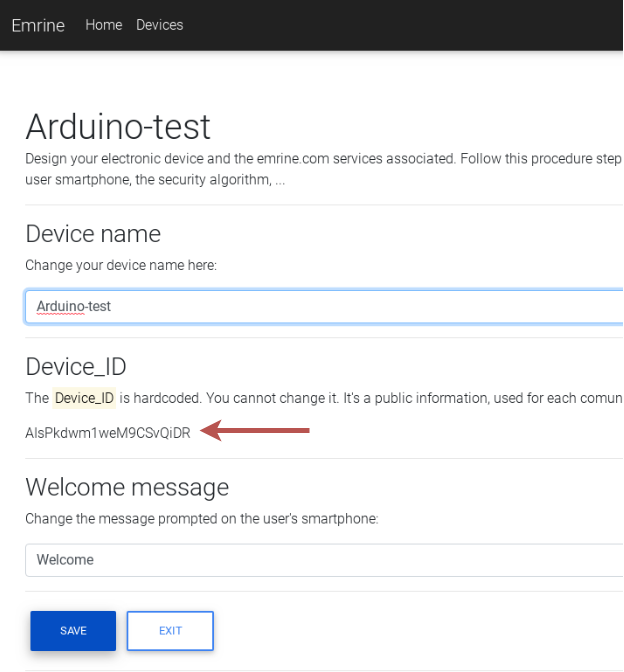
On https://emrine.com, login and create a new device
- update
EMRINE_DEVICE_IDaccording to your ownDevice_ID
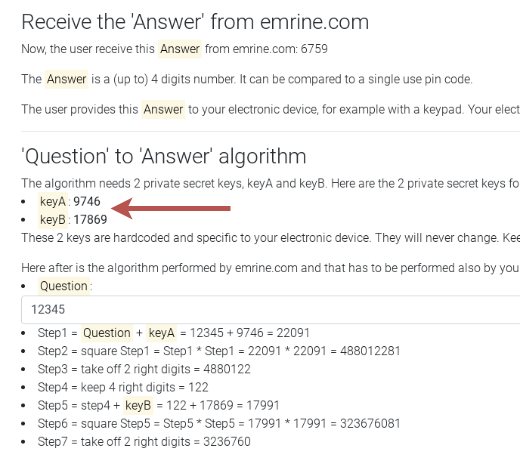
- update
EMRINE_KEYAandEMRINE_KEYBrespectively tokeyAandkeyBvalues
The beginning of your sketch will look like this :
#define EMRINE_DEVICE_ID "AIsPkdwm1weM9CSvQiDR"
#define EMRINE_KEYA 9746
#define EMRINE_KEYB 17869
You can now upload the sketch to your device
Dependencies
- Adafruit-ST7735-Library: library for driving ST7735 display
- QRCode: library for generating QR code
- Keypad: library for getting keypad events
License
This project is released under the Unlicense license
EXPANDED TECHNICAL DETAILS
Web-to-Hardware Platform Services
This project bridges the emrine.com platform with local Arduino hardware, enabling remote management and remote sensing via a unified web interface.
- Token-Based Auth Pipeline: The Arduino (ESP8266) registers itself with emrine.com using a unique API token. It uses a secure WebSocket or MQTT tunnel to send real-time sensor streams and receive "Action" commands.
- Scalable Sensor Nodes: Designed to handle dozens of concurrent inputs (e.g., soil moisture, light levels, security switches), all accessible and controllable through the emrine.com cloud dashboard from any mobile device.
Reliability
- Persistent Connection Log: Keeps an internal log of the "Link Strength" and "Uptime," facilitating easy troubleshooting of remote IoT deployments.