This is my first project. The original idea was to have a garage door sensor that could be visible through a phone app, and also send notifications when the door opens and closes.
We then bought DHT22 so I included it to measure the temperature and humidity in the garage. I used Adafruit ESP8266, breakout version, because it has a wifi board and used a reed switch to measure if a magnet (attached to the door) is close or not.
Smart Garage Transformation with ESP8266
This project turns a standard garage door into an IoT-enabled entry point, allowing you to monitor it from anywhere in the world and observe environmental conditions like temperature and humidity within your garage.
Specialized Hardware Utilization
- Adafruit HUZZAH ESP8266 Breakout: A reliable, Wi-Fi capable microcontroller that allows for effortless connection to the internet and cloud services.
- DHT22 Temperature & Humidity Sensor: A high-precision digital sensor that provides more accurate readings than its counterpart, the DHT11. This is crucial for monitoring garage climates which can fluctuate wildly.
- Magnetic Reed Switch: This simple yet effective sensor pair works by using a magnet placed on the moving part of the garage door. When the door is closed, the magnet creates a closed circuit in the switch, providing a "LOW" or "HIGH" signal depending on your wiring logic.
Connectivity via Blynk IoT Platform
The project leverages the Blynk app to create a custom dashboard on your smartphone.
- Virtual Pins: Data from the DHT22 is mapped to Virtual Pins (V5 and V6), allowing digital gauges on your phone to update in real-time.
- Push Notifications: Logic is embedded in the Arduino code using the
Blynk.notify()function. Whenever the state of the reed switch changes (interrupting or completing the circuit), an instant notification is sent to your phone. - Internal Pullup Resistors: By setting the reed switch pin as
INPUT_PULLUP, we eliminate the need for external resistors, simplifying the breadboard layout and ensuring a stable signal regardless of magnetic interference.
Here I will try to describe the project step by step: Circuit. First I put together a circuit, shown in the picture below.
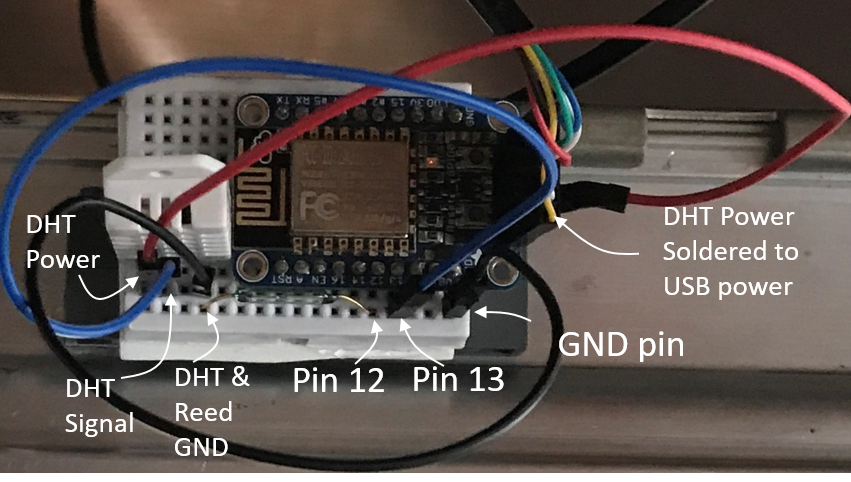
DHT wiring. DHT pinout can be found here: https://components101.com/sensors/dht22-pinout-specs-datasheet. I placed it next to the ESP8266 on a small breadboard. DHT ground pin connected to board ground with black wire. DHT signal pin connected to board pin 13 with blue wire. DHT power pin I had to connect directly to USB 5V output with red wire. The reason is that Adafruit ESP8266 doesn't have 5V output. I tested 3.3V output to power DHT-22 but it wasn't enough, there was no signal out. So I had to solder red wire to the USB 5V port. For a Huzzah breakout board powered with USB to TTL cable it was easy because you see the connection directly.
Reed switch wiring. Magnetic Reed switch is connected between Pin 12 and ground. Pin 12 is set as input pullup in the code, this means there is an internal resistor between 3.3V source and the pin. In this case, when switch is open (not conducting, magnet is away, door is closed), the pin is high. When the switch is closed (conducting, magnet is close, door is open) then there is current flowing through internal resistor and the pin is low, it's grounded.
Blynk App. After this I set up an account with Blynk app https://blynk.io/ . After searching online I found it being one of the easiest way to set up phone notification with wifi board. Blynk gives you a token for each project, which you need to put into your code to enable the communication (see code). The Blynk project screen shots are shown in a picture below.
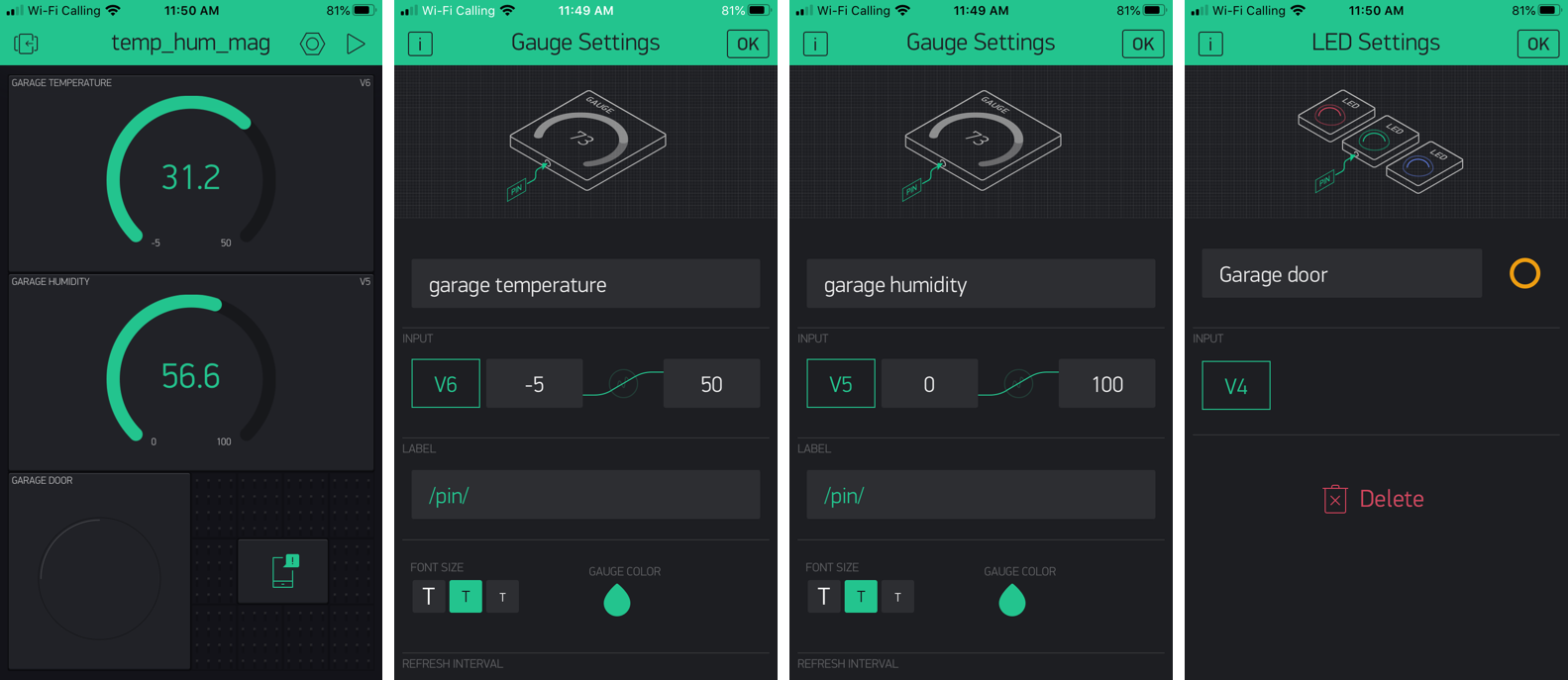
In the Blynk project (panel 1) I set up two "gauges" for garage temperature (set as virtual pin V6, panel 2, it's in Celcuis, we normally use it at home) and humidity (set as virtual pin V5, panel 3). Then I set LED to display whether Reed switch is open or closed (panel 4). In the code it is set that when magnet is close (door is open) LED is on, otherwise it is off. After this I also added notifications to Blynk project. In the code, the app sends notification every time the door status is changed.
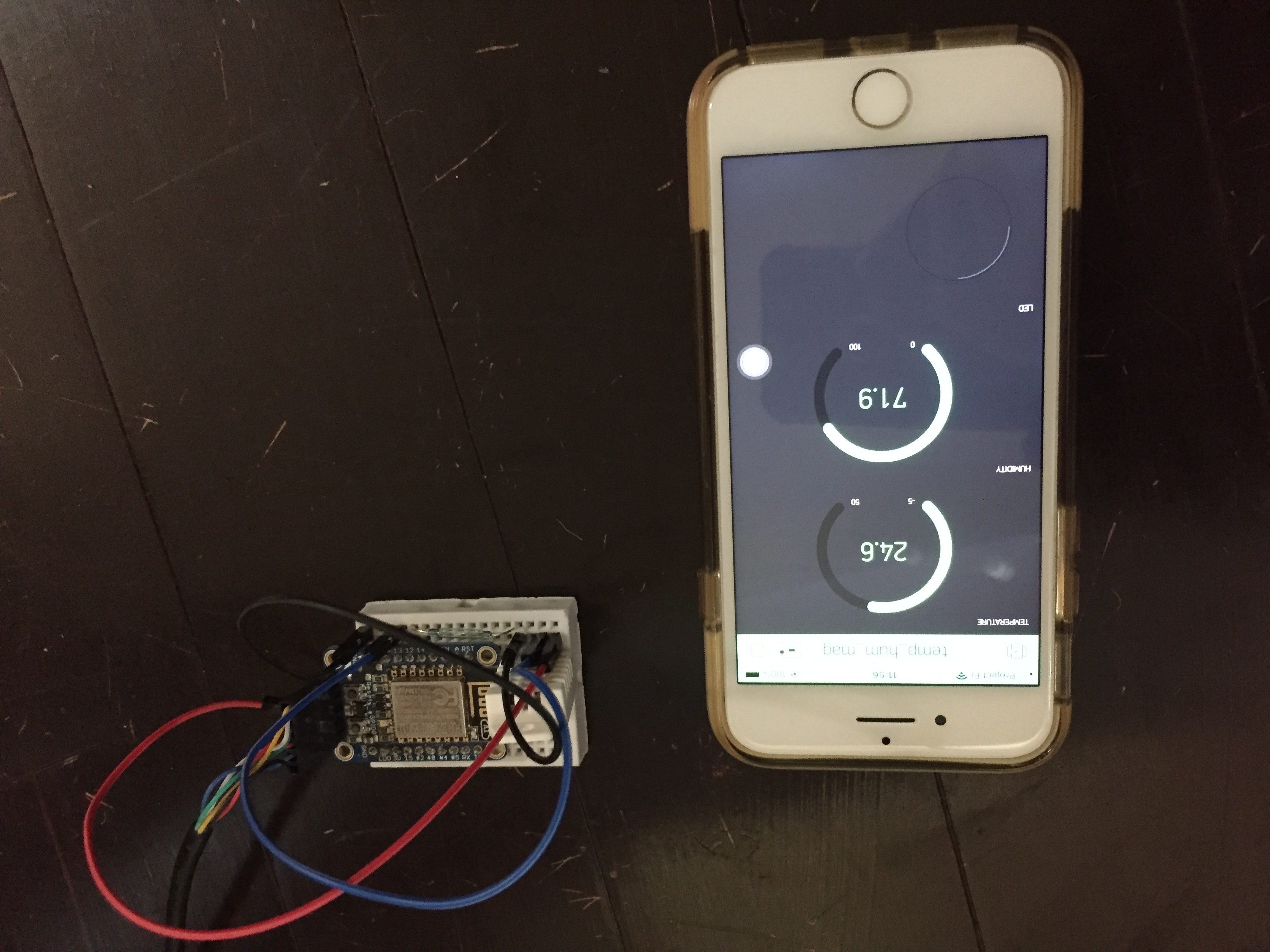
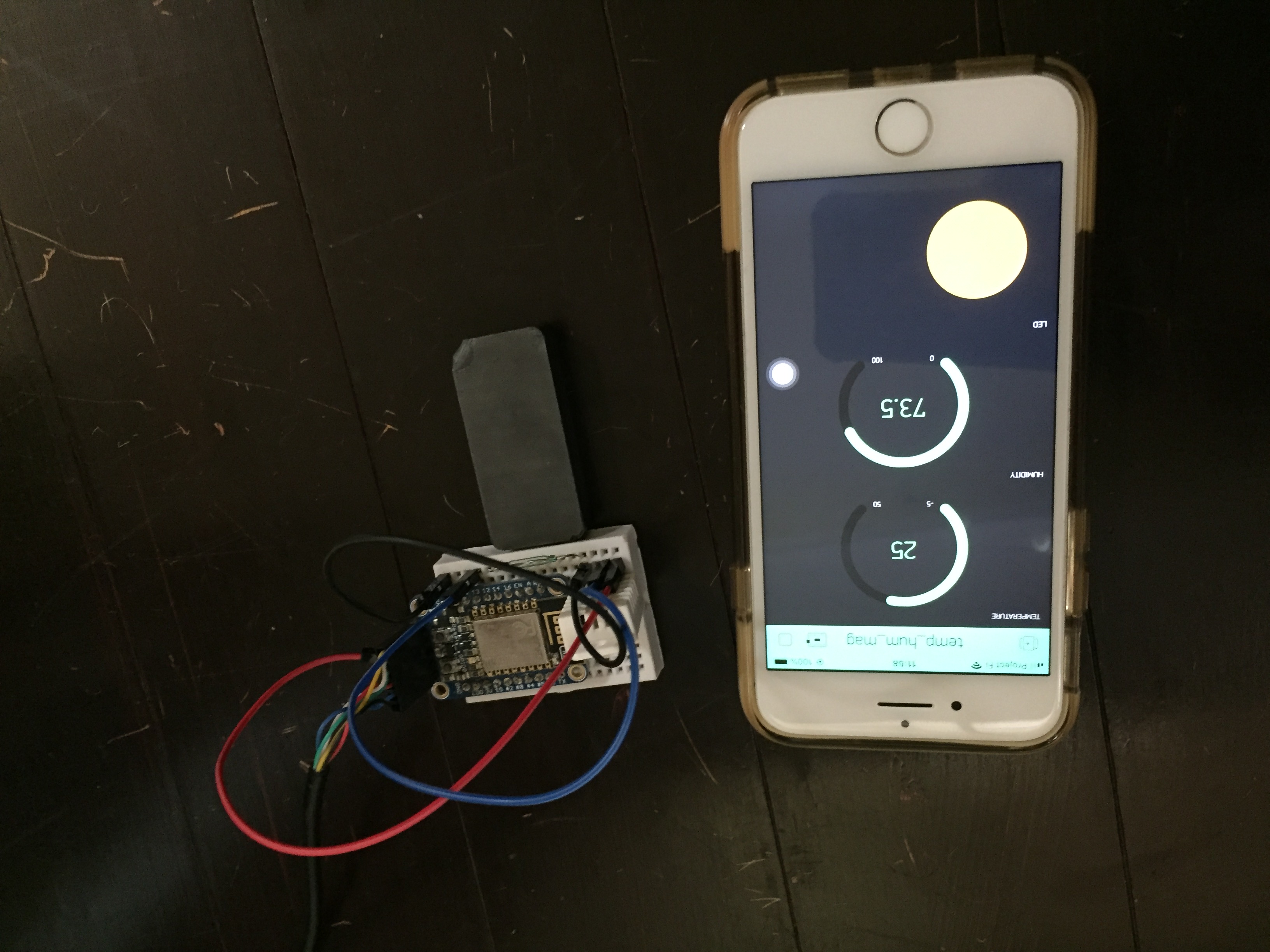
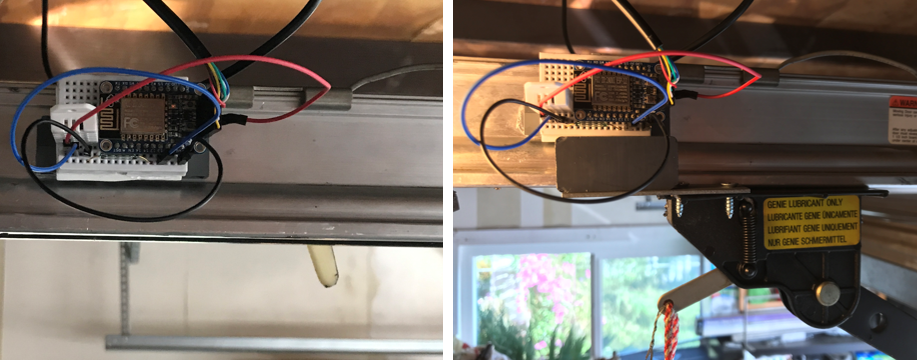
Mounting. The final step is to mount. I glued the breadboard directly to the garage motor rail. I screwed a metal piece to the door extension and put the magnet on it. In the picture below the door is closed on the left and open on the right:
Here are videos of the sensor in action:
That's about it. Now I can see when my garage door opens and closes without having to take a look.