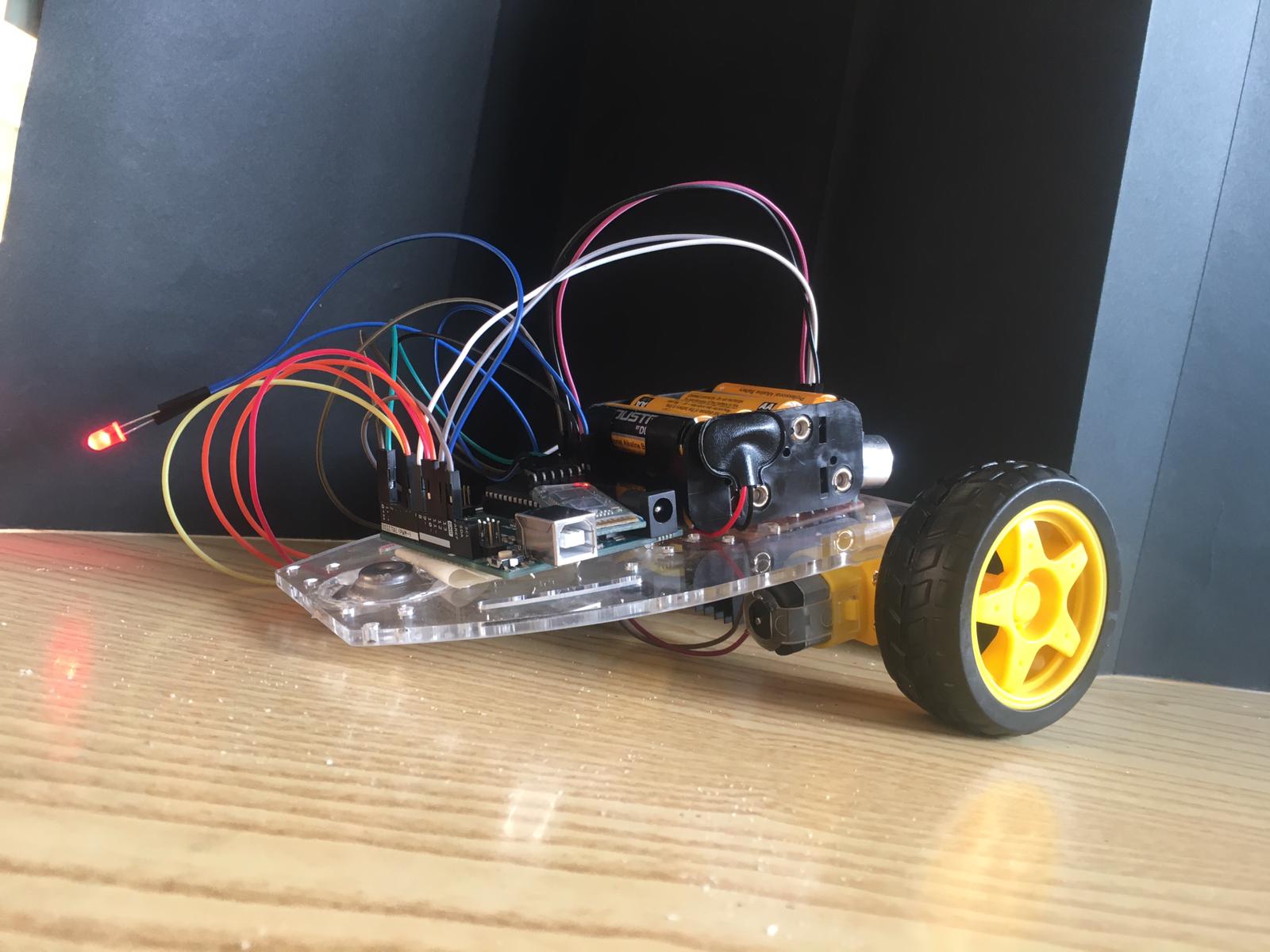
Smart Mobility: The GiocattolINO RC Concept
The GiocattolINO is more than just a toy car; it is a fundamental exploration into individual robotics, wireless communication, and mechanical design. Developed as an educational prototype, it transforms raw materials and hobbyist electronics into a high-torque, smartphone-controlled vehicle capable of navigating complex domestic environments.
Power and Torque: The L298N Drive System
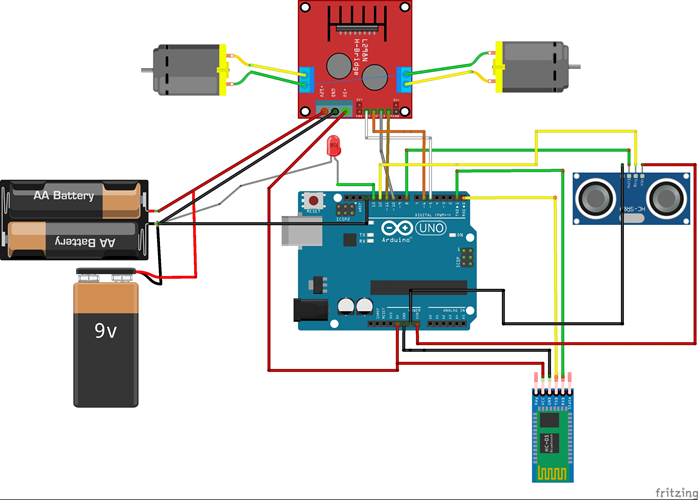
At the heart of GiocattolINO's mobility is the L298N Dual H-Bridge motor driver.
- Bi-directional Control: The H-bridge configuration allows the Arduino Uno to flip the polarity of the 12V DC motors instantly, enabling sharp turns and rapid reversals.
- Voltage Regulation: While the logic runs on the Arduino's 5V, the motors draw from a dedicated 8x AA battery bank. This dual-rail power supply ensures that the "noise" from the motors doesn't cause the microcontroller to crash during high-speed maneuvers.
Wireless Command: The HC-05 Serial Link
The project utilizes the HC-05 Bluetooth module to create a transparent serial bridge between the car and the pilot's smartphone.
- Data Packets: The "Arduino Bluetooth RC Car" app sends single-character packets (e.g., 'F' for Forward, 'B' for Backward).
- Latency Optimization: By using raw serial communication rather than complex mesh networking, the car responds with near-zero latency, providing a tactile and responsive driving experience.
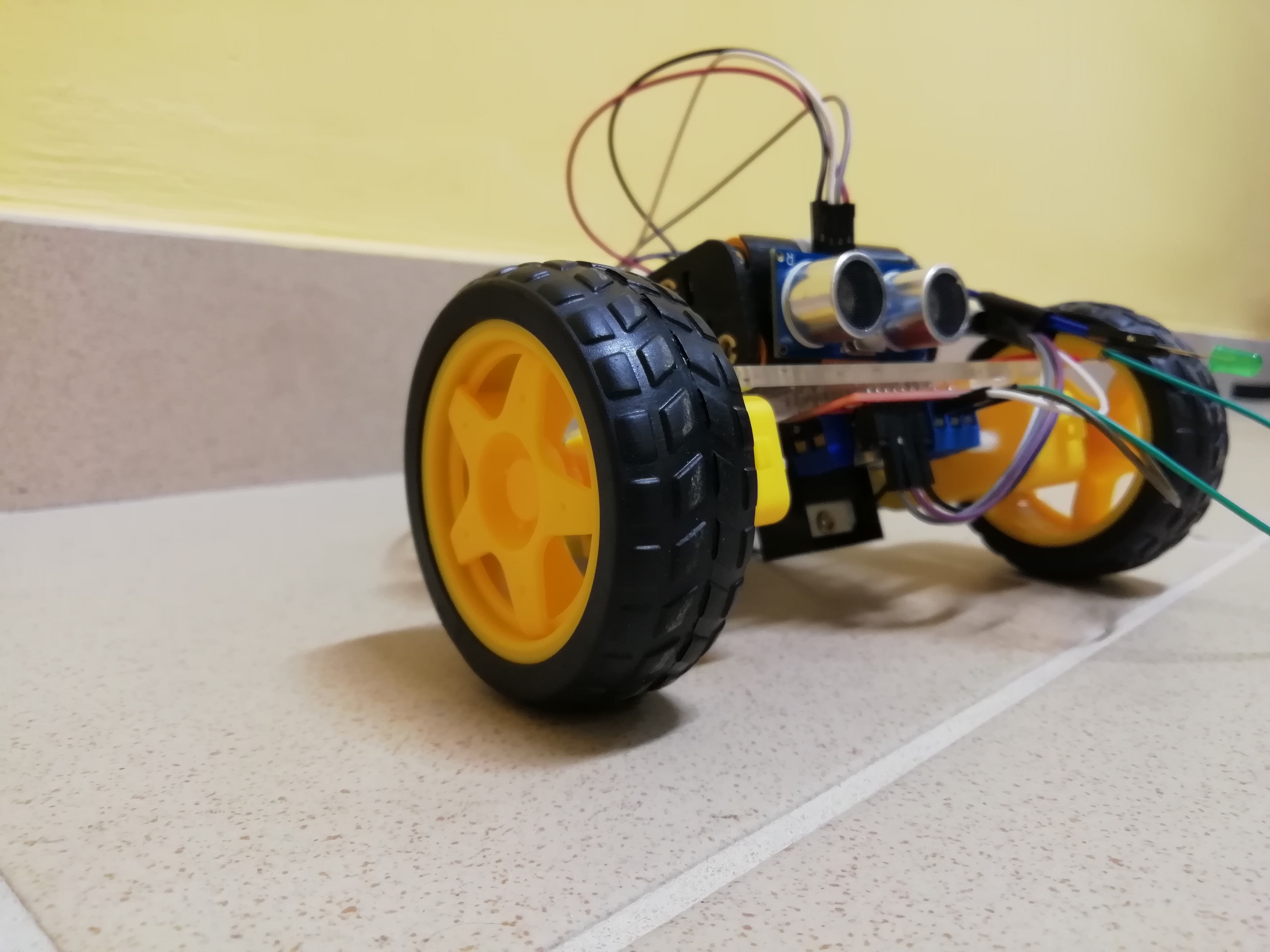
- Safety Perception: The HC-SR04 Ultrasonic sensor acts as a virtual bumper. If the car detects an obstacle within a critical distance, it triggers an on-board LED alert and the software can be programmed to override manual commands to prevent a collision.
Digital Fabrication: From Fusion 360 to Laser Cutting
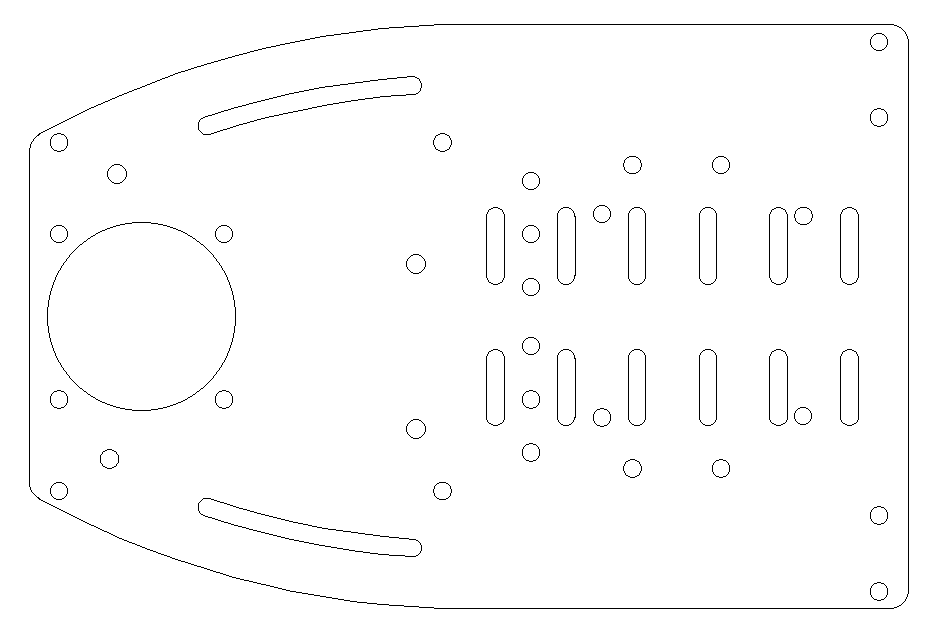
The structural integrity of GiocattolINO comes from its custom-designed chassis, engineered in Fusion 360.
- Iterative Prototyping: The base was modeled to ensure perfect alignment of the motor brackets and weight distribution.
- Precision Manufacturing: The final design was exported for Laser Cutting, resulting in a chassis that is both lightweight and structurally rigid.
- Assembly: Components are secured using a combination of precision screws and hot glue for vibration dampening, ensuring the electronics remain secure even during outdoor use.
Arduino Project: GiocattolINO
INTRODUCTION
In this report, It will be shown how to create Giocattolino. It’s about a remote-bluetooth controlled car with the Arduino board and some raw materials.
OBJECTIVE
Before talking about the project, it’s necessary to spend a few words about features that we had to follow:
- Use an Arduino board (UNO, Leonardo, 101);
- Use an input sensor;
- Use at least one interfacing output
- Use at least one device, which wasn’t explained at lessons
- Create a project that can solve a problem in general.
PROCESS SOLUTION
Step 1 – The Idea
In order to make GiocattolINO, it’s necessary to follow some phases: at first, find the idea; It’s always difficult to create something that is going to be useful into our life. In this case, Giocattolino’s objective could be very easy: to let play everyone who wants to have fun during his/her free time.
Step 2 – Key elements
It’s time to write the bulleted list, where there are all the materials needed. Then, it’s recommended to learn about the function of the sensor (HC-05) which is going to be used, but, thanks to some research on the internet, it will be easy to handle it.
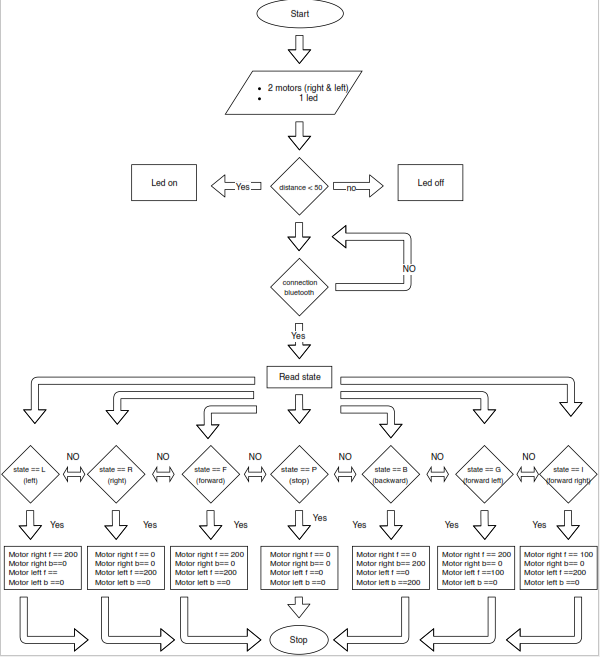
Step3 - Flowchart
Step4 – Sketch
The sketch is an Arduino program where the operator writes, following a specific language code, what the prototype has to do. Thanks to this operation, we will interact with GioacttolINO which is connected to Arduino.
Step5 - Design
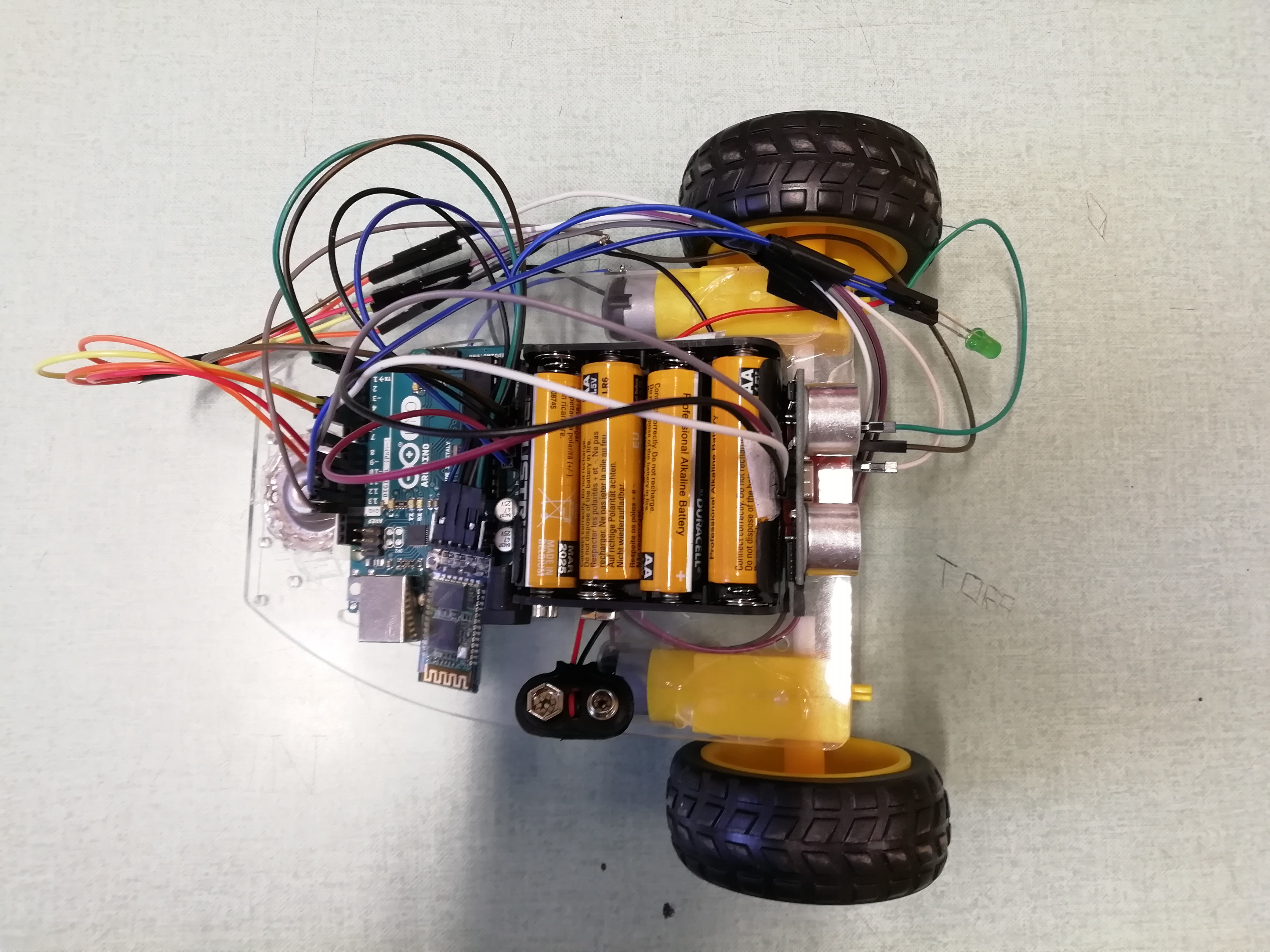
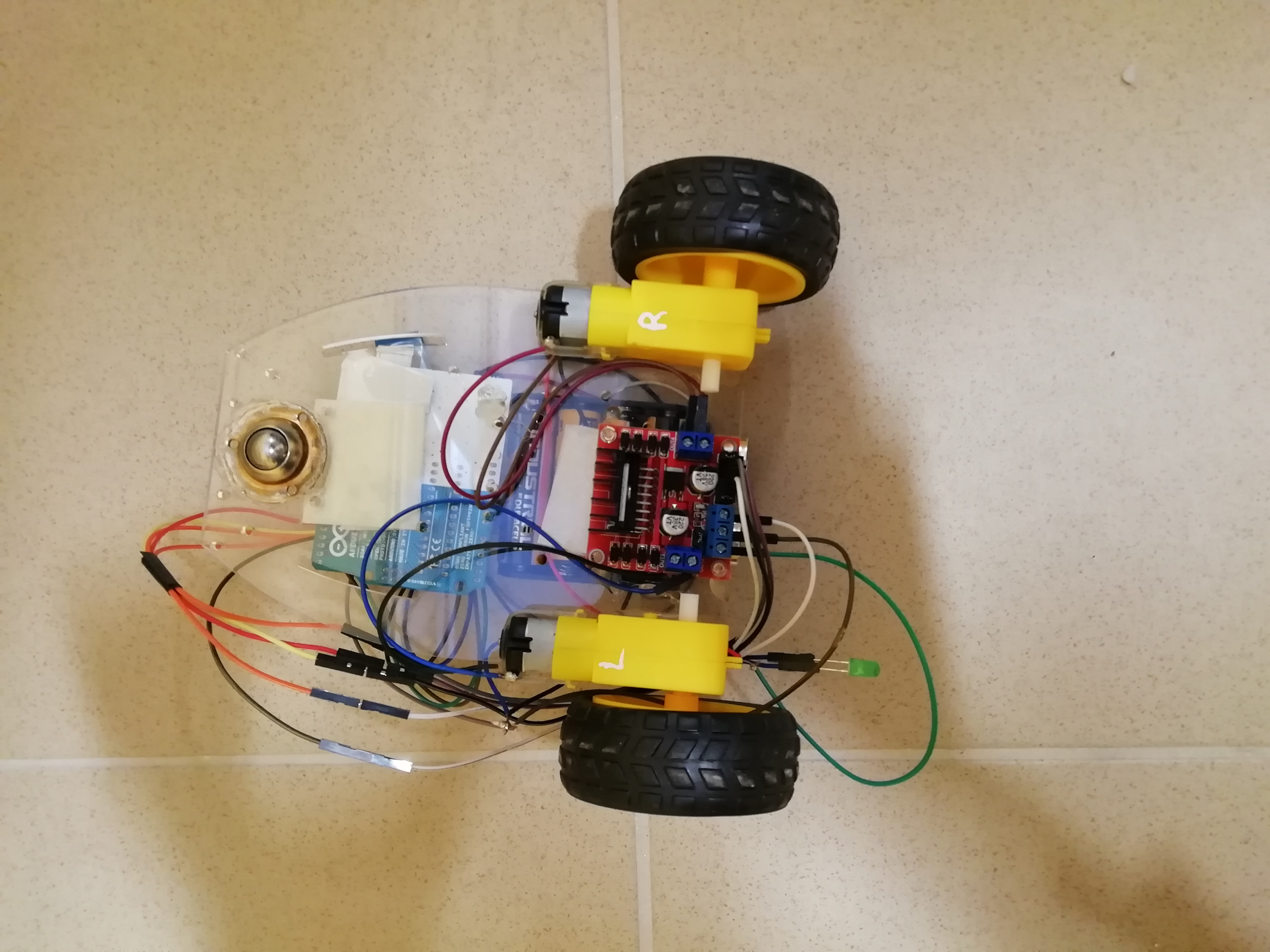
After this process, it’s necessary to draw the car base. It’s entirely designed on Autocad. Then you have to assemble the structure with the wheels and the other components, you can use a simple glue or if you want to have a strong structure, you can use hot glue.
Step 6- Electrical connection
CONCLUSION
How does it work?
GiocattolINO moves forward, backward, turn right or left thanks to a smartphone, or better, an app. When we want to play with it, we will suffice to open the app, link the telephone with the HC-05 module. The app will be sending the controlling data packets to the Bluetooth module, and the game is done! Meanwhile, when the car reaches a physical obstacle, the led will light up.