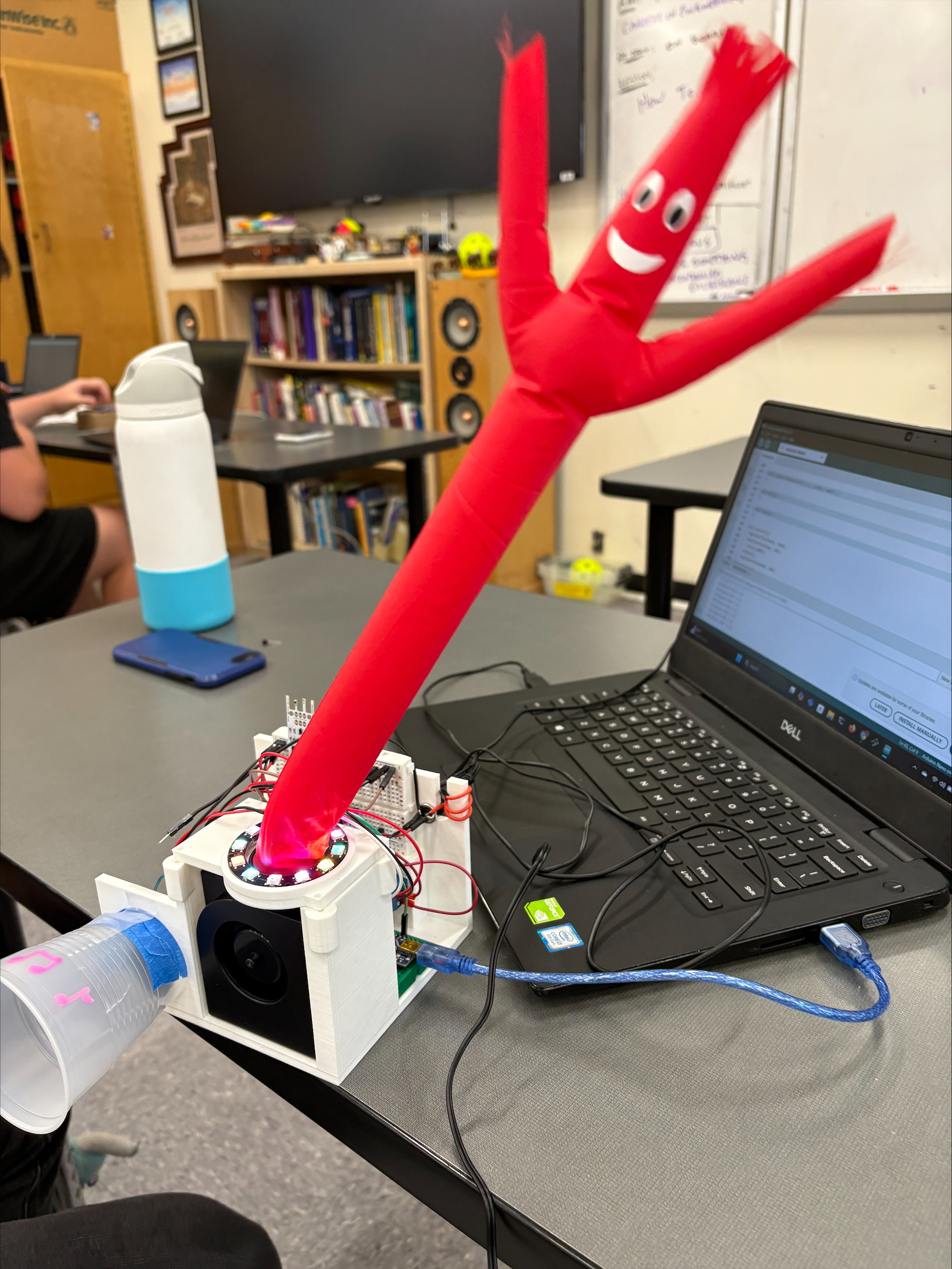
This inflatable tube man serves as a fun decoration or interactive game. When the wind sensor detects a certain amount of wind being blown on it, the tube man to fully inflate and he will have a nice concert to thank you with lights, music, and dancing!
This project requires knowledge of crimping and soldering in order to make the parts functional.
Air Pressure Actuation: The Dancing Tube Guy
The Inflatable Tube Guy Concert is a hilarious desk toy project. It abandons rigid servos and gears, utilizing air pressure mapping and soft robotics to create life-like, erratic dancing movements perfectly synchronized to loud music.
Pumping the Pulse Width Modulation (PWM)
The "dancing" is achieved by rapidly altering the air pressure inside a thin plastic tube (like a garbage bag) mounted atop a high-speed fan.
- The Setup: You attach an N-Channel MOSFET (like the IRLZ44N) between a 12V PC cooling fan/blower and a 12V power supply. The Arduino gate pin is connected to the MOSFET.
- The Audio Sensor: A MAX4466 Microphone converts the pounding bass drum of the music playing in the room into an analog voltage spike.
- The Air Pulse: When the Arduino detects the bass spike, it instantly sends
analogWrite(fanPin, 255)(100% speed), blowing massive air into the tube, making him stand straight up! - The Drop: As the music quiets between beats,
analogWrite(fanPin, 100)drops the fan to 30%, decreasing air pressure so the tube collapses dynamically, creating the iconic "Flailing" effect!
Required Materials
- Arduino Uno/Nano: The processor.
- Microphone Sound Sensor (MAX4466 recommended).
- Logic Level MOSFET (IRLZ44N or TIP120 transistor): To handle the high 12V fan current.
- 12V High-RPM PC Server Fan or Blower.
- 12V Power Supply.
- A thin plastic bag cut into a tube, with holes cut in the arms to vent air out.
Sound Module:
We replaced the button that came with the module with a transistor to activate it without manual input. The circuit is shown below:
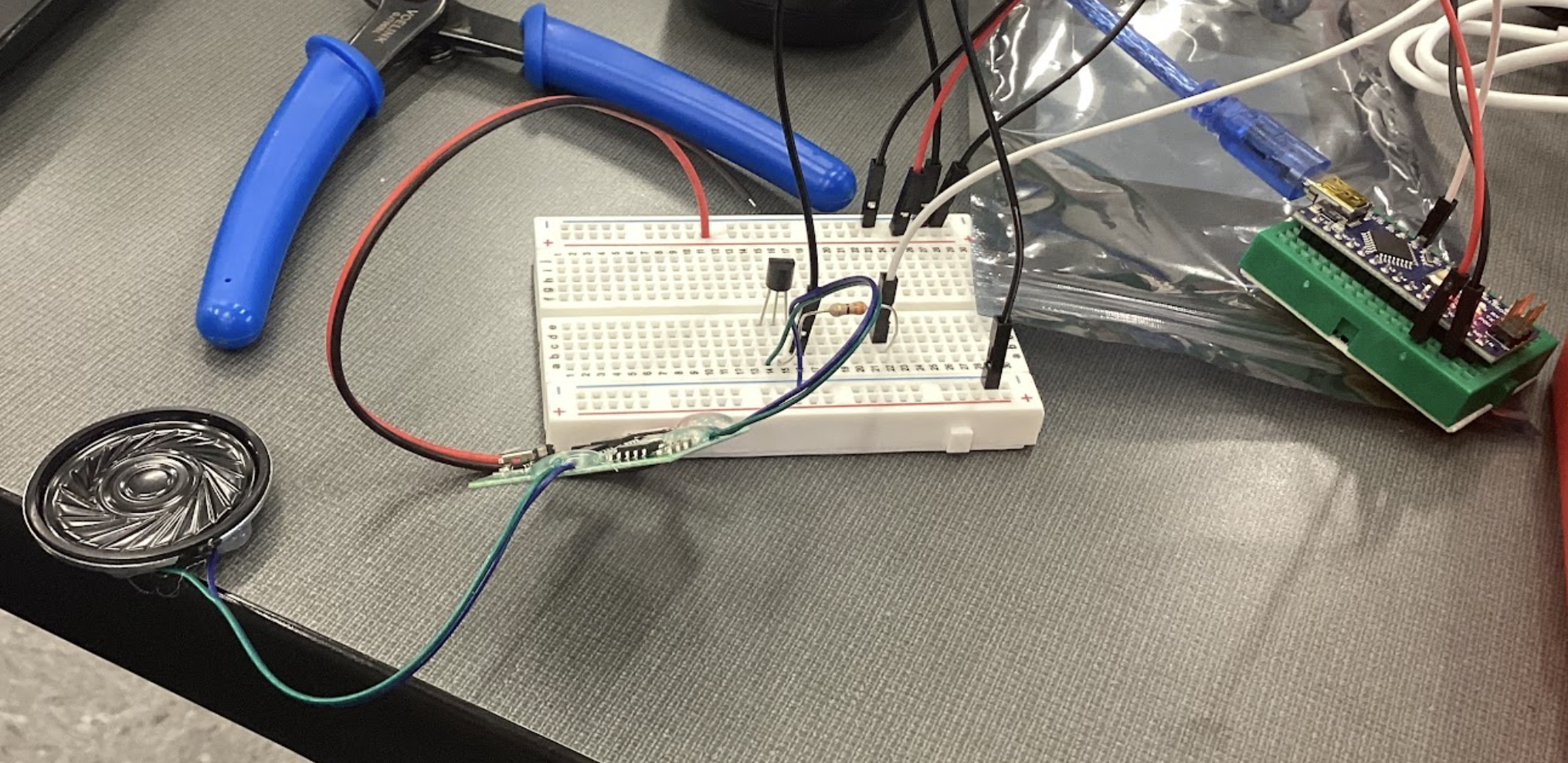
The song was uploaded into the microSD card and we made it so it would play for 10 seconds long.
NeoPixel LED Ring:
The ring was connected to a digital pin on the Nano. The circuit is shown below:
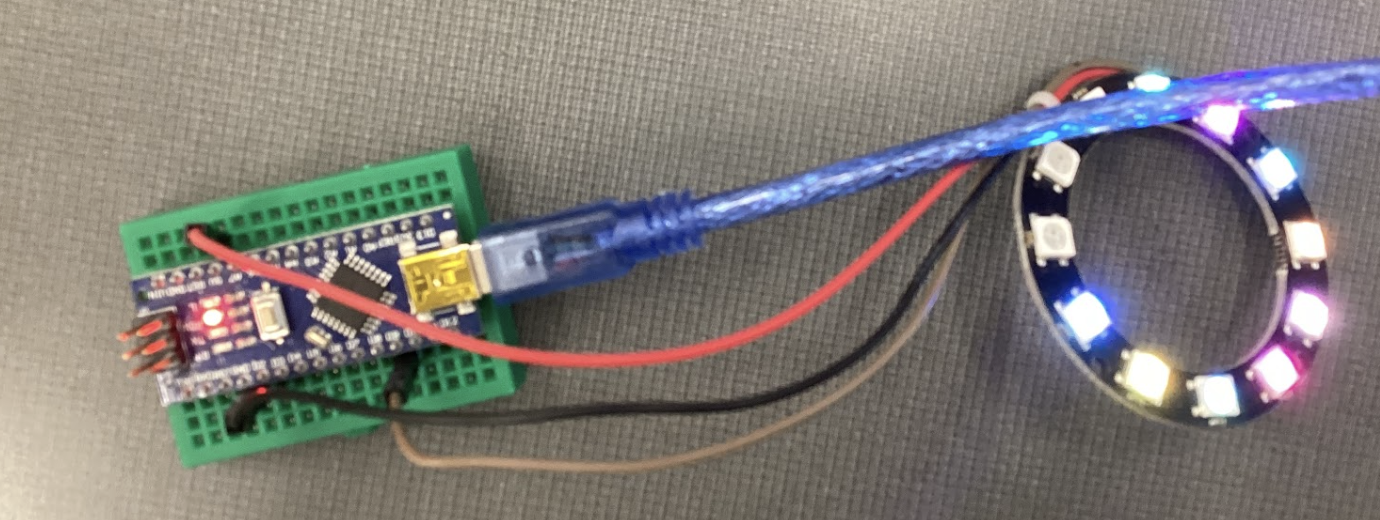
We programmed the lights to play out for 10 seconds long. This way it would be synced to the sound during the concert. We borrowed pieces of code from the following sources:
- https://github.com/adafruit/Adafruit_NeoPixel/blob/master/examples/strandtest_wheel/strandtest_wheel.ino
- https://medium.com/@elonskolnik/arduino-uno-tutorial-neopixel-ring-setup-9fafc099c89a
Tabletop Inflatable Tube Man:
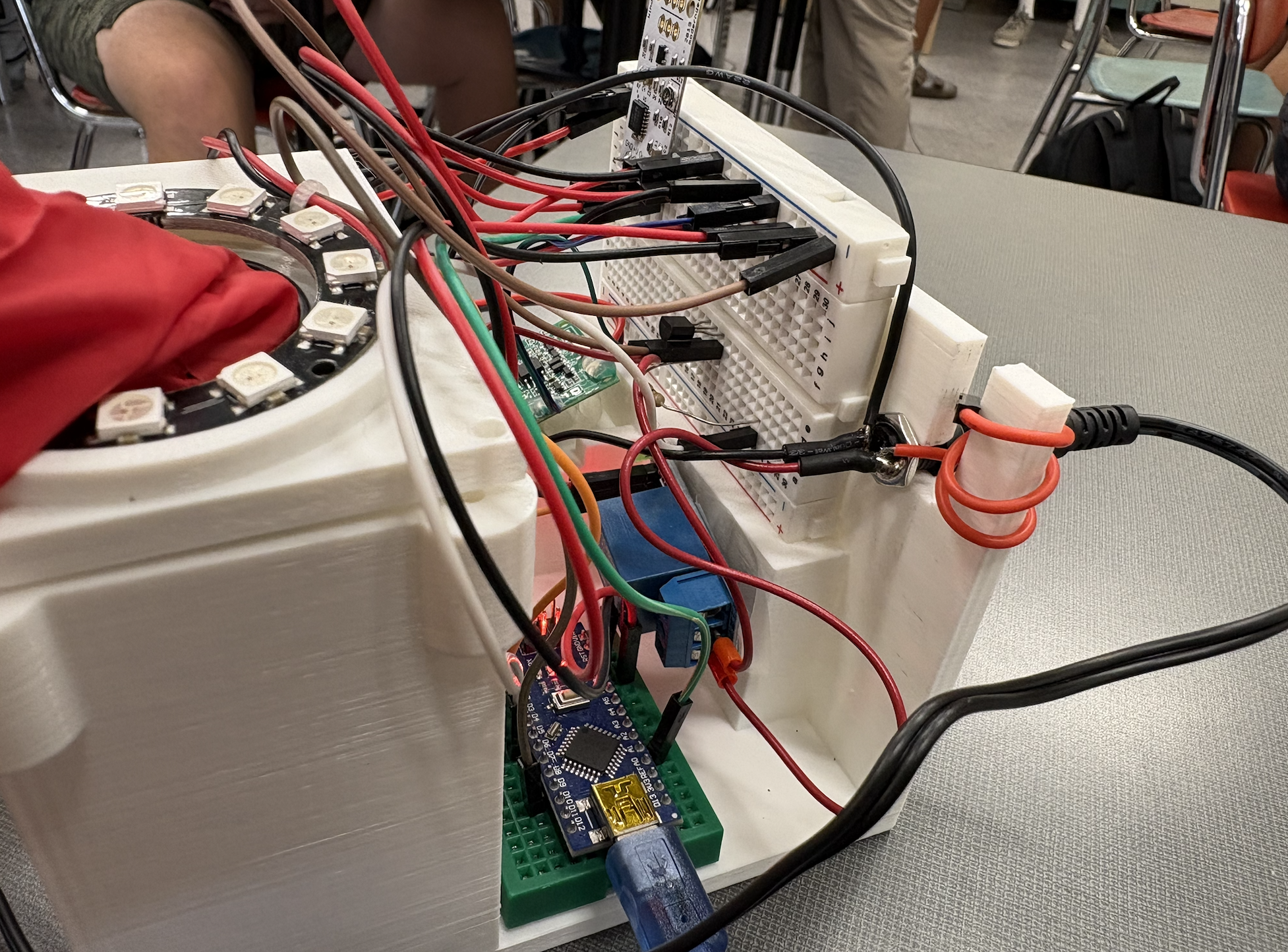
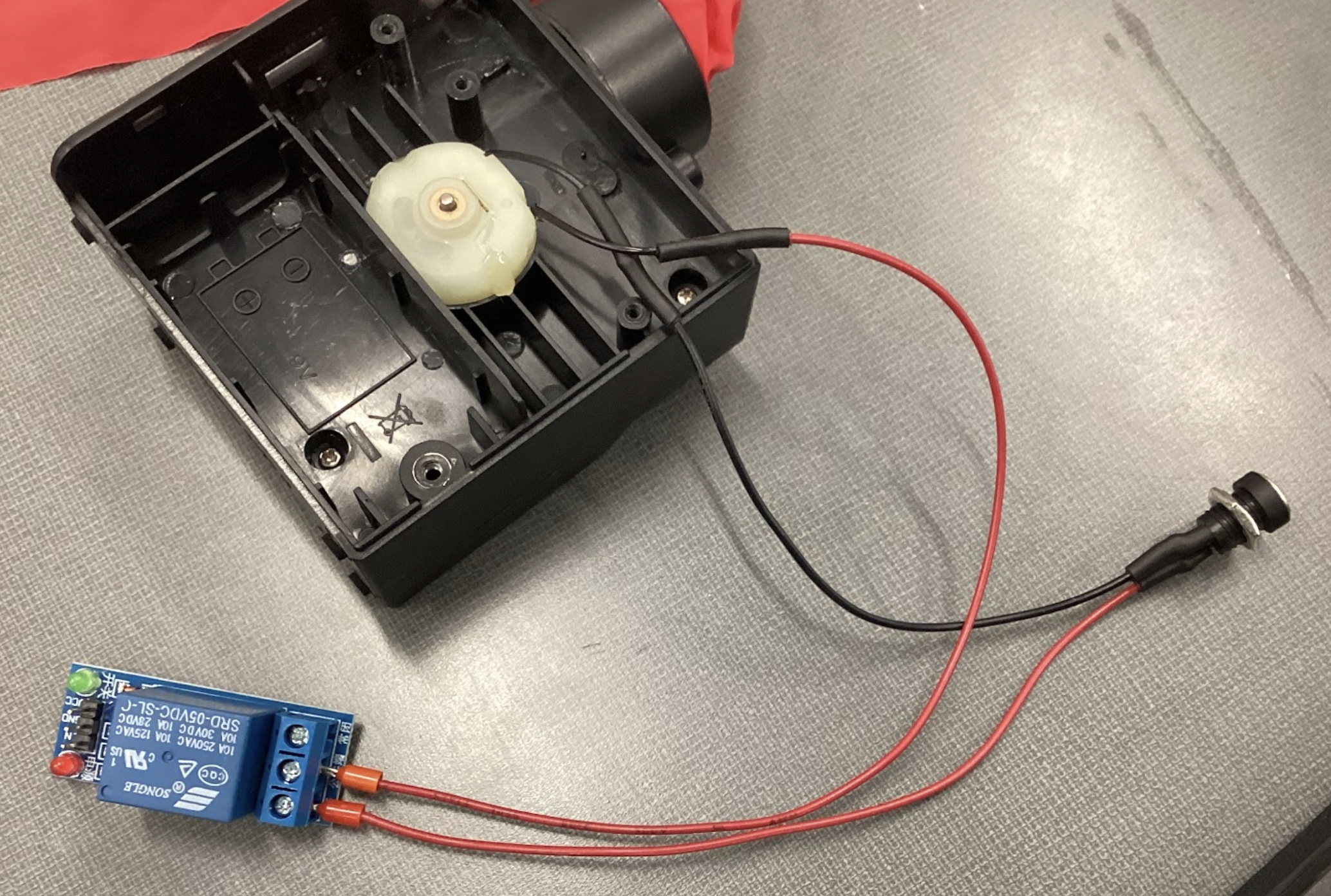
The toy we had required hacking in order to use it for the project. You will have to open the back to access the fan directly. Initially, the fan will be activated manually by a switch. We took this switch out and instead connected the fan’s wires to a female barrel plug and mechanical relay switch, since the fan cannot be powered by the Nano. Before soldering the wires you will need to figure out which point of the fan is ground and VIn. We did this with an external power source, The ground wire connects to the barrel plug, while the VIn wire connects to the relay. The circuit is shown below:
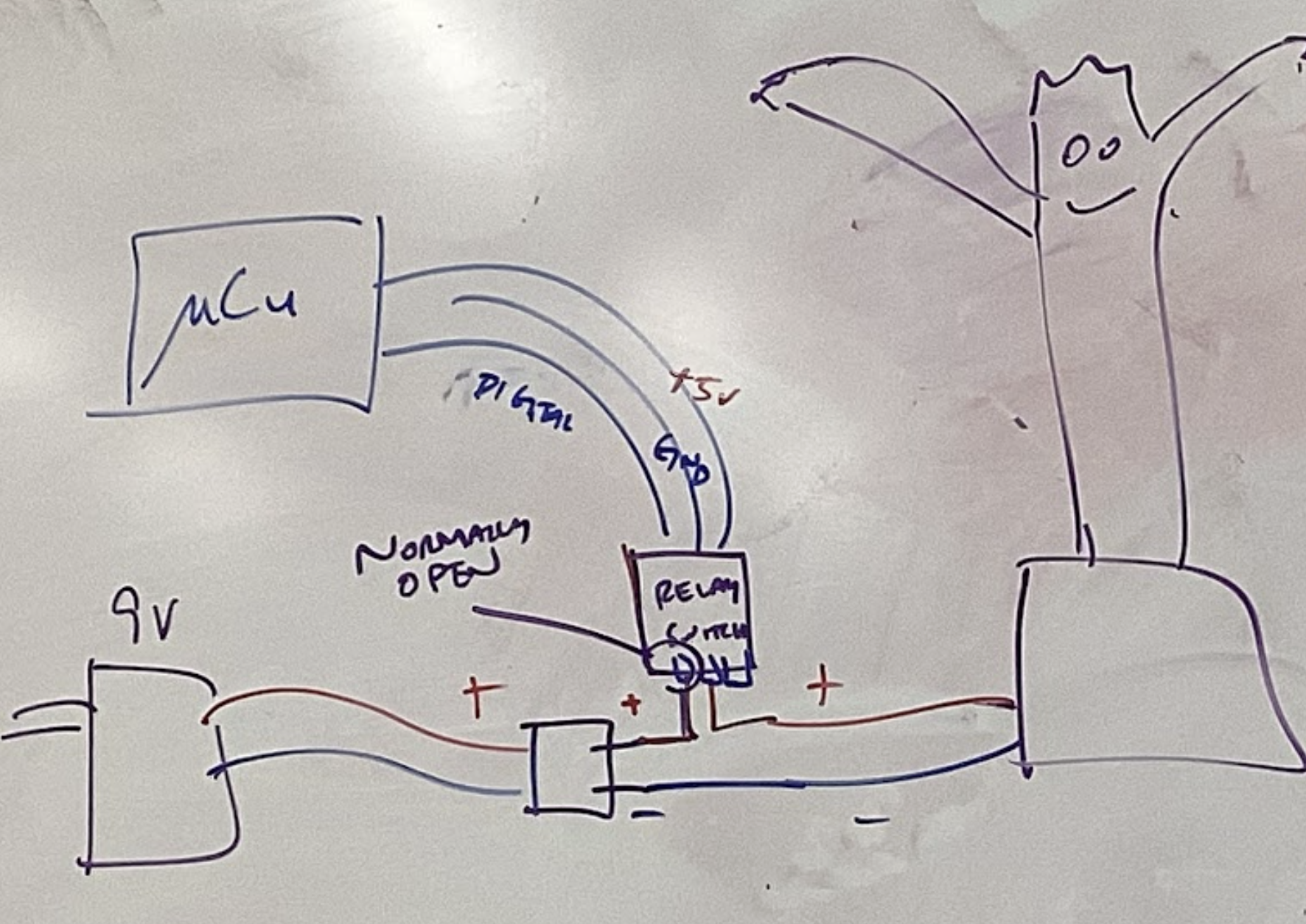
The fan was also programmed to run for 10 seconds so it could dance during the concert. Depending on how you set up the relay switch the signal will be LOW or HIGH. For our project, the fan activated with a LOW signal.
Wind Sensor:
The wind sensor will need pins to be soldered to it:
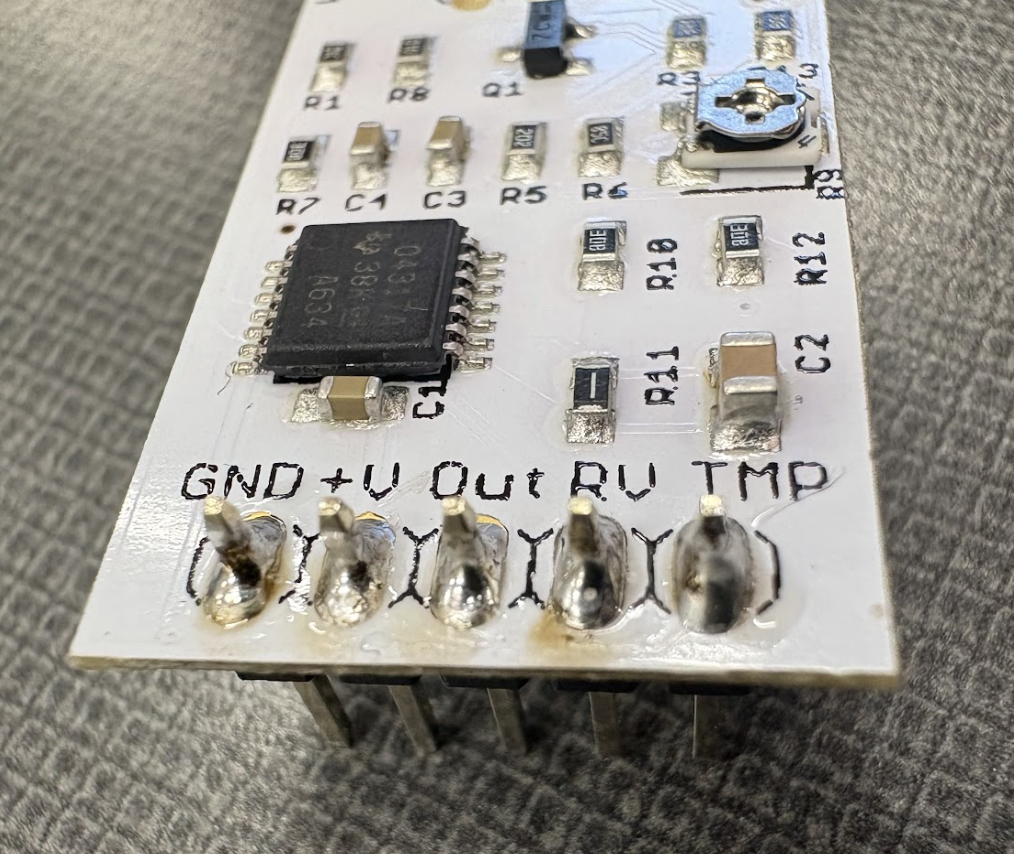
The circuit is shown below:
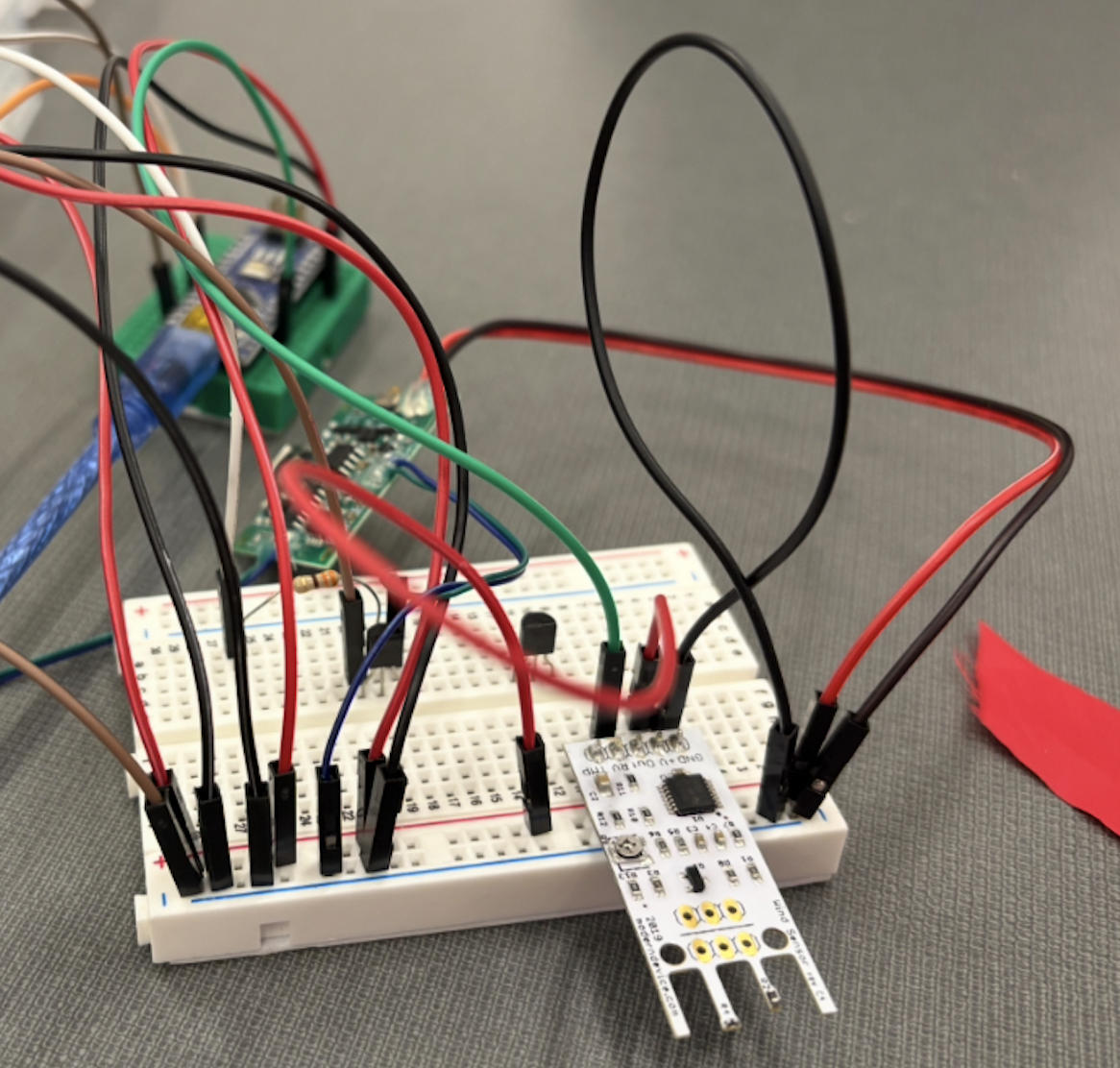
Some code was borrowed from the following source in order to measure wind speeds: https://github.com/moderndevice/Wind_Sensor/blob/master/WindSensor/WindSensor.ino
When the wind sensor detects a certain speed, we made ours 10 mph, it will activate the concert. It will stop measuring during these 10 seconds and then resume afterwards so that it could be activated again.
Assembly:
We assembled our project with the help of a 3D printed structure made on Fusion360:
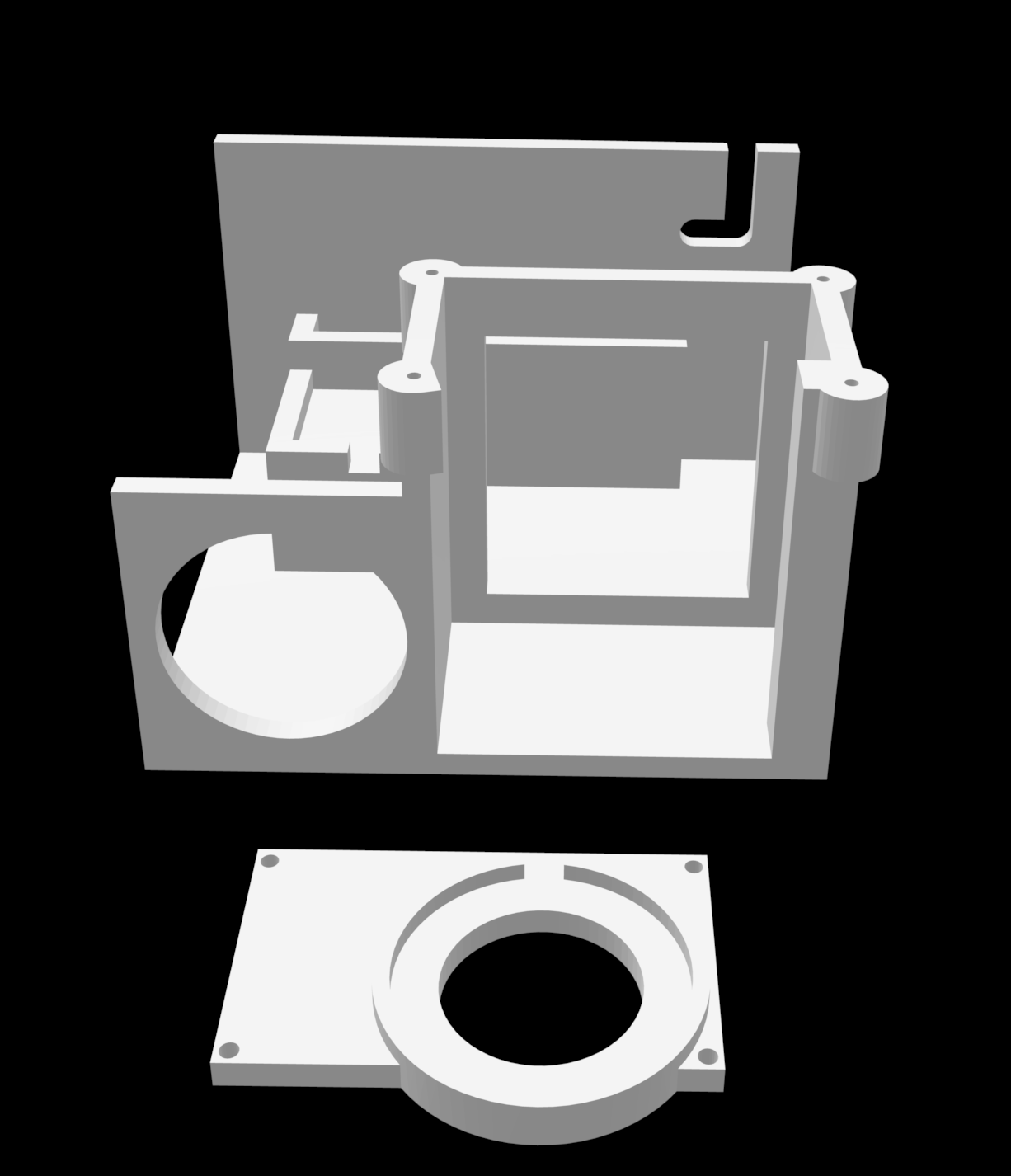
Our breadboards had a sticky back to it making it easy to stick to the structure. We added a plastic cup around our speaker to amplify the sound. The NeoPixel LED Ring rests atop the inflatable tube guy in its designated area. The relay switch and sound module board are taped to the structure.