Practical Automation: The Kitchen Timer
The Arduino Kitchen Timer is a project that transitions directly from the workbench to immediate household use. It is robust, easy to operate, and provides a clear, bright digital readout utilizing the classic TM1637 7-segment display module.
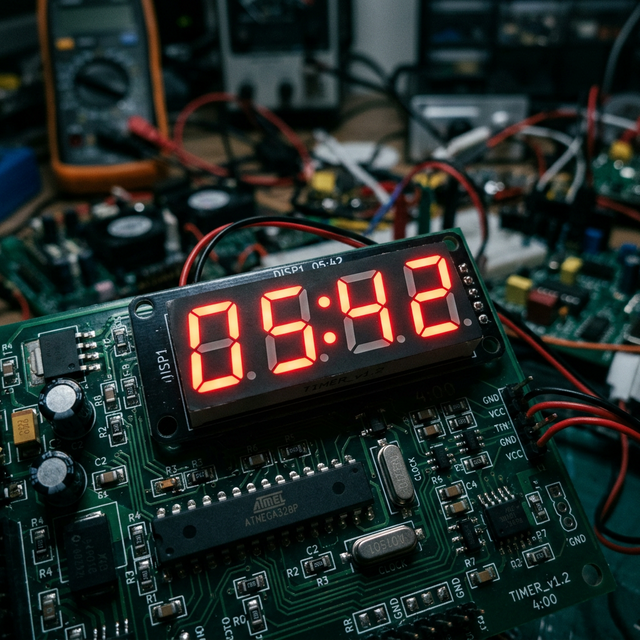
The TM1637 Shift Mechanism
Controlling 4 digits (28 individual LEDs) requires a lot of wires. The TM1637 module has a dedicated chip on the back that handles all the heavy lifting.
- It uses only 2 data pins (
DIOandCLK). - You load the
TM1637Display.hlibrary. - Instead of calculating logic gates manually, you just type
display.showNumberDecEx(1230, 0b01000000, true);to instantly print 12:30 on the display (complete with the blinking colon in the center!).
The State Machine (Menubuilding)
The code relies on three main states:
- Setting Mode: The user turns a rotary encoder (or presses Up/Down) to set the starting minutes. The display updates live.
- Countdown Mode: Upon pressing "Start," the variable decreases by 1 every second. Math functions (Modulo
% 60) convert raw seconds into a Minutes:Seconds format. - Alarm Mode: When the variable hits zero, a Piezo buzzer sounds an aggressive, looping alarm until the user hits the "Stop" button.
Hardware Needed
- Arduino Uno/Nano.
- TM1637 4-Digit Display Display.
- Push Buttons (x3) or 1 Rotary Encoder.
- Active 5V Buzzer.