This project is about getting the exact position of an object in a prescribed space. Then using those coordinates to operate other robots proportionally.
I got the inspiration to make this from the touchpad of the laptop. As the touchpad gives the location of the touch, similarly this system should give the coordinates of the finger/object in the area.
Each ultrasonic sensor can detect an object placed in front of it & provide its distance. It has two ultrasonic sensors placed 90° to each other. They both provide the distance. The system acts like graph paper, where both the sensors are on the x & y-axis respectively. Thus providing the exact coordinate of the object/finger.
Technical Implementation: Triangulation and Coordinate Mapping
The project reveals the hidden layers of simple sensing-to-coordinate interaction:
- Identification layer: Dual HC-SR04 Sensors act as high-resolution spatial eyes, measuring the X and Y coordinates via microsecond echo timing.
- Conversion layer: The system uses 4 digital Pins (Triggers/Echoes) to receive high-speed PWM pulses for mission-critical sensing tasks.
- Processing Logic: The Arduino code follows a "coordinate-dispatch" strategy: it interprets the ultrasonic distances and maps them to screen or operational coordinates (e.g., 0-1920, 0-1080) to provide proportional control.
- Communication Dialogue Loop: Coordinate codes are sent rhythmically to the Serial Monitor during initial calibration for status checking.
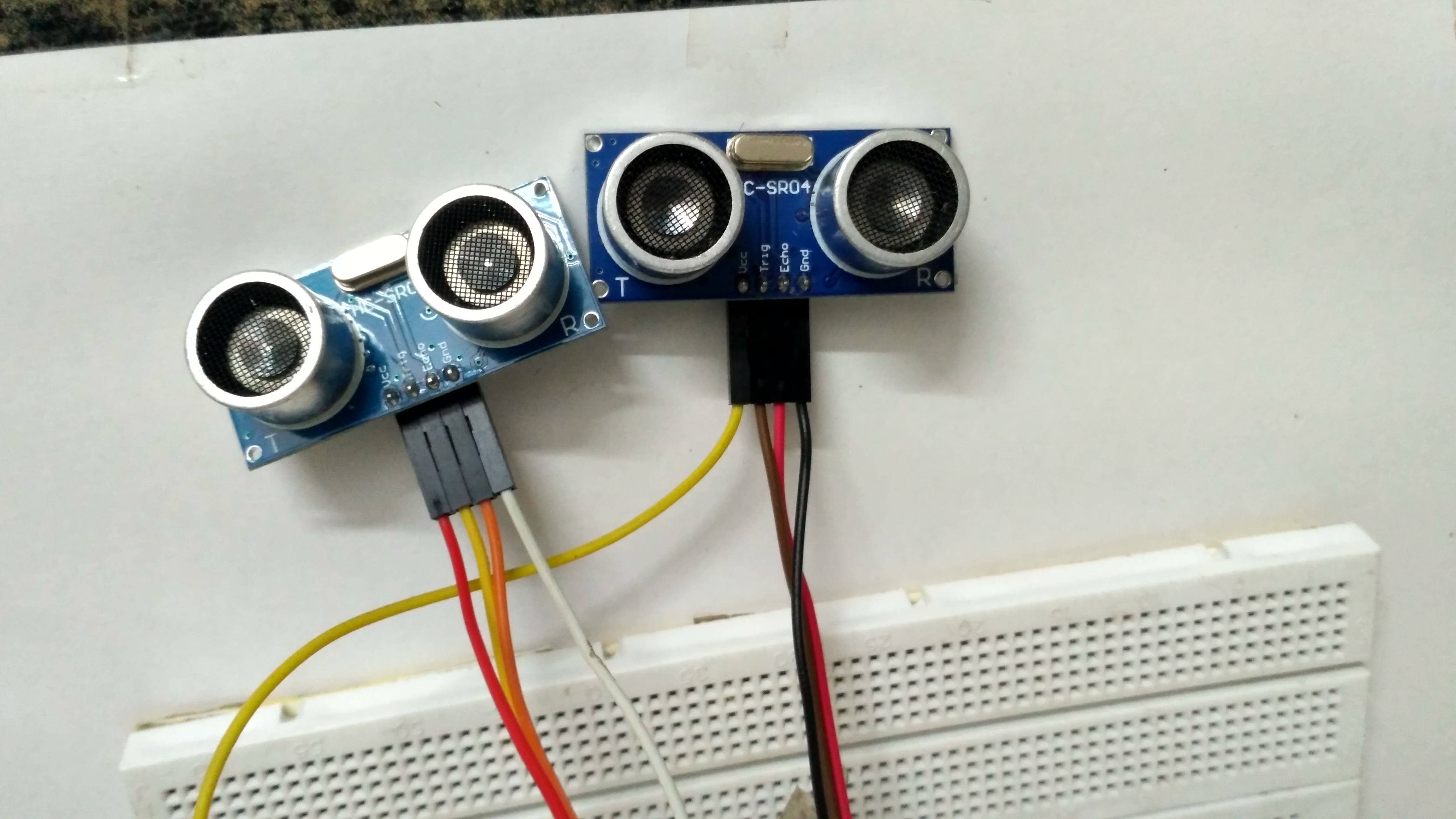
It requires two ultrasonic sensors.
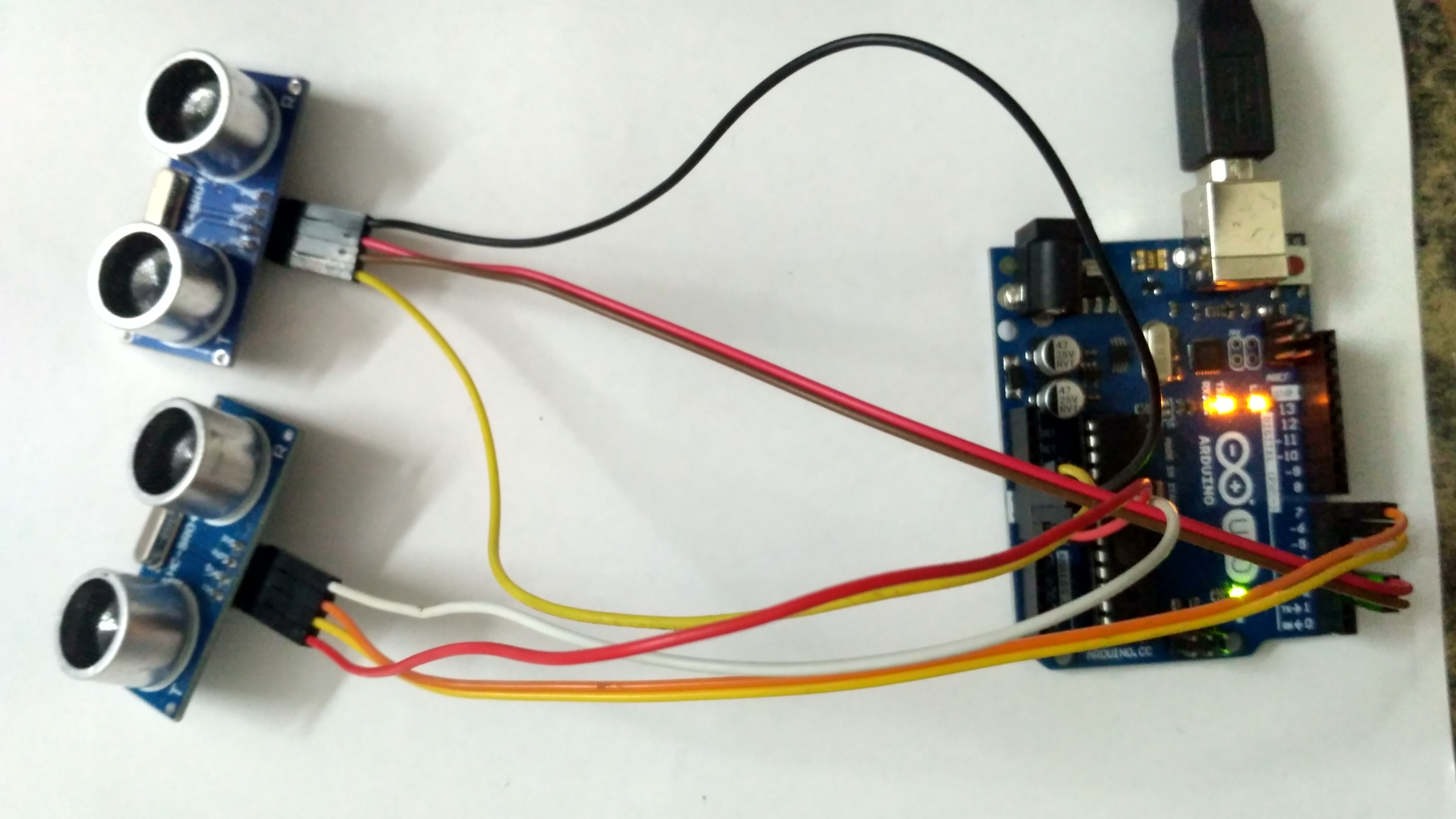
These sensors need to be interfaced with Arduino Uno.

The sensors must be 90° from one another. So we mounted them inside a cardboard box.
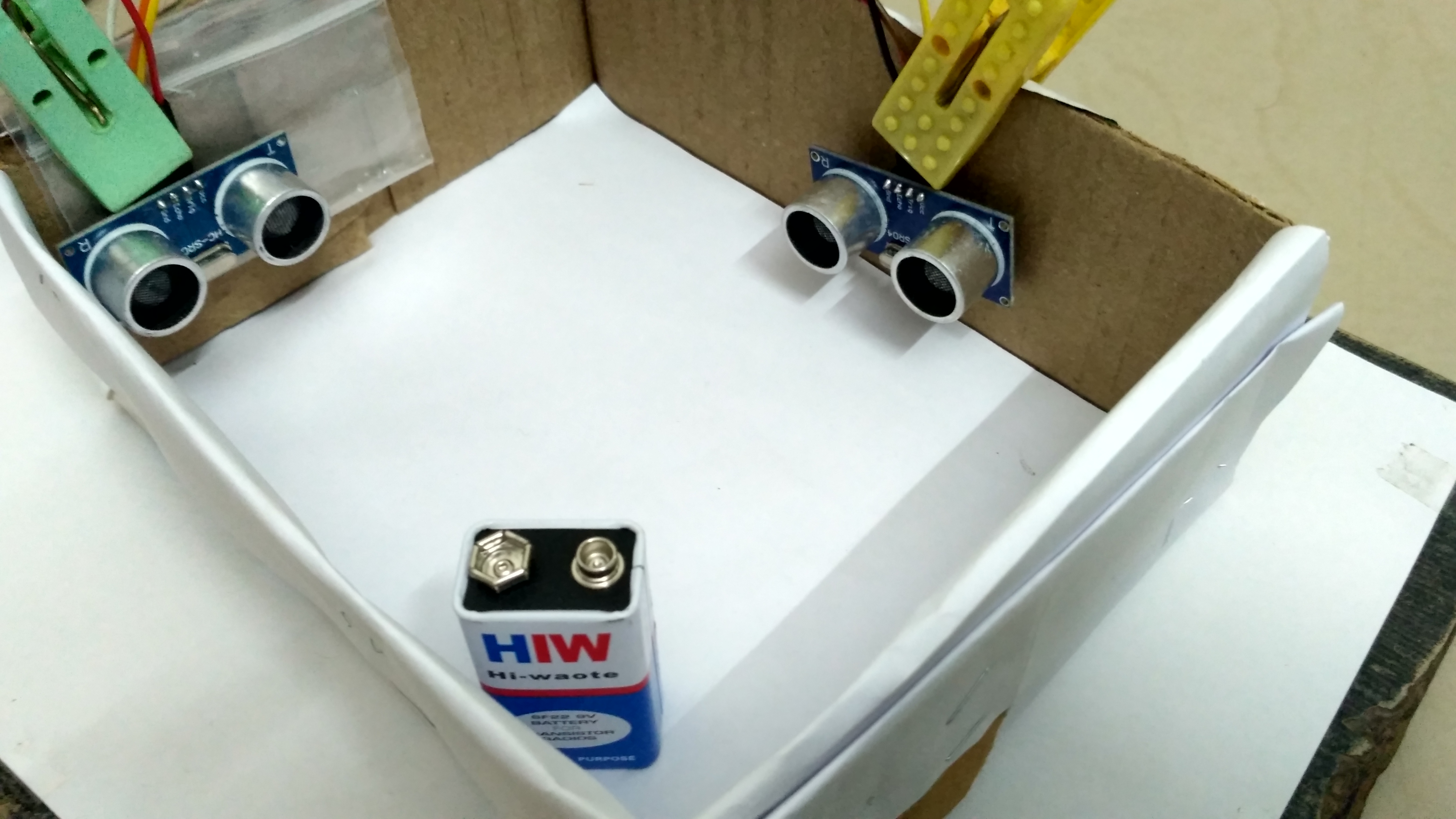
We used the battery as an object to be detected.
We were successfully getting the coordinates. It wasn't accurate because the sensors are not made for this.
Hardware Infrastructure
- Arduino Uno: The "brain" of the project, managing the multi-directional sensor sampling and coordinate calculation.
- HC-SR04 Sensors (x2): Providing a clear and reliable "Measuring Link" for each point on the touchless surface.
- Breadboard: A convenient way to prototype the input-electronics circuit and connect all components without soldering.
- USB Cable: Essential for programming the Arduino and providing a data path for serial communication.
System Operation Step-by-Step
The coordinate detection process is designed to be efficient:
- Initialize Workspace: Correctly set your sensors inside your detection frame at a 90-degree angle, as shown in the images above, and connect them properly to the Arduino pins.
- Setup Sensing Logic: In the Arduino sketch, define the sensing range (e.g., 2cm to 30cm) in the
setup()function. - Internal Dialogue Loop: The system constantly performs temporal checks, reads distances from both sensors, and calculates the X, Y coordinate in real-time.
- Data Feedback Integration: The calculated coordinates are sent to the Serial Monitor, providing live feedback on the object's position.
Future Expansion
- OLED Identity Dashboard Integration: Add a small OLED display on the side to show live coordinates or system status.
- Multi-sensor Array Synchronization: Connect additional sensors to expand the detection area or improve accuracy.
- Cloud Interface Registration Support: Add a specialized web-dashboard over WiFi/BT to precisely track and log the total input history.
- Advanced Velocity Profile Customization: Implement logic to calculate not just position, but also the speed and direction of a moving object.
This Ultrasonic Coordinate Finder is a perfect project for any science enthusiast looking for a more interactive and engaging input tool!
[!IMPORTANT] The Ultrasonic Sensors require an accurate triangulation mapping offset in the code; always ensure you have an appropriate Fail-Safe flag in the loop if the sensor overloads or loses signal!