Smart Entrances: The IOT Door Monitor
The Monitoring Door via Blynk project is a clean and effective entry point into Home Automation. Instead of bulky, expensive commercial security sets, this project uses the compact Wemos D1 R2 to create a custom notification system. Whether you want to know if a child has opened a restricted cabinet or if a delivery person has left your front door ajar, this device provides a silent, wireless eyes-on-the-ground solution.
Hardware Focus: The ESP8266 and Reed Switch
The technical heart of the system rests on two simple principles:
- WiFi Connectivity: The Wemos D1 R2 utilizes the ESP8266 chip. Unlike a standard Arduino Uno, this board has native WiFi capability, allowing it to connect to your home router without additional shields.
- Magnetic Sensing: The project uses a Reed Switch. This is a tiny sensor that contains two flexible metal reeds. When a magnet (placed on the door) comes close to the sensor (placed on the frame), the reeds touch and complete the circuit. If the door opens, the magnetic field disappears, the circuit breaks, and the Wemos instantly triggers a signal.
The Software Layer: Blynk and IOT Cloud
What makes this project "Smart" is the integration with the Blynk IOT Platform.
- No-Code Mobile Dashboard: Using the Blynk app on Android or iOS, the user creates a visual interface with "Virtual LEDs" or text notifications.
- Real-Time Data: When the D1 R2 detects a state change, it pushes a data packet to the Blynk server. Your phone then vibrates or displays a "DOOR OPENED" message anywhere in the world.
- Visual Debugging: The included physical Red and Green LEDs on the breadboard serve as a "Local Dashboard," allowing you to verify the system's status at a glance without checking your phone.
Implementation Guide
The project includes a comprehensive walkthrough for setting up the Blynk Environment:
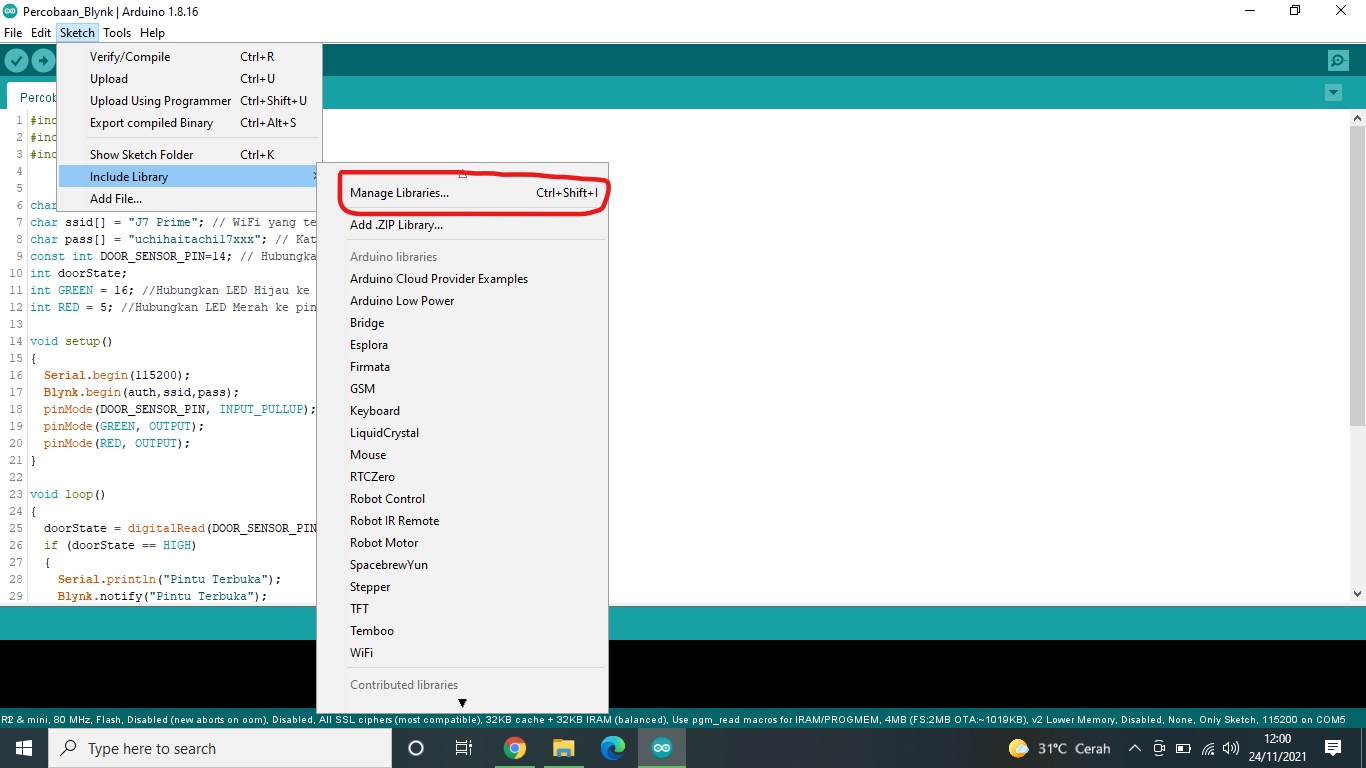
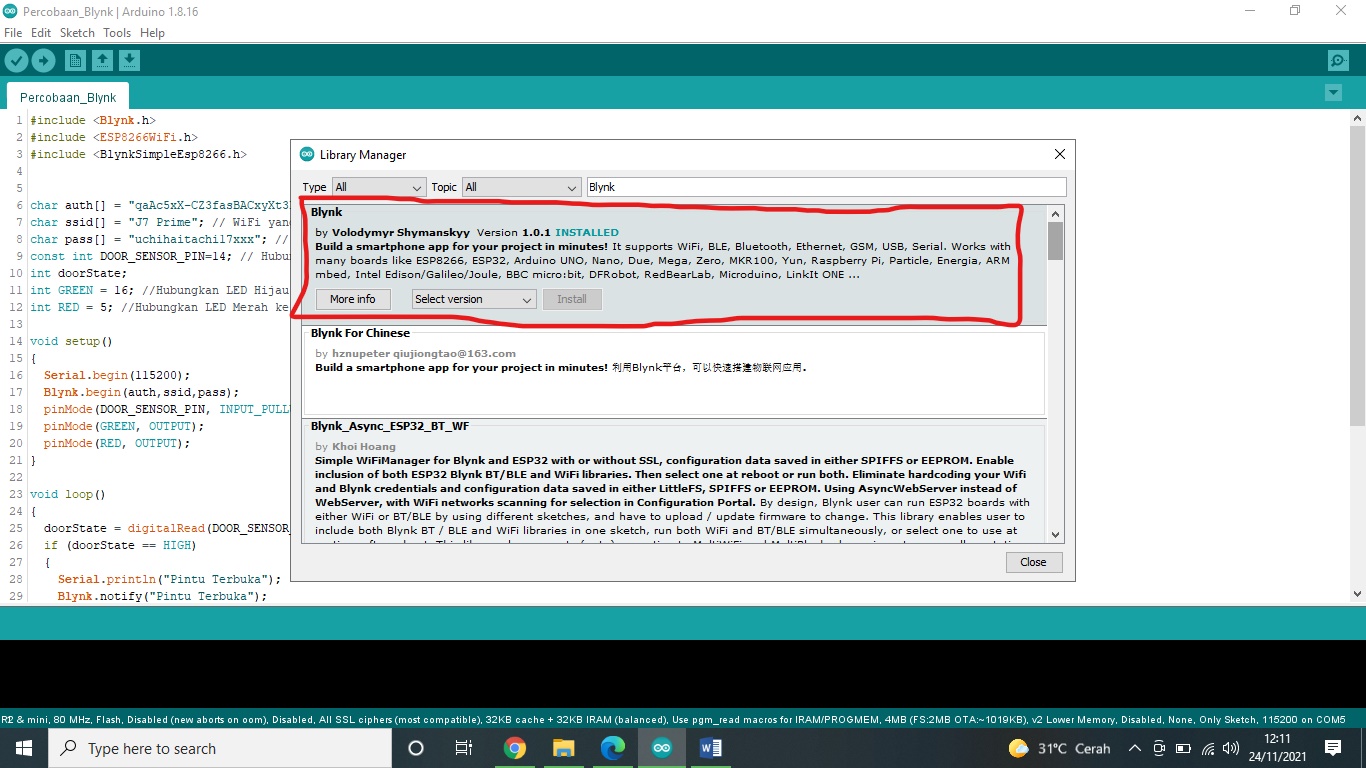
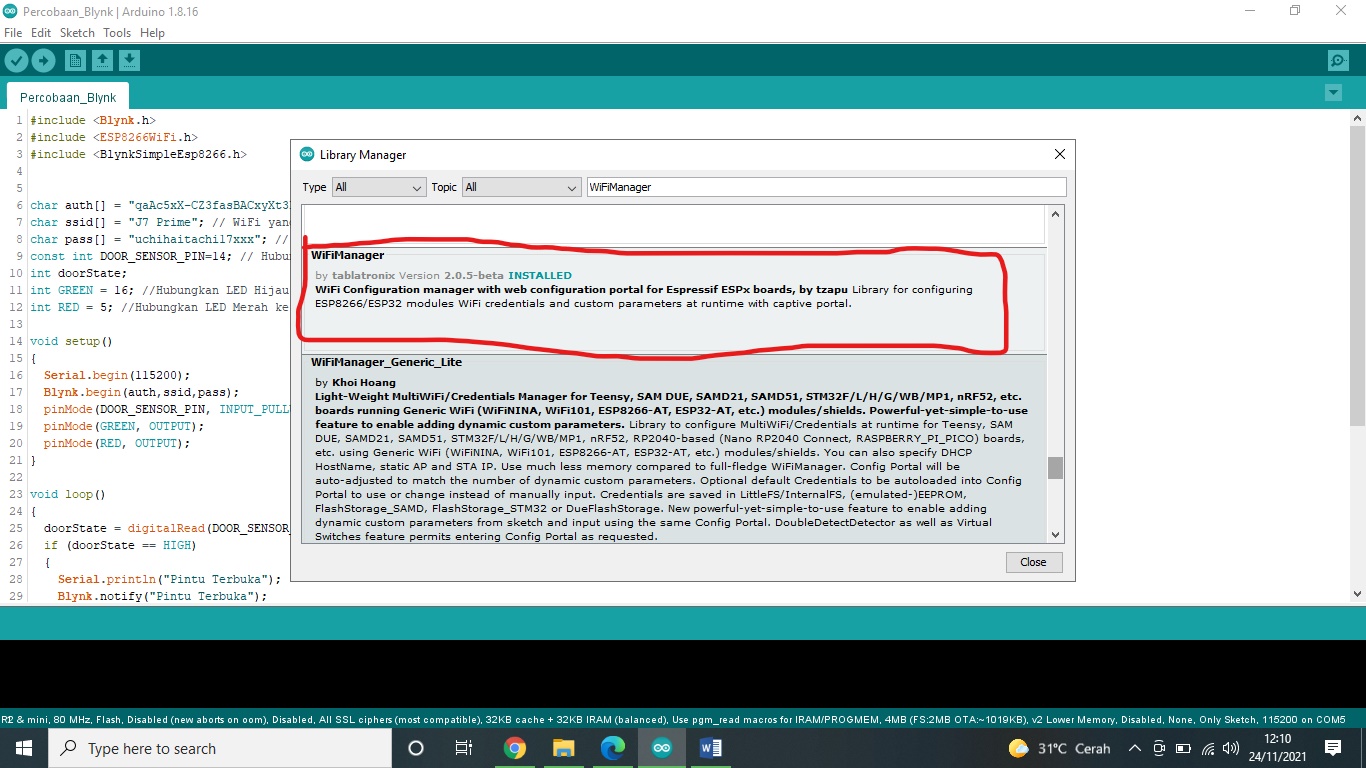
- Library Management: Instructions on how to add the ESP8266 board definitions to the Arduino IDE.
- Auth Tokens: Explaining the secure authentication tokens required to pair your specific hardware to your personal Blynk account.
This monitor is the perfect building block for a larger Smart Home Ecosystem. Once mastered, you can add water sensors, temperature monitors, or even remote-controlled locks to the same single app interface.
In this project, I used the Wemos D1 R2 with ESP8266 WiFi support to build a simple but powerful door monitor. By using the Blynk dashboard, you can see if your door is open or closed in real-time. It's affordable, easy to wire up, and provides that extra peace of mind for your home.
Library
- You need to input the links' preference according to the instructions below. http://arduino.esp8266.com/stable/package_esp8266com_index.json
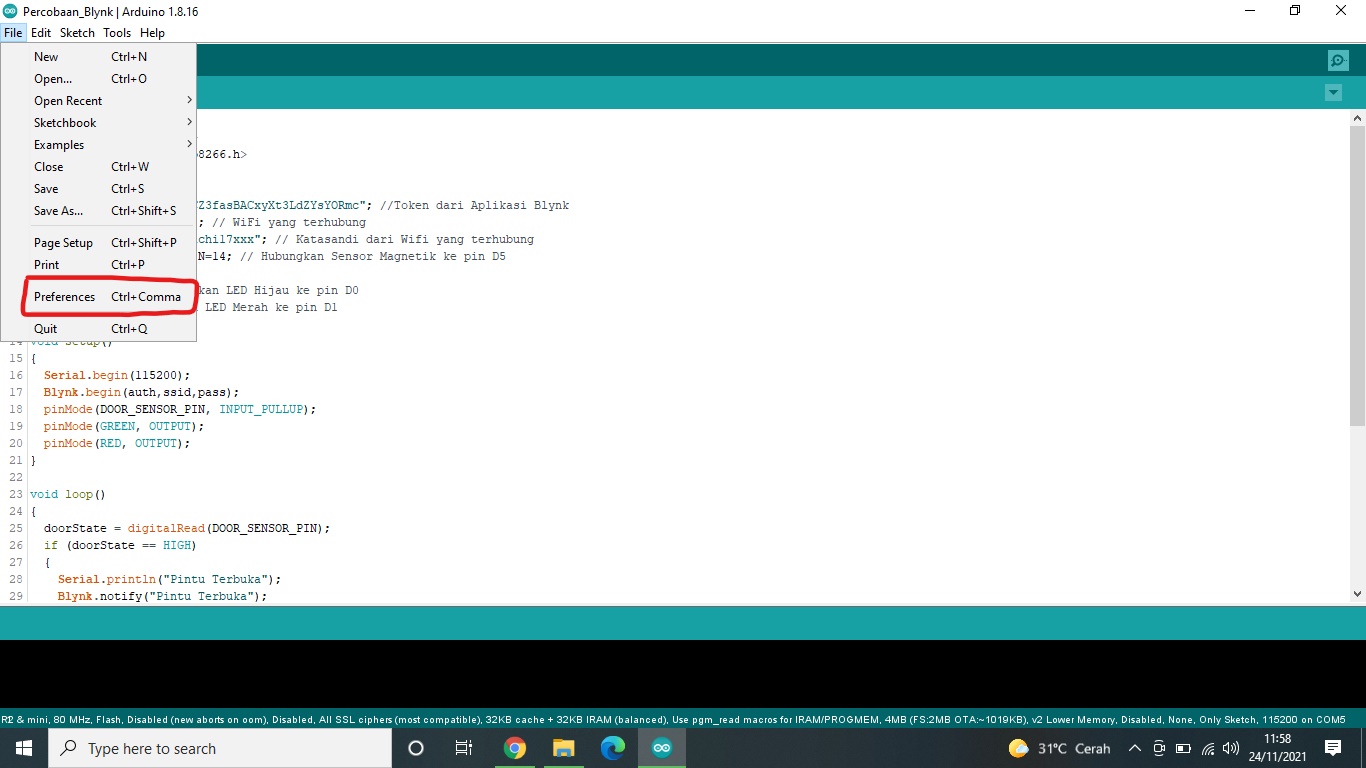
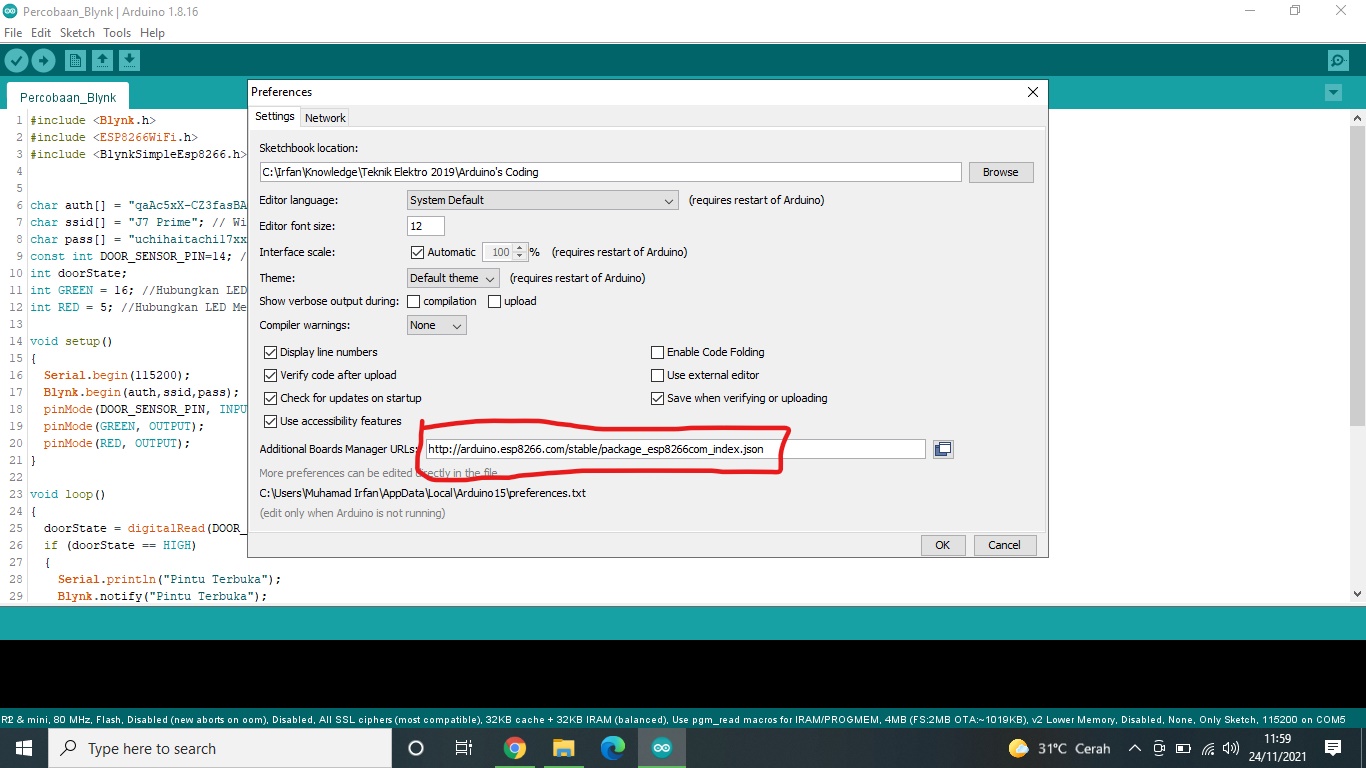
- And then install Blynk and WiFi Manager in the library manager according to the instructions below.
How to Install the Blynk Applications
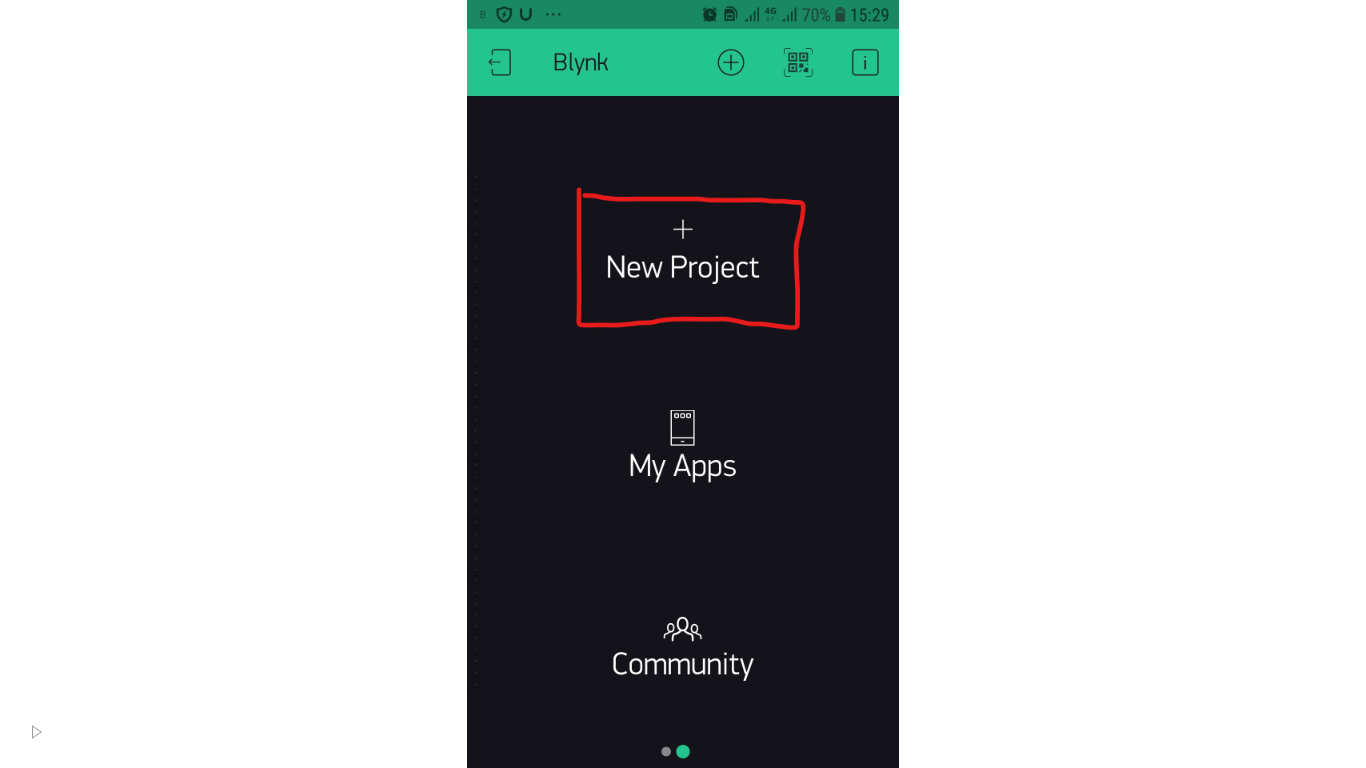
- You need to install Blynk in your android smartphone according to the instructions below.
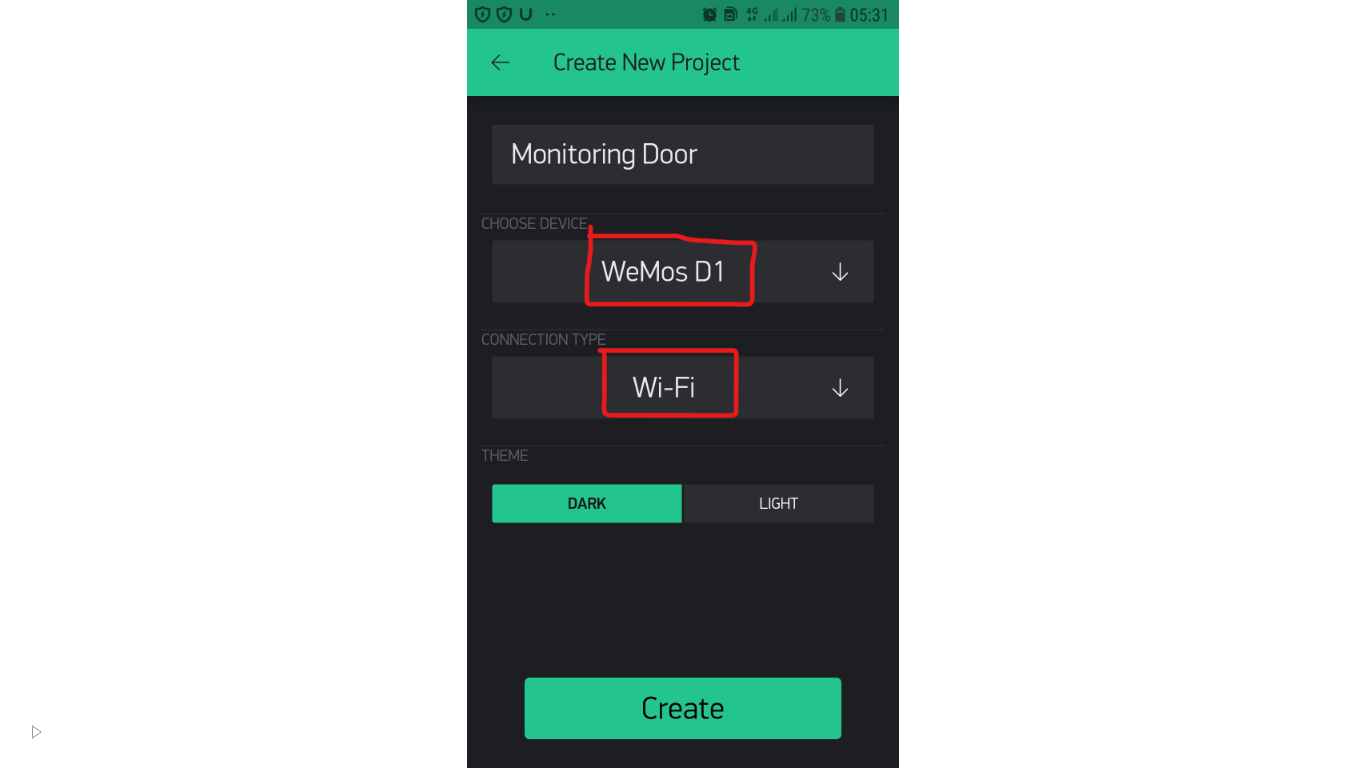
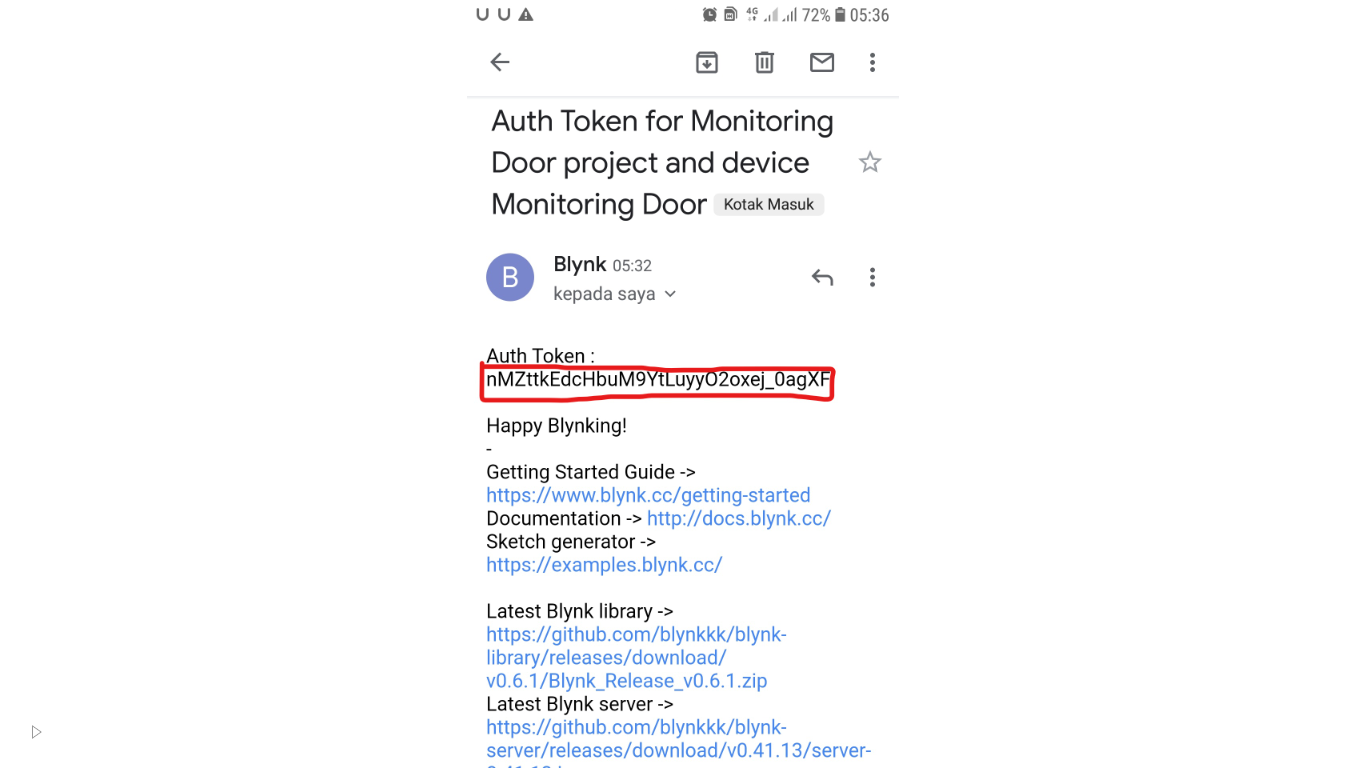
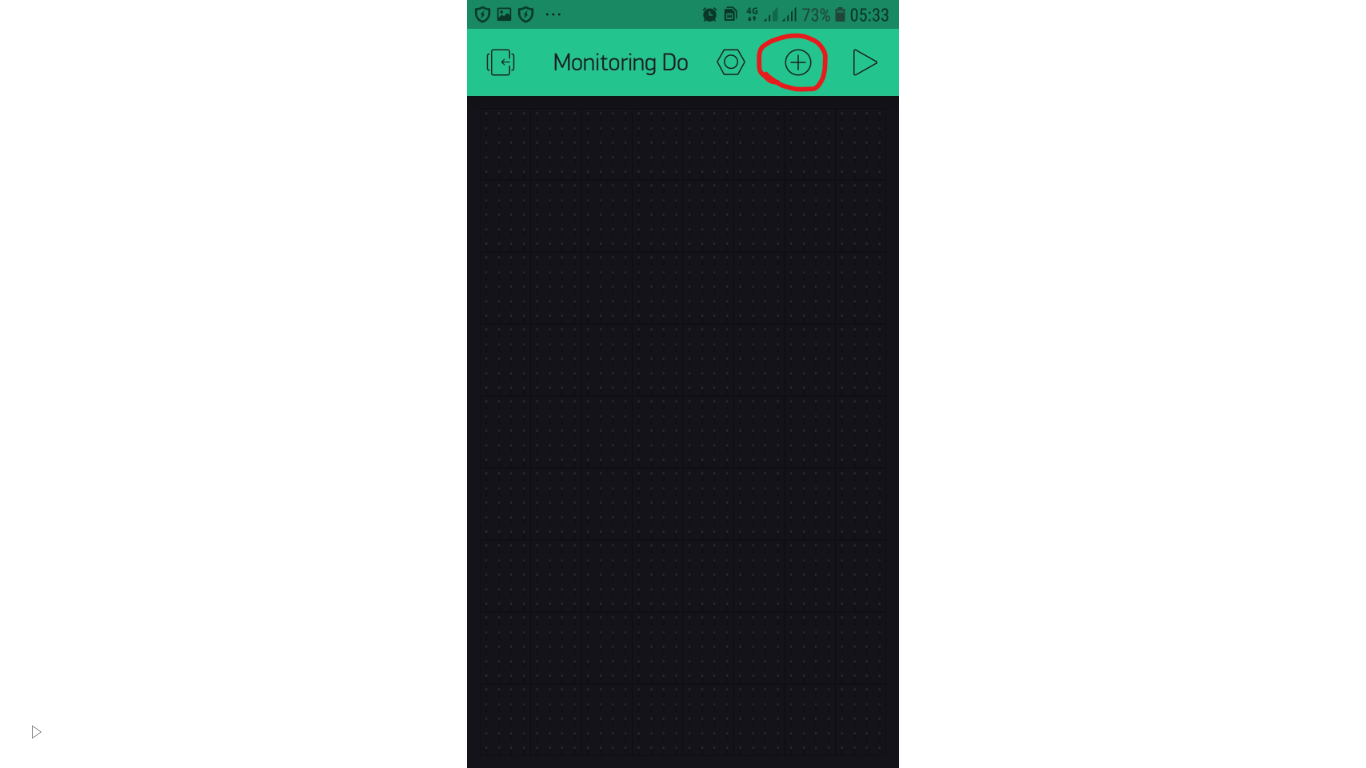
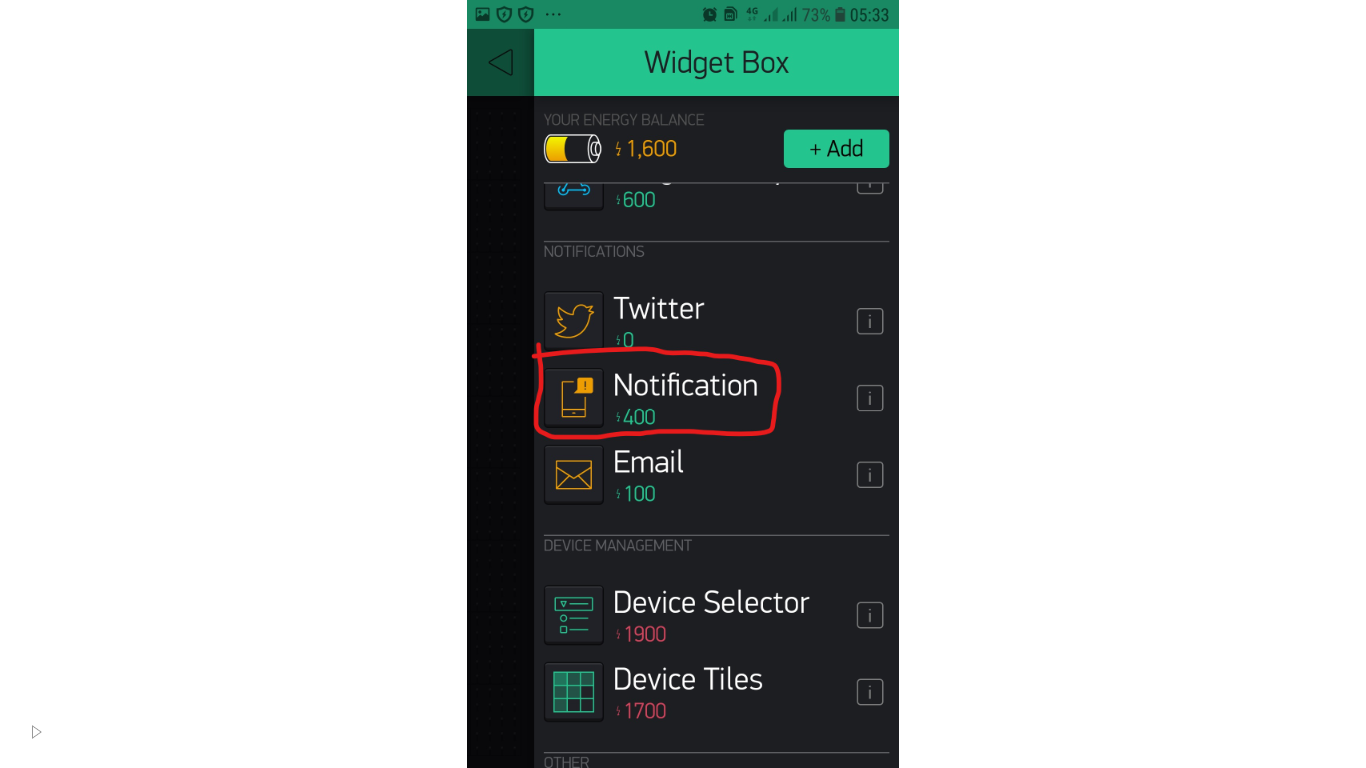
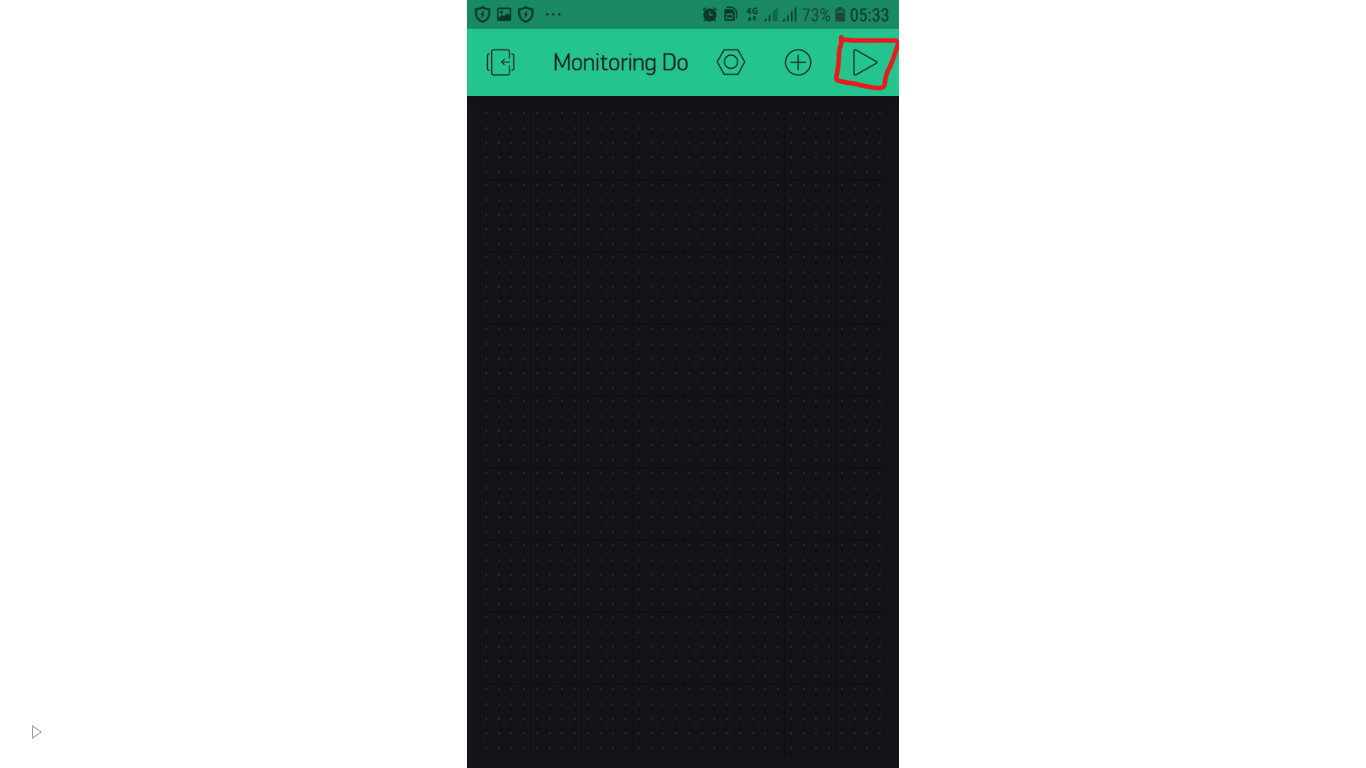
- Don't forget to activate internet connection on smartphone and wi-fi connected to microcontroller