First of all thank you for checking out our project! Here a story of how we made it
Background
In Indonesia where we live, house rats infestation is a common problem especially in old houses. One of our member usually set up a simple metal rat trap using food bait in one corner of his house where rats usually come and go by. The problem is that sometimes the rat only enter the cage without ever touching the food maybe because they wasn't interested in the food. And the trap works by closing the door when something touch and wiggle the food, the rat can immediately get out without a scratch when its doesn't want the food
And so, we decided to combine the trap with sensor to make sure that when the rat comes, the door will be closed immediately. Here's how we do it
Hardware Component
First of all the hardware required for this project are:
- 1x Arduino UNO
- 1x Bread Board
- 1x ESP-01 Wi-Fi Module
- 1x 1k ohm resistor
- 1x 2.2 ohm resistor
- 1x Servo Motor
- 1x IR Obstacle Sensor
- 1x Power Bank for the power
Blynk
One of the essential part in this project is Blynk. By using Blynk, we can make the prototype of this project without creating any server and mobile app. We simply use their API to connect the Arduino to the app
Sensor Choice
Next is the sensor choice, for detecting the rats we first try to use PIR Motion Sensor but for some reason our sensor came from mail not working at all and at that time we only have 1 other sensor which is IR Obstacle sensor. And so, we decided to use that as an alternative.
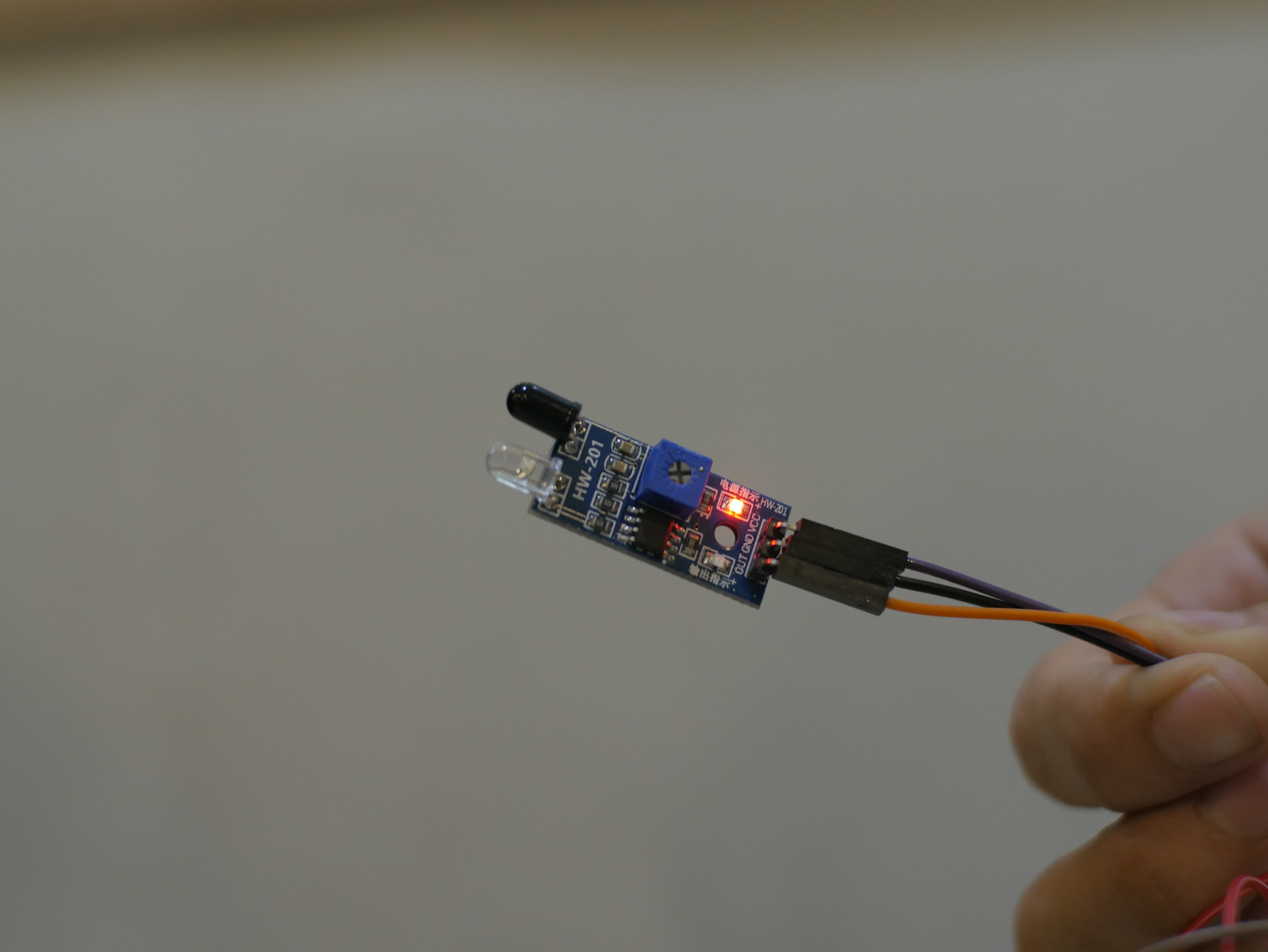
So what is an IR Obstacle Sensor? The sensor has 2 main part which is an IR Emitter and also IR Receiver. It the IR Receiver detect the reflection of the IR Light from some object, it will report the value as 0 if not then the value is 1. So by using this sensor, when the rats came its body will reflect the IR light and will trigger the door to close
Trapping Mechanism
Now after narrowing down on the sensor, we design how the hardware part will works. The schematic and the code of the project will be provided below but here's an explanation of how it's works.
First the IR Sensor has 3 pins which is 5V power, ground and also data. As explained before, when it detect the reflection of the IR it will give value of 0 and after that we will trigger the next chain.
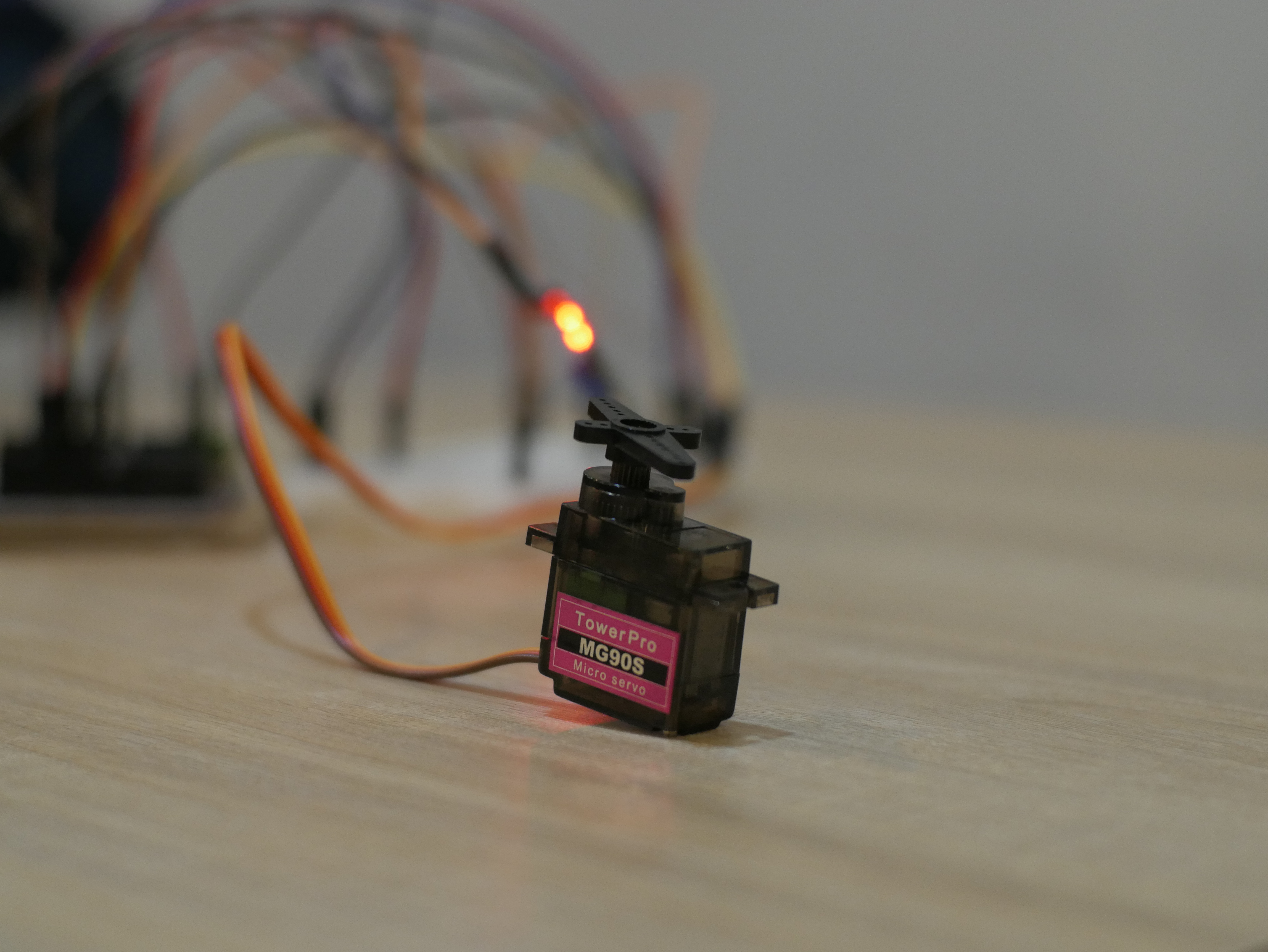
The next chain is the servo motor which hold the door using a string has 3 pin which is 5V power, ground, and data. We will set the servo motor to 0 degree angle first. After the IR Sensor detect presence of an object, we will set the servo motor to 90 degrees and that will pull the door closed, trapping anything inside
Communication
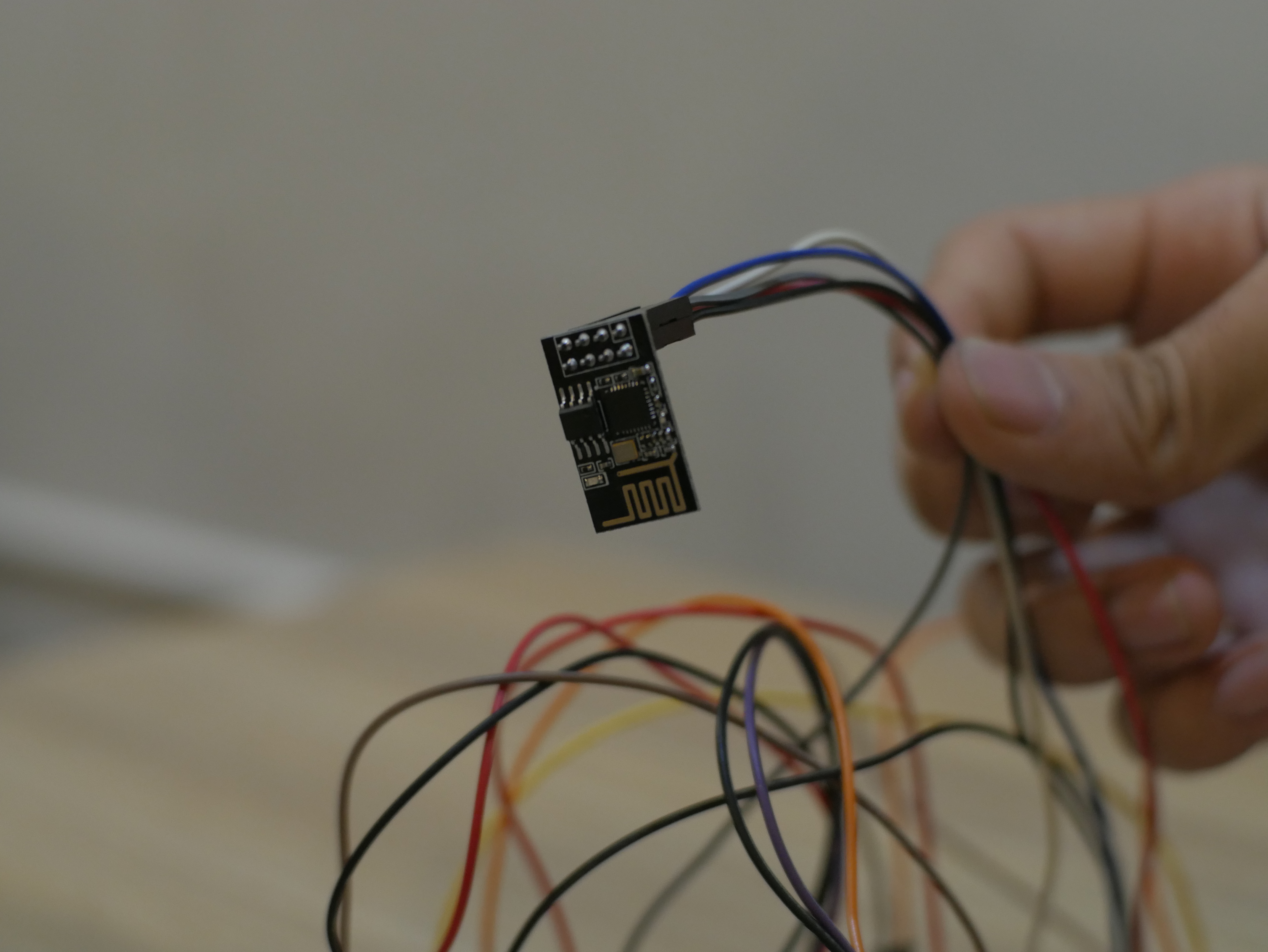
As for the communication, we used an ESP-01. Although it can be used independently to control a sensor, in this case we will only be using it as a Wi-Fi module to communicate with Blynk server. It has 8 pins which is 3.3V power, TX for transmitting data, RX for receiving data, ground, enable, reset, and 2 GPIO pin.
The problem we encounter is that because the Arduino digital pin sends out signal in 5V power we need to step down it to 3.3V so that it can be receive by ESP-01 which only support 3.3V power. This is where the resistor came in to step down the power. And this is highly recommended to make sure your ESP won't be getting hot and eventually fried.
The other problem is our ESP-01 originally doesn't have AT Command support thus making it incapable to communicate with the Arduino. But luckily we have ordered a second one which has the AT Command support we needed. So make sure when ordering an ESP-01 that it has the AT Command support enabled.
Software
As mentioned before, we create this project with help of piece of software called Blynk which makes prototyping so much easier. In the blynk app we just simply create new project and it will give us the API code needed to be pasted into the arduino code. After that we can simply create the layout that we wanted
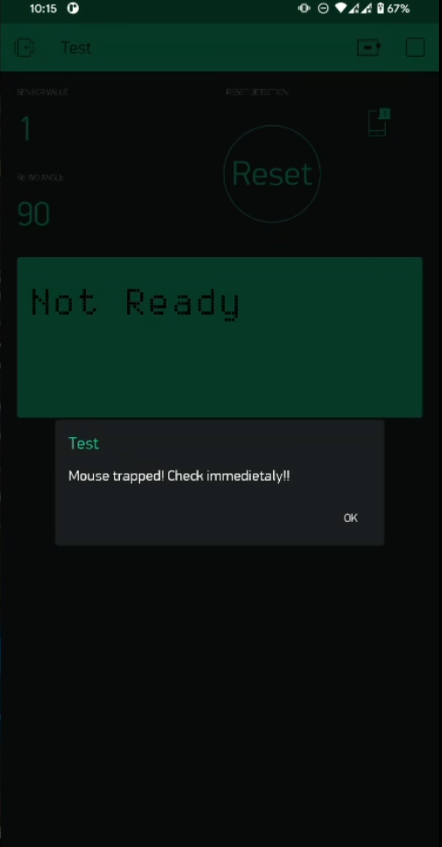
Here is the layout that we ended up with:
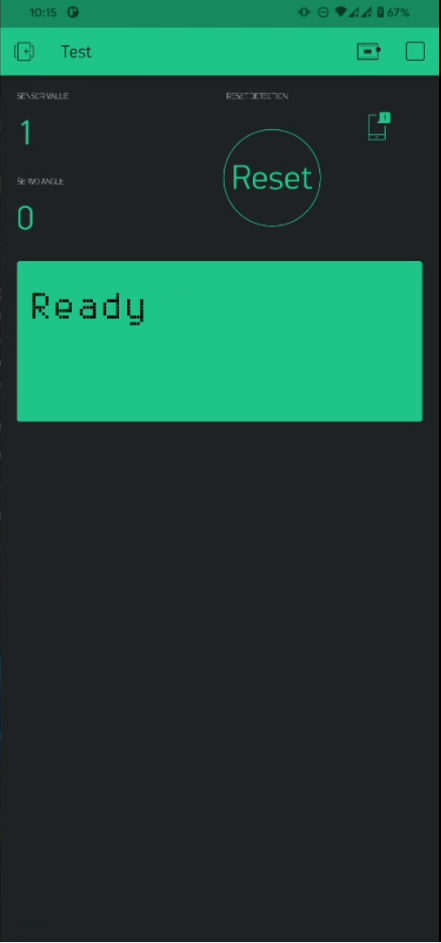
As you can see the layout contains 4 part which are sensor readout, servo angle readout, virtual LCD, and also a reset button. The sensor and servo angle readout are self explanatory. The LCD will output either "Ready" or "Not Ready" depending on the status of the trap. If the servo aren't at 0 degree position it will give out "Not Ready" and when the servo is at 90 degrees position it will give out "Ready"
But there is another part which is the notification. When the sensor detect an object and the servo move, it will sends out a notification telling us that something possibly a rat was trapped. The notification will be sent both to the app and also to the notification panel
Conclusion
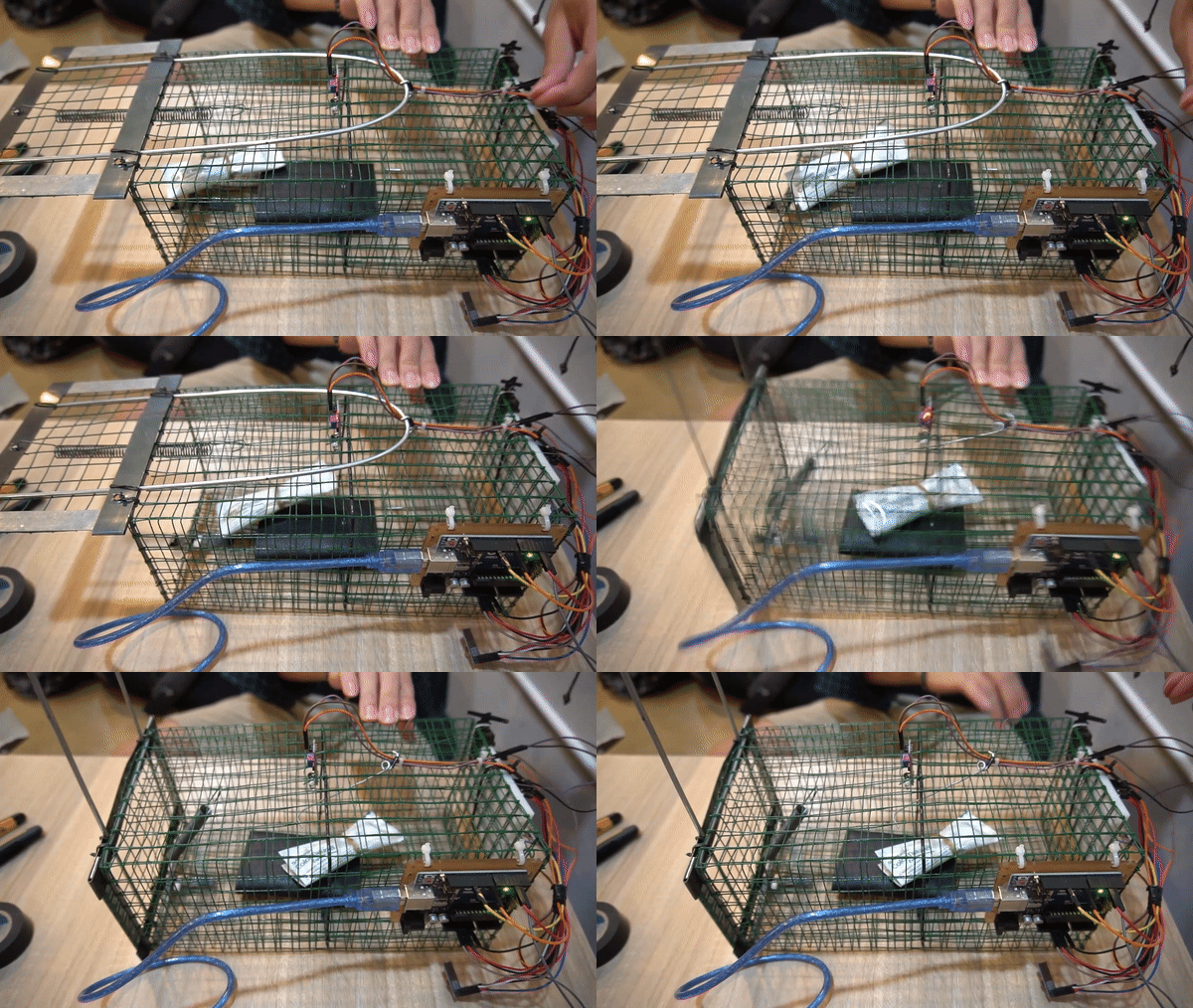
So basically that is all about the project and it prove quite effective in detecting an object that came into the trap. But, some tweak still need to be made because sometimes bugs can come near the sensor and triggering it to close the door. Thank you for checking out!
EXPANDED TECHNICAL DETAILS
Acoustic Pest Deterrent Logic
NoRats 1.0 is an environmentally friendly ultrasonic repellent that uses varying frequencies to deter rodents from gardens or workshops.
- Frequency-Sweeping Ultrasonic Burner: The Arduino generates a high-frequency square wave (20kHz - 65kHz) on a piezo transducer. The firmware continuously "Sweeps" the frequency to prevent rats from becoming accustomed to a single steady tone.
- Random Pulse Generator: To improve effectiveness, the Arduino includes a "Burst Mode" where the sound is pulsed at irregular intervals, mimicking the behavior of a perceived threat.
Connectivity
- Blynk Remote Oversight: Users can adjust the "Sweep Range" and "Pulse Speed" via a smartphone app, and monitor the device's battery status over WiFi.