My project is about a pong game on an 0.96 oled display useing the arduino uno r3 and 2 side buttons to control it!
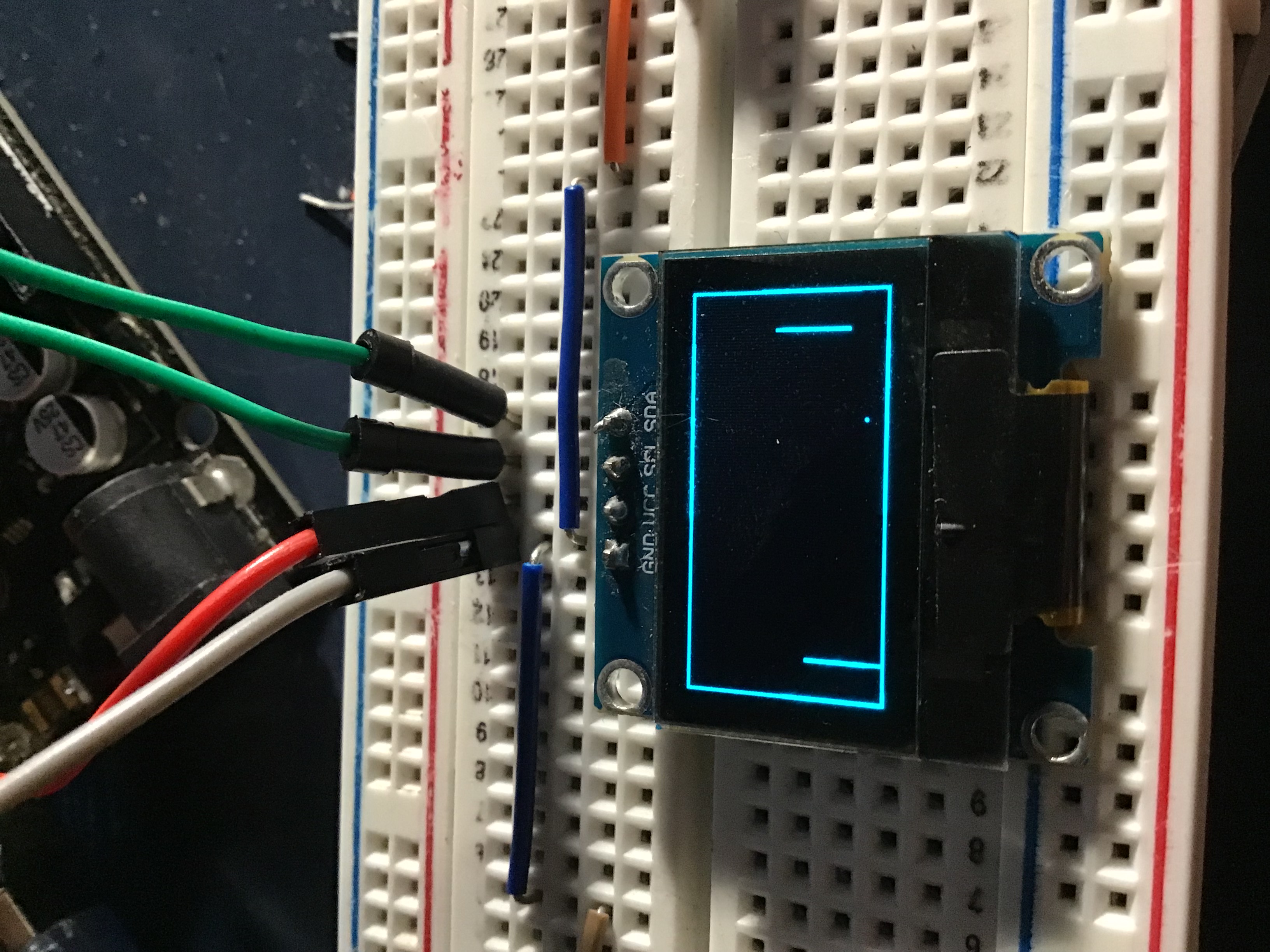
Retro Gaming in Miniature
The OLED Pong Mini-Game is a classic software engineering challenge minimized into the palm of your hand. By utilizing a high-contrast SSD1306 OLED screen and simple momentary buttons, you can recreate the high-speed physics of the 1970s arcade era. This project is a perfect introduction to Graphical Frame Buffering, I2C Communication, and Zero-Latency Input Handling.
Hardware Infrastructure & Wiring
- Arduino UNO R3: The "Game Console." It handles all coordinate calculations, score tracking, and the I2C data bus.
- OLED Display (0.96 inch): A 128x64 resolution monochrome screen. Because it’s an OLED, every pixel generates its own light, providing perfect blacks and sharp visuals.
- SDA (A4) / SCL (A5): The standard I2C pins used for high-speed graphical data transfer.
- Tactile Buttons (x2): The "Controller." One button is assigned to move the paddle UP, and the other for DOWN.
- Internal Pull-Ups: The code uses
INPUT_PULLUPfor the buttons, meaning they are connected between the digital pins (D2/D3) and GND—no external resistors required!
- Internal Pull-Ups: The code uses
Game Loop Logic and Physics
The software runs at a high frame rate (typically 30-60 FPS) to ensure smooth gameplay:
- Input Polling: The Arduino checks Pin 2 and Pin 3 every few milliseconds. If D2 is pressed, the paddle's Y-coordinate is decreased; if D3 is pressed, it is increased.
- Ball Vector Calculation: The "Ball" object has an
XandYposition, plusvXandvY(velocity) variables. In every loop cycle, position = position + velocity. - Collision Detection:
- Walls: If ball Y < 0 or Y > 63, the
vYvector is inverted (vY = -vY). - Paddles: The code checks if the ball's X/Y coordinates overlap the paddle's rectangle. If they do,
vXis inverted, making the ball bounce back.
- Walls: If ball Y < 0 or Y > 63, the
- Drawing Output: The Arduino sends the new coordinates of the ball, paddles, and score to the OLED via the I2C bus using the
display.display()command.
Educational Value and Scalability
This project teaches the core foundations of Game Development—physics, rendering, and input. It demonstrates how to manage complex graphical updates over a slow I2C bus by only redrawing what changes. Once the basic Pong logic is perfected, you can expand this into more complex games like Brick Breaker, Snake, or a Side-Scrolling Platformer.