Hey!
Did you ever played a pong game on computer or something? Because this project is exactly that game.
The Idea
I was searching for pong games using Arduino and an OLED Display, then I found one, there is:
I liked it very much, but it was only for one player, so I decided to make it for two players!
Retro Gaming on Arduino
The 2-Player Pong Game is a modern hardware recreation of the 1972 classic. This project elevates the standard single-player Arduino game by introducing a competitive head-to-head mode. Using a high-contrast OLED display and two analog joysticks, players can control their paddles in real-time to bounce the "ball" across the screen, bringing a piece of gaming history into a portable, DIY device.
Hardware Infrastructure
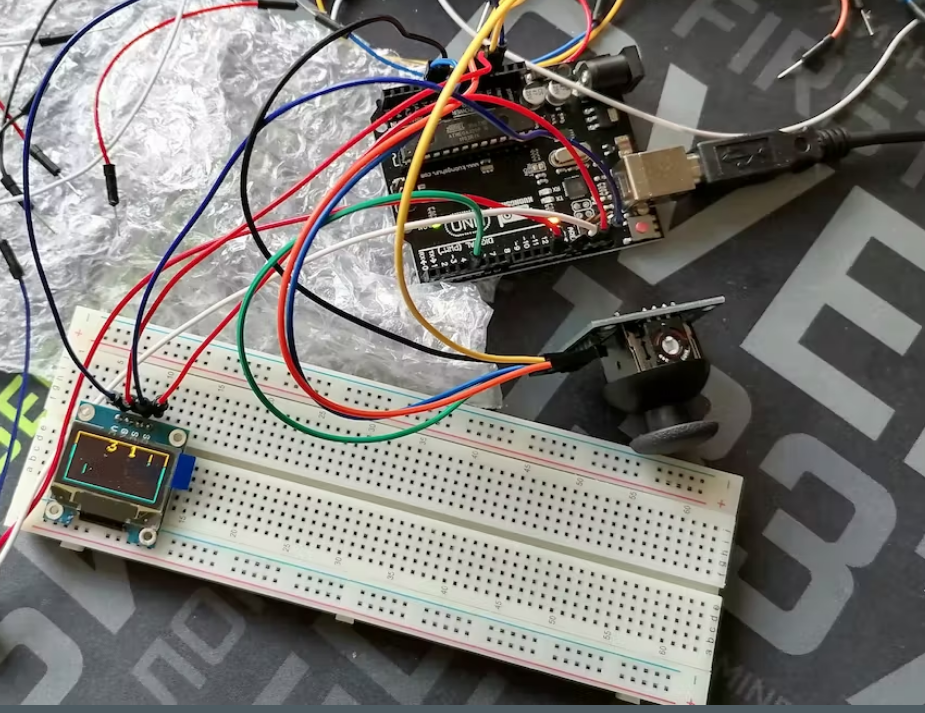
- Arduino UNO: The master processor simulating the game engine—handling physics, score tracking, and graphical rendering.
- Gravity I2C OLED Display (128x64): Provides a crisp, high-resolution monochrome play area. Using I2C ensures that only two data pins are used, leaving plenty of pins for the controllers.
- Analog Joysticks (x2): Function as the primary controllers. Each joystick provides an analog voltage based on its Y-axis position, allowing for precise, fluid paddle movement.
- Active Buzzer: Synchronizes sound effects with game events. It emits a sharp "bleep" every time the ball hits a paddle or the wall, and a different tone when a point is scored.
- Breadboard and Jumper Wires: Facilitate the complex wiring of multiple peripherals into a single unified system.
Game Engine Logic and Physics
The software follows a high-speed execution loop (typically 60 frames per second):
- Input Acquisition: The Arduino polls both joysticks simultaneously using
analogRead(). It maps these values (0-1023) into vertical screen coordinates (0-63). - Paddle Update: The positions of the two paddles are updated on the screen buffer.
- Ball Physics:
- The ball has an
XandYposition, plusvXandvY(velocity) vectors. - Every frame, position = position + velocity.
- Collision Detection: If the ball's coordinates overlap with a paddle's boundaries, the
vXvector is inverted, and the buzzer is triggered.
- The ball has an
- Scoring: If the ball crosses the left or right boundary of the screen, a point is awarded to the opposing player, the score is updated, and the ball is reset to the center.
- Rendering: The entire calculated game state is sent as a single graphical frame to the OLED screen.
Educational Value
Building this pong game is a masterclass in Graphical User Interface (GUI) design, Real-time Input Handling, and Collision Geometry. It demonstrates how to manage multiple hardware layers—display, audio, and analog input—to create an engaging interactive experience. It's an excellent foundation for anyone looking to build custom handheld games or interactive control systems.