Problem
Caves, which are quiet places and rarely passed by humans, often have extraordinary beauty. The beauty that is in it is very different from other natural landscapes. Caves often still keep a very pure natural beauty because of the lack of human activity in them. Caving is one of the exploration options to see this natural beauty.
Caving has become a hobby that has become increasingly popular in recent decades. Caving is sometimes done just for the pleasure of doing the activity or for physical exercise, still the beginning of exploration, or physics and biology also play an essential role. Caving has become even safer because of modern clothing and equipment.
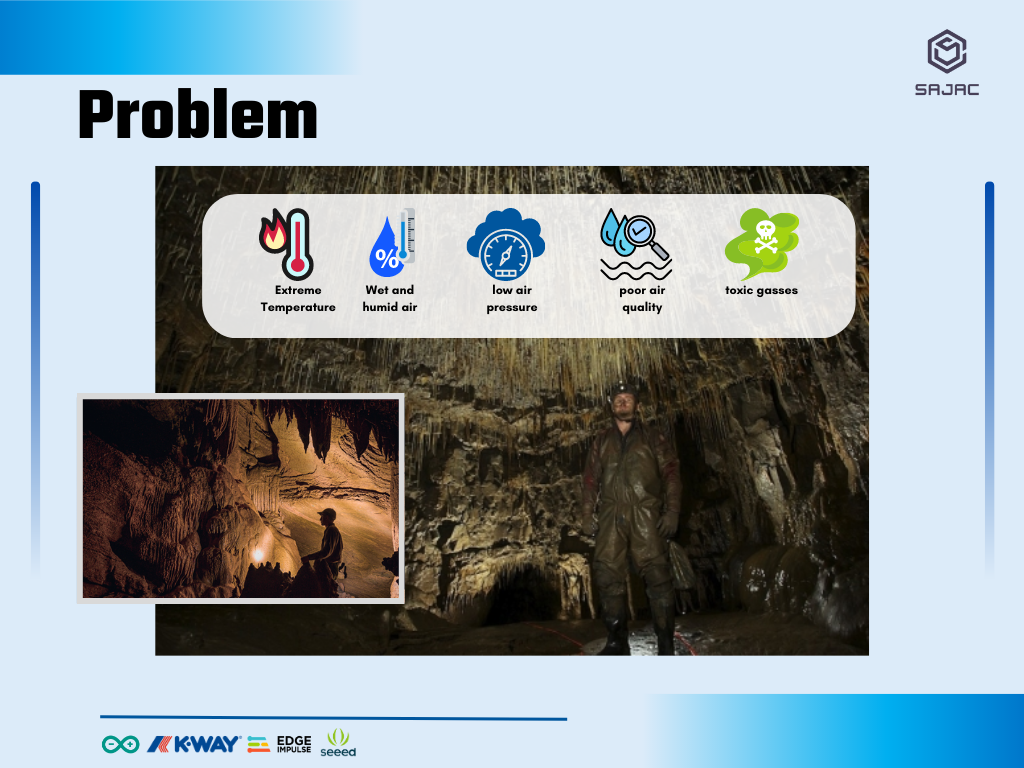
Are all the equipment carried by explorers able to protect them 100% from the dangers? Certainly not. Many other dangers can threaten the safety of explorers in the cave. What are those things? Extreme temperatures, wet and humid air, low air pressure, poor air quality, and the potential for toxic gases. Moreover, the lack of a communication system sometimes worsened matters as explorers could not contact the outside world.
Solution
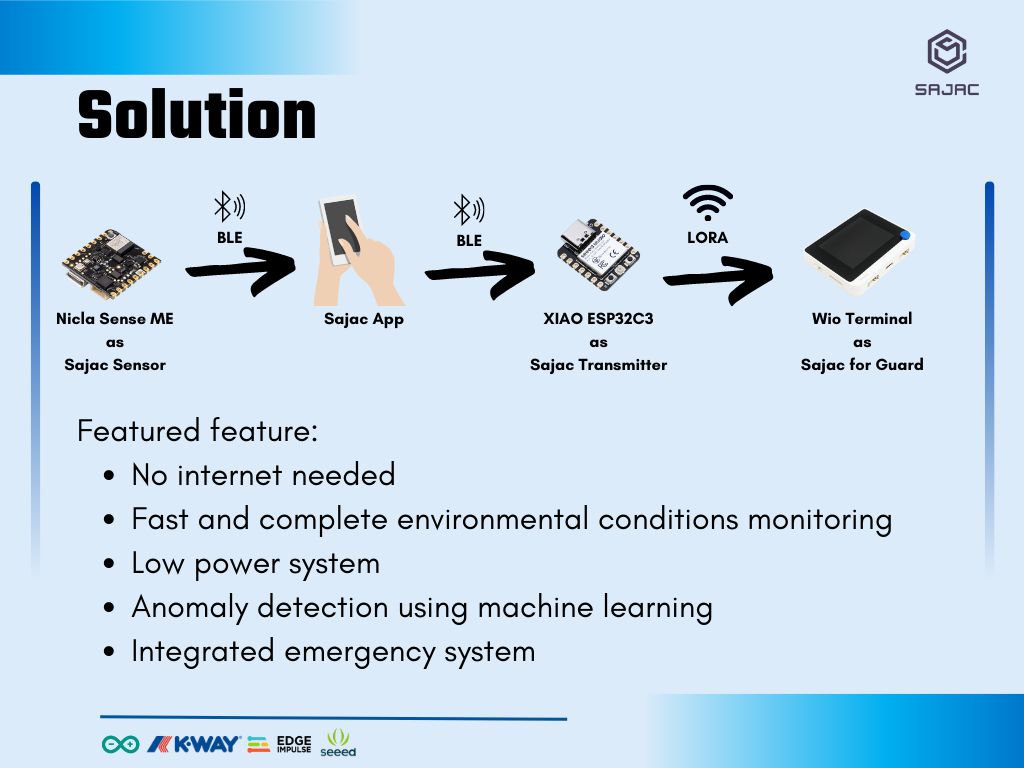
Related to this problem, I will develop the Sajac Project to help people who have a hobby of caving. Sajac Project is a smart monitoring system aims to observe environmental conditions in the caves. This system will provide information about how the environment around the users. This machine is equipped with machine learning to determine whether the environmental conditions and user friendly. At each checkpoint inside the cave, a transmitter will be connected directly to the guards outside. If the user gets a danger notification from his jacket, user can immediately ask for help at the nearest checkpoint using the transmitter, and the guards can immediately provide help as soon as possible.
How it Works?
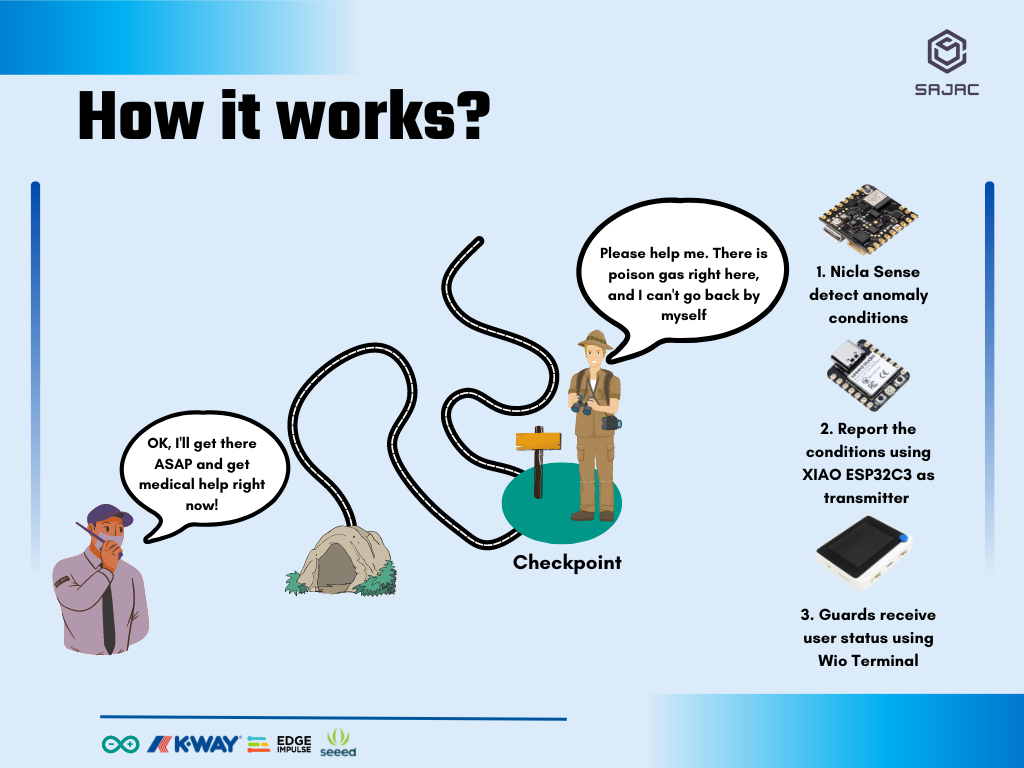
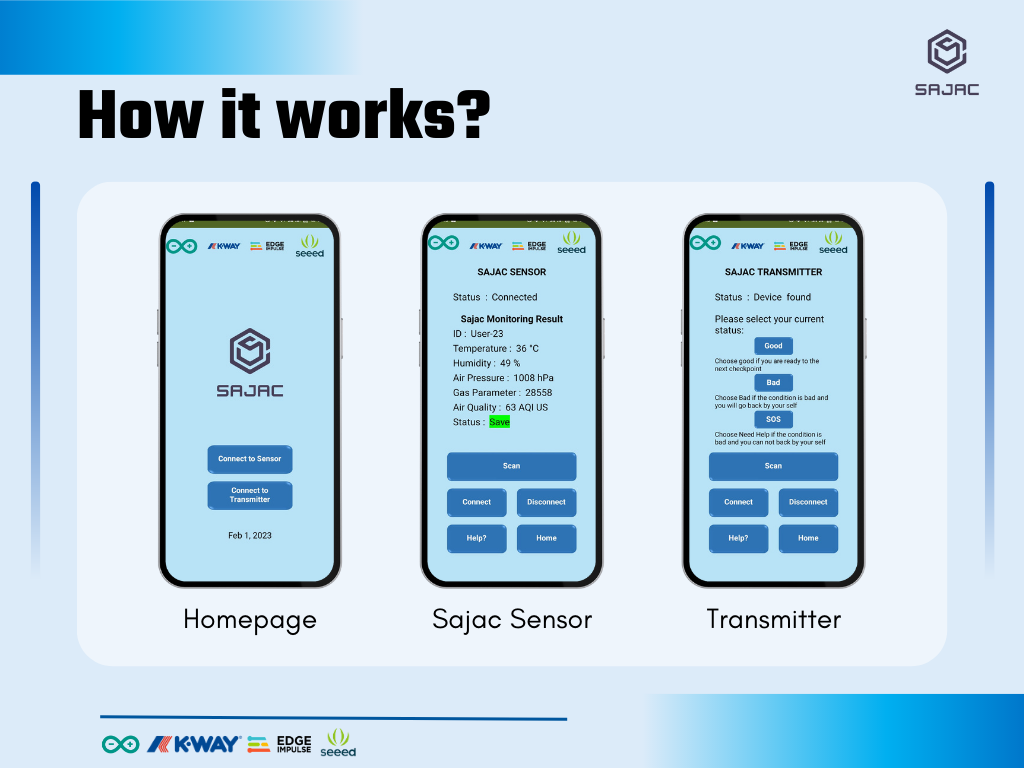
This system uses Nicla Sense ME to condition determination. This tools can at one measure environmental quality around the user and send the result to Sajac Application in User’s smartphone. If the cave condition is not good enough to explore, there will be a notification alert in Nicla Sense ME or Users’s smartphone. This calculation is carried out using a model that previously applied on edge impulse platform with a high level of accuracy and small error rate.
At each checkpoint, there will be a transmitter that will directly inform the cave environmental conditions to the post guard. Considering there is no internet connection in the cave, this system will use LoRa communication system to transmit data from the checkpoint. This system is developed using XIAO ESP32C3 that is equipped with Grove Wio E5 from Seeed Studio. When the users arrives at the checkpoint, he only need to press “send” button after connecting to the transmitter at the post. The user also can determine whether he will return by him self or be picked up by the guards if the condition is impossible for him to continue his exploration.
The guards at the main post will receive data transmitted from the cave by using LoRa. At the front post, there is Wio Terminal Equipped with Grove Wio E5 to receive data from the transmitter inside the cave. Wio Terminal is effective to use in place with minimum power sources because it only needs 5 volt of power from powerbank.
Technical Deep-Dive
SAJAC (Smart Jacket for Caving) is a mission-critical exploration into Subterranean Environmental Forensics and Asynchronous Telemetry. In extreme cave environments, conventional GPS and cellular networks fail, leaving explorers isolated. SAJAC provides a decentralized safety net by integrating the Bosch-powered Nicla Sense ME with an Edge Impulse AI model to detect hazardous atmospheric conditions. The system utilizes a multi-stage communication bridge (BLE to LoRa) to transmit real-time vitals and SOS flags from deep cave checkpoints to surface-level guard stations.
- Nicla Sense ME & BSEC AI Forensics:
- Bosch Sensortec Environmental Cluster (BSEC): The jacket's sensor core utilizes the BME688 4-in-1 gas sensor. It employs AI-driven forensics to analyze Indoor Air Quality (IAQ), Volatile Organic Compounds (VOC), and barometric pressure gradients, detecting toxic gas accumulation long before human physiological symptoms manifest.
- Edge-AI Inference Loop: Raw sensor data (Temp, Humidity, Pressure, Gas) is processed locally on the Nicla core using an Edge Impulse Neural Network. The model classifies conditions into "Safe," "Bad," or "Danger" categories with high-frequency inference, minimizing the latency between hazard detection and user notification.
- Multi-Protocol Telemetry Architecture:
- The BLE-to-LoRa Mesh Bridge: Since caves lack internet, SAJAC utilizes a two-tier communication forensics:
- Tier 1 (Personal Hub): Nicla Sense ME transmits status to the user's smartphone via BLE (GATT Profiles).
- Tier 2 (Long-Range Uplink): At checkpoints, a XIAO ESP32C3 bridge receives the phone's BLE payload and encapsulates it into a LoRa packet via the Wio-E5 module.
- LoRa RFCFG Diagnostics: The Wio-E5 operates at 866MHz with a Spreading Factor of SF12. This forensics ensures maximum penetration through solid rock and limestone, allowing for kilometer-scale telemetry without needing line-of-sight.
- The BLE-to-LoRa Mesh Bridge: Since caves lack internet, SAJAC utilizes a two-tier communication forensics:
- Mbed OS & PlatformIO Memory Forensics:
- Memory Optimization: Running complex AI models and BLE stacks on the tiny Nicla requires tight memory management. The developer transitioned from the standard Arduino Mbed core to PlatformIO to manage heap/stack allocation more effectively, preventing "Out of Memory" (OOM) crashes during concurrent sensor sampling and BLE advertising.
Step by Step
- 1. Setup the Nicla Sense ME in Arduino IDE
- 2. Testing Sensor using Sense ME Dashboard
- 3. Testing Transmit Sensors Data using BLE
- 4. Gui Design using MIT App Inventor
- 5. Receive Data from Nicla Sense ME using Android
- 6. Transmit Data from Android to XIAOESP32C3
- 7. Send Notification from XIAOESP32C3 to Wio Terminal
- 8. Show notifications to the Guards using Wio Terminal
- 9. Collect data
- 10. Data Training using Edge Impulse
- 11. Model Implementation
- 12. Testing the Device
1. Setup the Nicla Sense ME in Arduino IDE
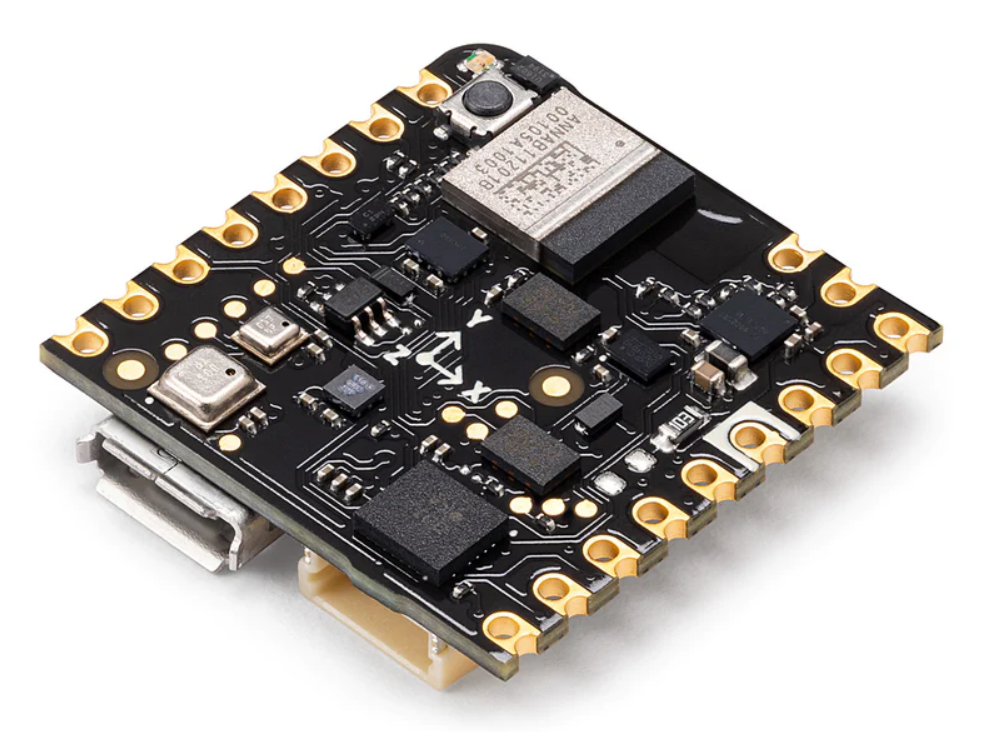
The Nicla Sense ME is a tiny, low-power tool that sets a new standard for intelligent sensing solutions. With the simplicity of integration and scalability of the Arduino ecosystem, the board combines four state-of-the-art sensors from Bosch Sensortec:
- BHI260AP motion sensor system with integrated AI
- BMM150 magnetometer
- BMP390 pressure sensor
- BME688 4-in-1 gas sensor with AI and integrated high-linearity, as well as high-accuracy pressure, humidity and temperature sensors.
Nicla Sense ME can be programmed easily with the Arduino IDE. Before you can use it, you must do some setup. Setup process consist of installing the board and some important libraries on Nicla Sense ME on the Arduino IDE. You can easily follow the tutorial in the video below.
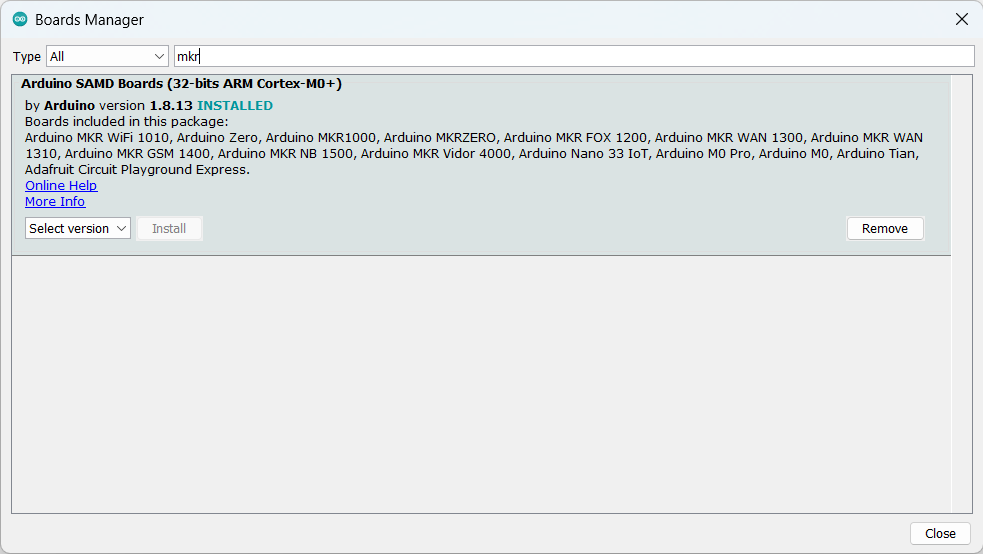
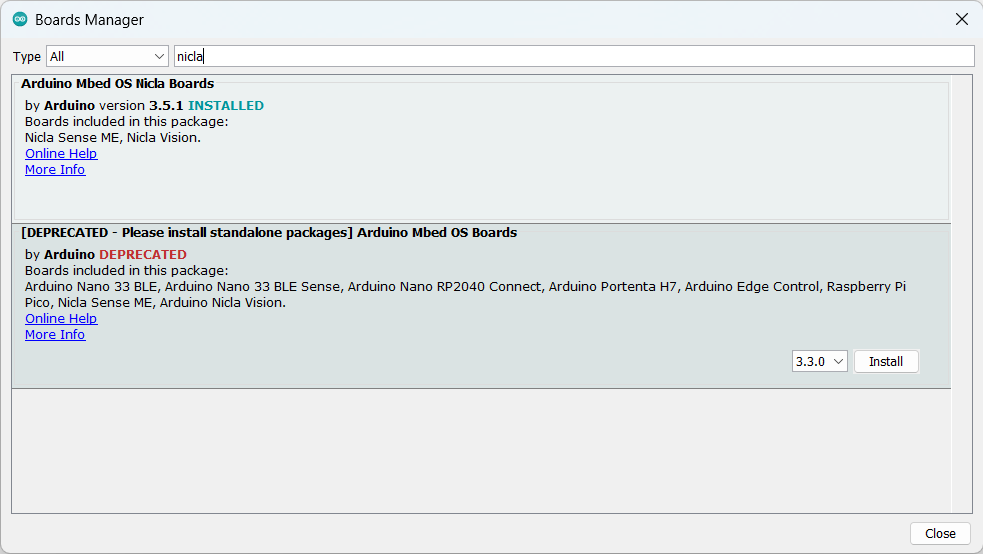
Installed Boards:
- Arduino Mbed OS Nicla Boards
- Arduino SAMD Boards
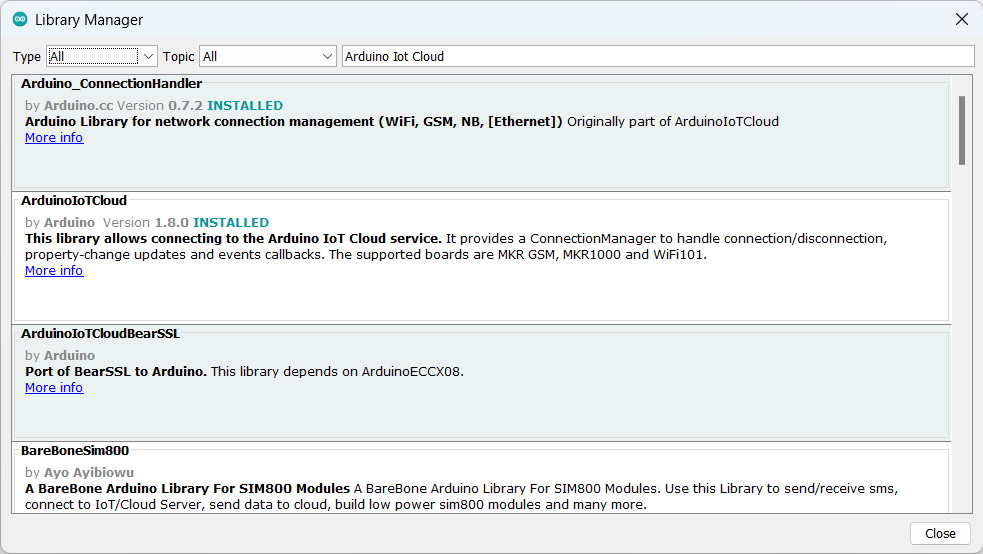
Installed Library:
- Arduino_BHY2
- Arduino_BHY2Host
- ArduinoBLE
- EdgeML-Arduino
- Arduino_ConnectionHandler
- ArduinoIoTCloud
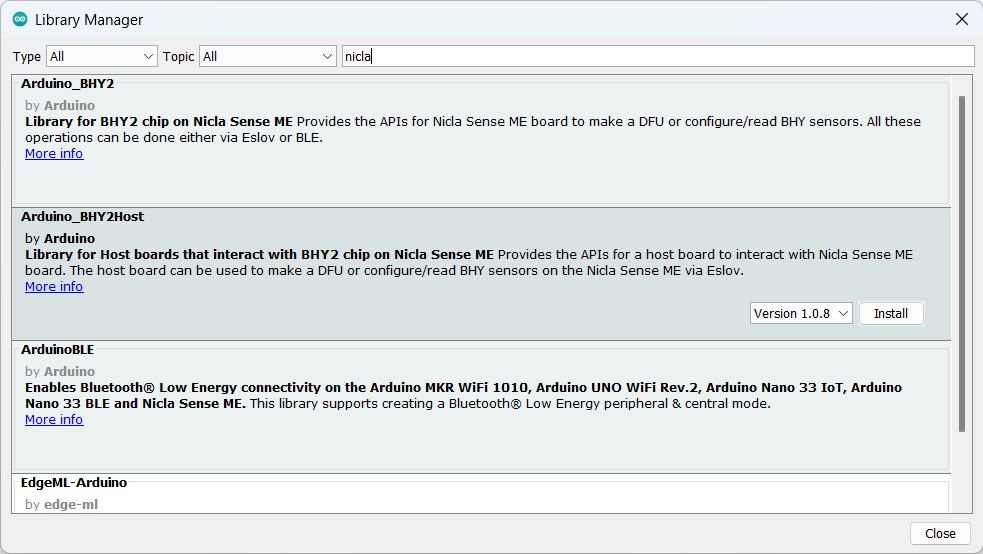
Important note: I am using Arduino Mbed OS Nicla Boards version 3.5.1 and it makes me unable to charge the Nicla boards. You need to use the latest version which ignores ntc inside the boards. This is part of the Subterranean Hardening process. In extreme humidity, standard NTC thermistor charging safety can prevent battery operation. The firmware uses the latest Mbed core updates to bypass non-critical thermal alerts, ensuring the device remains powered in cold, damp cave sections.
2. Testing Sensor using Sense ME Dashboard
Nicla Sense ME can provide users with 65 variable sensor readings. The 65 variables are included in 6 different classes:
- Sensor: This class handles all the other sensors which have a single value to be read, like temperature, gas, pressure, etc. And also the event sensors, like the step detector. This generic sensor class provides the sensor data through the value property that returns a float.
- SensorOrientation: This class handles sensors with the Euler format, used for example with orientation. It allows you to read the pitch, roll and heading property.
- SensorXYZ: This class handles sensors with the XYZ format, like the accelerometer and the gyroscope. It contains x y and z values
- SensorQuaternion: Can be used to handle sensors with the quaternion format, can be used to calculate rotation vector, game rotation vector and geomagnetic rotation vector. You can access the x, y, z and w property using this class.
- SensorActivity: Use this class to handle sensors with the activity format. The activity is encoded as ID and can be retrieved from the value property. Use getActivity to get a human readable version of the activity e.g. "Walking activity started".
- SensorBSEC: BSEC stands for Bosch Sensortec Environmental Cluster, basically you can access the air quality (IAQ) level.
For more information, you can see the official Arduino Nicla Sense ME Cheat Sheet documentation.
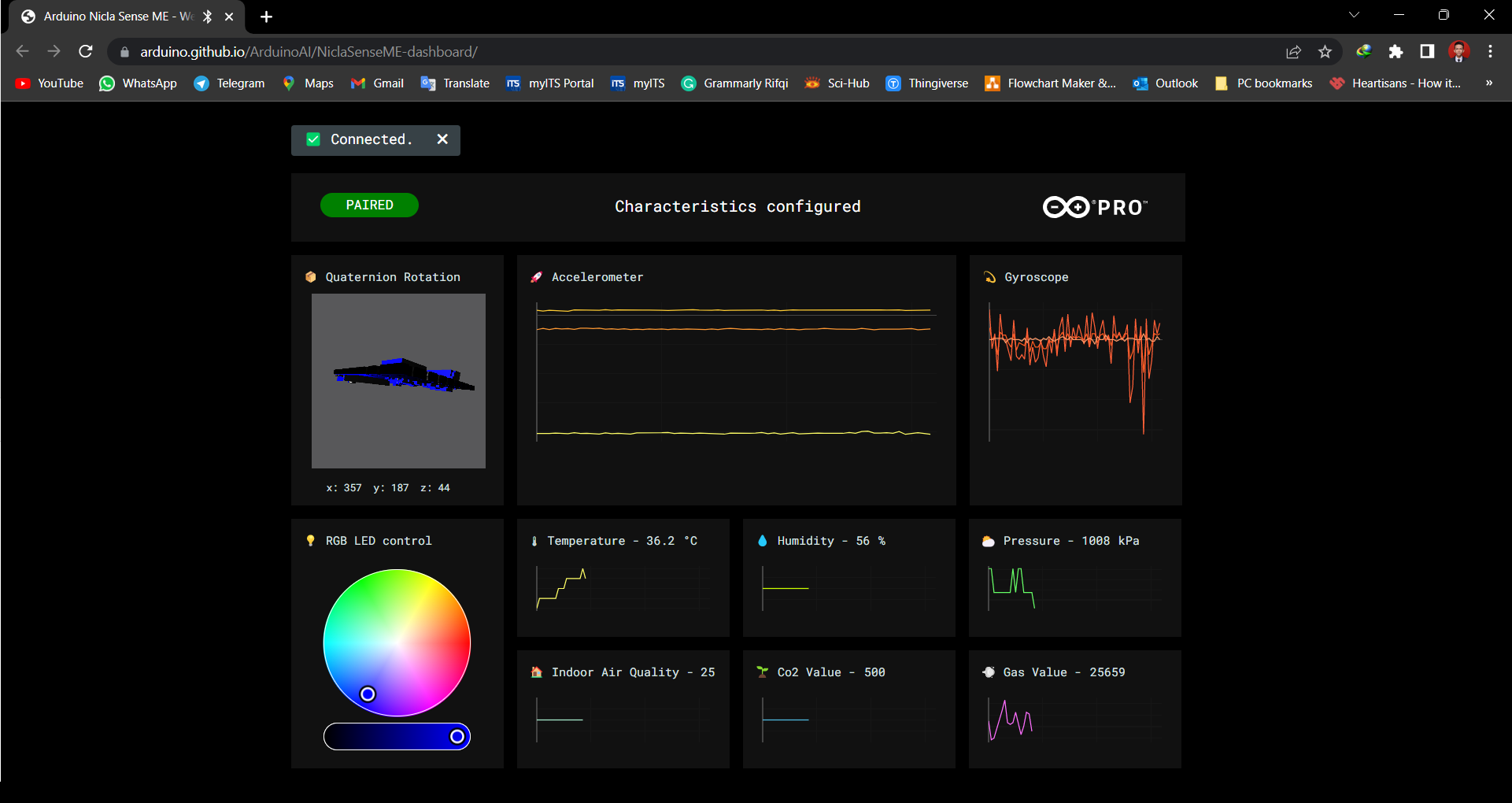
Nicla Sense ME can give you information about the environment such as pressure, temperature and gas readings. Sometimes, you may have to place the sensor in a hard-to-reach area due to certain environmental requirements. Therefore, it will be much convenient and helpful to access the data wirelessly. To demonstrate this, Arduino prepared a simple sketch and hosted a dashboard so you can try it yourself. You can download the code at this link or at the code attachment below.
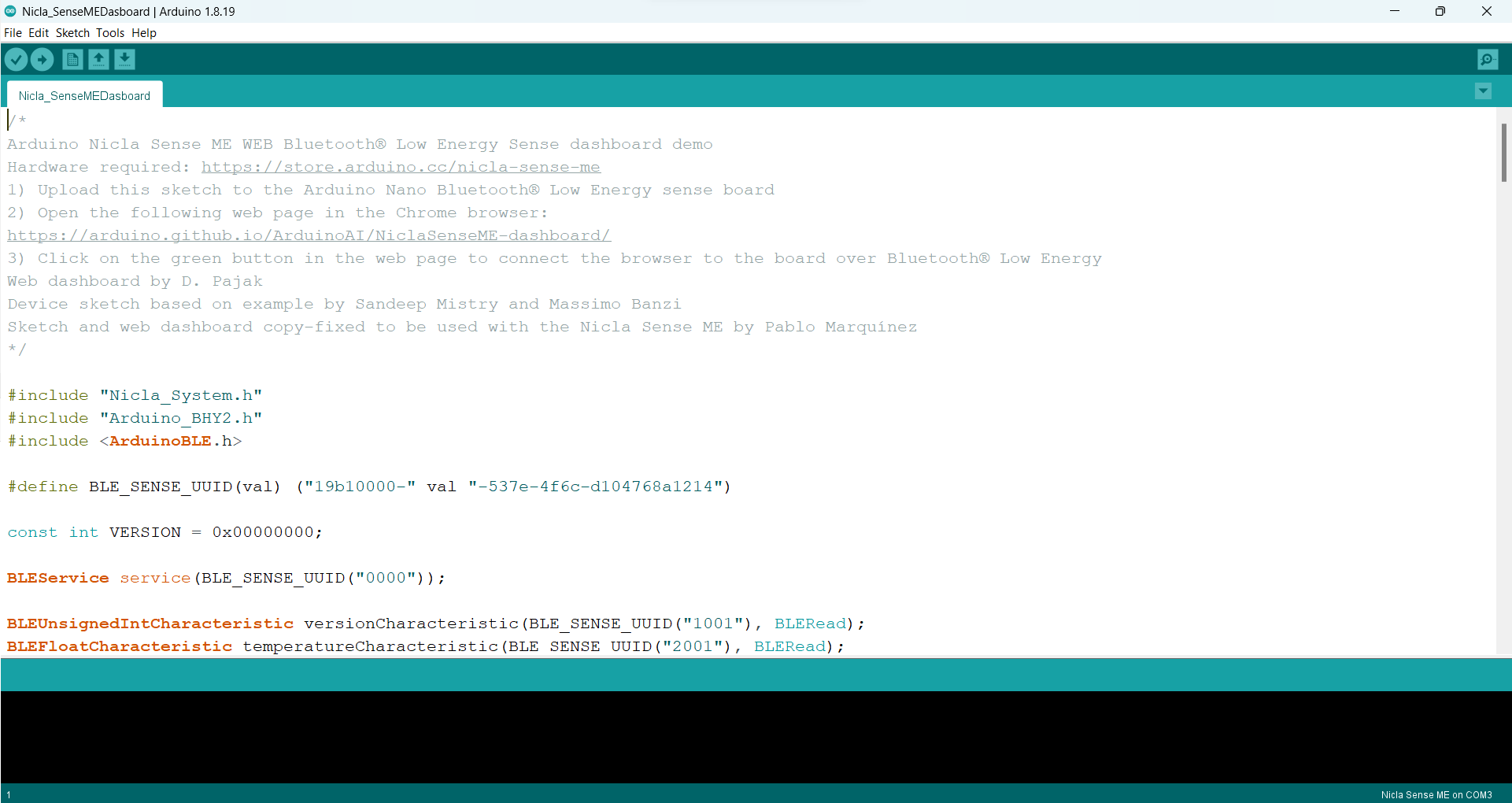
You only need to upload it without changing anything, then you can enter Arduino Nicla Sense ME - Web BLE Test . This section is expected to help you better understand the sensors contained in Nicla Sense ME better.
3. Testing Transmit Sensors Data using BLE
In this project, a system will be created that can detect environmental conditions around the user. There are several selected parameters to be used:
- Temperature
- Humidity
- Air Pressure
- Indoor Air Quality
- VOC gas
Some of these sensors can be accessed easily by following the instructions on the Arduino Nicla Sense Cheatsheet. To try it, let's display it on the serial monitor using the following code, which you can access on this link or in the attachment.
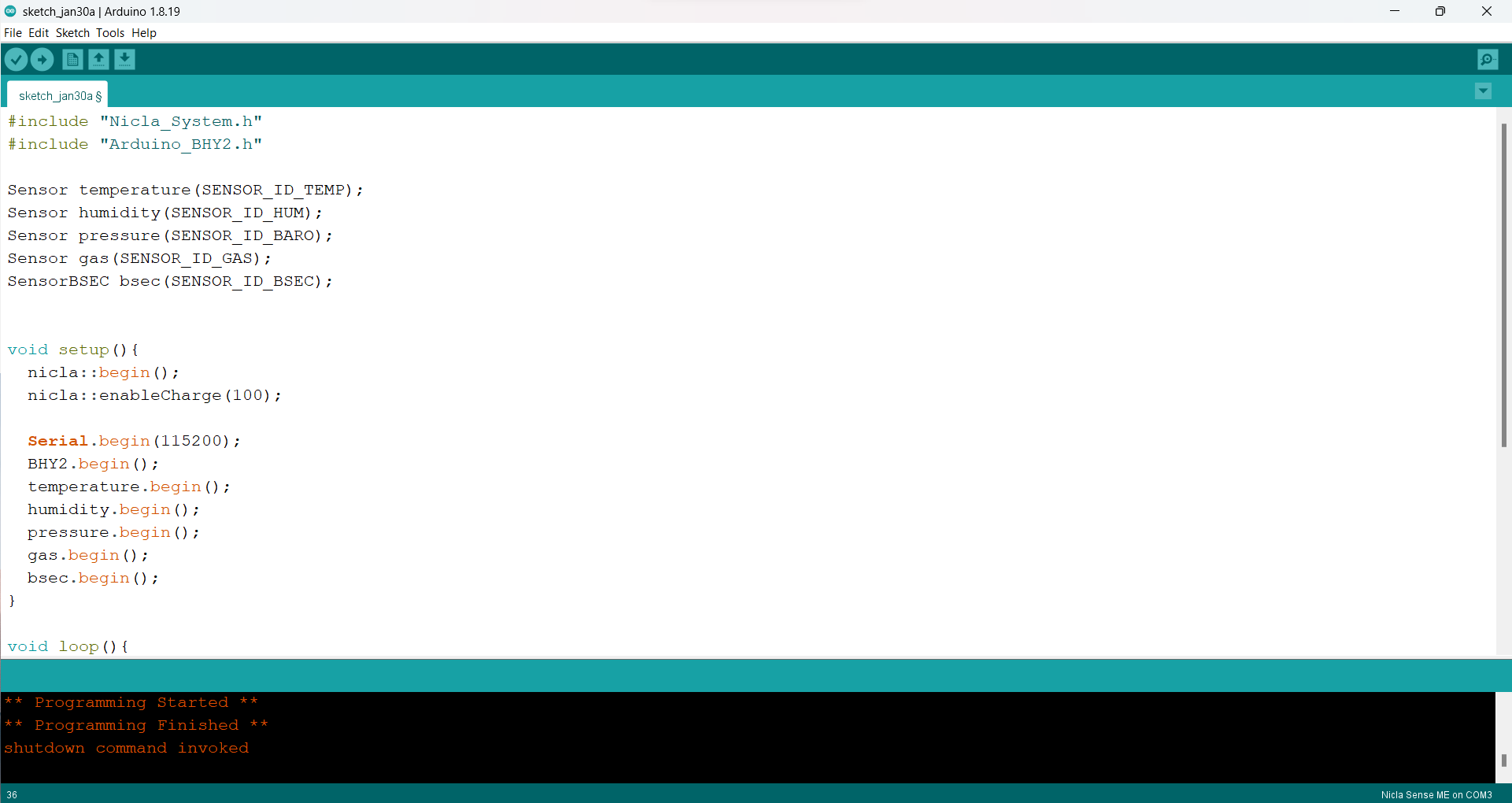
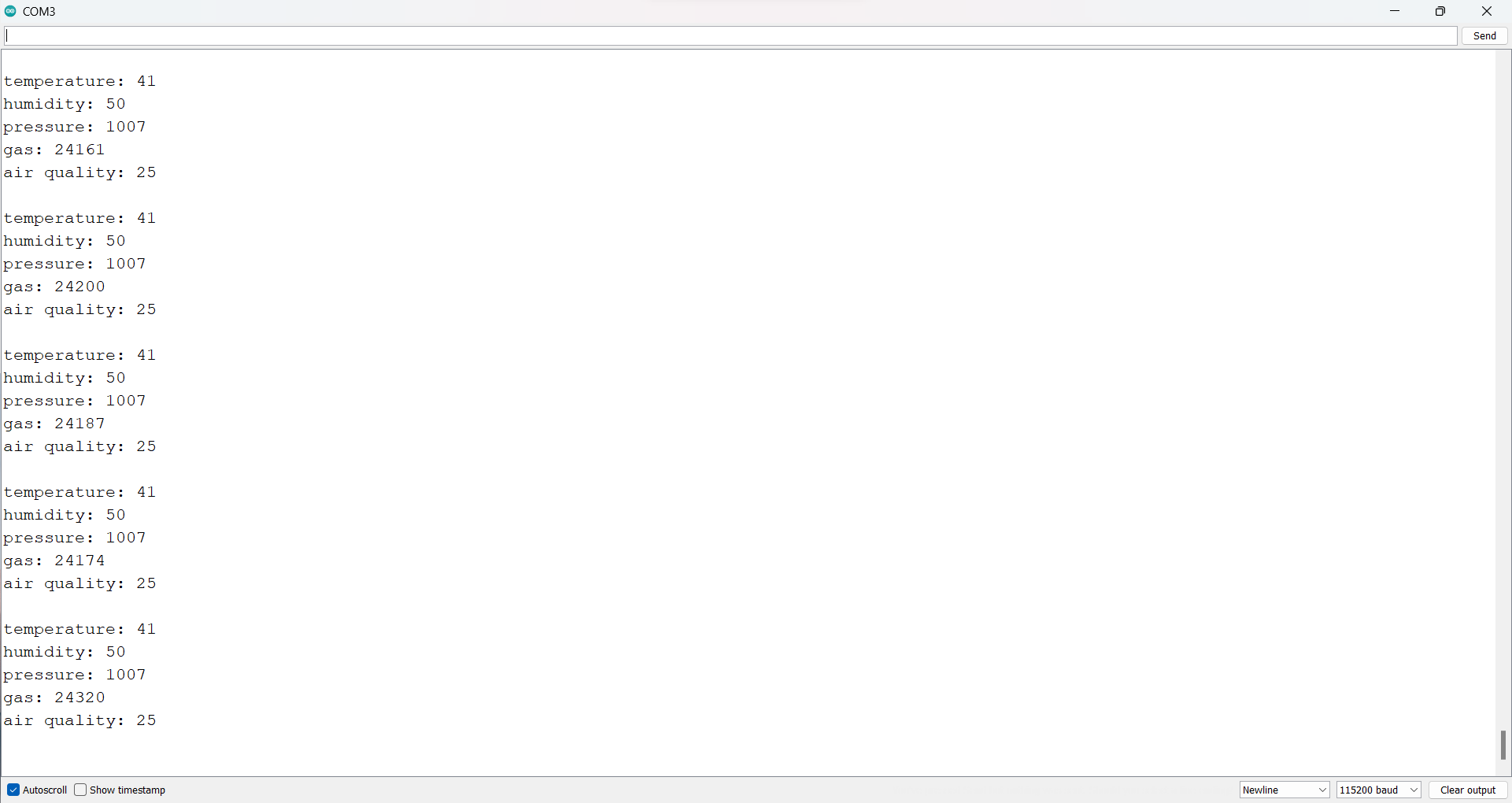
Now we can read the value of the sensor that will be used. Furthermore, the data that has been read will be sent using BLE to be read by other devices. BLE stands for Bluetooth Low Energy (Bluetooth LE, marketed as Bluetooth Smart). Bluetooth Low Energy (BLE), sometimes referred to as “Bluetooth Smart”, is a lightweight subset of classic Bluetooth. and was introduced as part of the Bluetooth 4.0 core specification. We will use our smartphone as a receiver and Nicla Sense ME as a transmitter to transmit data. Therefore, we need an application to display data from Nicla Sense ME. The application that will be used is LightBlue which can read data from the transmitter via BLE.
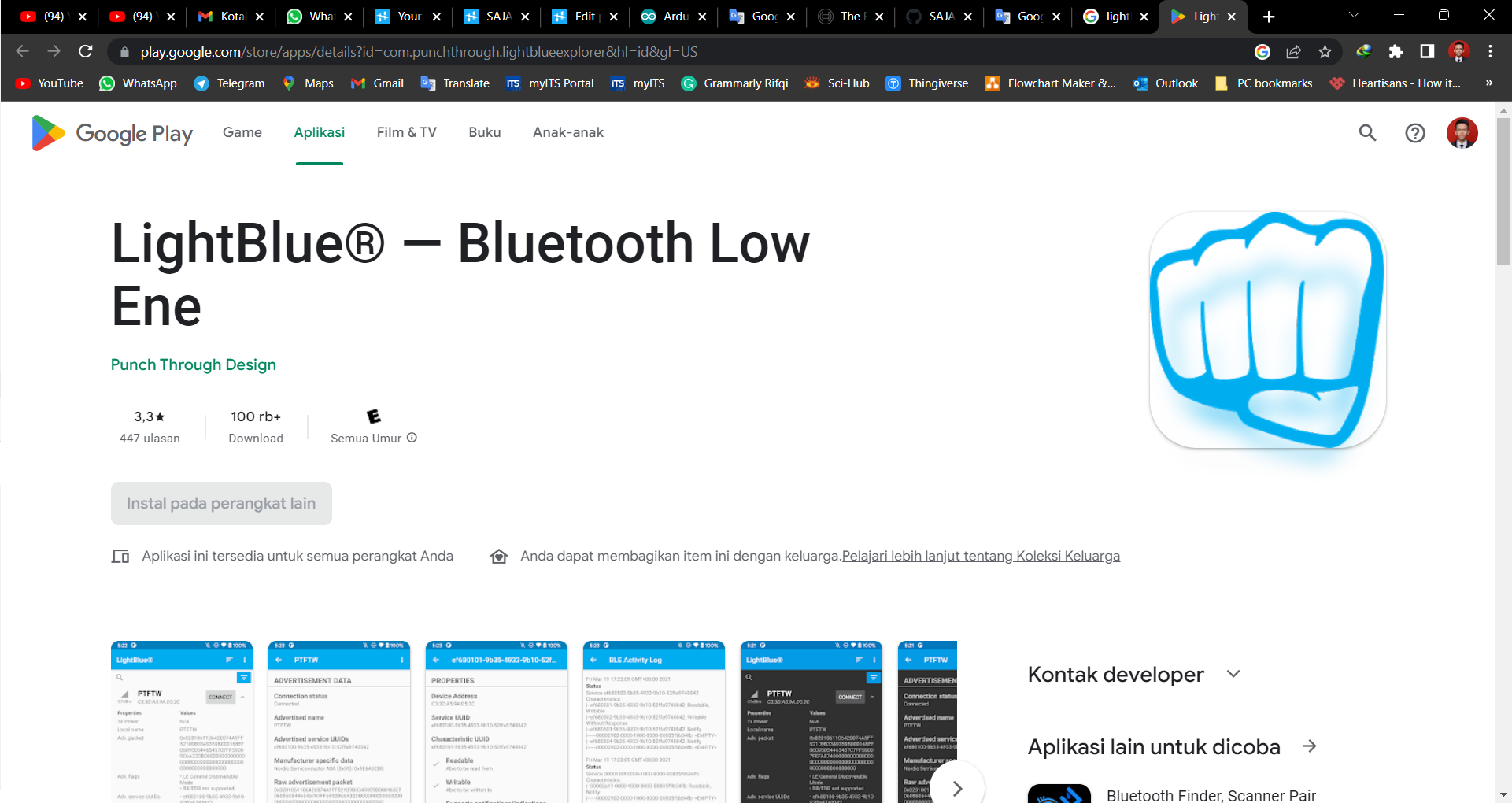
Data that has been read from the sensor on Nicla Sense ME will be sent using BLE. We can modify the Nicla Sense Dashboard program in the previous step for this project. It is necessary to make a few modifications to the program, which will significantly affect the data displayed in the application. The change is to change the variable data format sent to "Char/String". This is due to simplifying the process of displaying data in the next step. You can try the program on the GitHub link or on the attachment. (additionally, you can compare this program with the Nicla Sense Dashboard program to see the difference).
Data will be received in Hex format. Now let's see what we get in the LightBlue app. 😀
4. Gui Design using MIT App Inventor
Now we can send the data from Nic