Precise Chronometry: The DS3231 RTC Advantage
For most microcontroller projects, the internal clock is insufficient because it resets whenever power is lost. A Real-Time Clock (RTC) like the DS3231 solves this by maintaining time even when the main system is off, thanks to a small coin-cell backup battery. This project focuses on setting and syncing the DS3231 for the first time using the Arduino Mega 2560, overcoming common library hurdles for beginners.
Why DS3231 over DS1307?
While the author mentions both, the DS3231 is significantly more accurate than its predecessor (DS1307):
- Temperature Compensation: The DS3231 features a "Temperature-Compensated Crystal Oscillator" (TCXO). It automatically adjusts for frequency drift caused by heat or cold, keeping time accurate to within 1-2 minutes per year.
- Integrated Crystal: Unlike the DS1307, the crystal is inside the chip, reducing external noise and PCB footprint.
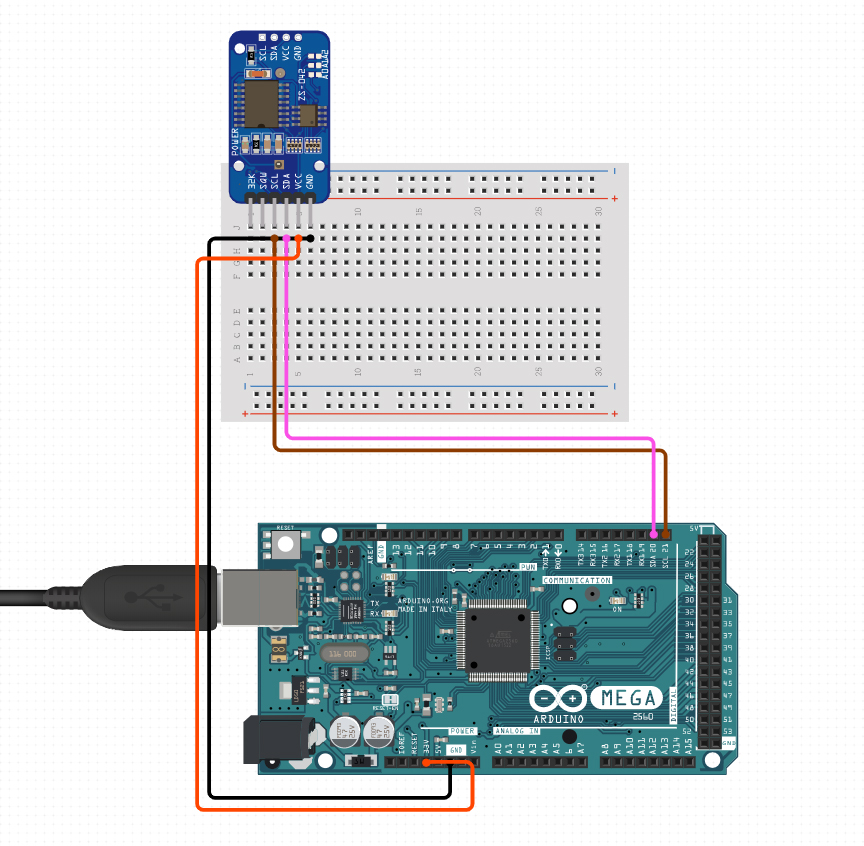
- Communication Interface: It uses the I2C Protocol (Inter-Integrated Circuit), which on the Arduino Mega uses pins 20 (SDA) and 21 (SCL).
The Software Solution: Navigating Libraries
Finding the "Correct" library is often the hardest part for any beginner.
- Library Selection: The DS1307RTC library by Paul Stoffregen (v 1.4.1) is chosen because it is highly stable and automatically handles the TimeLib requirements.
- The SetTime Sketch: The project utilizes the "SetTime" example. This specific code takes the time from the PC's compiler at the moment of upload and "flashes" it into the RTC's internal registers.
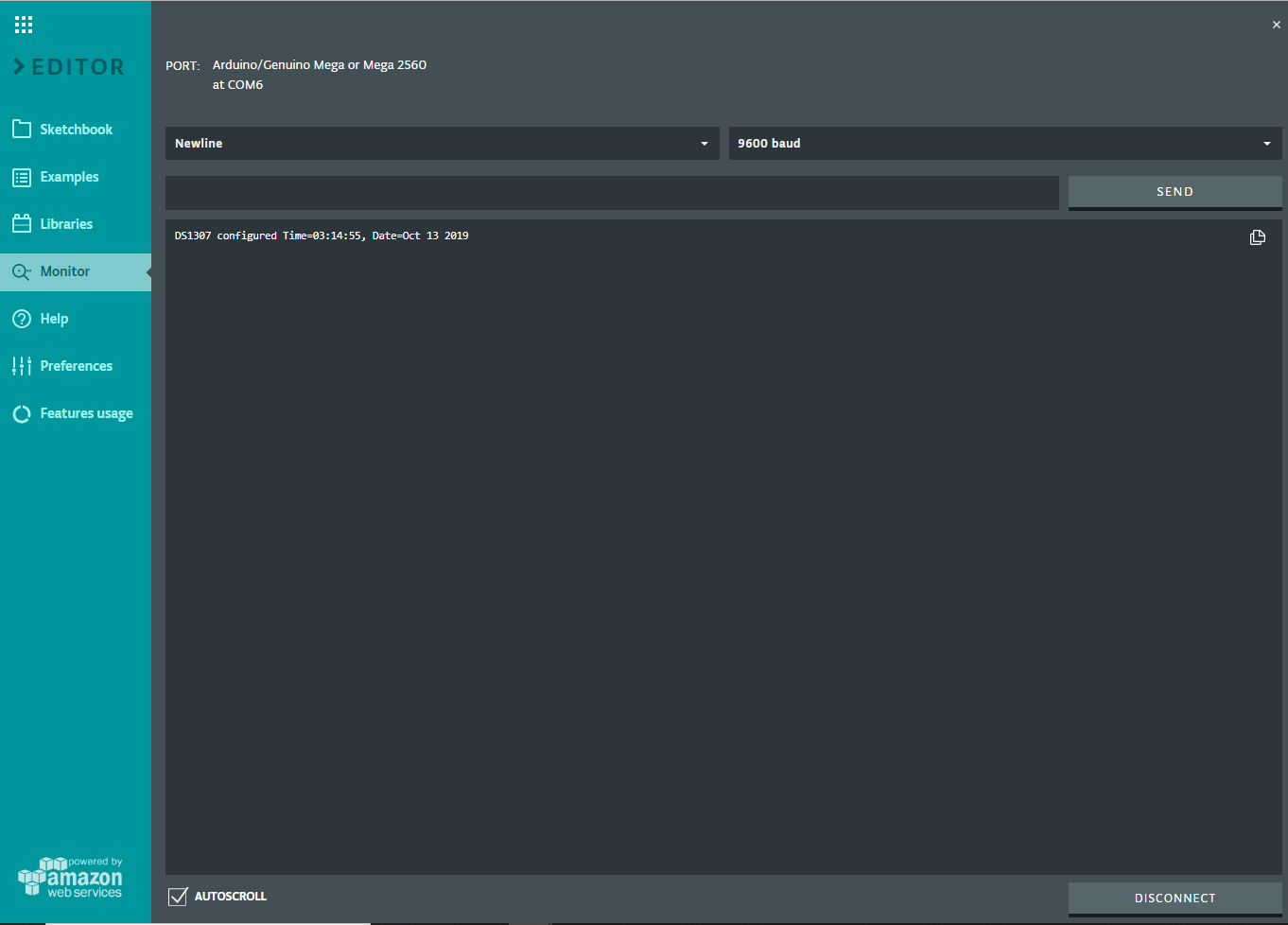
- Serial Verification: Once uploaded, the code reads the registers back and prints them to the Serial Monitor. If the time matches your PC clock, the RTC is now set and will run independently for years.
Future Expansion: Visualizing Time
Now that the "Brain" of the clock is synchronized, the next logical step—as the author notes—is integrating a display. By using an I2C LCD (16x2), you can create a standalone digital clock that doesn't require a constant USB connection to your computer, making it a perfect project for a desk or home automation panel.
As an Arduino beginner I had a difficult time getting my RTC to work. I have a Holdding DS3231RTC but all of the Project files and libraries I found wouldn't work. I finally decided to use a library I found in the Library Manager called DS1307RTC v. 1.4.1. This library also includes the TimeLib libray. Next I would like to get this displayed on my LCD i2c.
Library
The Library for this can be found in the Library Manager.
Search for: DS1307RTC
Actual RTC Component
I couldn't find the actual DS3231 RTC that I used to place in the components section so here is the actual RTC that I used:
Holdding DS3231 AT24C32 IIC Module Precision Real Time Clock Memory Module/Precise Time Clock Module with Temperature -compenstaed Crystal Oscillator
Amazon Link: https://www.amazon.com/gp/product/B00LZCTMJM/ref=ppx_yo_dt_b_search_asin_title?ie=UTF8&psc=1
Layout