Using a Gyro to control my projects was a big thing on my bucket list but apart from acquiring the IMU the rest was hard as nails. The lack of effective content on extracting yaw pitch and roll values bugged me for over a month. After numerous websites, countless libraries and problems I learned to get data from the gyro and use it in a simple project that beginners can easily do and save themselves a lot of trouble.
"It's gonna be LEGENDARY" - Swarley
(Check out our blog - virginrobotics.blogspot.com for amazing content.)
Follow these steps to make use of the gyro angles from the MPU6050 sensor.
1. Install the Library
After getting yourself the 6-axis accelerometer-gyroscope sensor, there's a library to install.
Here's the link : MPU6050 library https://github.com/jarzebski/Arduino-MPU6050
2. Wire Up the System
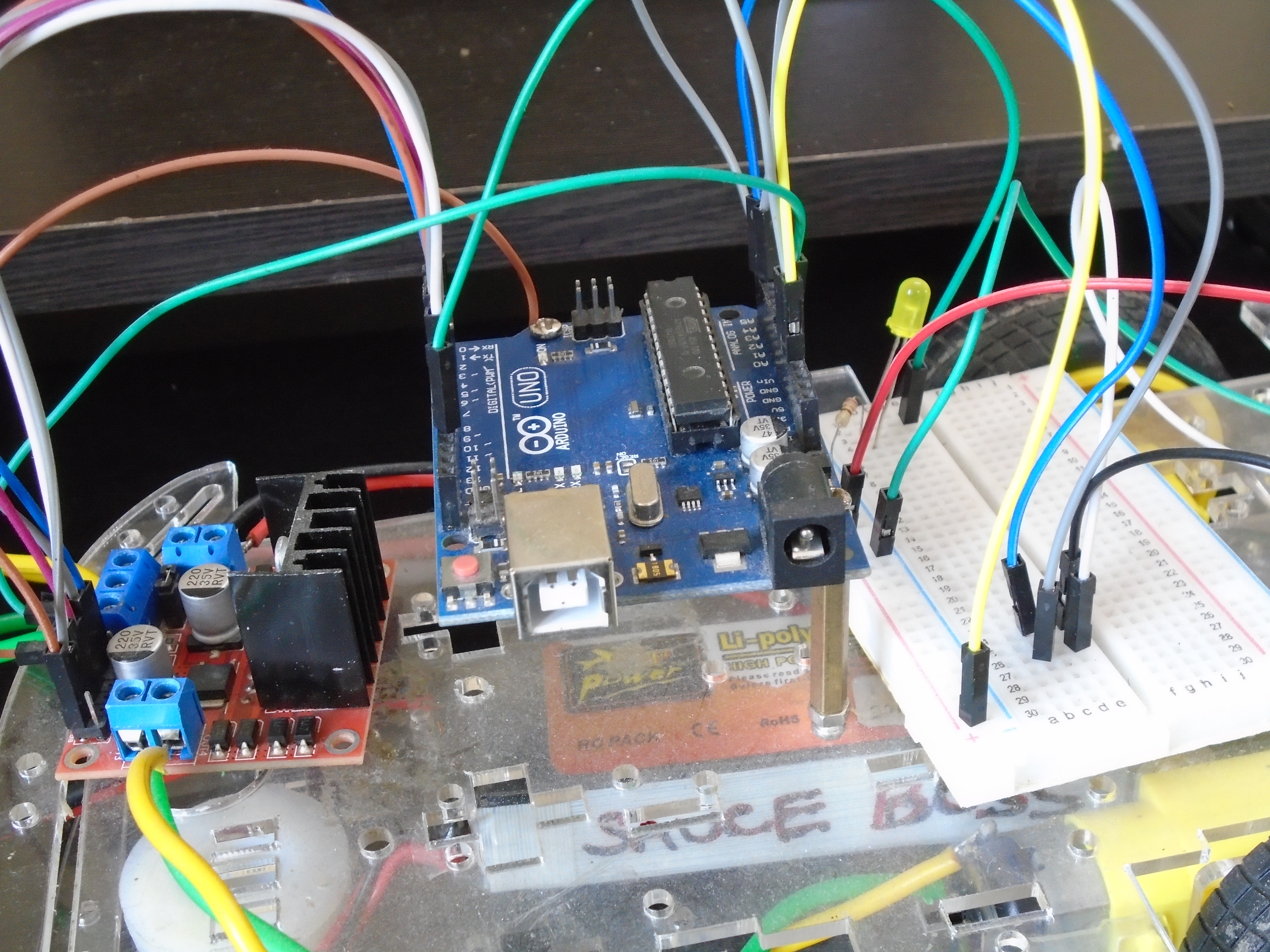
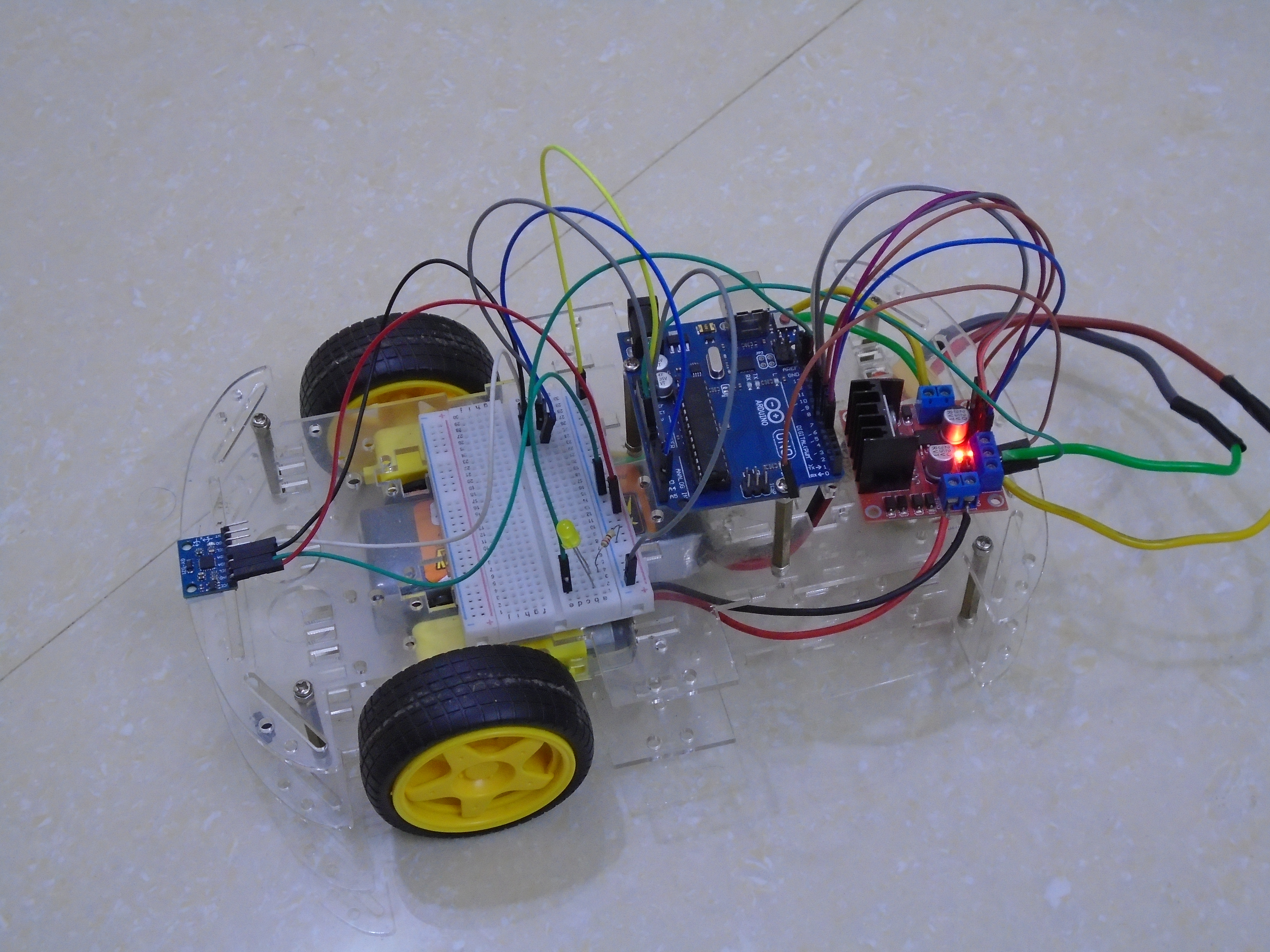
On installing the library go ahead and wire up the system as follows.
The connections to the motor driver are given in the code itself:
ena = 5;
enb = 6;
in1 = 7;
in2 = 4;
in3 = 9;
in4 = 8;
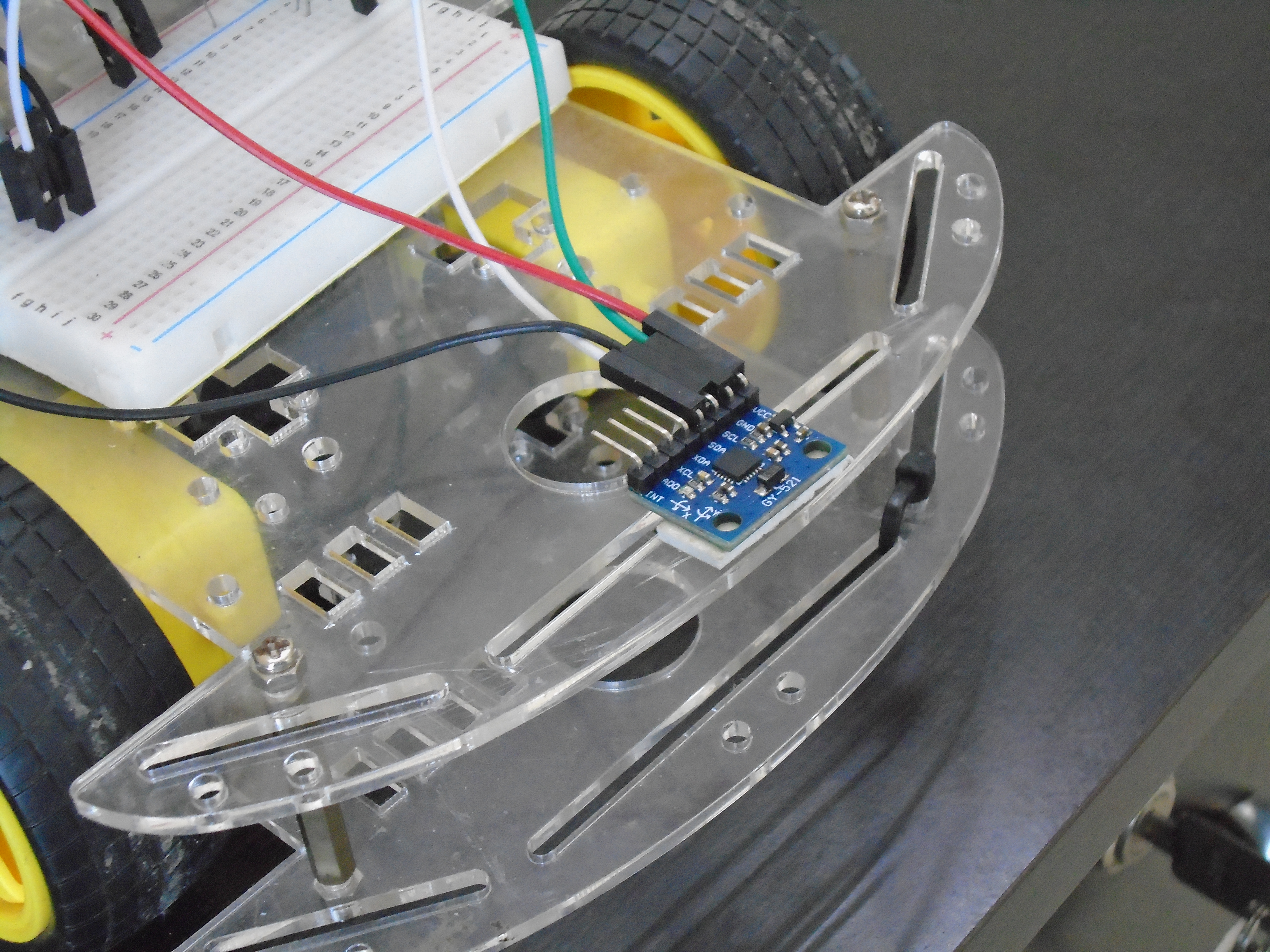
The connections to the MPU6050 sensor are:
- VCC to +5V
- GND to GND
- SDA to A4
- SCL to A5
Note: From here on we call the robot Barney.
3. Upload, Calibrate, and Run
Upload the code and place your Barney on the floor to let the sensor calibrate and set the orientation you placed it in as 0 degrees.
Time for Fun kids.....
Once it's done that, Barney may twitch side to side but it's fine. Now try and shove the bot in different directions but it will return to its original orientation.
Here's Barney demonstrating.
Inertial Guidance & Stabilization
This project leverages the MPU6050's capabilities for motion tracking and stabilization.
- 6-Axis Sensor Fusion: The MPU6050 provides 3-axis gyroscope (measuring rotational speed) and 3-axis accelerometer (measuring the gravity vector) data. The Arduino uses the sensor's built-in Digital Motion Processor (DMP) to fuse this data and compute a stable "Yaw, Pitch, Roll" orientation in real-time.
- Complementary Filtering: The system implements a software filter that merges the fast, responsive data from the gyroscope with the long-term stable data from the accelerometer. This fusion is crucial to eliminate the gyroscope's inherent drift, providing accurate and reliable angle readings.
Navigational Improvements
- Self-Leveling: The core logic of the code allows the robot to maintain its chassis level, acting as a self-balancing system even when traversing slightly uneven terrain.
- Gesture Detection: The updated firmware can be extended to detect specific orientation changes, such as "Shakes" or "Tilts," which can be programmed as commands to trigger different robotic behaviors.
UPDATE--
As you can see in the first video, the bot starts twitching once it returns to facing the wall. The problem has been fixed and to see how follow this link - VirginRobotics
Here's a video showing the difference the fix makes. Notice how the bot doesn't twitch after returning to face the wall.