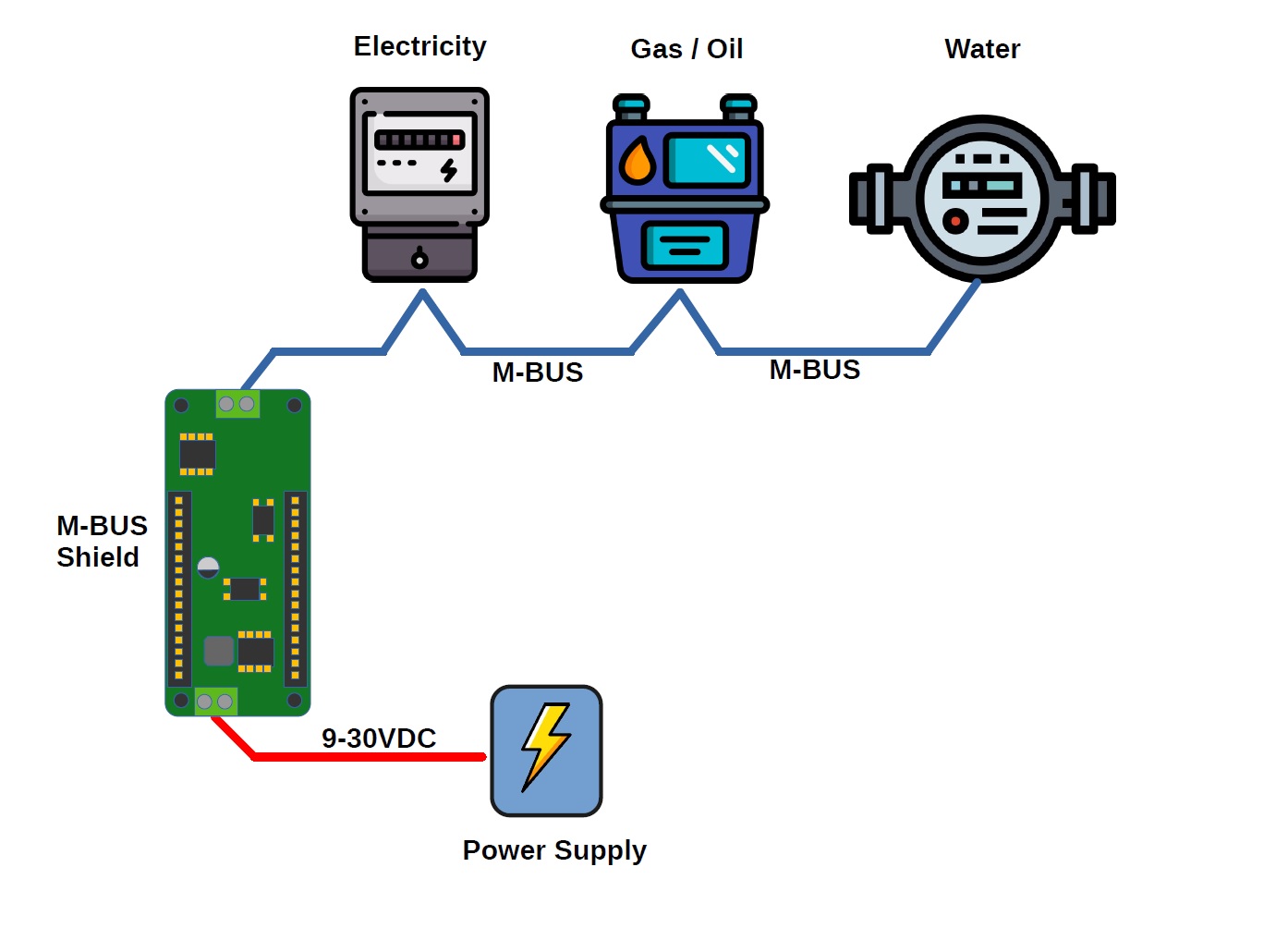
Due to rising prices for oil, gas and heat as well as climate change, it is becoming more and more important to monitor energy consumption in order to keep an eye on energy costs, but also to be able to check the effectiveness of savings. Many meters for oil and gas, but also for water, are equipped with a special bus system, the M-BUS or meter bus, for monitoring consumption values.
This article describes how such meters can be read out via the M-BUS interface using a special M-BUS MKR Shield connected to an Arduino Portenta H7 running MicroPython.
Install MicroPython on Portenta
In addition to C++ programming via the Arduino IDE, the Arduino Portenta can also run MicroPython scripts. In order to be able to use MicroPython on the Portenta board, the OpenMV IDE must be installed on your computer and then the MicroPython interpreter must be set up on the Portenta via OpenMV.
Please follow this tutorial to install OpenMV on your system.
Install the Meterbus library & examples
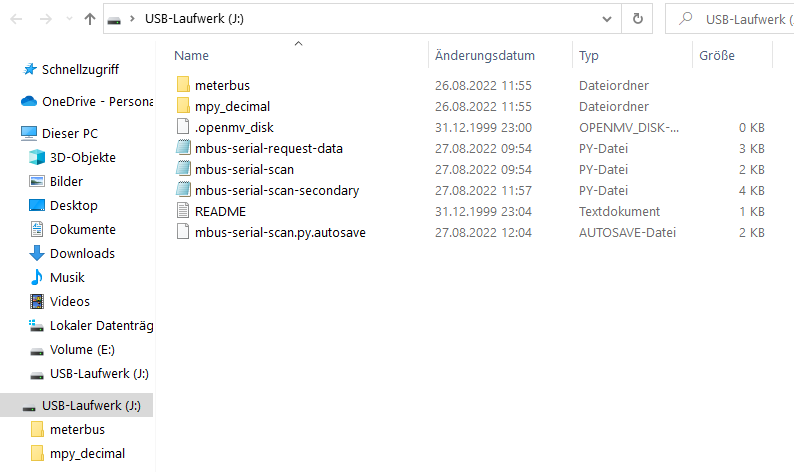
After successfully setting up OpenMV on your computer and the Portenta, a new drive will appear on your computer that stores the MicroPython scripts on the Portenta.
The MicroPython code from our GITHUB repository is now copied to this drive, including the subdirectory.
Since MicroPython does not contain any floating-point libraries, the 'mpy_decimal' directory must also be copied from the micropython-decimal-number repository.
Running the examples
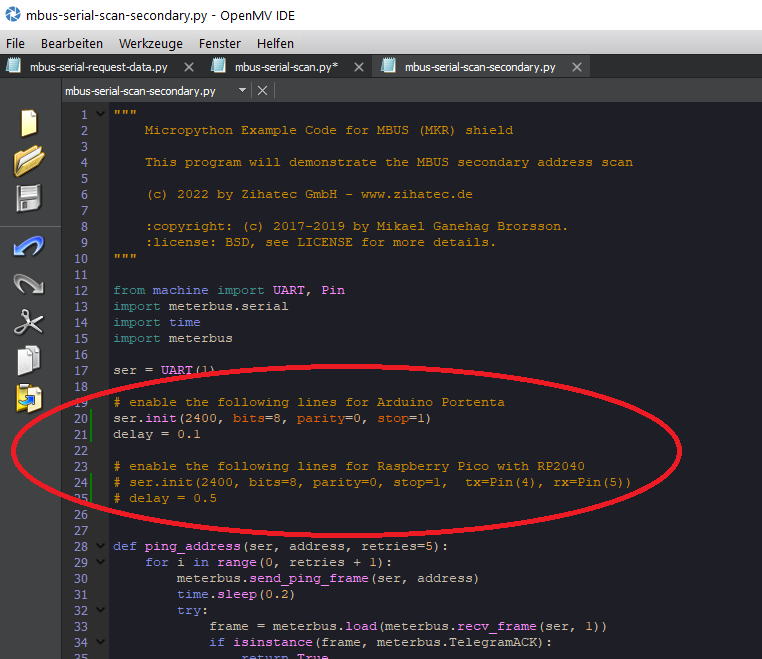
Our code includes 3 example scripts. You can open these scripts via OpenMV IDE. Please ensure that the Portenta configuration lines are properly enabled/disabled in these examples:
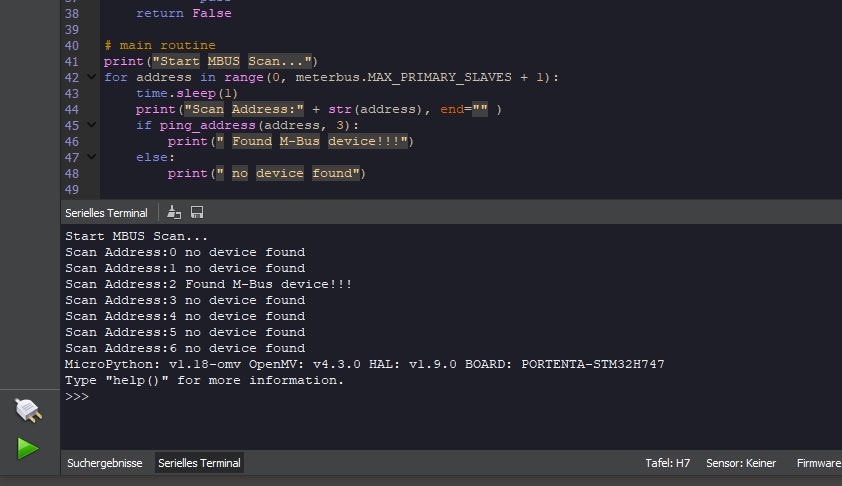
Don't forget to activate the terminal window below. Now you can run any of these 3 examples in OpenMV by pressing the green arrow button in the lower left corner:
EXPANDED TECHNICAL DETAILS
Industrial-Grade Energy Diagnostics
Leveraging the dual-core power of the Arduino Portenta H7, this project is a high-speed energy auditing tool for smart grid applications.
- High-Fidelity Signal Processing: The H7's M7 core (480MHz) performs real-time RMS (Root Mean Square) calculations and Fast Fourier Transforms (FFT) on incoming current and voltage data to measure power factor and harmonic distortion.
- Non-Invasive Current Sensing: Uses SCT-013 current transformer clamps to measure AC current without breaking the circuit.
Edge Machine Learning
- Anomaly Detection: (Advanced version) Utilizing the H7's AI capabilities, the system identifies the "Electronic Signature" of different appliances, allowing for a detailed breakdown of which machines are consuming the most energy even if they are on the same circuit.