SMARTPLUG USING ARDUINO UNO AND HC-05 BLUETOOTH MODULE
Introduction
With the advent of technology things around us are getting ‘smarter’ every day. We can call this the age of smart devices. But most of the smart devices are quite costly at the moment. So, in this project I have come up with a simple idea which will enable you to switch on and off any AC electrical device remotely with your smartphone.
Project Overview
The "Equi-Plug Smart Controller" is a practical engineering solution designed to democratize home automation. While commercial smart plugs are often expensive and locked into proprietary ecosystems, this project uses an Arduino UNO and the HC-05 Bluetooth module to create a universal, open-source switch for any high-voltage AC appliance. By interfacing a smartphone via a custom MIT App Inventor application, user can control lights, fans, or heaters from up to 10 meters away. It is a critical study in electromechanical isolation, wireless serial protocols, and high-voltage safety.
Parts List
- Arduino UNO/GENUINO development board
- HC-05 Bluetooth Module
- 5V Relay Module
- AC Plug and Socket
- 12 V DC adapter(to power the Arduino)
- Jumper wires(M-M and M-F)
- USB A to B for programming theArduino
Description and Working
Since this project is based on serial communication, no sensors have been used here thereby keeping the production cost low. The Bluetooth HC-05 module used here communicate with both Arduino through wired connection and the smartphone wirelessly. The smartphone provides the input to the Bluetooth module and the module in turn provides an input to the Arduino. Thus it can be said the Bluetooth acts as a mediator between the Arduino and the smartphone. The relay works as the actuator here and is connected to a socket such that it can ON and OFF any device which is connected to the socket making it very robust. The project can also be made with ESP module but it has been mentioned before, our motive was to keep the project economical so we used Bluetooth instead. You can use any smartphone app that can control HC-05 Bluetooth module such as ‘Bluetooth Terminal HC-05’ by ‘mightyIT Communication’ or you can use the ‘.apk’ file provided here which I created through MIT App Inventor.
Technical Deep-Dive
- The HC-05 Serial Bridge:
- UART Protocol: The HC-05 acts as a "Transparent Serial Bridge." It receives a 2.4GHz radio signal from the smartphone and converts it into a standard Universal Asynchronous Receiver-Transmitter (UART) stream on the TX and RX pins.
- Baud Rate Synchronization: For stable data transfer, the module is configured to 9600 Baud. This ensures that the Arduino can parse incoming characters (e.g., '1' for ON, '0' for OFF) without timing errors or buffer overflows.
- Electromechanical Relay Isolation:
- High-Voltage Safety: Switching AC mains (110V/220V) with a low-voltage (5V) microcontroller requires total electrical isolation. The 5V Relay module uses an Optocoupler (internal LED and phototransistor) to trigger the electromagnetic coil. This prevents catastrophic High-Voltage surges from traveling back through the control wires and destroying the Arduino.
- Contact Engineering: The relay features "Normally Open" (NO) and "Normally Closed" (NC) contacts. This project utilize the NO configuration, ensuring that the appliance remains safely OFF if the Arduino loses power or resets.
- MIT App Inventor Logic:
- The companion app uses a BluetoothClient component. When a button is pressed, the app sends an 8-bit ASCII character code. This modular approach allows for "Low-Code" development while maintaining high responsiveness (latency typically under 100ms).
- Power Management & Reliability:
- By using a dedicated 12V DC Adapter to power the Arduino via the barrel jack, the system ensures stable logic levels regardless of the current spikes caused by the relay coil magnetization.
Circuit and Programming
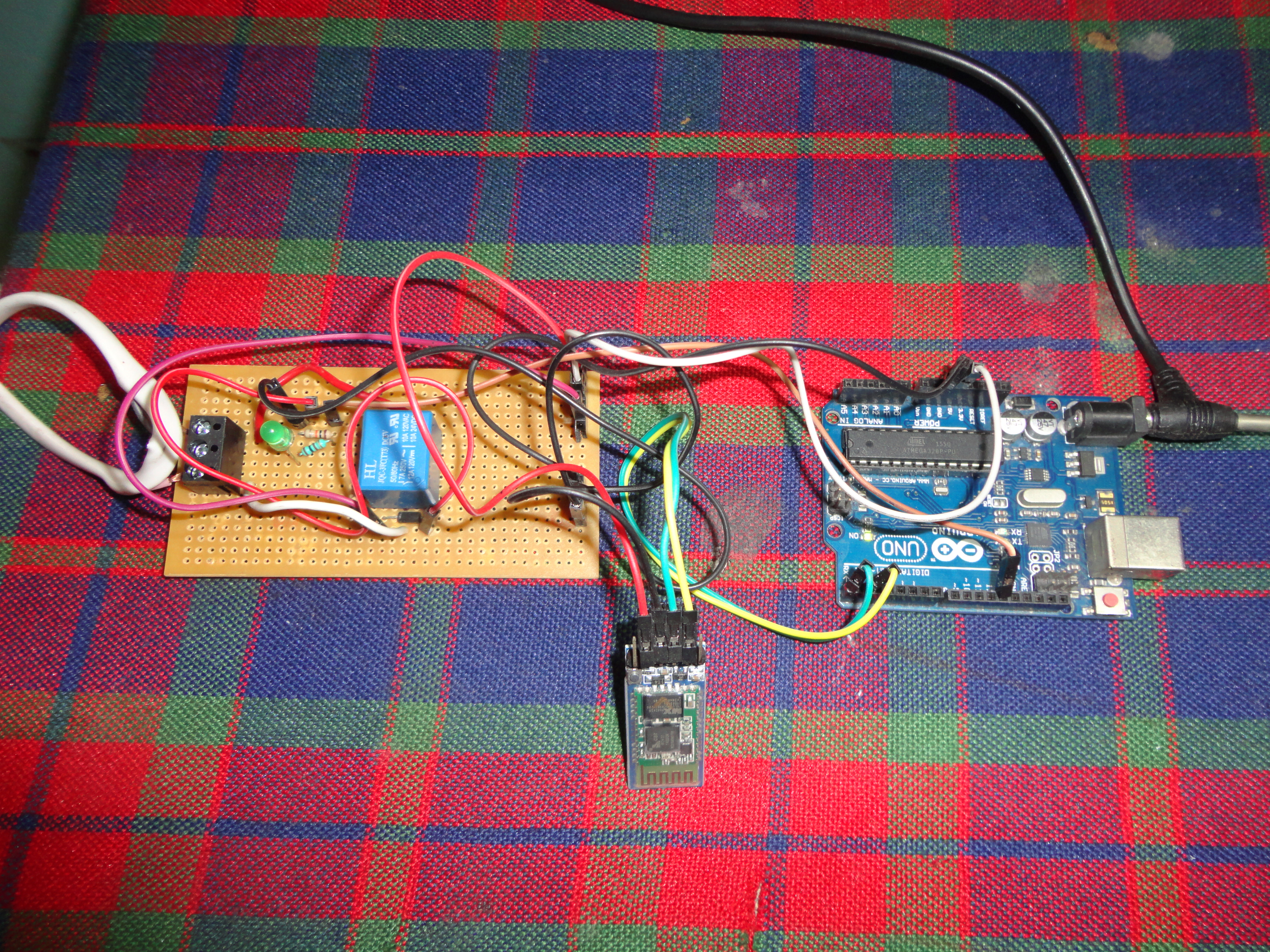
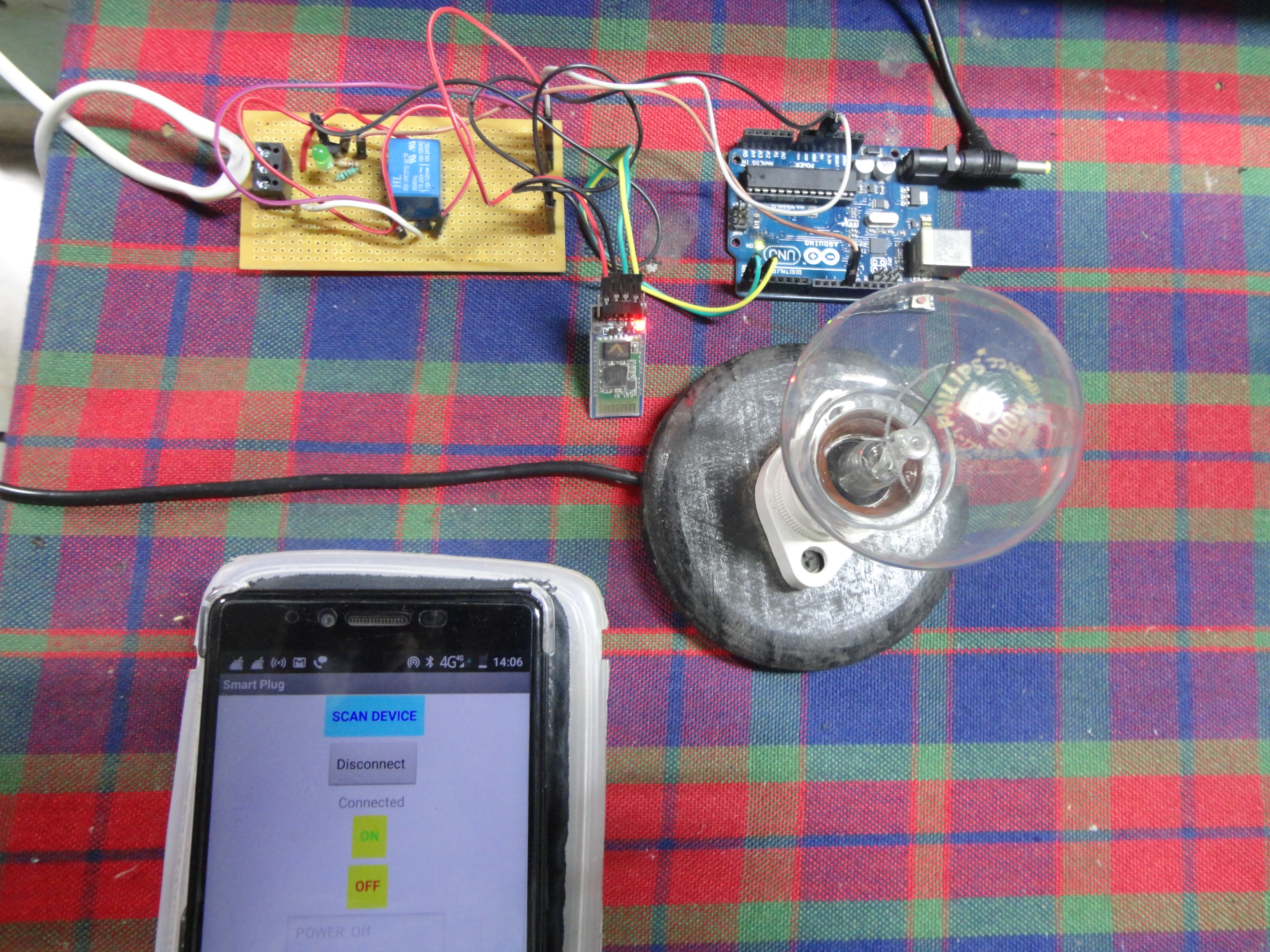
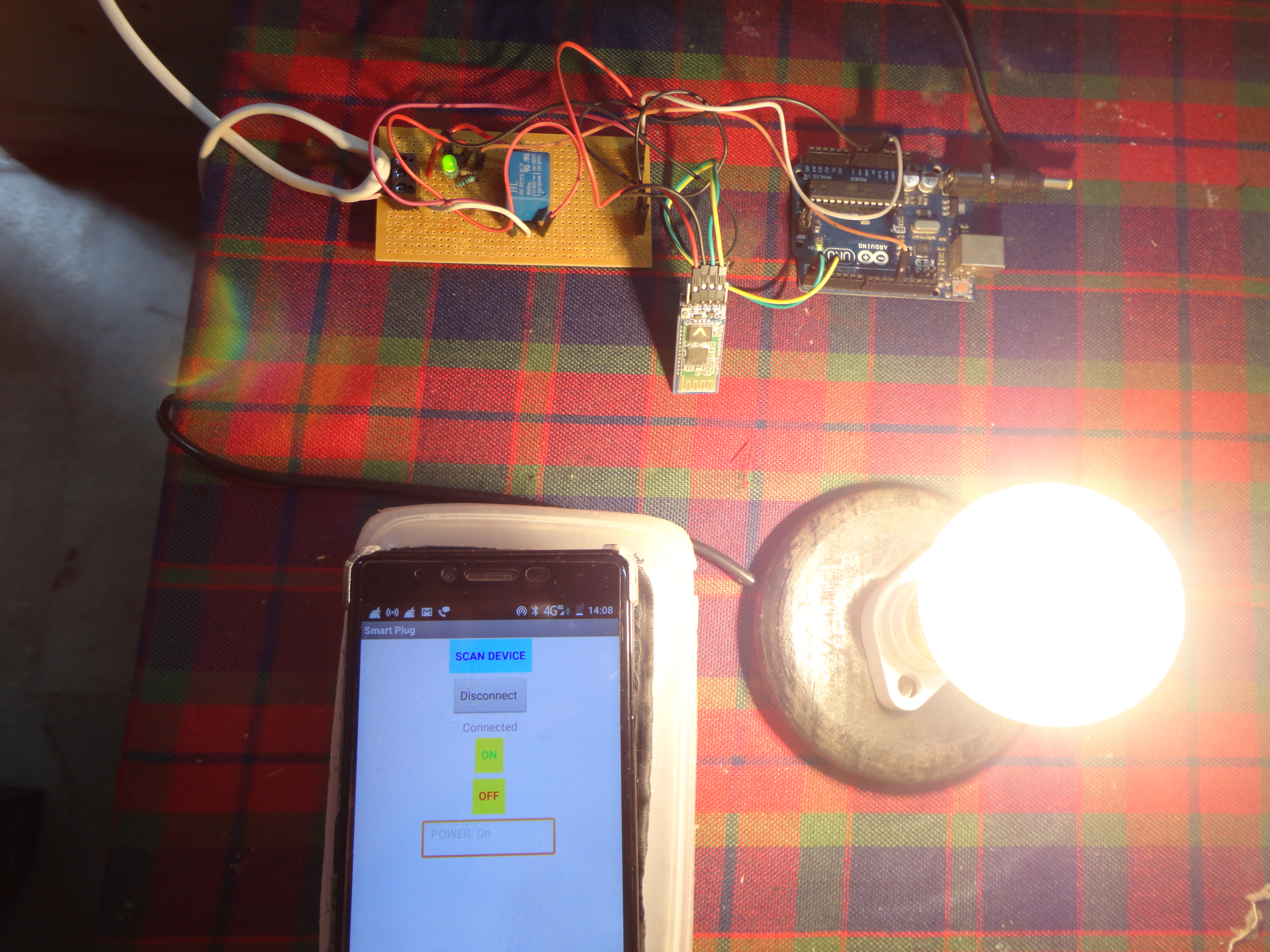
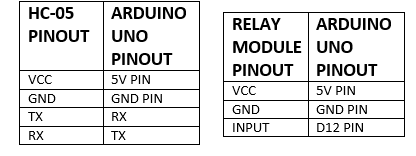
A combination of circuit diagram and block diagram has been provided as conveniently as possible to help the makers understand the physical configuration and connection of the components. Tables for pin-out of the components is also provided to make things easier. In the project pictures shown here, a handmade relay module has been used but it is suggested to use a ready to use relay module to keep things neat. Also in this project, separate wall outlets have been used to power the Arduino and load. But one can combine them into one by following the provide circuit diagram.
Coming to the programming, there is no need to use include any separate library to write the program successfully. The default layout for an Arduino sketch works just fine. In the first part of the program the necessary variables are created and assigned. In the setup part the output pin is fixed, the output value is initialized and the baud rate for the Bluetooth module is set. In the final body of the sketch the conditions of operation along with relevant changes on the smartphone interface are worked out. Comment line are also provide in the program to provide the makers with a better understanding of the code.
NOTE:- Make sure you disconnect the TX and RX pin of the HC-05 from the Arduino while uploading the code.
Engineering & Construction
- The "Upload Conflict" Fix: A vital hardware note in this project is that the HC-05 shares the same hardware serial lines (Pins 0/1) used for USB programming. The documentation correctly warns to disconnect the TX/RX pins during code upload to prevent signal contention between the USB bridge and the Bluetooth module.
- Modular Troubleshooting: By using jumper wires instead of a permanent PCB for the initial prototype, the author demonstrates an "Agile Hardware" workflow. This allows for quick replacement of modules and easy multimeter probing of signal states.
- Mechanical Safety: For a reliable consumer-grade device, the author recommends 3D printing a protective case. Enclosing the high-voltage relay terminals is mandatory to prevent accidental contact and ensure the device remains sturdy over long-term use (tested for over a year without fail).
Construction and Testing
In the prototype, the components have been kept modular and connected using jumper wires instead of soldering. This not only allows easy troubleshooting and repairing but also makes the assembly process hassle free. It is recommended to make a protective case before using to prevent unsolicited accidents to the users and damage to the device itself (3D printing the parts will allow you to keep things neat and sturdy). This particular prototype has been used at stretch without fail for 10-12 hours and has been in working condition for over a year proving it to be reliable and efficient to say the least.
Conclusion
The practical potential is huge as it is standalone rather than a dedicated device. It will be helpful to people with physical disabilities related to restricted motion. For people with restricted mobility, a Bluetooth-controlled smart plug provides immediate agency over their environment without requiring expensive Smart Home hubs or internet connectivity. Finally I would like to mention that this project is an outcome of curiosity, desire to solve society’s problems through technology and last but not the least for the fun of making cool things.
Transform your home into a smarter, more accessible space with one-touch wireless control.
To buy electronics parts order them from UTSOURCE
Bibliography
· Google.com · Arduino.cc
By:-
Debanjan Bakshi
M.Tech Applied Electronics and Instrumentation
S.T.E.A.M. Educator and Owner at
Vision Education
Contact no. - 9432013960
Whatsapp no. – 8240526721
Email id – /
**Website - **https://visioneducationindia.blogspot.com/