Disclaimer: This project is for fun only. It's not meant to promote cheating, hiding serious activities, or doing anything malicious. Think of it as a lighthearted gadget for laughs, pranks, and showing off your Arduino skills.
Introduction
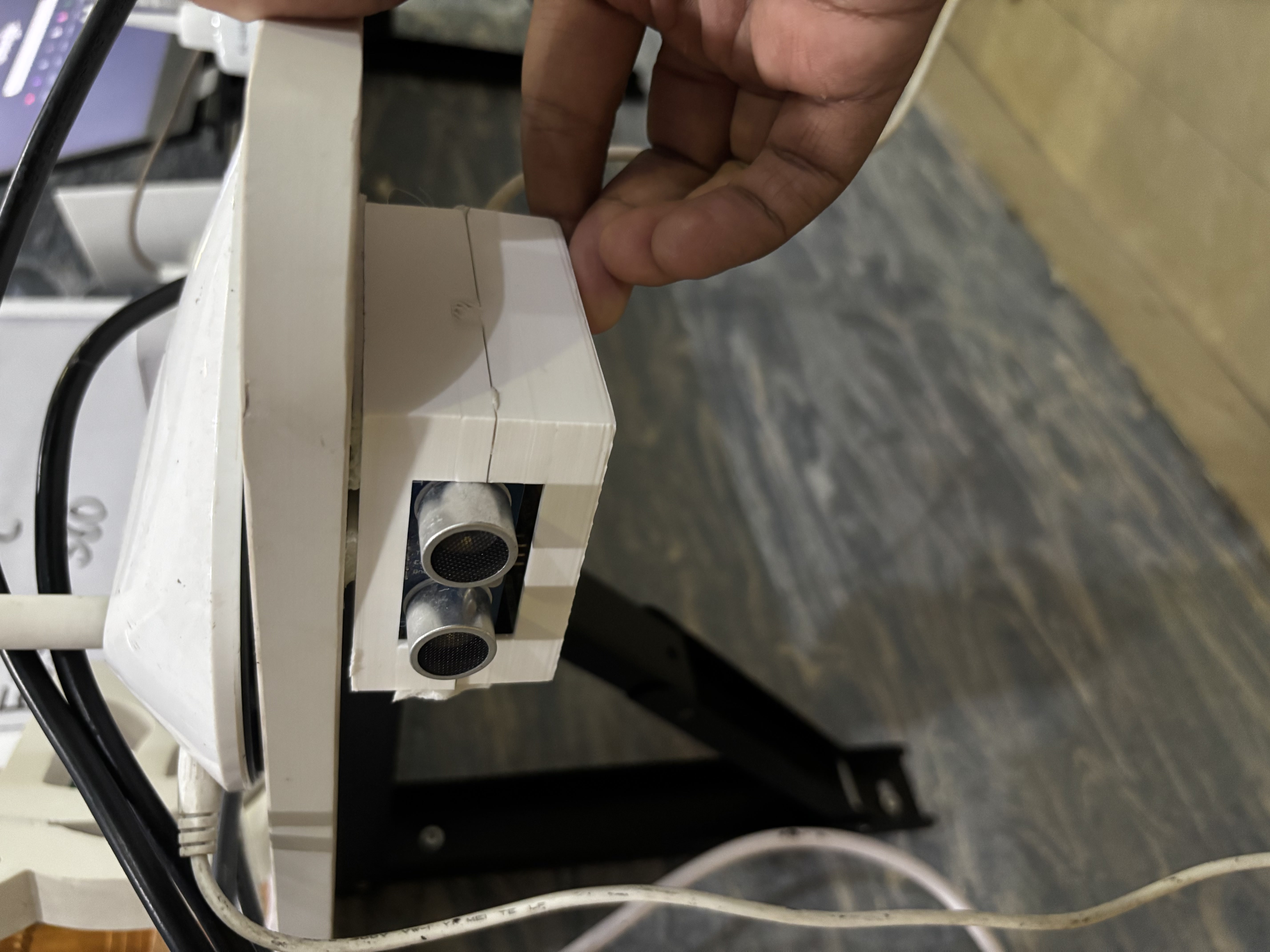
Picture this: You're mid-boss fight, laser-focused. Suddenly... footsteps. The door creaks open. Your parents walk in.
Your game? Exposed. Your reputation? Doomed.
Unless... your computer magically switches tabs the moment someone gets close.
That's what the TabEscaper 3000 does - an Arduino Leonardo + Ultrasonic Sensor project that automatically sends a Ctrl+Tab keystroke when danger (a.ka. parents) approaches. Funny, geeky, and surprisingly useful.
Component and Description
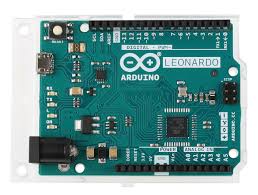
1. Arduino Leonardo: The Leonardo is different from most Arduino boards: it can emulate a USB keyboard or mouse. This lets it sends keystrokes (like Ctrl+Tab) directly to your computer. Without it, the "magic" wouldn't work. The Leonardo (ATmega32U4) acts as a USB keyboard, executing rapid sequences of commands over USB to control your PC.
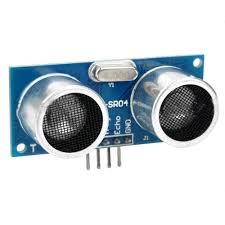
2. HC-SR04 Ultrasonic Sensor: A distance sensor that works like sonar. It sends out ultrasonic pings and listens for their echo to calculate how far away an object is.
- Range: 2-400 cm
- Accuracy: ~ 3 mm
- Pins: TRIG (trigger pulse), ECHO (echo pulse), VCC, GND
3. Jumper Wires: The lifelines of electronics projects, connecting the ultrasonic sensor to the Arduino.
Necessary Parts:
- Arduino Leonardo or Arduino Micro: Mandatory for HID keyboard functionality.
- HC-SR04 Ultrasonic Sensor OR heavily sprung Foot Pedal.
- Micro-USB Data Cable.
Circuit Wiring
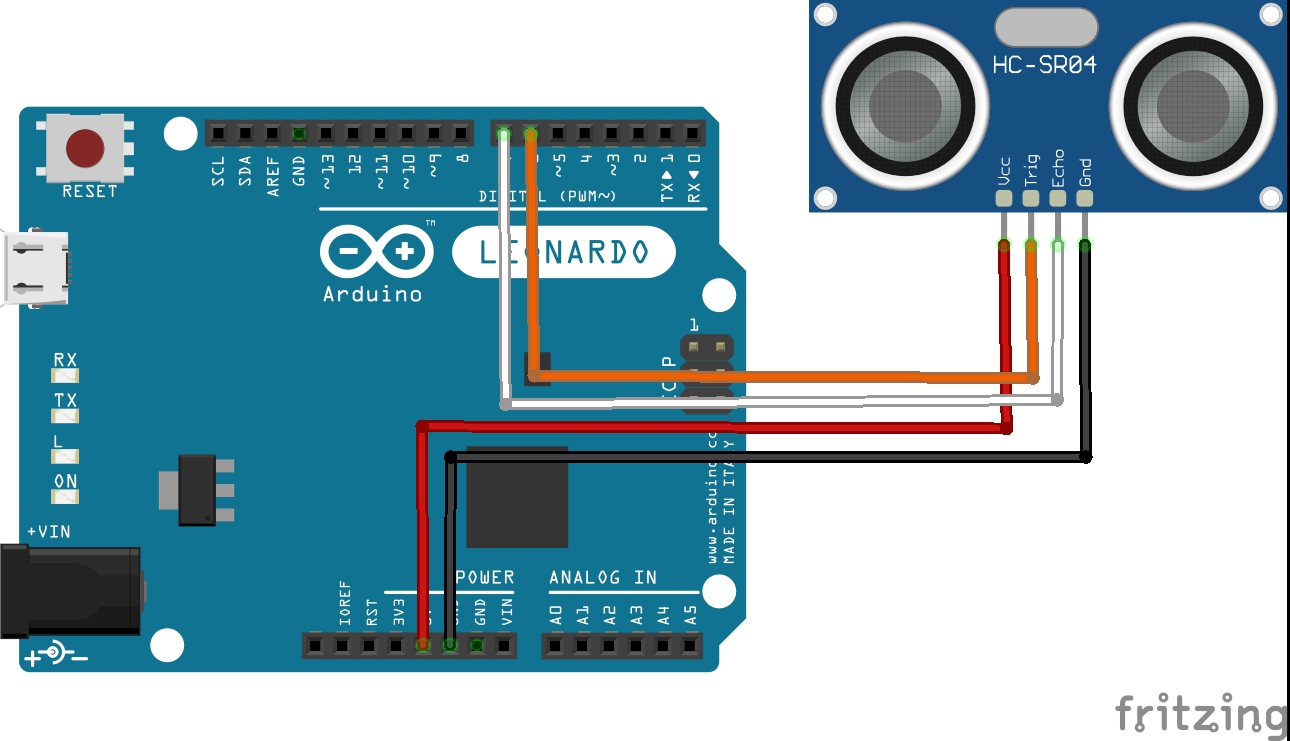
- HC-SR04 VCC - Arduino 5v
- HC-SR04 GND - Arduino GND
- HC-SR04 TRIG - Arduino Pin 6
- HC-SR04 ECHO - Arduino Pin 7
The Code
// Arduino Leonardo: HC-SR04 on pins 6 (TRIG) and 7 (ECHO). // Send Ctrl+Tab once when distance < 10 cm (will not repeat continuously). #include <Keyboard.h> const uint8_t TRIG_PIN = 6; const uint8_t ECHO_PIN = 7; const float THRESHOLD_CM = 30.0; // trigger threshold const unsigned long PULSE_TIMEOUT = 30000UL; // microseconds (30 ms) timeout bool sentOnce = false; // ensures single send while object stays < thresholdvoid setup() { pinMode(TRIG_PIN, OUTPUT); pinMode(ECHO_PIN, INPUT); digitalWrite(TRIG_PIN, LOW); Serial.begin(9600); // Allow the USB stack to settle before sending HID events delay(1000); Keyboard.begin(); }
void loop() { float distance = readDistanceCM(); Serial.print("Distance (cm): "); if (distance >= 0) { Serial.println(distance, 2); } else { Serial.println("timeout"); } if (distance >= 0 && distance < THRESHOLD_CM) { if (!sentOnce) { sendCtrlTab(); sentOnce = true; Serial.println("Sent Ctrl+Tab"); } } else { // reset flag when object moves away (allows next Ctrl+Tab when it comes close again) sentOnce = false; } delay(100); // modest sampling interval (10 Hz) }
float readDistanceCM() { // Trigger the sensor: a 10µs HIGH on TRIG digitalWrite(TRIG_PIN, LOW); delayMicroseconds(2); digitalWrite(TRIG_PIN, HIGH); delayMicroseconds(10); digitalWrite(TRIG_PIN, LOW); // Read echo pulse (microseconds) with timeout unsigned long duration = pulseIn(ECHO_PIN, HIGH, PULSE_TIMEOUT); if (duration == 0) { // timeout (no echo) -> return -1 to indicate invalid return -1.0; } // Distance in cm: sound speed ~ 343 m/s -> 29.1 µs per cm round-trip // distance = (duration / 2) / 29.1 float distanceCm = (duration / 2.0) / 29.1; return distanceCm; }
void sendCtrlTab() { // Press modifier (left ctrl) + tab, hold briefly, then release Keyboard.press(KEY_LEFT_CTRL); Keyboard.press(KEY_TAB); delay(100); // hold for 100 ms Keyboard.releaseAll(); }
How It Works
- The HC-SR04 measures distance in front of it.
- If an object (like a parent, sibling, or curious pet) comes within 30cm, it sends the signal to the Arduino.
- The Arduino Leonardo pretends to be a keyboard and presses Ctrl+Tab.
- Your computer instantly switches to the next tab - usually something "innocent" like homework or Wikipedia.
Two Trigger Methods
This project can be implemented with two different trigger mechanisms:
- The Radar Approach (HC-SR04): As shown in the wiring diagram above, you mount an ultrasonic sensor pointing at your bedroom door. The Arduino constantly polls the distance. If someone walks through the doorway (e.g., `if (distance < 150cm)`), it automatically sends the Ctrl+Tab command without you ever moving a muscle!
- The Physical Approach (The Foot Pedal): You can wire an Arcade Push Button or a specialized heavy-duty foot pedal to an Arduino pin (e.g., Pin 2 with `INPUT_PULLUP`). You hide the pedal under your desk. One tap triggers the keystroke sequence instantly, giving you manual control.
The HID Keystroke Execution
When the "Panic" condition is met, the Arduino executes a rapid sequence of commands over USB. In the provided code, the `sendCtrlTab()` function performs the following actions:
- `Keyboard.press(KEY_LEFT_CTRL);`
- `Keyboard.press(KEY_TAB);` (Executes the Ctrl+Tab tab switch).
- `delay(100);`
- `Keyboard.releaseAll();`
Instantly, your screen swaps from a game or video back to a more innocent-looking window!
This project is not only hilarious but serves as the backbone for creating customized Hotkey Macro-pads for video editing or 3D modeling programs.
Taking the Project to the Next Level - With JUSTWAY

Here's the truth: a tangle of wires and a naked PCB might work on your desk, but when you want to show off your project at tech fairs, competitions, or pitches, presentation matters.
That's where JUSTWAY comes in.
With JUSTWAY, you can transform your TabEscaper 3000 into a professional-grade product - polished, durable, and demo-ready.
Why JUSTWAY is the Best
- Rapid Prototyping: 24 hour delivery, real-time production tracking
- CNC Machining: High precision Aluminum 6061, Stainless Steel 304
- Sheet Metal: Laser-cut and CNC-bent with powder coating options
- Injection Molding: From prototype molds to full scale production tools
- Urethane Casting: Low-volume, production-quality enclosures
- 3D Printing: SLA resin for aesthetics, HP-PA12 nylon for durability
How To Order in 4 Easy Steps
Step 1: Upload your CAD files at JUSTWAY.com

Step 2: Select Material & Finish
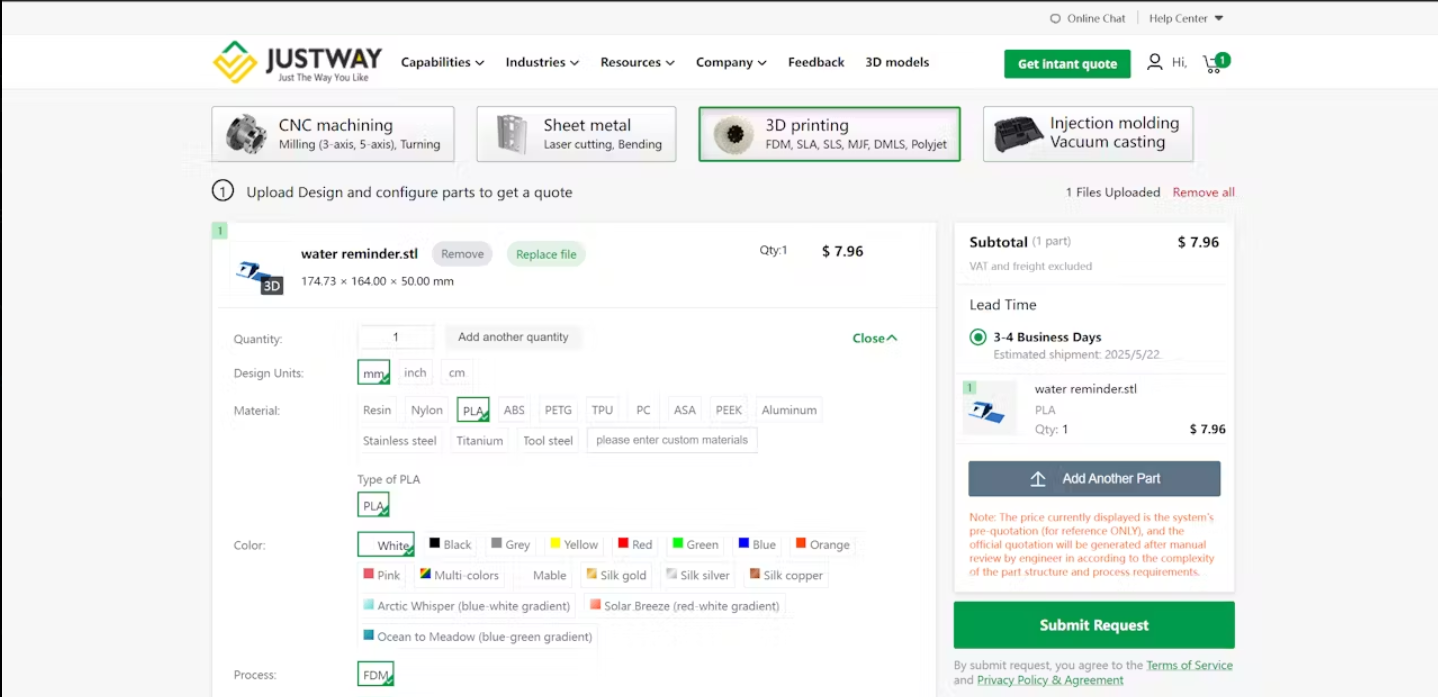
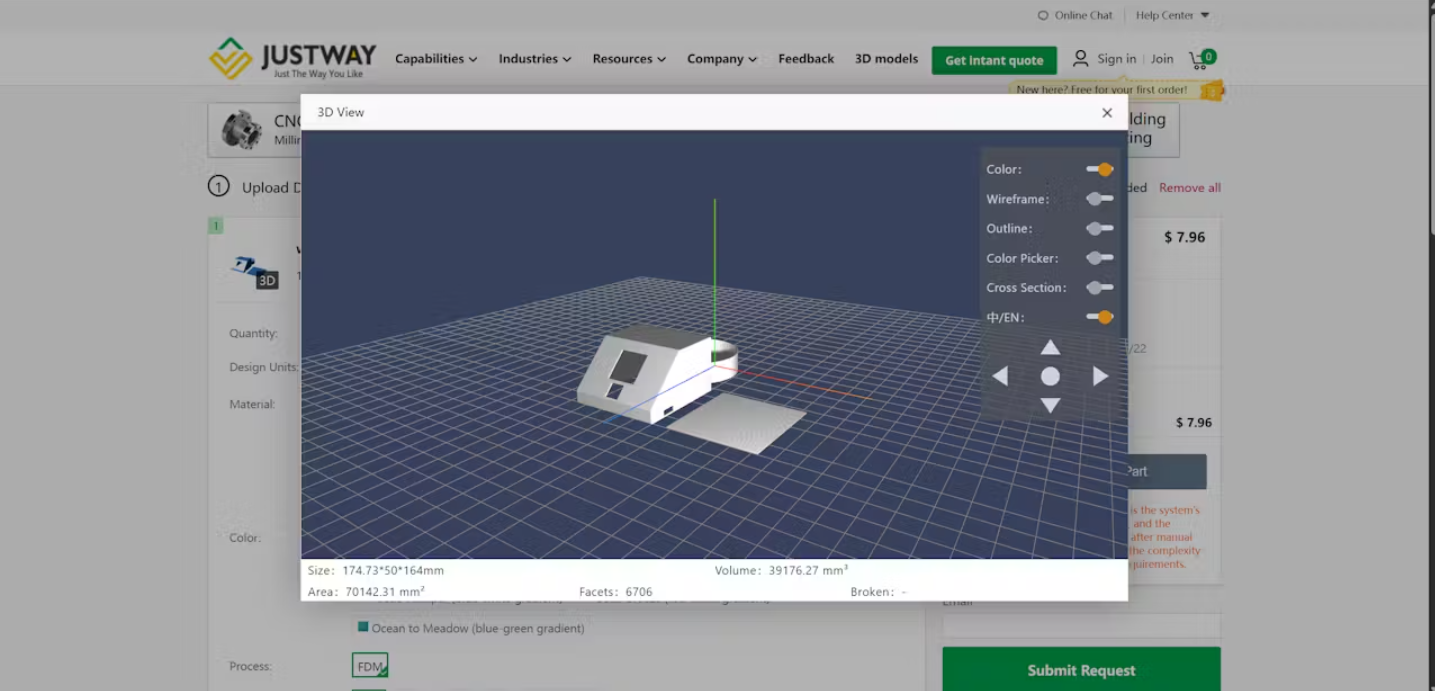
Step 3: Preview your 3D Model with live checks
Step 4: Place Your Order
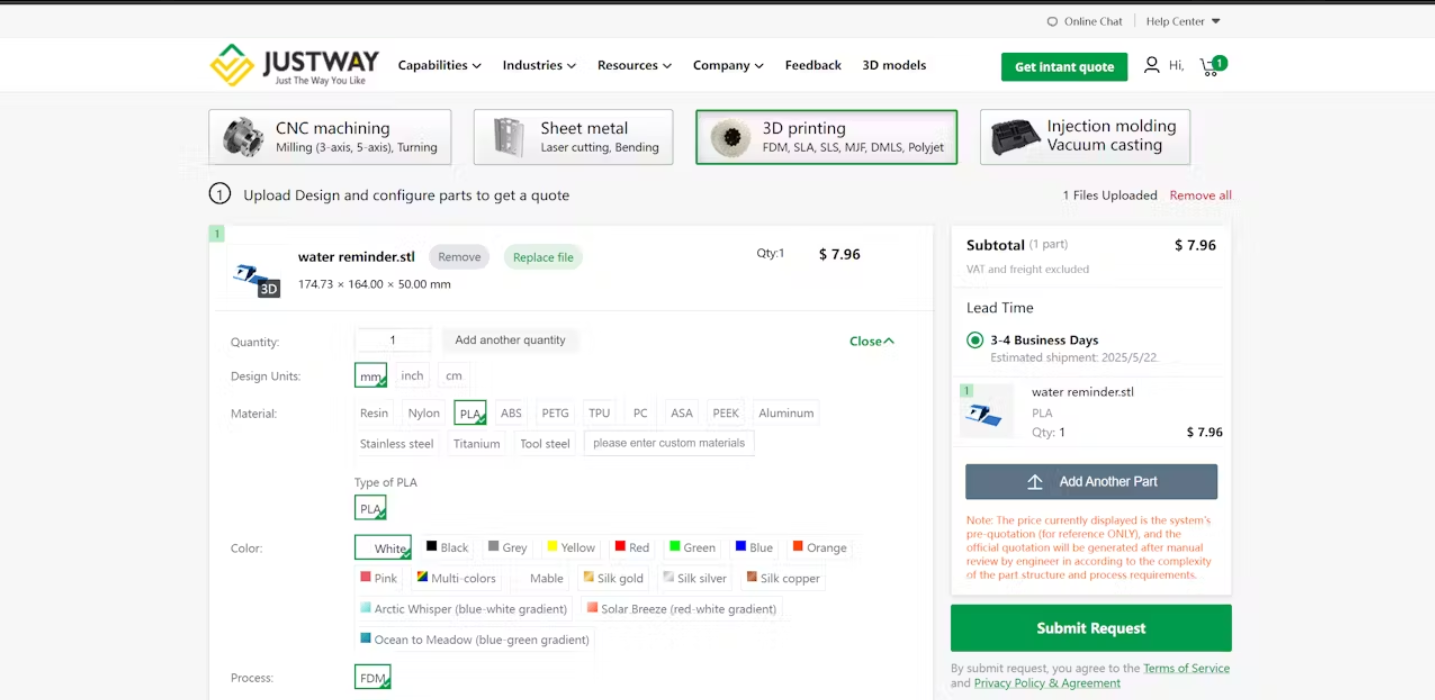
Pro Tip: Transparent resin shows off your electronics. Matte black gives stealth vibes.
Conclusion
The TabEscaper 3000 is lighthearted project that proves Arduino can do more than just blink LEDs. It mixes humor with practicality, showing how simple hardware + creative coding = something unforgettable.
With JUSTWAY's enclosures your project goes from a messy prototype to a market-ready gadget.
Remember: This project is for fun only. Use it to learn, laugh, and impress your friends.