Disclaimer:
First, here I will only explain the general ideas and only briefly explain how things work. But I will try my best to link useful resources which I used during this project.
Second, the Arduino - Oplà IoT Starter-Kit was provided by Arduino SRL in the context of the Arduino Cloud Games. I am very thankful for the opportunity to participate, the challenge kept me focused during the many problems I encountered on the way.
Part I. The Motivation
When you read this Story, it is safe to assume that you are not a natural athlete who can do any sports with ease, else you would spend your time on the field, in the water, or on the track to train for the next big sports event. For us normal humans, it can be extremely difficult to acquire some good mechanisms, such as the perfect kick, throw, or even run. We normally need feedback during our training to improve our performance (regardless of the field). Most of the time this requires a second person with a trained eye to tell you what is going wrong. My project aims to replace this second person with technology. The sport I enjoy the most is baseball, some of you may not fully understand the rules, but everyone knows the picture of some huge guy with a wooden bat in their hand smashing a ball out of the park (If not enjoy this Video).
To archive such good swings, a lot has to come together, great hand-eye coordination, good strength, timing, and mechanics. The last two can be trained and observed without even contacting the ball, just by the dynamics of the bat. With the ideal swing, the bat hits a ball such that it has an exit velocity of up to 160 km/h and a launch angle of about 10°-25°.
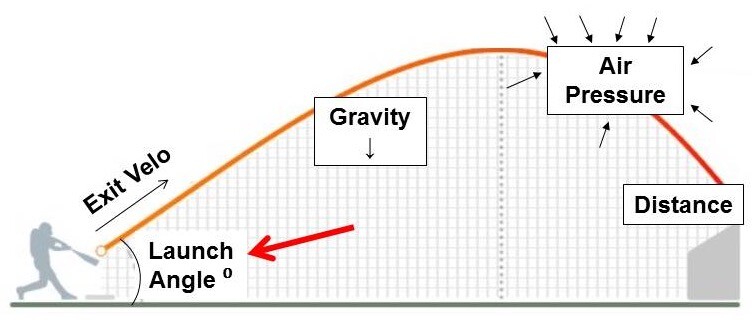
So the hitters' goal is to accelerate the bat as fast as possible around the rotational axis (oneself) while having a slight upward motion going through the hitting zone, easy right?
Part II. The Goal
Yes, it is, if you can fully feel/know the dynamics of the bat during your swing. This is where the coach comes into play, he can see the movement and tell you what went wrong or good. Or you could just measure the dynamics of the bat with a microcontroller and read the stats from a display.
The Idea to measure the dynamics of the bat with an Inertial Measurement Unit (IMU) is not new [Link], there are even some commercial products available. But neither would it be fun to play around with a small Blackbox nor do I want to spend 150$ on something I can build myself for much more money :). Before we build our system lets set the goals:
The sensor side, goalsforthe BatSense:
- It will measure the dynamics of Bat using an IMU. More specifically, it will measure the acceleration (ax, ay, az) and the angular velocity (gx, gy, gz) of the bat at the end of the handle. Later we can calculate the dynamic stats of the sweet spot
- A big question was the sampling rate, since the average swing duration is about 150ms [Link], my initial thought was that acquisition of roughly 100 sampling points of the swing would be good. Therefore a sampling rate of about 670 Hz is required.
- This bat motion needs to be transformed in the reference frame of the batter, for this one can use an Attitude Heading Reference System Filters (AHRS). In this project I will use the Madwick filter, it is reasonably fast and accurate, and easy to implement.
- Since we want to acquire the bat data as fast as possible the BatSense only collects the data and transmits it to the Batstation via Bluetooth.
Processing and publishing,thegoalsfortheBatStation,
- The BatStation receives the measured data via Bluetooth and temporarily stores it into the RAM, a long-term goal would be to save the data on an SD-Card for later, further, analysis.
- The data needs to be preprocessed, for instance, it needs to be accounted for such things as roll-over, the AHRS-Filter will give values between +- 180° and so we will see roll-over from 180° -> -180° and vice versa. Also some smoothening will be applied by implementing a moving average filter.
- Next, we need to calculate the dynamic properties such as the maximum angular velocity around the z-axis inside the hitting zone as well as the launch angle.
- These statistics are then displayed on the carrier display and uploaded to the cloud.
I have divided the following build parts into four sections: two hardware and two software segments, one each for the BatSense and the BatStation.
Part III. Building the Hardware of the System
TheBatSense
As described before, the BatSense gonna be placed inside the baseball bat handle, therefore we need a small device including a mobile power source. For the MCU I have chosen the Nano 33 BLE since it has a build-in BLE-Module (my initial choice for the data transfer) and an IMU.
For the power supply, I opted for a small LiPo-Battery typically used in iPod Shuffle. It has a max Voltage of 3, 7 V, which more than enough for our use case. The battery is connected to a charging circuit, which not only is used to charge the battery but also connects to the load.
In an illusion of long-term use per charge, I thought it would be good to be able to turn the BatSense ON and OFF. For the switching I placed a Pushbutton Power Switch between the Arduino and the charging circuit, a simple mechanical switch would be smaller but hey I love latching power switches.
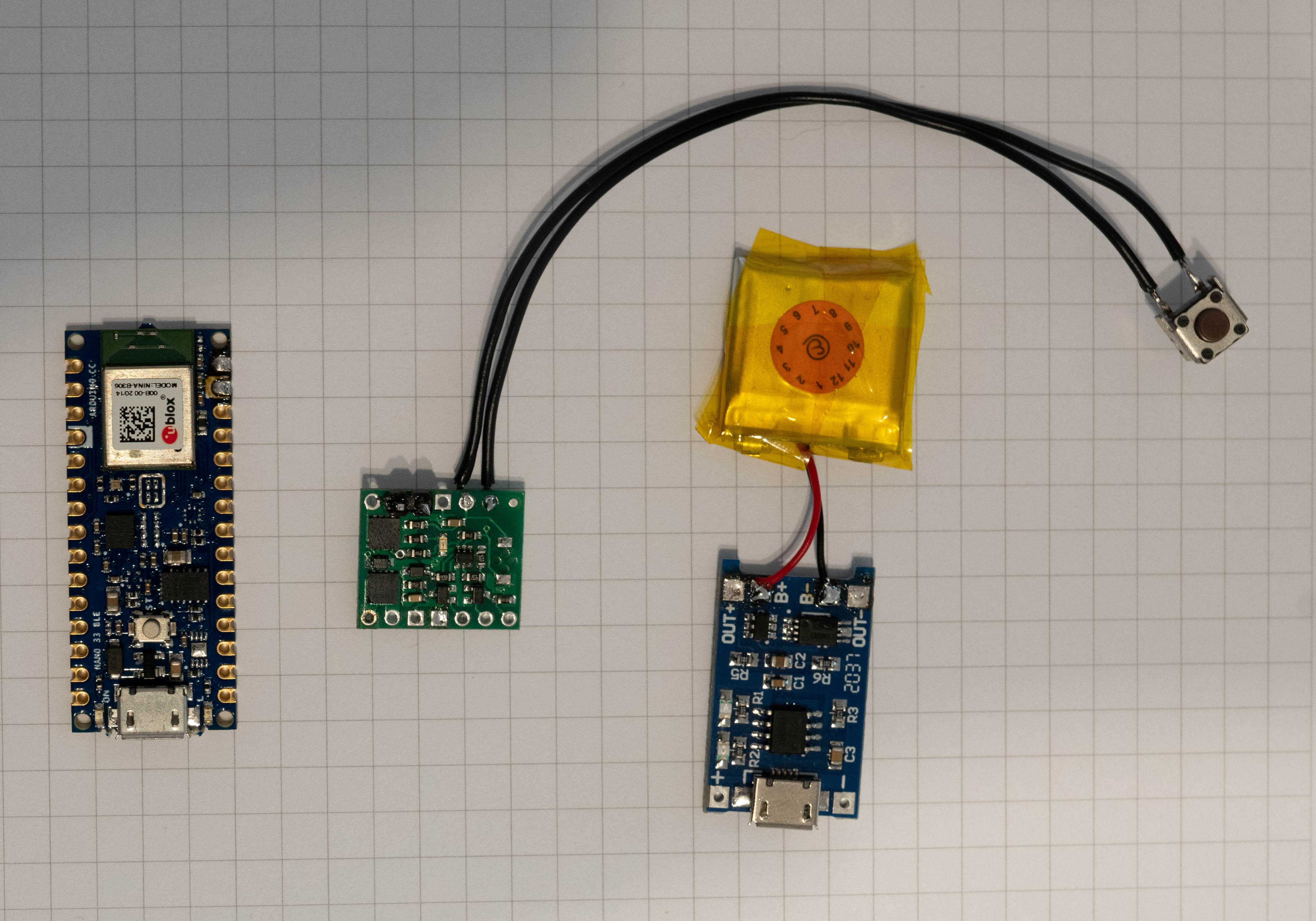
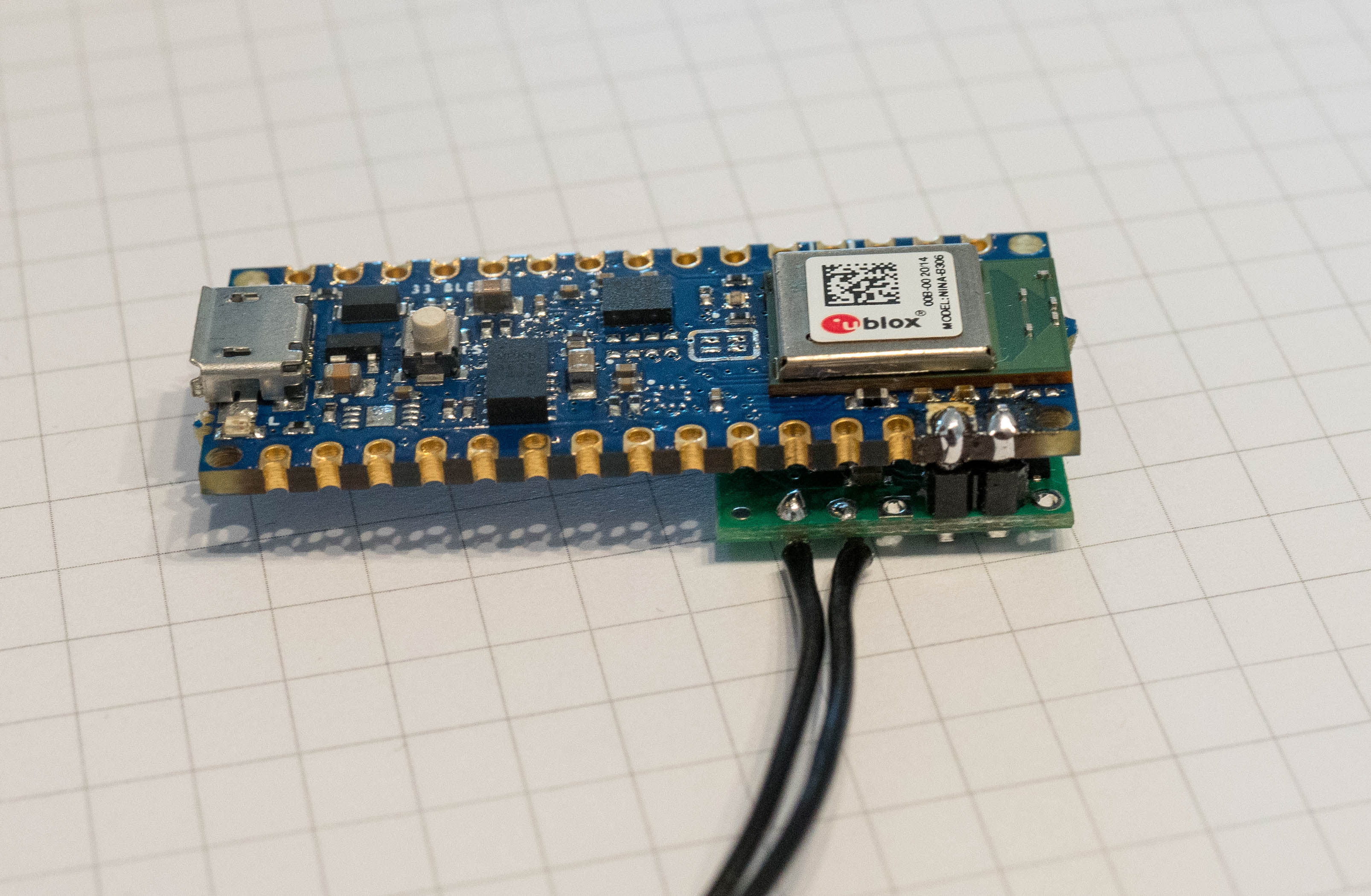
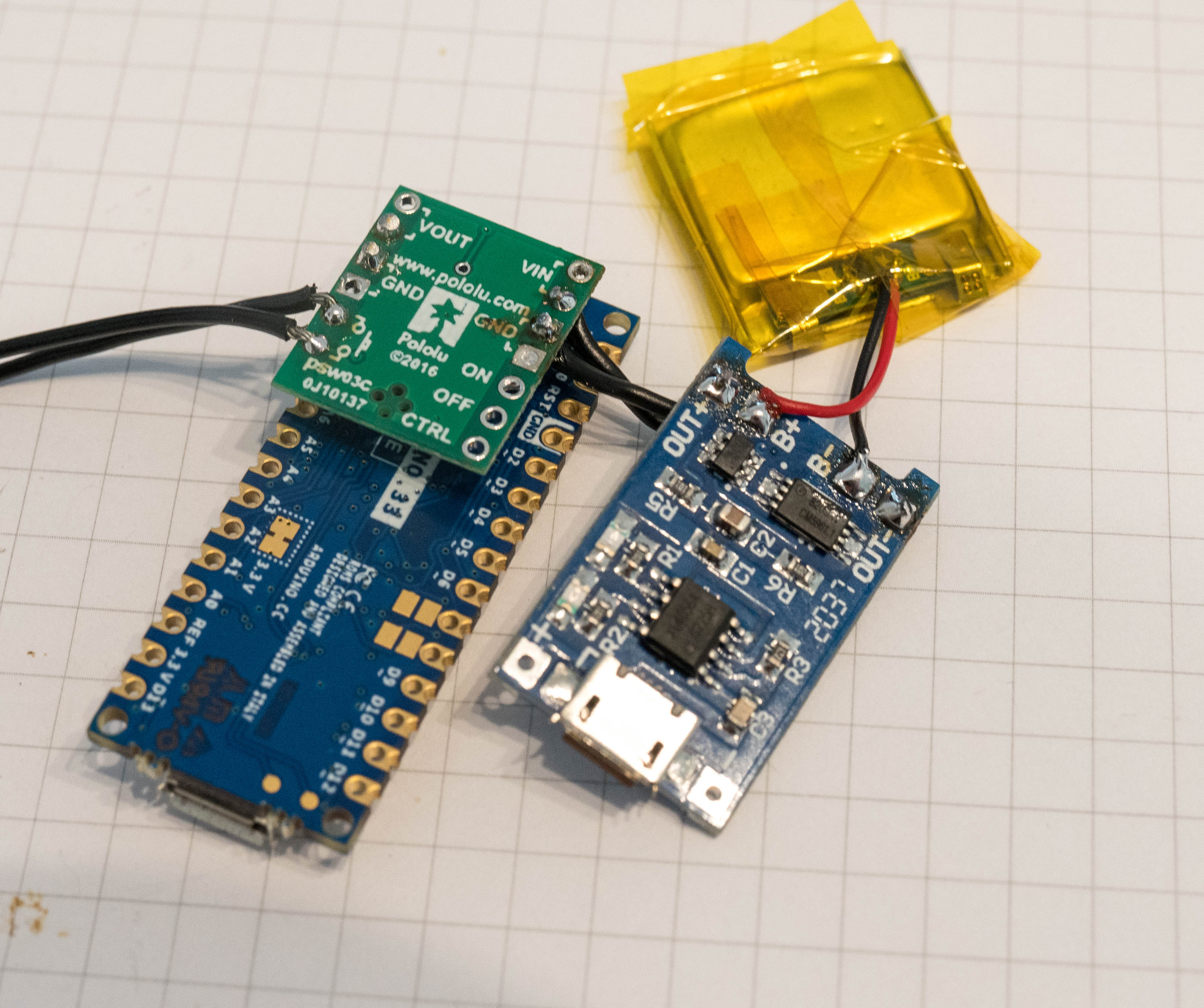
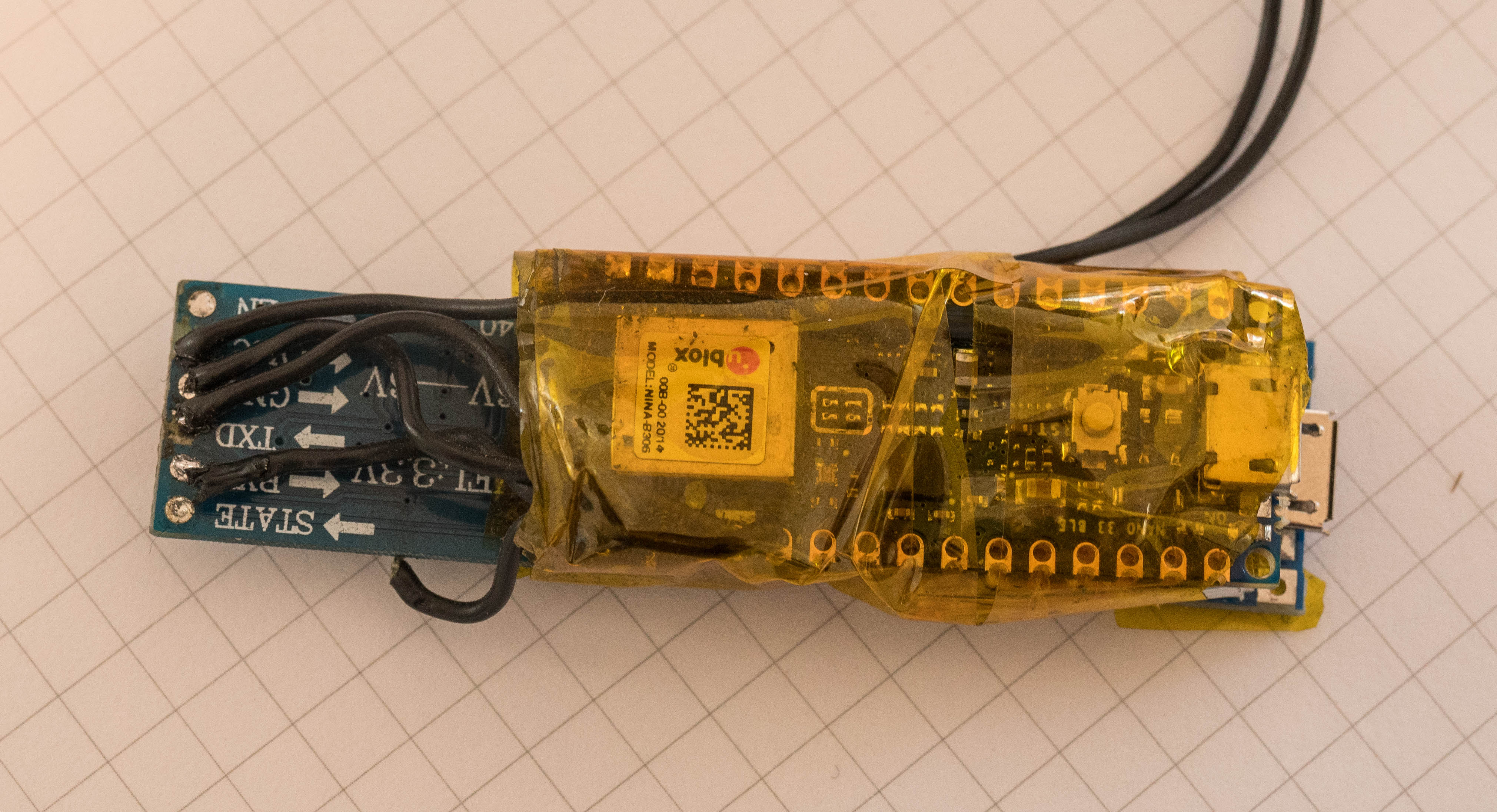
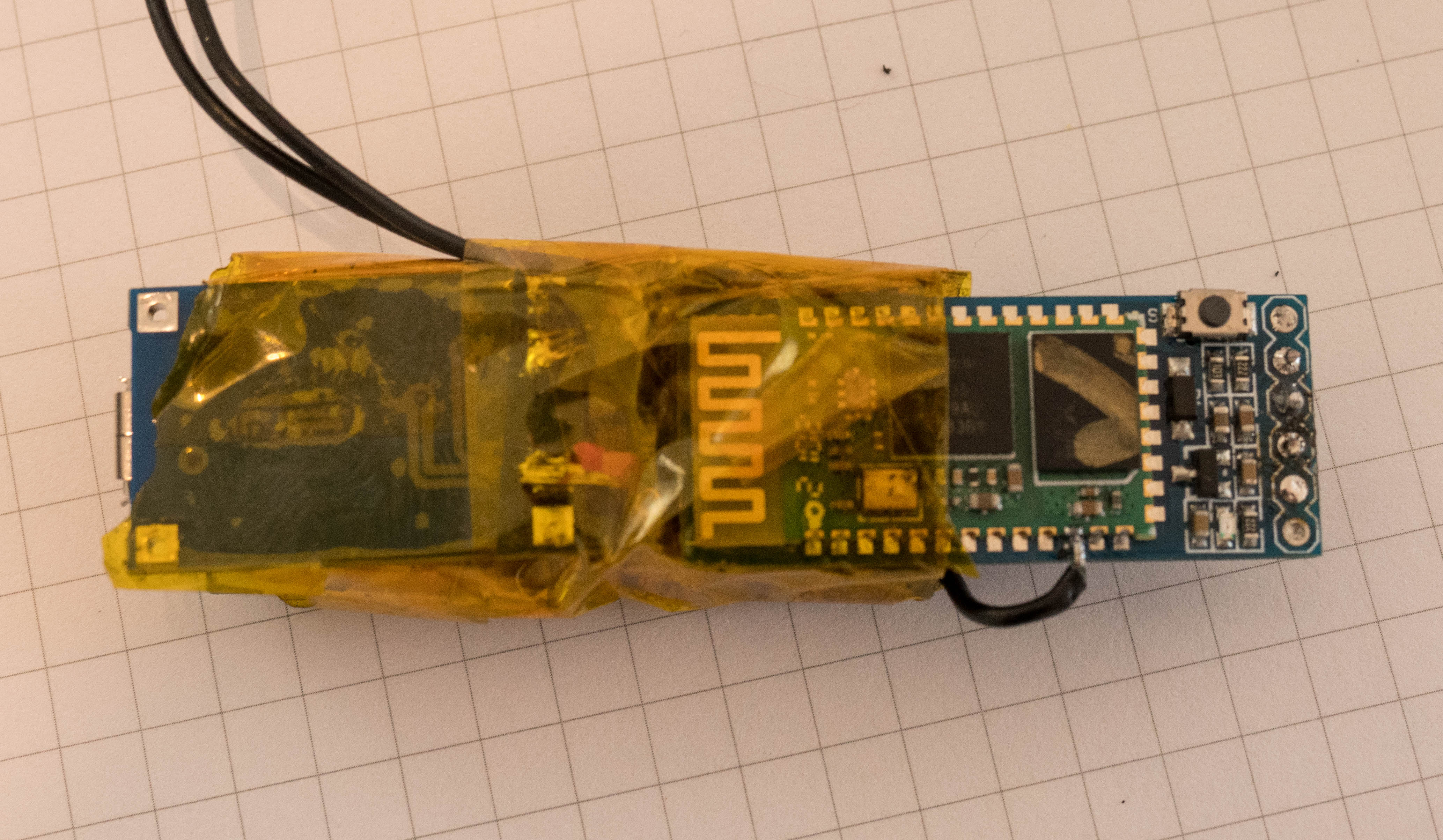
Unfortunately, in the middle of the project, it turned out that I can not easily use the BLE module which is integrated into the Nano 33 BLE for data transfer. Therefore, I had to improvise at short notice and have decided on a data transfer via external Bluetooth modules (HC-05). So, I set up two HC-05 Modules in Master/Slave configuration [Link] and connect one module each to the Serial1-Pins [Link] of the two MCUs. A String which is written to Serial1 port of the BatSense than can be read at the Serial1 Port of the BatStation and vice versa. Quite neat, with that the BatSense is fully assembled
TheBatStation
Next is the BatStation, for its MCU I use the MKR Wifi 1010 supplied with the IoT-Kit. Since the BatStation will be stationary, I intend to use a USB-Powerbank as the power supply and we only have to connect the HC-05 module to the Serial1 Pins of the MKR.
Since the corresponding Pin 13 and 14 are intended to be used to control the relays of the IoT-Carrier I cut these pins of the header, I don't want to hear the relays switching with every Serial command coming from the Bluetooth module.
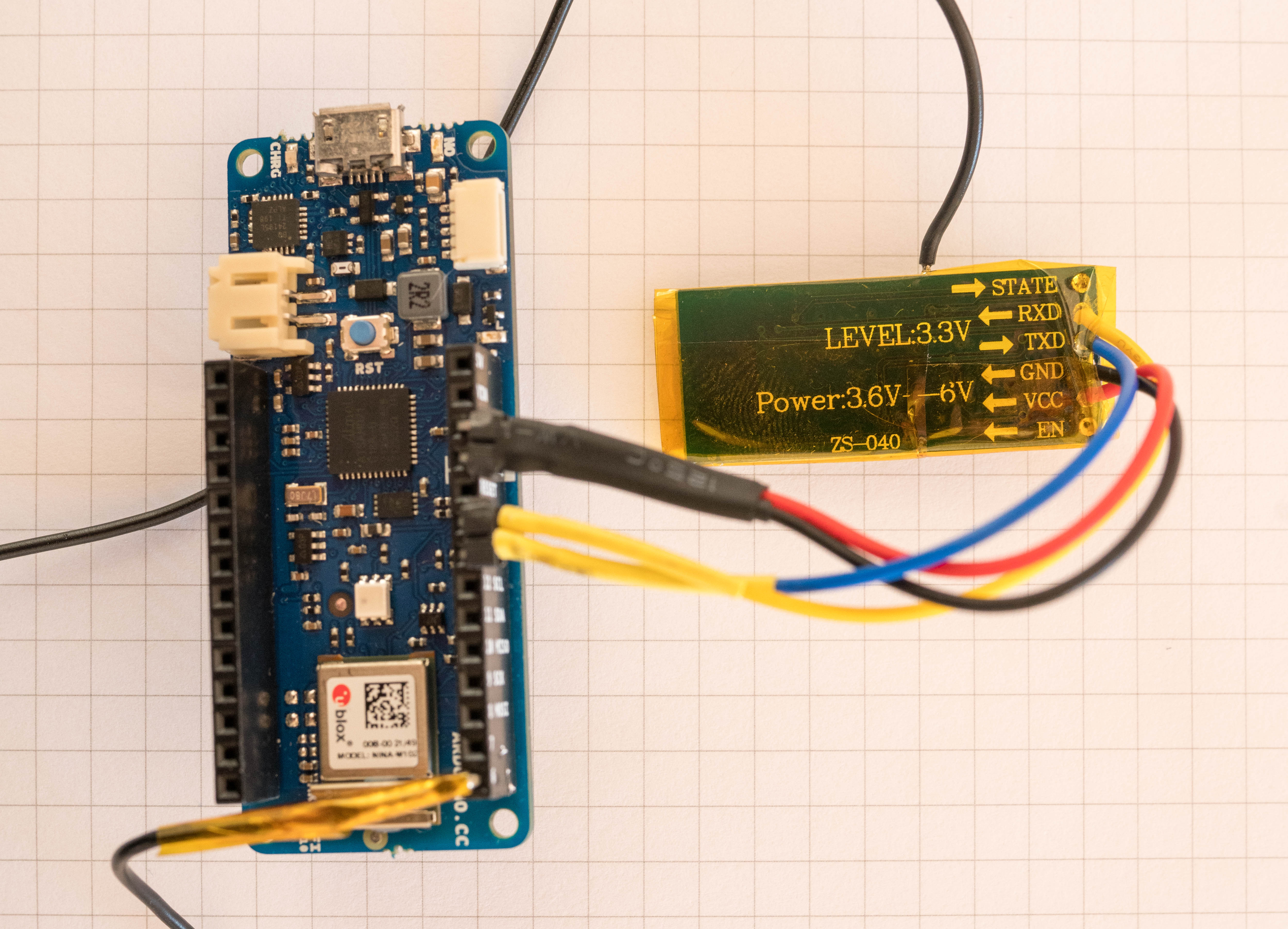
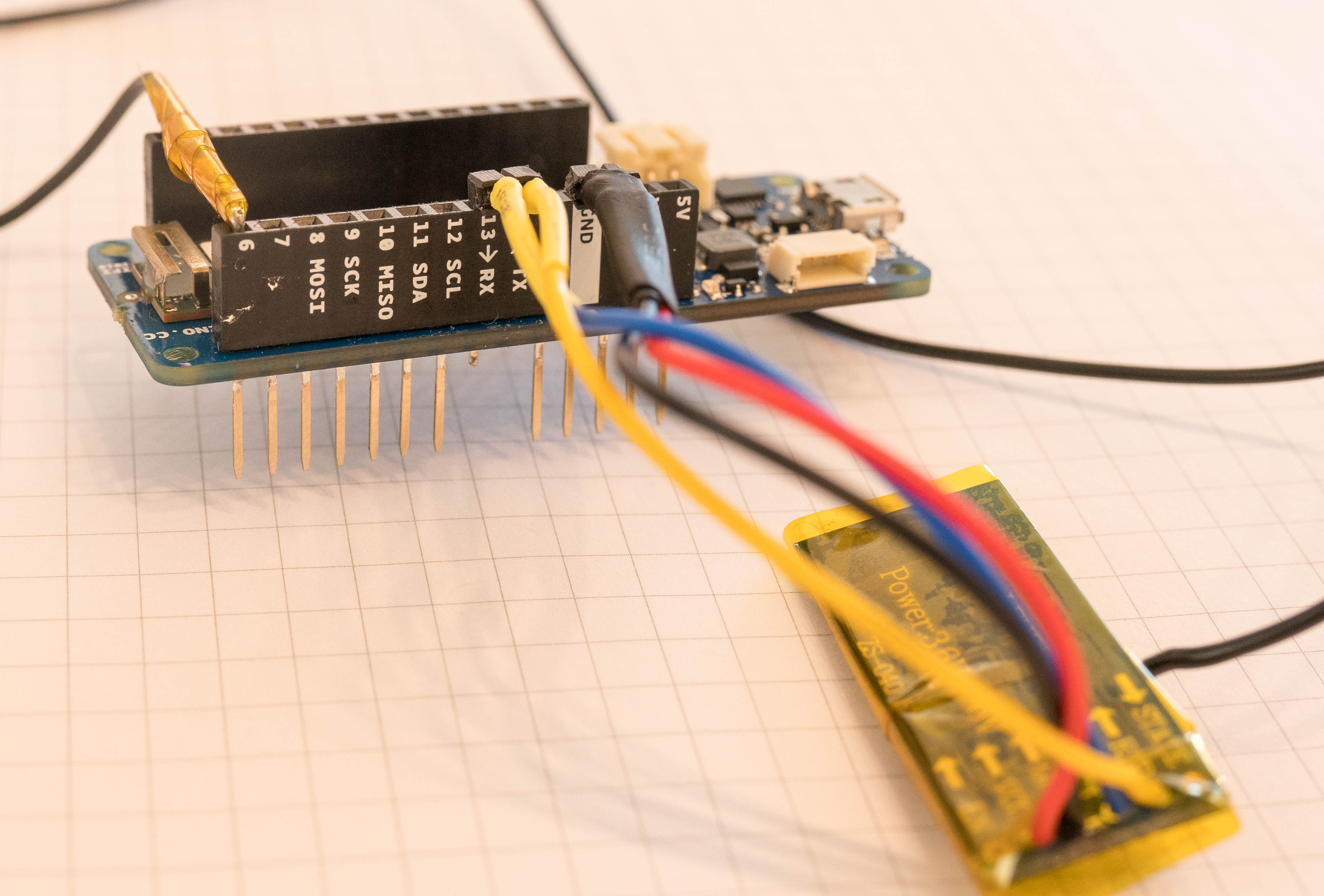
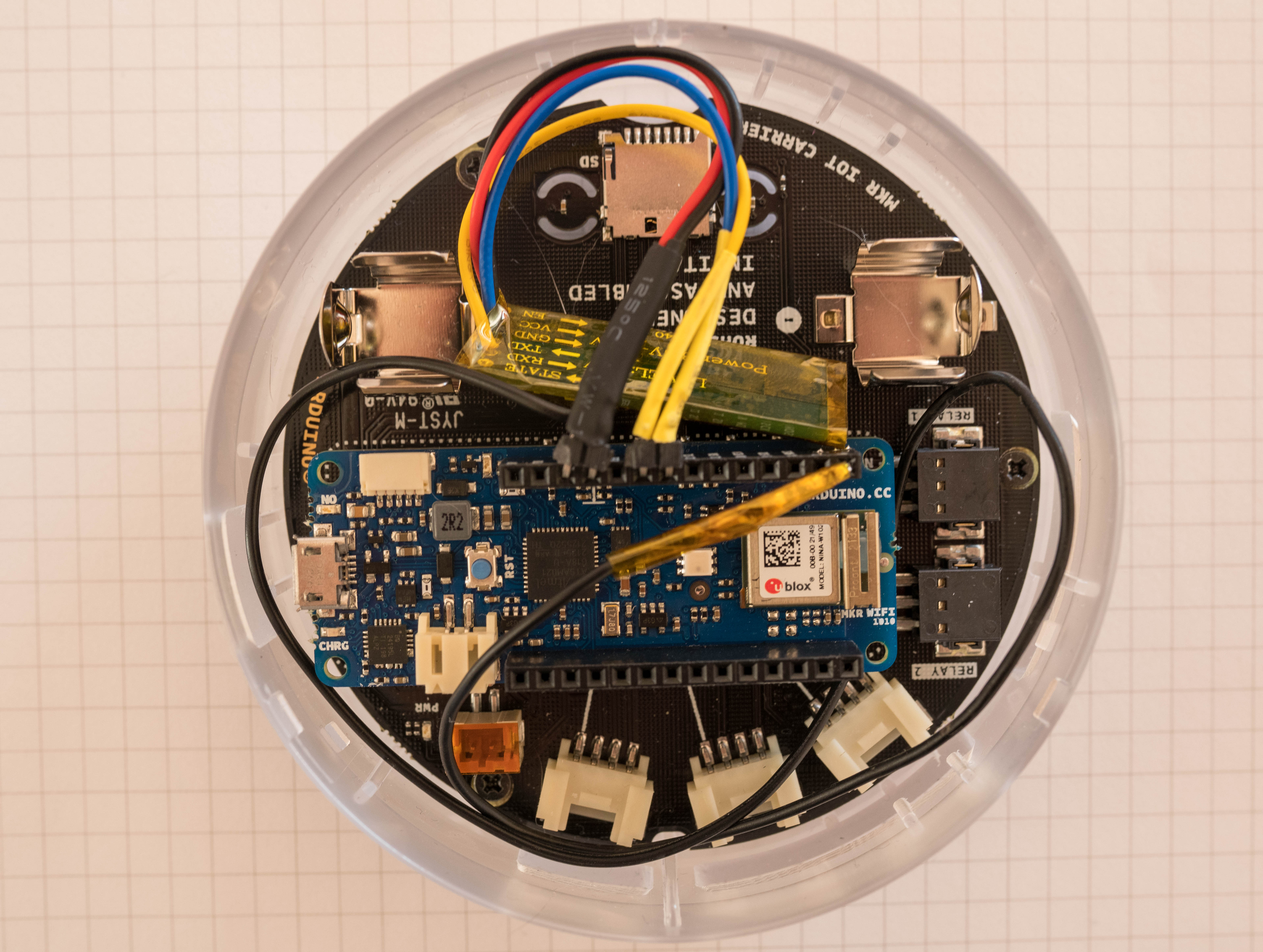
Those of you paying attention to detail will have noticed two things: Besides the RX/TX and power connection a fifth lead connected to the two HC-05 modules. This is connected to the reset pin of the HC-05 Module, I planned to implement a little power saving by turning the Bluetooth module only ON when needed, but didn't get to implement this feature into the script. So no further mentioning of this here. And second, in comparison to common tutorials on HC-05 Modules, I didn't use a resistance division circuit to archive a level shift at the RX/TX pins, this is not required since both the MKR Wifi and the Nano BLE are operating at 3, 3V so all save.
Nextstep,doestheBatSensefitintothehandle?
But first sanity checks:
- BatSense assembled, check,
- BatStation assembled, check,
- Quick function test (Battery charging, All Sensors readable, Data-Transfer via Serial1, Functions of IoT-Carrier Board working), check
So last thing to do is to mount the BatSense into the Bat. For this, I carefully extended the hole in the composite handle to produce some space for the BatSense
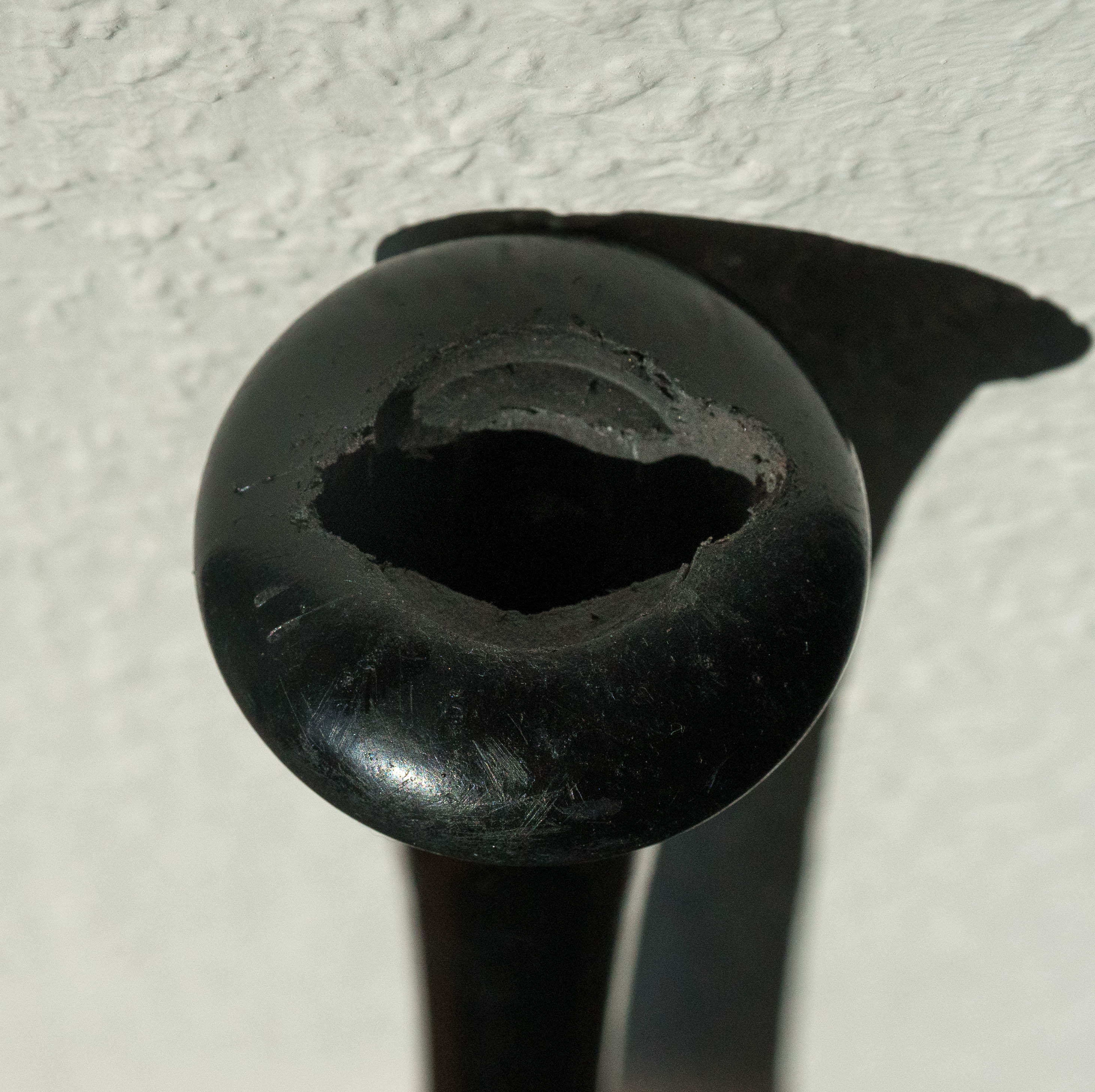
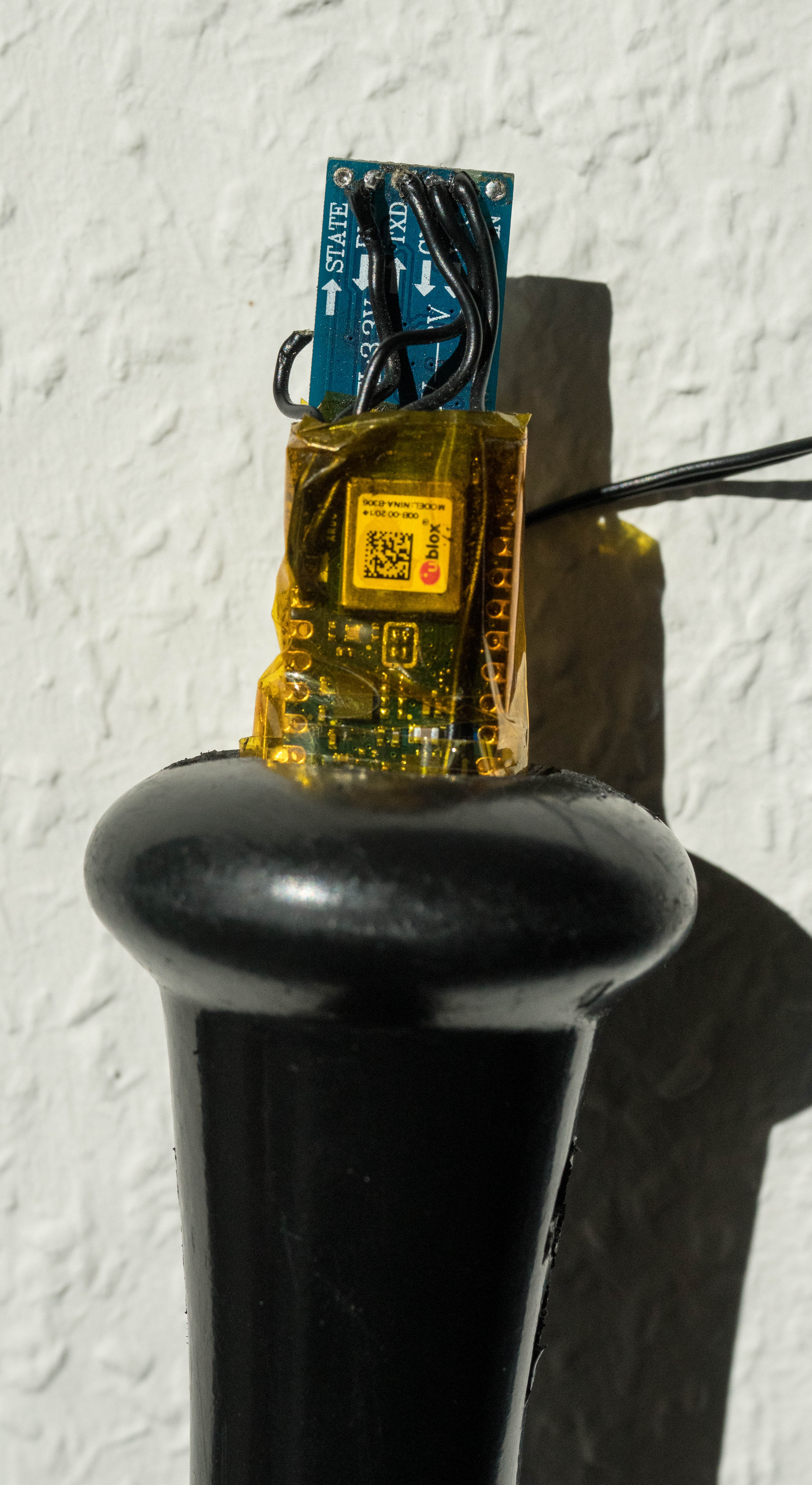

As you can see from the pictures, it doesn't quite fit in the handpiece and I can't safely expand the hole any further. Since I also do not have time to redesign the BatSense anymore, it will partially stick out for the time being.
Part IV. Make the Hardware work with Software
BatSense
About the Software of the BatSense, it can be split into three steps,
- Data acquisition of the IMU-Sensor
- Data transformation by applying the AHRS-Filter
- Data transfer via Bluetooth
Before I describe the individual function blocks I quickly explain the sequence within the loop. The loop can be split into two phases: In the first, we wait for measurement initialization. And in the second we measure if the measurement was initialized before.
For the initialization, the bat needs to be held still at an angle of about 45° to the ground. We can use the still condition to compensate for long-term drifts of the AHRS filter since for a still bat the angles can be calculated by the accelerations.
After the init, a short delay is added to give the batter time to get into the ready position.
   // Init if bat is still and init measurement is false
   if (fabs(gx) + fabs(gy) + fabs(gz) <= threshold && init_measure == false)
   {
     // What is the starting Angle of bat
     phi = asin(-ax); // in rad
     //Start Measurement only when Bat is held in right Angle of about 45°
     if (phi >= 0.61 && phi <= 0.96)
     {
       i = 0; //reset running variable for measurement
       init_measure = true; // Flag for measurement
       delay(2000); // short break for init at bat station
     }
   }
After initializing the measurement, we measure the dynamics of the bat. To keep the delay between two measurement points as small as possible, I decided to measure all points of one swing in a loop and store the measurement points in arrays. The data is recorded in a while loop, this allows precise timing between the single measuring points.
// If initialized measure
if (init_measure == true)
{
     // Loop measurement during cycle, only read IMU, apply filter and store data
     // I use a while loop for waiting condition within loop
     while (i < buffersize)
     {
       microsNow = micros();
       if (microsNow - microsPrevious > microsPerReading) //
       {
         // Set Start of "last" measurement
         microsPrevious = microsNow;
         // measure values here and store data in arrays[i]
         i++;
       }
      }
After all data points have been recorded, the timing is uncritically and we can send the data without worry. Lastly, a short waiting time is built-in.
// After all data points are acquired, stop measurement flag
init_measure = false; // reset init_measure
// Send Data after measurement, loop over buffersize
for (int i = 0; i < buffersize; i++)
{
//Compose and send Data String
}
ข้อมูล Frontmatter ดั้งเดิม
apps:
- "1x Arduino IoT Cloud"
- "1x Arduino IDE"
author: "s3k453"
category: "Wearables, Health & Fitness"
components:
- "1x Pololu Mini Pushbutton Power Switch with Reverse Voltage Protection, LV"
- "1x Arduino Oplà IoT Kit"
- "1x LiPo-Charger DEBO1 3.7LI 1.0A"
- "1x Tape, Clear"
- "1x 10 Pc. Jumper Wire Kit, 5 cm Long"
- "1x LiPo-Battery APPLE 616-0278"
- "2x USB-A to Micro-USB Cable"
- "2x HC-05 Bluetooth Module"
- "1x Soldering iron (generic)"
- "1x Solder Wire, Lead Free"
- "1x Hot glue gun (generic)"
- "1x Wire Stripper & Cutter, 18-10 AWG / 0.75-4mm² Capacity Wires"
- "1x Baseball Bat"
- "1x Powerbank 10000 mAh PB320PD"
- "1x Arduino Nano 33 BLE"
description: "Ultrasonic bio-mimicry! Recreate the exact 40kHz sonar tracking arrays used by hunting bats, combining HC-SR04 telemetry bounds with multi-array buzzer/vibration hardware to train humans to navigate environments completely blindfolded."
difficulty: "Intermediate"
documentationLinks: []
downloadableFiles:
- "https://create.arduino.cc/editor/s3k453/850c5b5e-13df-4a9c-af9c-8930d40c5642"
- "https://create.arduino.cc/editor/s3k453/e4a7a74b-a725-44eb-9dbf-e2207e4660d3"
- "https://create.arduino.cc/editor/s3k453/e4a7a74b-a725-44eb-9dbf-e2207e4660d3"
encryptedPayload: "U2FsdGVkX1/1kTFd3nwvF+L2/SJs5I59wdup9X6PudFG6lEwvH3RusPzDqcLotbf/+CI51i+xNvvq/B0tmVjpvtz9sCIX58aIyE0JMoJgJYIL1YsaDOciQdMHsfYtQ8l"
heroImage: "https://cdn.jsdelivr.net/gh/bigboxthailand/arduino-assets@main/images/projects/the-battrainer-aeaf07_cover.jpg"
lang: "en"
likes: 0
passwordHash: "1665864f5c96da378af5bd84cee2d4ac6c31227fae4fecaf218d8de37f483306"
price: 699
seoDescription: "Arduino-based The BatTrainer measures bat dynamics and provides swing feedback for personal improvement."
tags:
- "cloudgames2022"
- "cloudgames2022"
- "baseball"
- "bluetooth"
- "imu"
- "arduino oplà iot-kit"
title: "The BatTrainer"
tools: []
videoLinks:
- "https://www.youtube.com/embed/YD0Ixx2GNGk"
views: 5780