Watch the video and learn about all the components that come with the arduino starter kit.
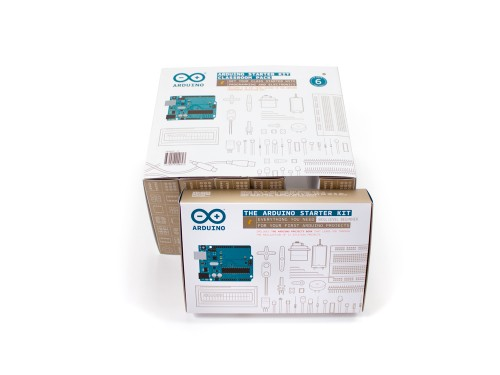
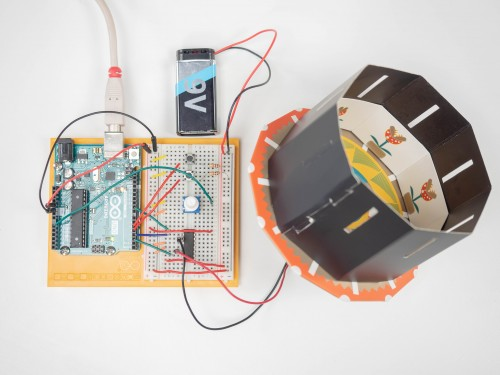
The Starter Kit walks you through the basics of using the Arduino in a hands-on way. You'll learn through building several creative projects. The kit includes a selection of the most common and useful electronic components with a book of 15 projects. Starting the basics of electronics, to more complex projects, the kit will help you control the physical world with sensor and actuators.
Projects you can make:
- 01 GET TO KNOW YOUR TOOLS an introduction to the basics
- 03 LOVE-O-METER measure how hot-blooded you are
- 04 COLOR MIXING LAMP produce any color with a lamp that uses light as an input
- 05 MOOD CUE clue people in to how you're doing
- 06 LIGHT THEREMIN create a musical instrument you play by waving your hands
- 07 KEYBOARD INSTRUMENT play music and make some noise with this keyboard
- 08 DIGITAL HOURGLASS a light-up hourglass that can stop you from working too much
- 09 MOTORIZED PINWHEEL a colored wheel that will make your head spin
- 10 ZOETROPE create a mechanical animation you can play forward or reverse
- 11 CRYSTAL BALL a mystical tour to answer all your tough questions
- 12 KNOCK LOCK tap out the secret code to open the door
- 13 TOUCHY-FEEL LAMP a lamp that responds to your touch
- 15 HACKING BUTTONS create a master control for all your devices!
Once you’ve mastered this knowledge, you’ll have a palette of software and circuits that you can use to create something beautiful, and make someone smile with what you invent. Then build it, hack it and share it. You can find the Arduino code for all these projects within the Arduino IDE, click on File / Examples / 10.StarterKit.
Have a look at these video tutorials for a project by project walk-through.
EXPANDED TECHNICAL DETAILS
Ecosystem Launchpad Analytics
This project provides a technical deep-dive into the components of the official Arduino Starter Kit, guiding users through their first 15 hardware experiments.
- Integrated Hardware Onboarding: Focuses on the foundational code samples provided in the kit—from "Spaceship Interface" to "Mood Cue." The firmware demonstrates the interaction between the Arduino Uno, breadboards, and basic components like piezo buzzers and tilt sensors.
- Web Editor / IoT Cloud Sync: Shows how to migrate traditional offline projects to the Arduino Web Editor, enabling cloud-based code storage and remote sensor monitoring via a single web dashboard.
Educational Logic
- Component Stress-Testing: Includes "Health-Check" scripts that allow users to verify that every component in their new kit (LEDs, Potentiometers, Sensors) is functioning correctly before starting the main projects.