Once we had automated turning the sockets on and off, it just seemed natural to want voice controlled lights! (who doesn't!)
With a simple sketch on our WiFi connected board, and a port forwarding setup on our router, we can connect directly to If This Then That and Google / Amazon for voice control services and more!
Getting your Arduino Online
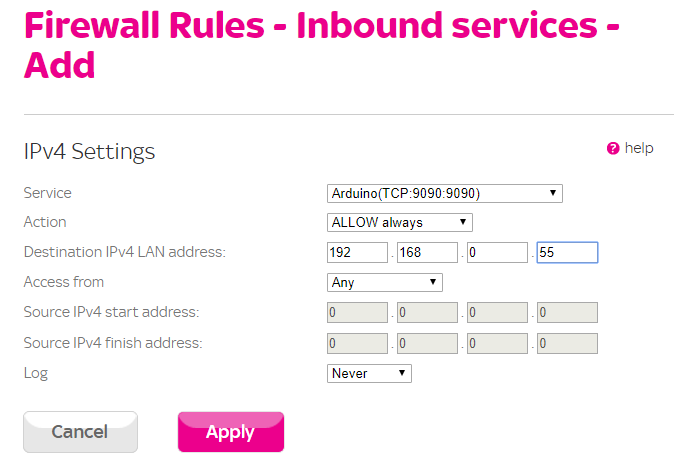
First we need to make our Arduino accessible from anywhere on the internet, using Port Forwarding on your local router.
To do this you will need to set your Arduino to a Static IP Address (or add a Reservation for its MAC on your Router).
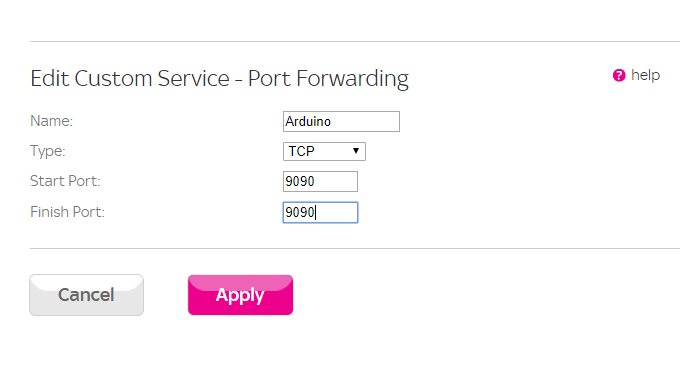
Then we will need to decide on a port (e.g. 9090) to serve our Arduino Webserver on (80 is in use by your routers' web interface externally normally, you can use this so all requests hit your Arduino without any other changes).
Once that's decided we can add a Service which defines the port ranges, and then add it as a rule to allocate it to the IP address from the previous step.
Now that's configured you can access it via the External IP of your router (available on your Router or at https://www.whatismyip.com/) with a Port e.g. http://90.98.241.123:9090, however as there is no device running you will just get a 404 at the moment.
To make things easier to access, set up a Dynamic DNS name (e.g. https://www.noip.com/), which in many cases can be entered on the Router directly, then you can access it via a more memorable URL such as http://visualmicrohomeproject.ddns.net:9090
IFTTT Registration
IFThis Then That provides a linking service between a wide variety of tools such as Google Assistant / Alexa, as well as being able to link plain Web hooks as well.
First register with IFTTT with the same Google Account as on your Assistant device.
(If you don't use the same account it will not work)
IFTTT Setup
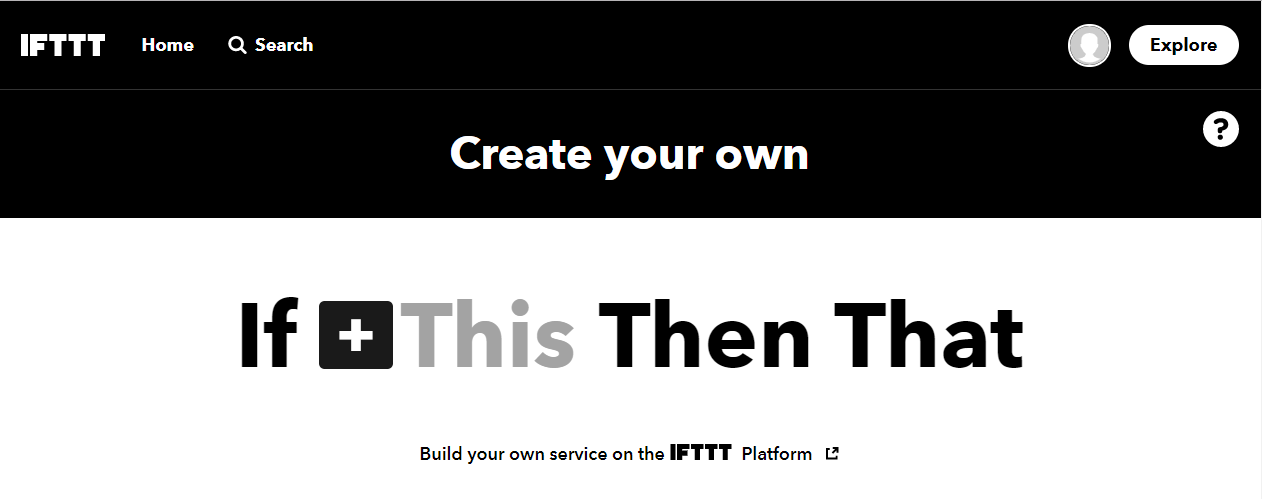
Now you're logged in > Click on Create > Click "This"
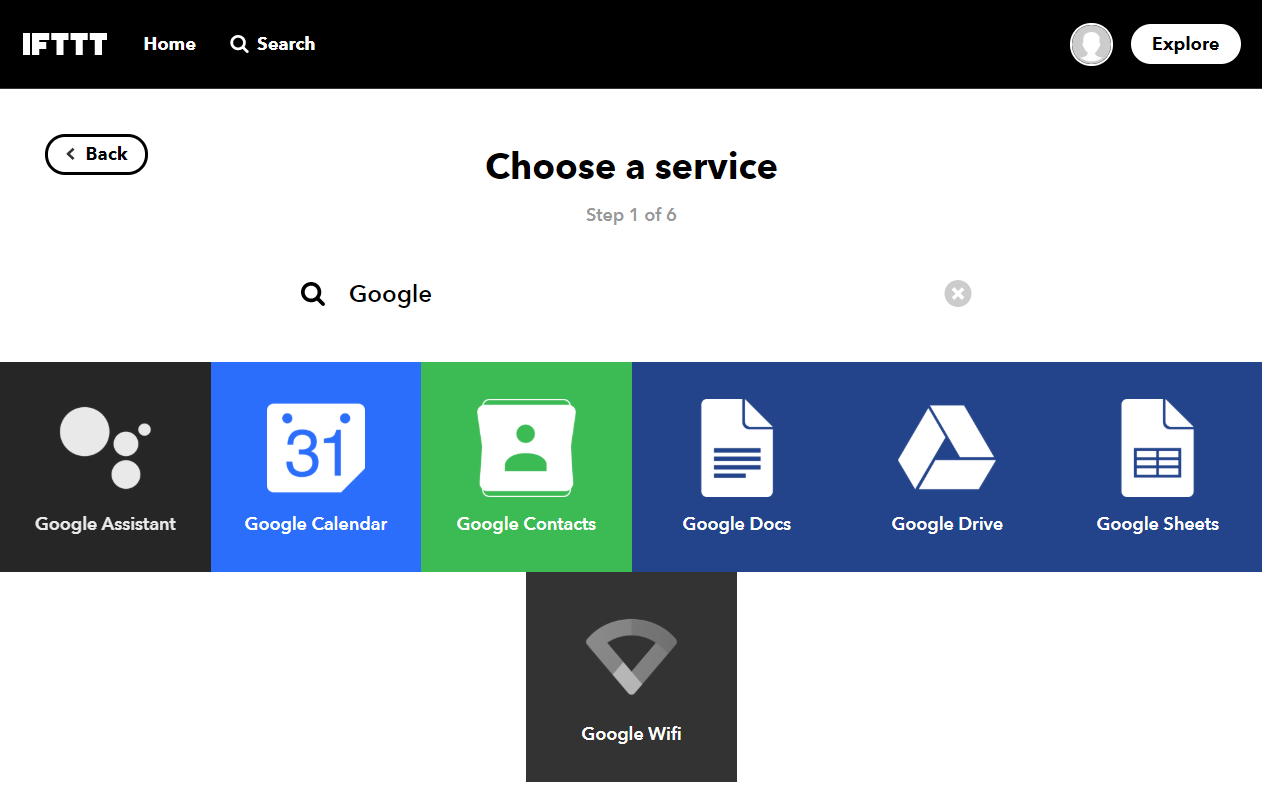
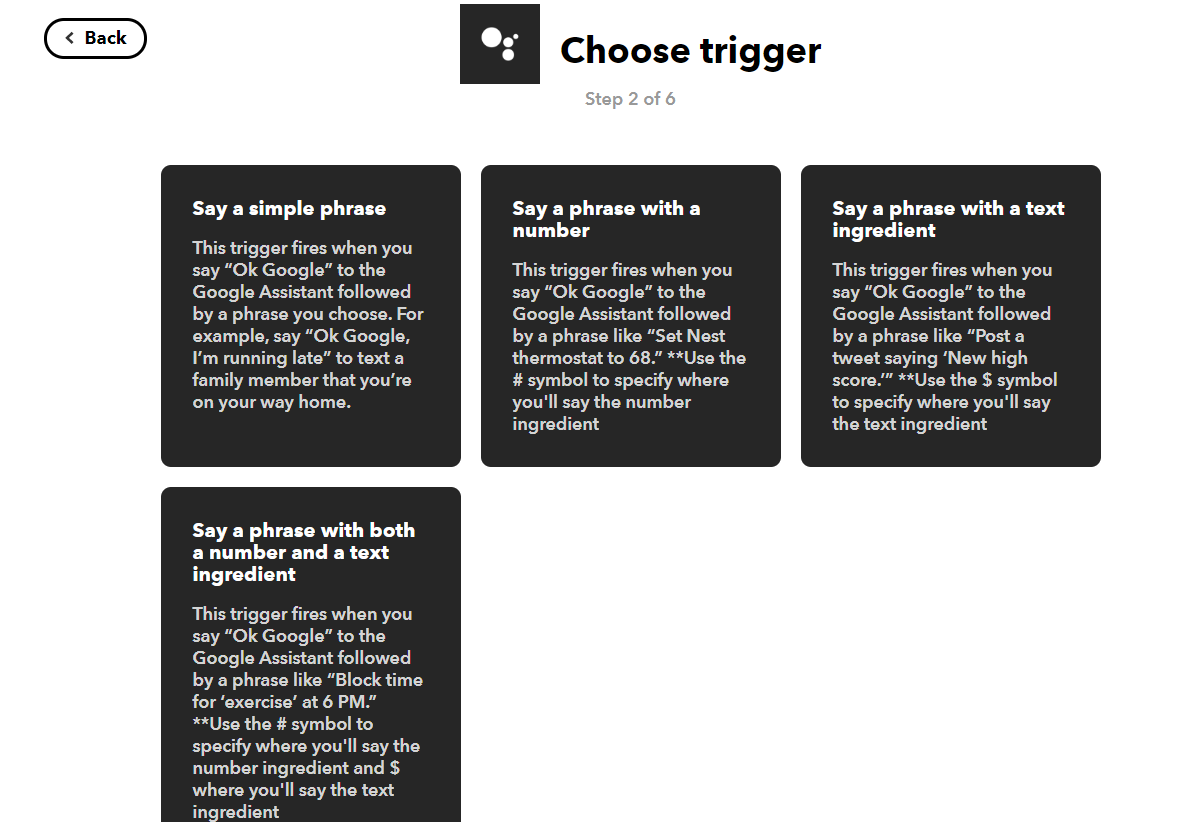
Then Search for Google > Select Google Assistant
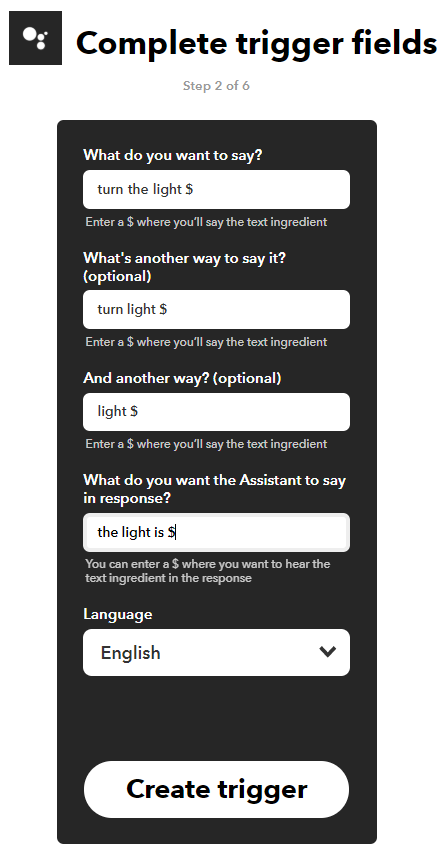
At this point you can configure different phrase types, in this example we will use a word "On" or "Off" as our variable, in the phrase "Turn the light On/Off" which we enter as "Turn the light $"
Now we need to link this Trigger by clicking on "That"
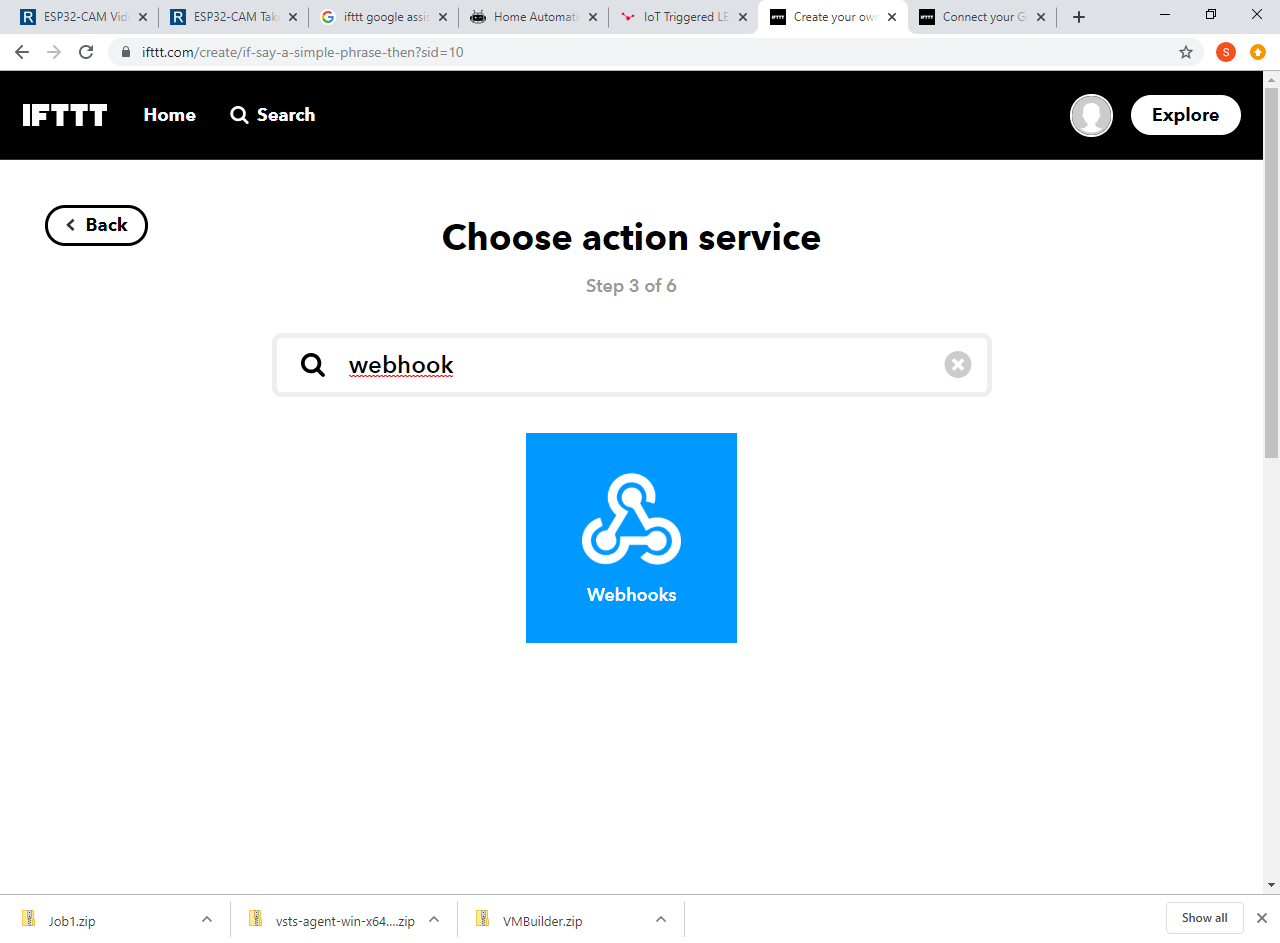
Search for Webhooks > Select Webhooks
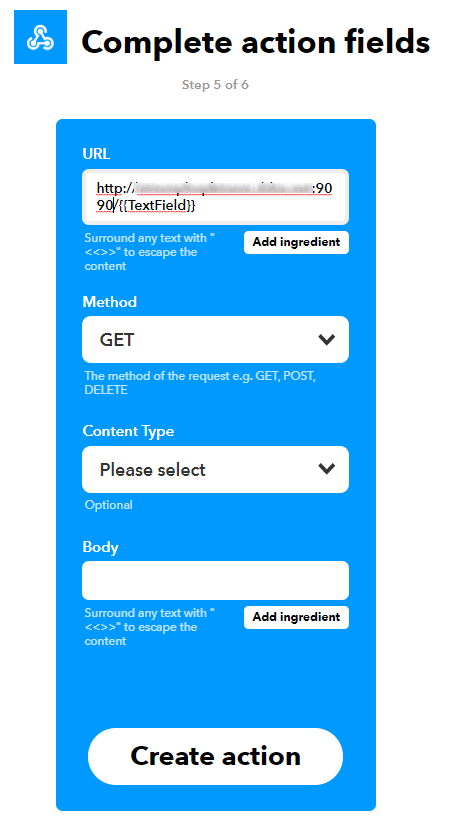
Here we configure our URL and Port as setup in the previous step, and we can add our "ingredient" variable from above.
For simplicity we will add it to the URL here, but if you were sending more data it would generally go in the body, often in a JSON Format, where you can use the Arduino JSON library to parse it on your Arduino.
Once the applet is configured, we can amend the code on our board as needed.
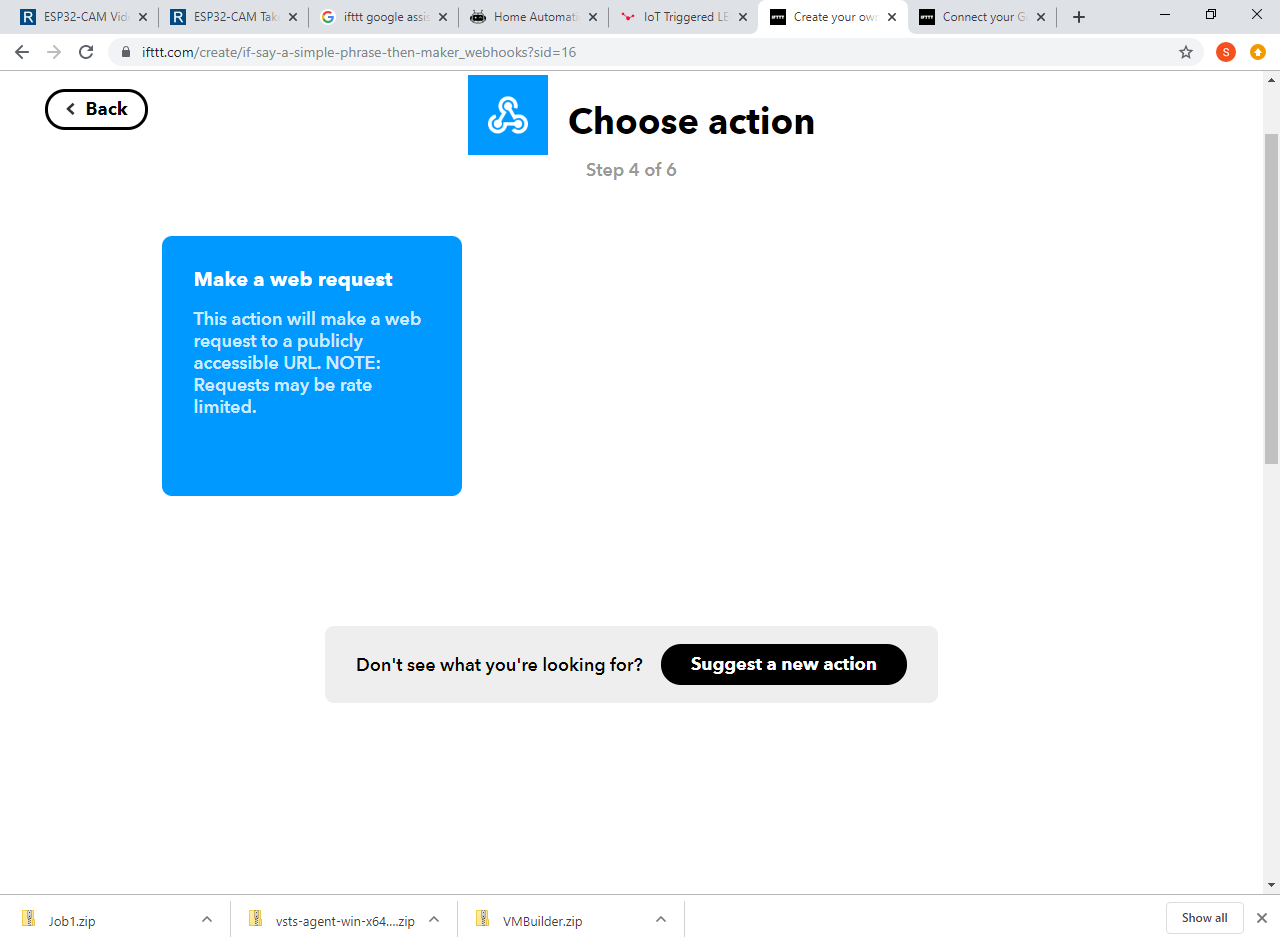
Adjust and Upload the Code
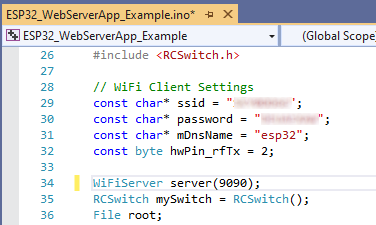
Simply amend the Wifi password and SSID if using an ESP8266/8285/32 board, it will automatically include the relevant libraries.
For other boards adjust the headers and relevant web methods as needed.
Try It Out
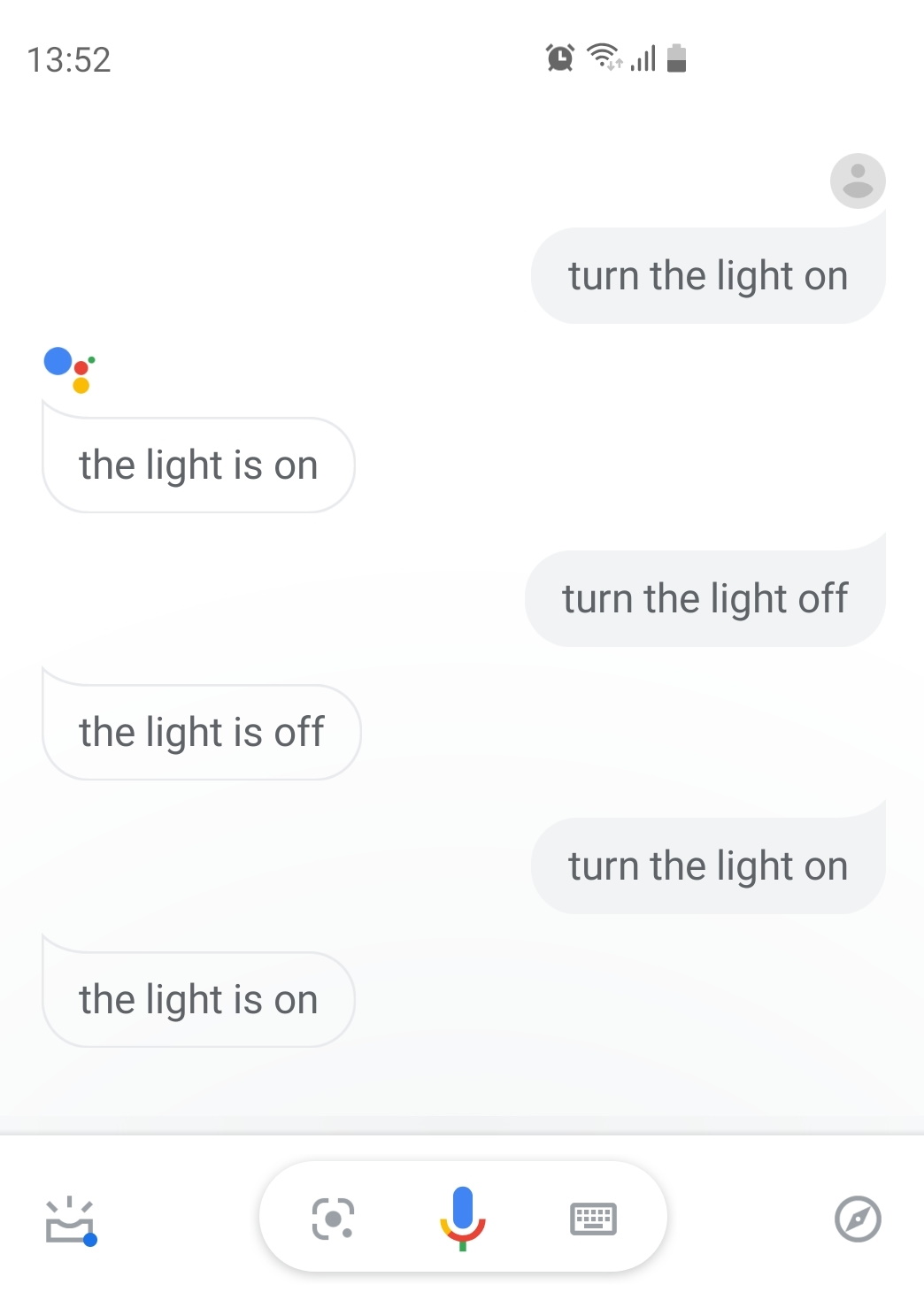
Now you should be able to say to your assistant "Hey Google, turn the light On", and it will respond with the phrase you said.
The light should also be on now as well!
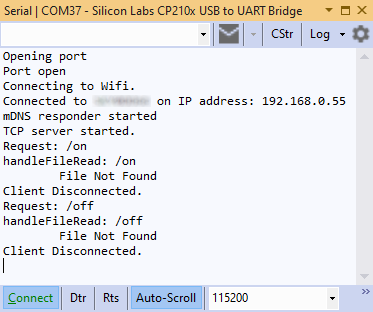
You will also see in your Serial Monitor that there is a request sent in with the On Keyword appended to the URL, and your Arduino will have sent the RF message to turn the light on from the code changes.
From here the sky is the limit, as you can now have your own custom web interface on the device itself, as well as send data to and from it using IFTTT, and control your projects from your Voice Enabled Assistant whether it be a phone or physical device.
More Information
Google Assistant IFTTT Support
EXPANDED TECHNICAL DETAILS
Edge-Acoustic Command Processing
This advanced project enables natural language interaction with an Arduino without requiring an internet connection, using high-speed audio analysis.
- Assistant SDK Integration: Leverages professional speech recognition libraries (or a linked PC/Google Assistant) to translate spoken phonemes into digital tokens.
- Command Dispatch Matrix: Upon recognizing a word (e.g., "Light," "Fan," "Gate"), the Arduino searches its internal command table and executes the corresponding hardware function via its GPIO pins.
Customization
- Visual Micro Debugging: Optimized using Visual Micro in Visual Studio 2017, allowing developers to monitor the "Confidence Level" of several voice commands in real-time for better accuracy tuning.