Image
Introduction
Most voice-controlled architectures rely heavily on routing data to massive cloud Amazon Alexa server mainframes. The **Voice Controlled Home Automation** project completely severs the internet. It utilizes an Android smartphone's internal offline Google Speech-to-Text engine, outputting pure text strings via Bluetooth straight into an Arduino's heavy-duty relay switching matrix.
Basically in a home automation system we have a wireless switch to control different devices. But in this project we can control devices over our voice. The Mega has 54 digital pins so we can connect a vast number of devices using this board. This project will be helpful for physically challenged people who can use their voice to control anything.
String Parsing the Bluetooth Serial Data
When the user says "Turn on the living room light", the phone's app converts that acoustic waveform into an ASCII character string.
- The phone sends the string via Bluetooth into the Arduino's HC-05 or HC-06 RX Pin.
- The Buffer Assembly: The Arduino cannot read the whole string at once; it reads one letter at a time
('T', 'u', 'r', 'n'...). - You must write a
while(Serial.available())loop that stitches the individual characters into a complete C++Stringobject. - The Critical Termination Character: The Android app must be programmed to send a
\n(Newline) character at the end of the sentence. The Arduino usesif (incomingChar == '\n')as the trigger to stop listening and start processing the data!
Indexing the Execution Tree (indexOf)
Once the Arduino holds the complete string, for example message = "Turn on the bedroom fan", checking the logic requires a flexible approach.
- You do NOT want to use
if (message == "Turn on the bedroom fan"), because if the phone hears "Turn on the bedroom fan please", the exact match will fail! - Instead, use the forgiving
.indexOf()function to search for keywords within the string.
if (message.indexOf("bedroom") >= 0 && message.indexOf("on") >= 0) {
  digitalWrite(RelayPin1, LOW); // Trigger the fan!
} else if (message.indexOf("all") >= 0 && message.indexOf("off") >= 0) {
  // Turn off every relay in the house!
}
Relaying Output Hardware
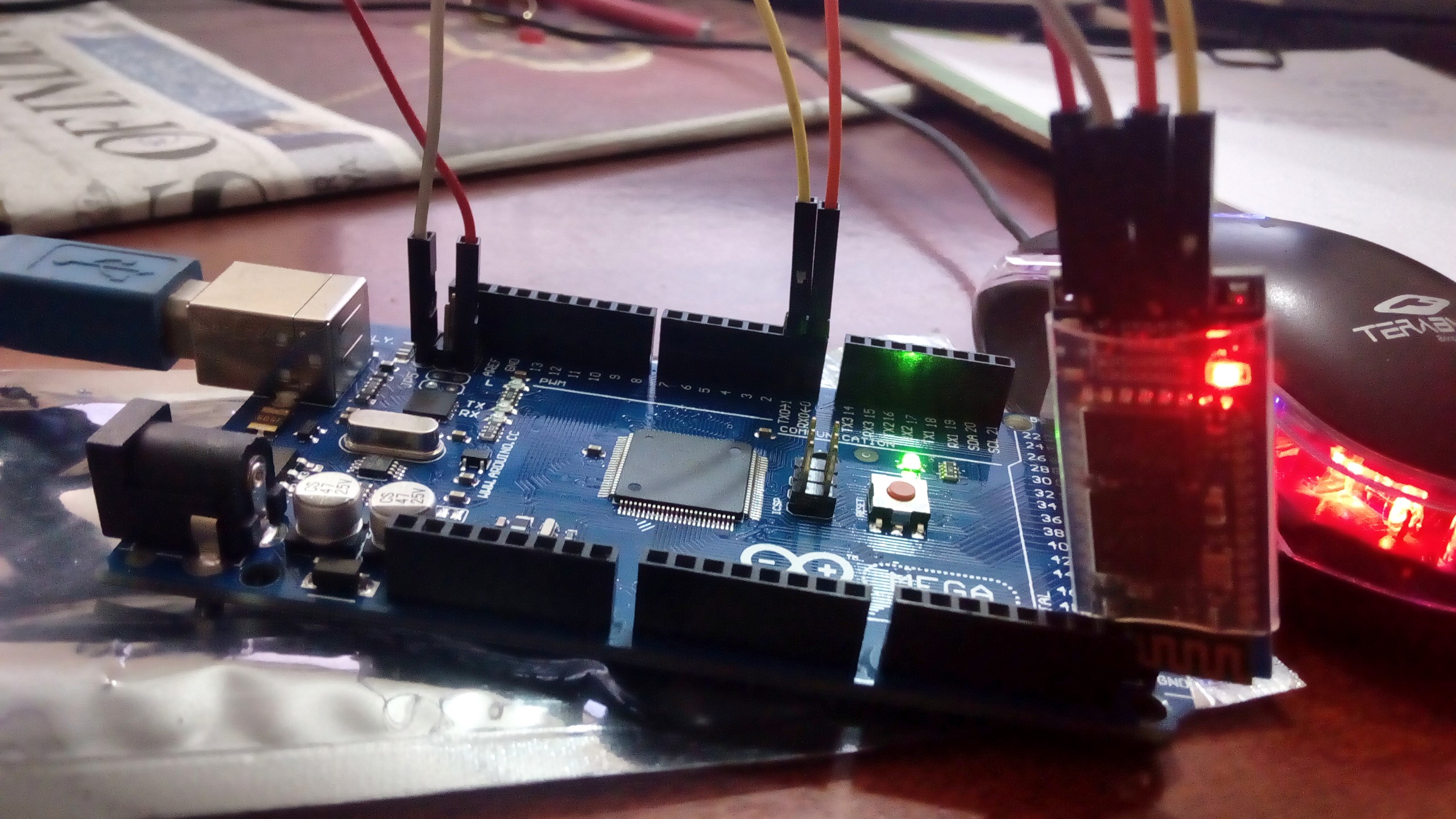
- Arduino Uno/Mega (The Mega is advantageous due to its larger RAM, which is helpful for buffering long string variables).
- HC-05 or HC-06 Bluetooth Transceiver Module (as shown in the image above).
- Multiple 5V Optically Isolated Relays (Capable of routing 120V / 10A AC Mains voltage to lamps and fans).
- An Android Mobile Phone running a generic "Bluetooth Voice Controller" app or a custom-coded MIT App Inventor interface.