Introduction
This report details the functionalities and components of a Stroopwafel detection system implemented using an Arduino. The system uses various sensors and outputs to detect specific conditions and respond accordingly. The primary components include a temperature sensor (LM35), a DHT11 temperature and humidity sensor, an LCD display, a buzzer, and an LED. My Laptops webcam was also used to measure any movement from the waffel to determine how floppy it is. Additionally, a linear regression model was used to validate the system's performance through multiple tests. I created a full video on this as well on YouTube where I go through the tests and ideas around the project.

Components and Setup
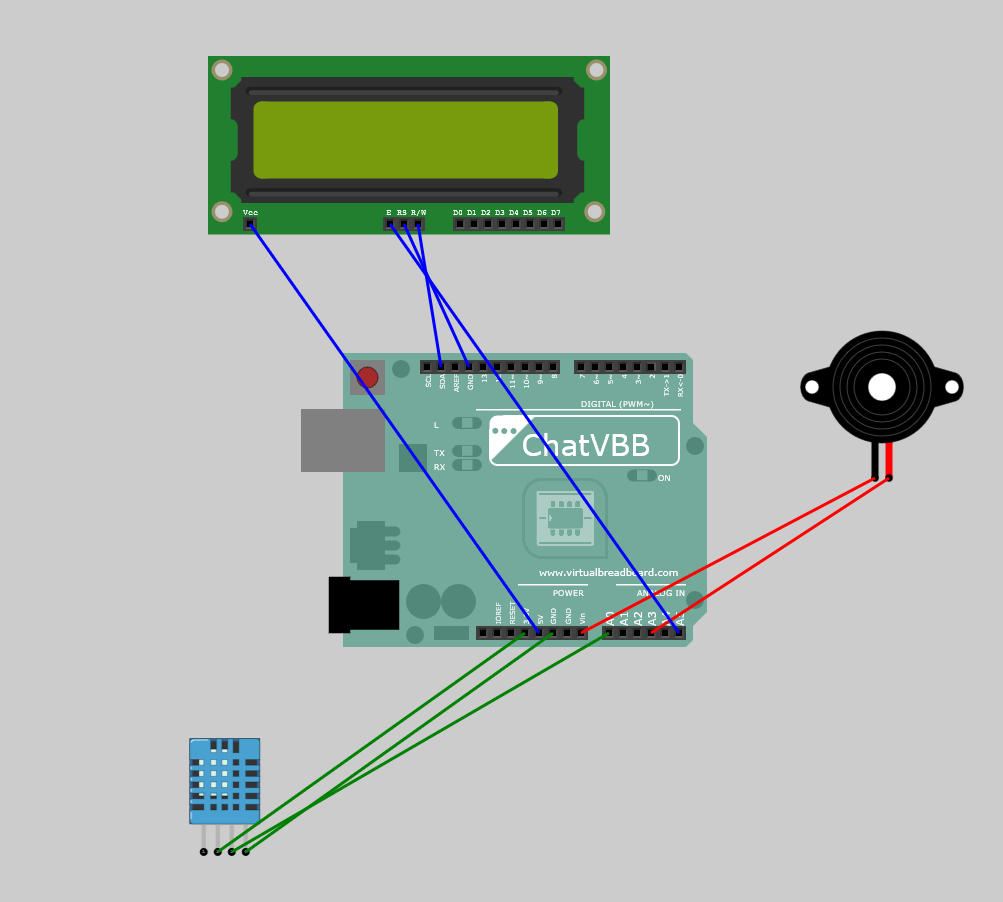
LCD Display (LiquidCrystal_I2C)
- Purpose: To display temperature readings.
- Pin Configuration: I2C address is set to 0x27 for a 16x2 character display.
- Initialization: Initialized in the setup() function and configured to display text at specific cursor positions.
Temperature Sensor (LM35)
- Purpose: To measure the ambient temperature.
- Pin Configuration: Connected to analog pin A3.
- Reading Mechanism: Analog readings are converted to voltage, then to temperature in Celsius.
DHT11 Sensor
- Purpose: To measure temperature and humidity.
- Pin Configuration: Connected to digital pin 2.
- Library Used: The DHT sensor library is used for easy interfacing.
- Reading Mechanism: Uses the library’s function to get temperature readings.
- Buzzer
- Purpose: To play a melody (Tetris theme) under certain conditions.
- Pin Configuration: Connected to analog pin A1.
- Functionality: The buzzer plays the Tetris theme using predefined note frequencies and durations.
LED
- Purpose: To indicate a condition visually.
- Pin Configuration: Connected to digital pin 13.
- Functionality: Turns on when a certain number of serial messages are received.
Serial Communication
- Purpose: To receive messages that trigger specific actions.
- Configuration: Initialized at 9600 baud rate.
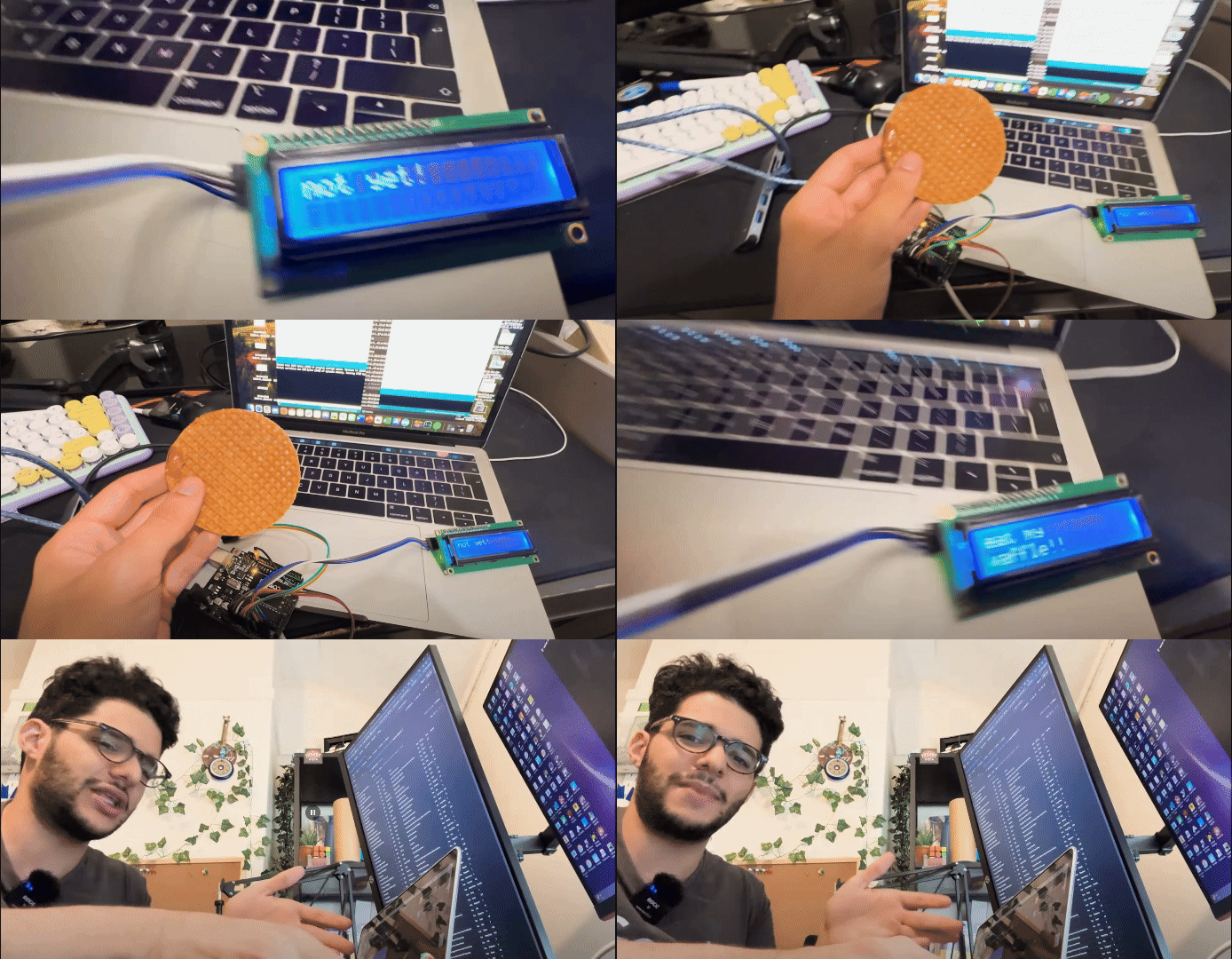
Code Functionality
Setup Function
- Initializes the LCD, sets up the buzzer and LED pins, and waits for sensors to stabilize.
- Initializes the serial communication.
- Loop Function
- Continuously reads temperatures from both the LM35 and DHT11 sensors.
- Displays these temperatures on the LCD.
- Checks for a 20% reduction in the initial temperature reading from the LM35 sensor and plays the Tetris theme if detected.
- Monitors the serial input for incoming messages, counting them, and triggers the buzzer and LED if more than 20 messages are received.
- Temperature Reading Functions
readTemperature(): Reads and converts the analogue value from the LM35 sensor to a temperature value.
readDHTTemperature(): Reads the temperature from the DHT11 sensor using its library functions.
- Music Playback
- playTetrisTheme(): Contains the sequence of notes and durations for the Tetris theme. It plays the melody using the buzzer.
- Serial Message Handling
- Counts the number of messages received via the serial port.
- If the count exceeds 20, the system plays the Tetris theme and blinks the LED for visual indication.
Motion Detection System from Laptop
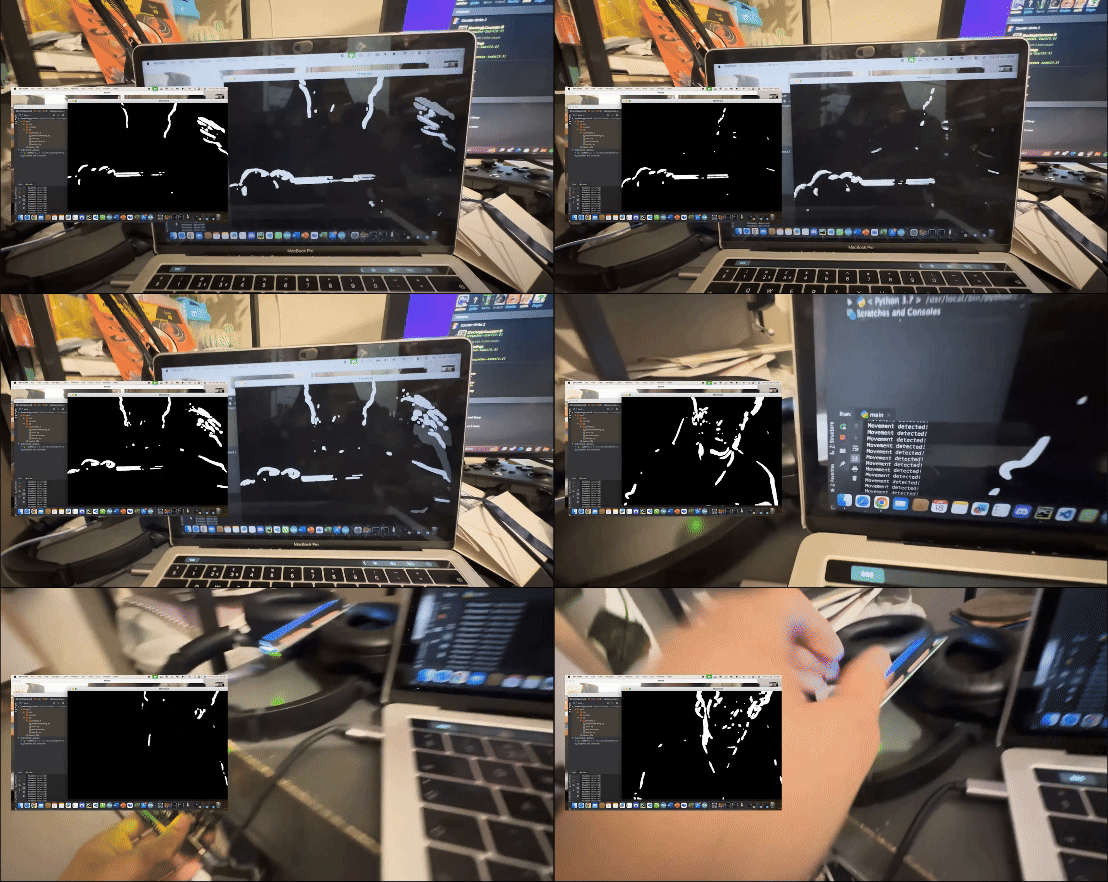
This Python script uses OpenCV to capture video from a webcam and detect movement by comparing consecutive frames. When movement is detected, it sends a signal ('1') to an Arduino via serial communication at a baud rate of 9600. The script processes video frames in grayscale, applies Gaussian blur to reduce noise, computes the difference between frames, and uses contour detection to identify movement. This allows the Arduino to respond only when movement is detected, making the system efficient and responsive.
Final movement software:
Testing and Validation
A linear regression model was employed to ensure the accuracy and reliability of the detection system. The model was used to analyze data collected from multiple tests performed on a YouTube channel. The tests were conducted five times to monitor the system's response to the following conditions:
Temperature Reduction measures used for Arduino code to trigger
- The system tracks the percentage change in temperature from an initial reading.
- A 20% reduction in temperature triggers the buzzer to play the Tetris theme.
- Serial Message Count
- The system counts the number of serial messages received.
- Upon receiving more than 20 messages, the buzzer plays the Tetris theme and the LED blinks.
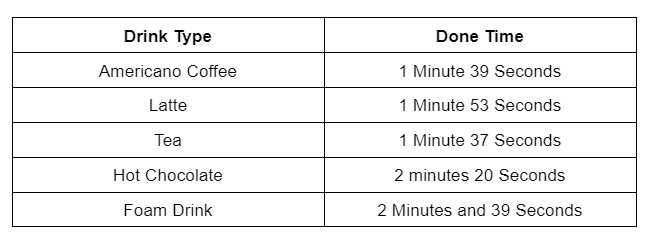
A decent bend to the waffle but still has a stronghold. The centre to start to be goey enough moving. The heat from the beverage seeps through the entire waffle. In the video, I created a table from 6 tests.
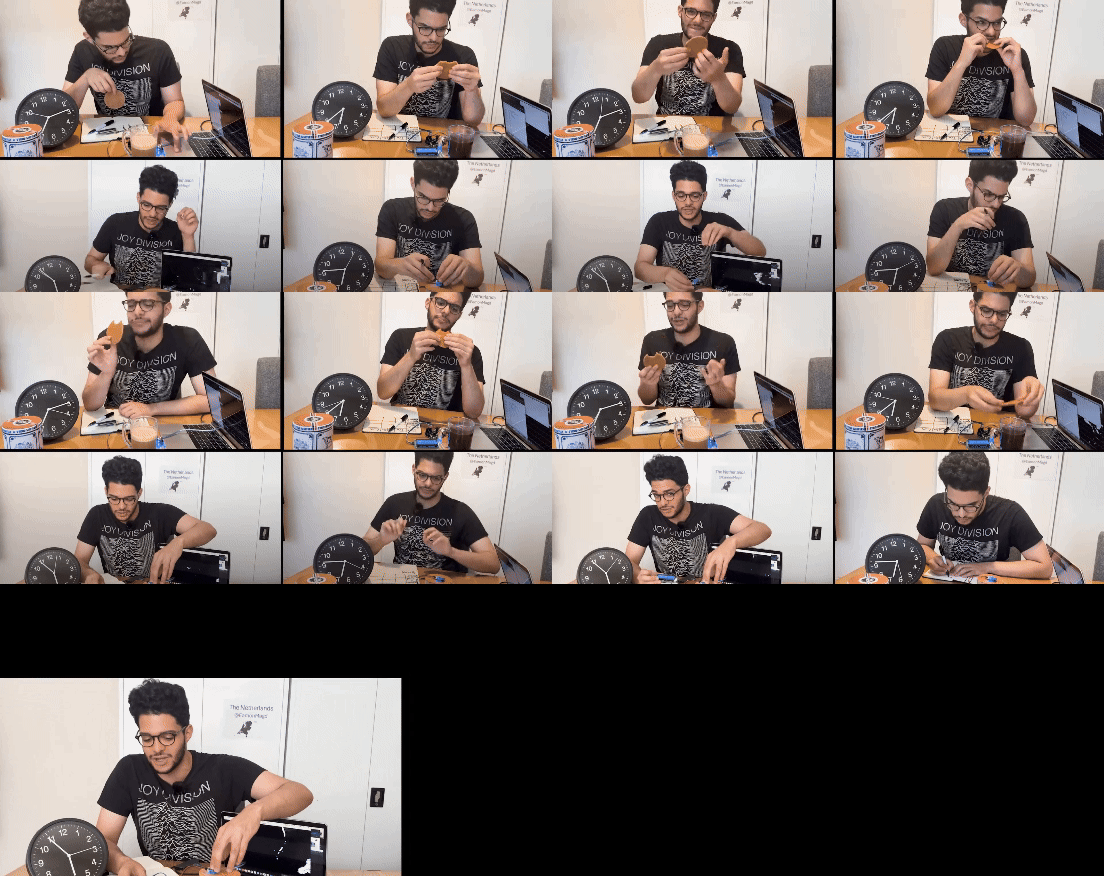
The answers for the best times from my controlled tests are below.
Conclusion
The Stroopwafel detection system is a multifaceted project combining temperature monitoring, user feedback via an LCD, and auditory/visual alerts. The integration of multiple sensors and outputs showcases the capability to create an interactive and responsive system. The core functionality is based on monitoring temperature changes and reacting to external inputs through serial communication, ensuring robust detection and alert mechanisms.
The use of a linear regression model to validate the system's performance adds a layer of reliability. The system's effectiveness in detecting the specified conditions was confirmed by testing the code five times and analysing the results. This rigorous testing approach ensures that the Stroopwafel detection system operates accurately and consistently in real-world applications. Check out the full video on youtube !
EXPANDED TECHNICAL DETAILS
Culinary Phase-Change Monitor
This project uses precise thermal tracking to identify the exact moment a Stroopwafel has reached its optimal "Gooey" state when placed over a coffee mug.
- IR Radiometric Thermal Sensing: Uses a non-contact IR thermometer module. The Arduino monitors the surface temperature of the waffle; it ignores the steam and focuses only on the waffle's ceramic-like heat absorption profile.
- Python-to-Audio Alert Dispatch: The Arduino sends the waffle's temperature data to a PC via serial. A Python script calculates the state of the caramel and plays a celebratory sound when the waffle is perfectly warmed.
Aesthetics
- Visual "Doneness" Gauge: Features a NeoPixel ring on the device; the LEDs transition from Blue (Cold) to Amber (Warming) to a Pulsing Green (Perfect) as the waffle heats up.