Intermediate
Understanding SIPO Shift Registers
This article explores why shift registers are necessary, how they function, and their practical applications with Arduino.

This article explores why shift registers are necessary, how they function, and their practical applications with Arduino.
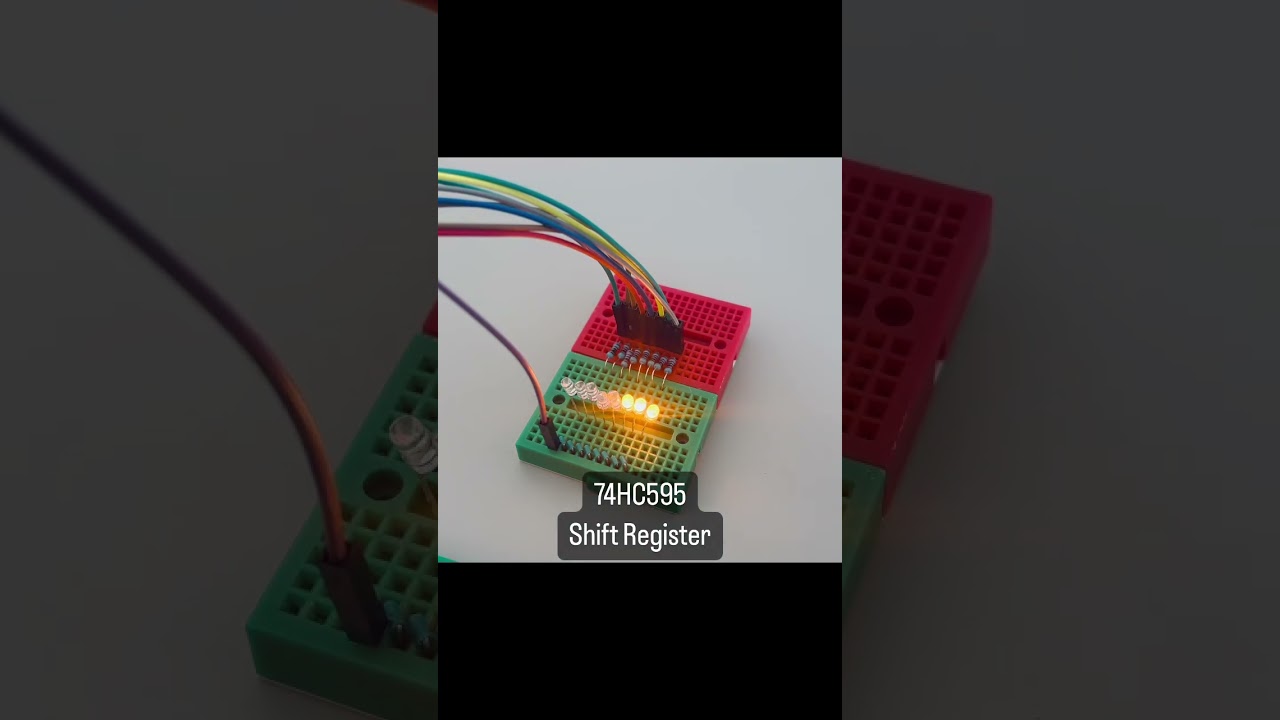
▶ Click to play project demo
Project Supporter Team
Posted by
Main article: Understanding SIPO Shift Registers
Shift registers are integral components in digital electronics, enabling efficient data management and transfer. When working on Arduino projects, you may quickly run into the issue of not having enough output pins to control all your components. This is where SIPO (Serial-In, Parallel-Out) shift registers come into play. These devices allow you to manage multiple outputs with just a few pins on your Arduino, making them a powerful tool for more complex projects involving numerous LEDs, buttons or other peripherals. This article explores why shift registers are necessary, how they function, and their practical applications with Arduino.
Shift registers are available in two main types: SIPO (Serial-In, Parallel-Out) and PISO (Parallel-In, Serial-Out). SIPO registers are ideal for managing multiple outputs, like controlling arrays of LEDs, whereas PISO registers excel at collecting multiple inputs, such as reading states from buttons.
The 74HC595 is a widely used SIPO chip, while the 74HC165 is the go-to PISO chip.
A SIPO shift register operates by taking data input serially and then outputting it in parallel. The process works as follows:
The 74HC595, for example, uses three Arduino pins: Data (for sending bits), Clock (to synchronize the data flow) and Latch (to transfer the data to the output pins). This simple yet effective method allows you to control up to eight outputs with minimal wiring, making your projects more manageable and scalable.
Arduino boards have a limited number of output pins. As your project grows, this limitation can be a significant hurdle. SIPO shift registers, like the popular 74HC595, solve this problem by letting you control several outputs using only three pins on your Arduino. This ability to expand outputs is especially useful in projects that require controlling multiple LEDs, displays, or even motors without overloading your Arduino's resources.
By using SIPO shift registers, you not only expand the output capability of your Arduino but also simplify the wiring, making it easier to manage and troubleshoot your projects. Let's begin by reviewing the pinout of the shift register chip.


We're going to build a basic circuit with 8 LEDs, which will be controlled by an Arduino using a shift register. Begin by placing the shift register on your breadboard, ensuring that each side of the IC is positioned on opposite sides of the breadboard. With the small U-shaped indentation at the top, pin 1 is located to the left of this indentation.
Connect pin 16 (VCC) and pin 10 (MR) to the Arduino's 5V output, and pin 8 (GND) and pin 13 (OE) to ground. This configuration ensures the IC operates in its normal working mode.
Next, connect the three control pins of the shift register:
The final step is to connect the LEDs to the output pins. Attach the cathode (short pin) of each LED to a common ground, and connect the anode (long pin) of each LED to the corresponding output pin of the shift register. Be sure to include a 220Ω resistor in series with each LED to prevent overloading.
The diagram below illustrates the wiring connections.

Here is a simple sketch that sequentially turns on each LED until all are illuminated, then turns them off and repeats the cycle
#define DATA_PIN 4
#define LATCH_PIN 5
#define CLOCK_PIN 6
byte leds; // Variable to store the pattern indicating which LEDs are currently on/off
void setup()
{
// Set pins mode
pinMode(DATA_PIN, OUTPUT);
pinMode(LATCH_PIN, OUTPUT);
pinMode(CLOCK_PIN, OUTPUT);
}
void loop()
{
leds = 0; // Initially turns off all the LEDs
sendToShiftRegister(leds);
delay(500);
// Iterate LEDs one by one
for (int i = 0; i < 8; i++) {
// Set HIGH the current LED in the leds variable
bitSet(leds, i);
sendToShiftRegister(leds);
delay(500);
}
}
/**
* This function sends a byte of data to the shift register
*/
void sendToShiftRegister(byte data)
{
digitalWrite(LATCH_PIN, LOW);
shiftOut(DATA_PIN, CLOCK_PIN, LSBFIRST, data);
digitalWrite(LATCH_PIN, HIGH);
}
The code sets up pins to control a shift register for managing LEDs. It initially turns off all LEDs and then sequentially lights each one by updating the shift register with the sendToShiftRegister() function.
Once everything is properly connected and the code is uploaded, the results should look similar to the video shown below.
The LEDs start in the OFF state and then turn on one by one in sequence before the cycle repeats.
SIPO shift registers are a practical solution for expanding the output capabilities of your Arduino. They allow you to control multiple outputs with minimal pins, making them indispensable for more complex and interactive projects. Understanding and applying SIPO registers can significantly enhance your Arduino setups, leading to more efficient and creative designs.
Support to get the Source Code for this project
Project estimate
The long estimate form has moved to a separate page so this project page stays clean.
รีวิวจากคนใช้งานจริง
ถ้าเคยสั่งงาน เคยอ่านหน้านี้แล้วได้ประโยชน์ หรือมีข้อเสนอแนะ ฝากรีวิวไว้ได้เลย
ยังไม่มีรีวิวบนหน้านี้ ถ้าเคยใช้งานหรือมีข้อเสนอแนะ เขียนเป็นคนแรกได้เลย